

A great membership form is more than just a gateway; it's the first handshake, the start of a relationship between you and a new member. Get it right, and you create a seamless path to joining your community, club, or service. Get it wrong, and you risk losing valuable sign-ups to unnecessary friction and confusion. This guide moves beyond simple templates to provide a deep strategic analysis of what makes a high-converting membership form example. We'll explore everything from the essential fields for a SaaS subscription to the community-building questions for a local club, helping you design a form that not only captures data but actively encourages completion.
This curated list breaks down 7 distinct membership form examples, complete with screenshots and direct links. For each one, you'll find actionable takeaways covering:
- Field Selection & Order: What to ask and when to ask it.
- UX & Validation: How to create a smooth, error-free experience.
- Conversion Optimization: Tactics to increase sign-up rates.
- Privacy & GDPR: Essential notes for building trust and compliance.
We'll dissect what works, what doesn't, and provide replicable strategies you can apply immediately. To truly understand the ecosystem your membership form will inhabit and to ensure a cohesive member journey, consider consulting a practical guide to building membership websites. Let’s dive into the examples that will transform your sign-up process from a simple data-entry task into a powerful conversion tool.
1. The AI-Powered Membership Form: Qualify and Convert with Orbit AI
Orbit AI (https://orbitforms.ai) transforms the standard membership form from a simple data collection tool into a dynamic, intelligent qualification engine. Instead of a static list of questions, Orbit embeds an AI Sales Development Representative (SDR) directly into the form. This AI agent engages potential members in a real-time, conversational experience, making it a standout membership form example for organizations that prioritize member quality over quantity.
This approach is ideal for high-value B2B SaaS platforms, exclusive professional networks, and premium subscription services where manual qualification is a significant bottleneck. The AI can dynamically ask follow-up questions based on user responses, mimicking the intuition of a top-performing sales rep.
Strategic Breakdown
- Fields and Flow: The form starts with basic contact information (Name, Work Email). Based on the email domain and initial answers, the AI agent dynamically introduces new questions. It might ask about company size, specific challenges, or budget, personalizing the journey for each applicant.
- Sample Copy: The form's initial prompt is friendly and direct: "Ready to join? Let's get to know you a bit." As the AI engages, the copy becomes more conversational: "Thanks, [First Name]. I see you're at [Company Name]. To help us understand if we're a good fit, could you share your team's primary goal for this year?"
- UX & Validation: The user experience feels less like filling out a form and more like a brief, helpful chat. Real-time validation ensures data accuracy (e.g., confirming a valid work email). This interactive process reduces form abandonment by keeping users engaged.
Key Insight: The true power of Orbit AI is its ability to perform real-time data enrichment and lead scoring. As a user fills out the form, the AI cross-references data from public sources (like LinkedIn and company databases) to build a comprehensive profile, instantly identifying high-priority leads for your team.
Actionable Takeaways
- Conversion Optimization: Use conditional logic to only show relevant questions. If a user indicates they are a "startup," the AI can skip questions about enterprise-level needs, streamlining the process and boosting completion rates.
- Privacy & GDPR: Orbit AI is built with compliance in mind. Clearly state the purpose of data collection at the beginning and provide easy access to your privacy policy. The AI can be programmed to handle data consent queries directly within the chat.
- Integration: Orbit AI integrates natively with major CRMs like HubSpot and Salesforce. This ensures that a highly qualified lead, complete with enriched data and qualification notes, is automatically routed to the right team member for immediate follow-up.
2. The All-in-One Template Library: Rapid Deployment with Jotform
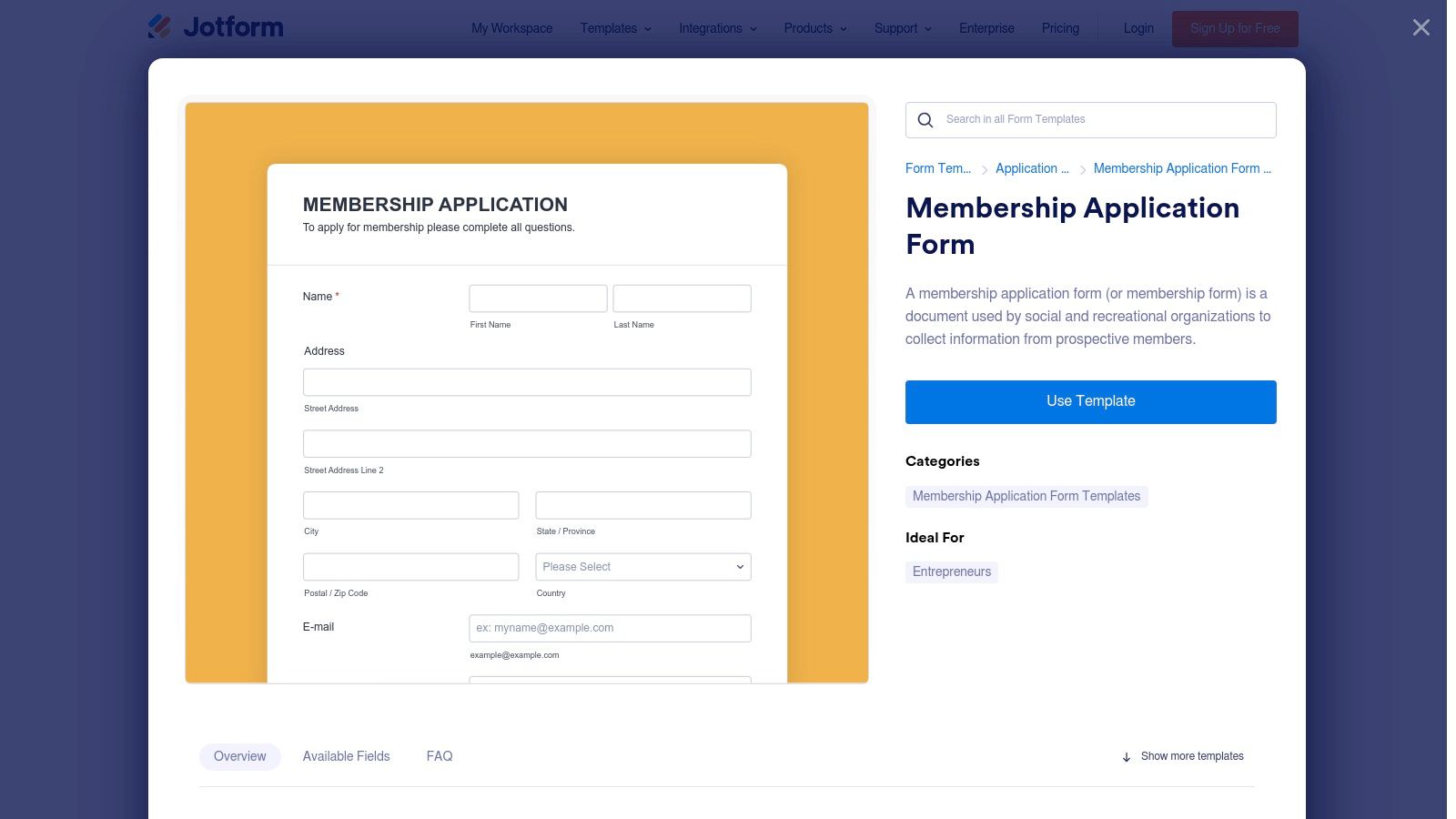
Jotform (https://www.jotform.com/form-templates/membership-application-form) offers a practical and powerful solution for organizations needing to launch a functional membership form quickly. Its core strength lies in a vast library of ready-made templates that can be cloned and customized using an intuitive drag-and-drop builder. This makes it an excellent membership form example for clubs, nonprofits, and small businesses that require a comprehensive solution without a lengthy development cycle.
This platform is ideal for organizations that need to collect membership dues directly through the form, manage submissions in a central database, and integrate member data with other marketing or CRM tools. It strikes a balance between ease of use and advanced functionality, allowing for everything from simple contact collection to complex, multi-page applications with conditional logic.
Strategic Breakdown
- Fields and Flow: Templates typically include standard fields like Name, Email, Phone, and Address. You can easily add payment fields (Stripe, PayPal, Square), file uploads for documentation, and signature fields for agreements. Conditional logic allows you to show or hide fields based on user selections, such as revealing different membership tiers after a user selects their member type.
- Sample Copy: The template copy is often straightforward and functional: "Club Membership Application Form - Please fill in your details below to apply." For a more engaging tone, you can customize it to: "Welcome! We're excited you want to join. Complete the form below to get started."
- UX & Validation: Jotform forms are mobile-responsive by default, ensuring a seamless experience on any device. It provides built-in validation for common fields like email addresses and phone numbers. For longer forms, you can enable a progress bar or break the form into multiple pages to reduce user fatigue.
Key Insight: Jotform's true advantage is its ecosystem. Beyond just form building, it provides a complete workflow solution with automated email responders, PDF generation of submissions, and an integrated inbox for managing applications. This turns a simple form into a lightweight member management system right out of the box.
Actionable Takeaways
- Conversion Optimization: Use the "Save and Continue Later" feature for longer application forms. This allows potential members to save their progress and return later, significantly reducing abandonment rates for detailed applications.
- Privacy & GDPR: Jotform offers GDPR compliance features, including consent checkboxes and data processing agreements. Clearly link to your privacy policy in the form's footer and only ask for data that is essential for the membership application. Many registration form examples show how to properly place these consent fields.
- Integration: Connect your form to tools like Mailchimp or Salesforce to automatically add new members to your email lists or CRM. For qualifying high-value members, you could use a Jotform submission as a trigger to pass lead data to an AI qualification tool like Orbit AI for further enrichment and scoring.
3. The Conversational Membership Form: Boost Engagement with Typeform
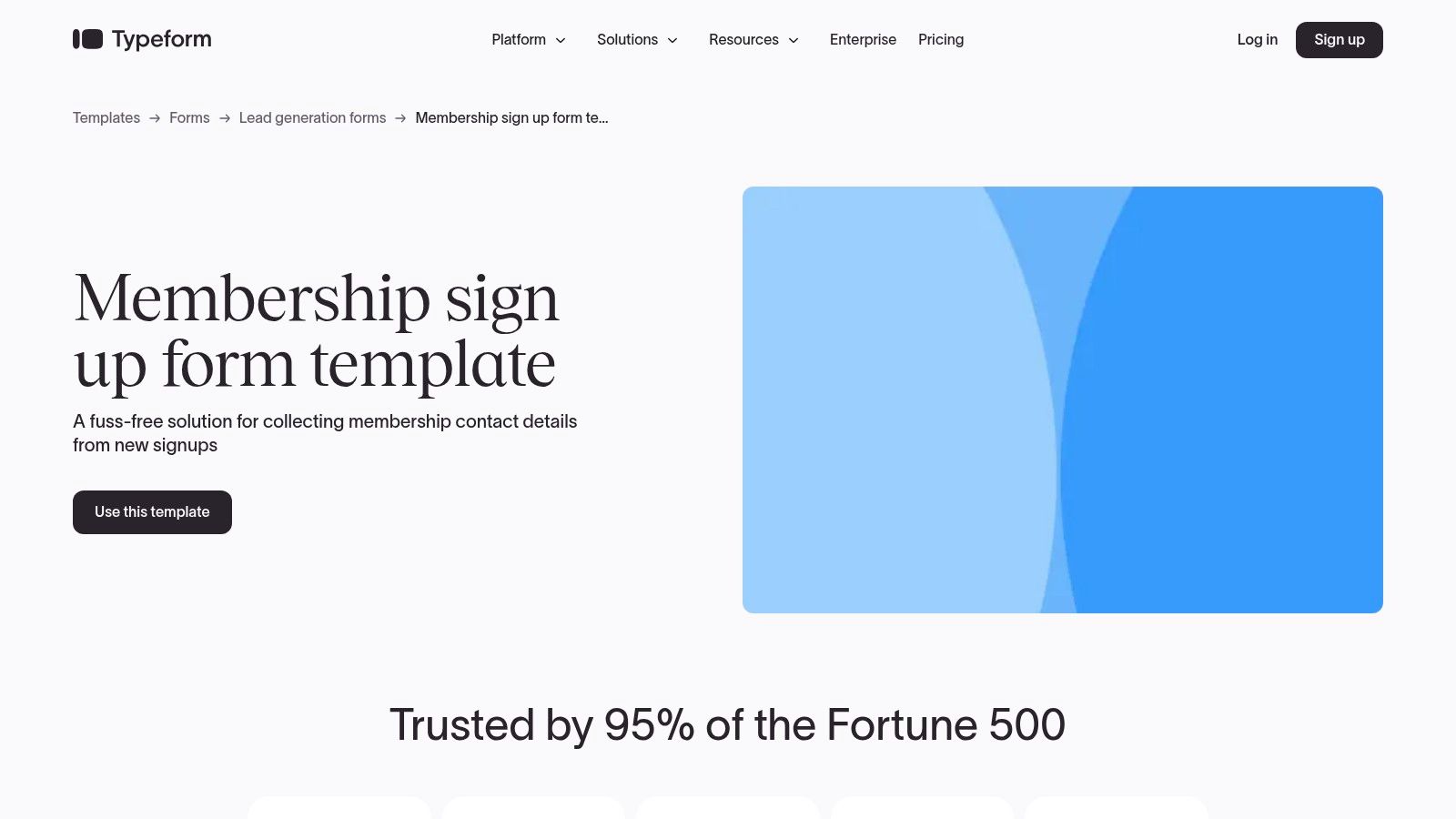
Typeform (https://www.typeform.com/templates/membership-sign-up-form-template) excels at turning standard data collection into an interactive and visually appealing experience. Its one-question-at-a-time format feels more like a conversation than a form, making it a compelling membership form example for organizations focused on brand identity and user experience, such as creative communities, modern nonprofits, and direct-to-consumer subscription services.
This approach is particularly effective for reducing friction and encouraging completion. The mobile-first design ensures a seamless experience on any device, which is critical for capturing members who are on the go.
Strategic Breakdown
- Fields and Flow: Typeform's membership template guides users through a logical sequence, starting with basics like "Name" and "Email." It then uses conditional logic to ask relevant follow-up questions. For instance, after asking for "Membership Type," it can branch to different questions depending on whether the user selects "Basic" or "Premium."
- Sample Copy: The tone is inherently friendly and approachable. Initial prompts are often welcoming, like "Become a member! Let's get you started." Follow-up questions maintain this feel: "Great, just a few more details..." This helps maintain momentum and reduces the user's cognitive load.
- UX & Validation: The core of Typeform's UX is its "one thing at a time" philosophy. This singular focus, combined with smooth animations and clear progress indicators, keeps users engaged. Built-in validation for fields like email and phone numbers ensures data is clean from the start.
Key Insight: Typeform's strength lies in its ability to humanize data collection. By personalizing the flow with features like "Recall information" (e.g., "Thanks, [First Name]!"), it creates a bespoke journey that can significantly increase completion rates compared to traditional, static forms.
Actionable Takeaways
- Conversion Optimization: Use the "Welcome Screen" to set expectations and reinforce the value of membership. Incorporate images, GIFs, or short videos to make the form more dynamic and aligned with your brand, keeping users invested in the process. While Typeform offers a great user experience, some may find its capabilities limited; for those seeking alternatives, exploring different form builders can be beneficial.
- Privacy & GDPR: Add a mandatory checkbox field for consent before the submit button. Use the description text under the checkbox to link directly to your privacy policy and terms of service, ensuring transparency and compliance.
- Integration: Connect Typeform to tools like Mailchimp or a Google Sheet via its native integrations. This allows you to automatically add new members to your email list or database, streamlining the onboarding process without manual data entry.
4. The All-in-One Solution: Cognito Forms for Clubs and Nonprofits
Cognito Forms (https://www.cognitoforms.com/templates/399/membership-application) offers a robust, pre-built template that serves as an excellent membership form example for organizations needing a comprehensive solution out of the box. It’s particularly well-suited for clubs, nonprofits, and associations that handle applications, process payments, and manage member data within a single workflow.
Strategic Breakdown
- Fields and Flow: The Cognito Forms membership template includes sections for applicant details, membership level selection, and integrated payment processing. It supports repeating sections, which are ideal for family or group memberships, allowing one applicant to add multiple members under a single submission.
- Sample Copy: The template's copy is functional and clear: "Please complete the following application to become a member." The description under fields guides users effectively, such as: "Once submitted, one of our team members will review your application within 48 hours."
- UX & Validation: The form includes clear instructions and uses real-time validation for fields like email addresses and phone numbers. For payment sections, it provides visual cues to confirm that credit card information is entered correctly, reducing transaction errors and user friction.
Key Insight: Cognito Forms excels at post-submission workflow automation. You can configure the form to automatically send confirmation emails, notify team members for review, and even grant portal access to new members, creating a seamless onboarding process without complex integrations.
Actionable Takeaways
- Conversion Optimization: Use the conditional logic feature to hide or show fields based on the selected membership level. For instance, a "Family Membership" selection could trigger repeating sections to add details for each family member, while a "Student Membership" could request a university ID upload.
- Privacy & GDPR: Cognito Forms provides data encryption and GDPR-compliant features. Add a mandatory checkbox field for consent before the submit button, linking directly to your organization's privacy policy to ensure full transparency with applicants.
- Integration: While Cognito Forms offers native automation, it also connects with thousands of other apps via Zapier. For organizations using Orbit AI for initial qualification, a qualified lead can trigger the creation of a pre-filled Cognito Forms application, which is then sent to the applicant to complete payment and finalize their membership.
5. The Printable & Platform-Agnostic Option: Template.net
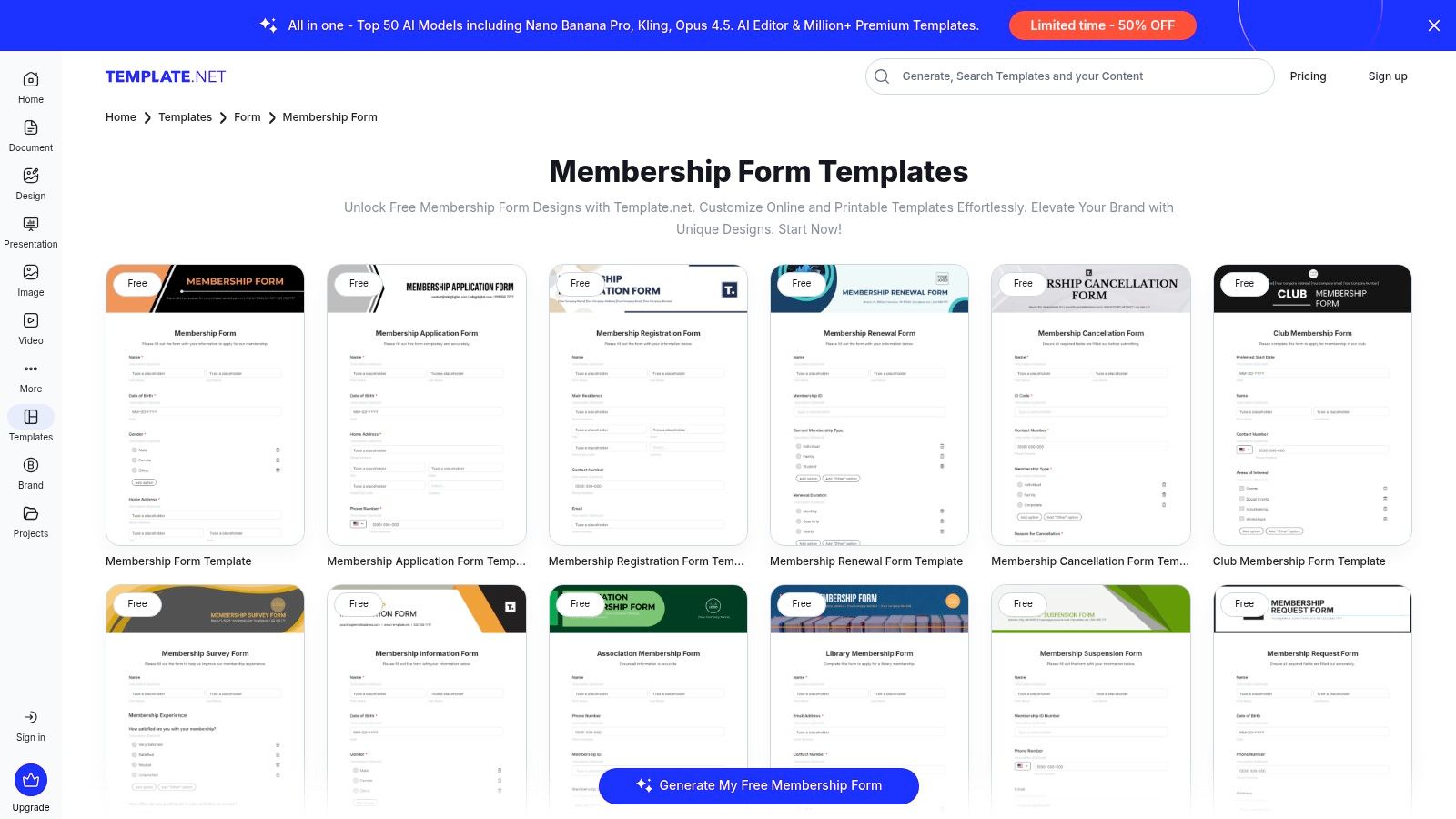
Template.net (https://www.template.net/forms/membership) offers a vast library of downloadable membership form templates for organizations that need flexibility beyond a single web-based platform. Instead of building a form within a specific tool, users can download pre-designed templates in formats like Google Forms, Microsoft Word, and PDF. This makes it an excellent membership form example for clubs, non-profits, or associations that require physical, printable copies or want a starting point for a simple Google Form.
This approach is best suited for organizations that handle memberships offline, need a simple design to adapt for their own website, or prefer managing applications through universally accessible document formats. It provides the structural foundation without locking the user into a particular form builder's ecosystem.
Strategic Breakdown
- Fields and Flow: Templates typically include standard fields like Full Name, Address, Contact Number, Email, and Membership Type (e.g., Individual, Family, Corporate). The flow is static and linear, designed for straightforward data entry either on paper or in a basic digital document.
- Sample Copy: The copy on these templates is functional and direct, such as "Membership Application Form" or "Please fill out all required fields below." Because they are templates, the copy is a generic placeholder intended for users to customize with their organization's specific tone and branding.
- UX & Validation: The user experience is entirely dependent on the final format. For a printed PDF, the UX is analog. For a Google Form created from a template, it includes basic validation like required fields and email format checks.
Key Insight: Template.net's value lies in its role as a design and structure accelerator. It saves teams the time of creating a membership form from scratch, providing a professional-looking, well-organized layout that can be immediately deployed offline or adapted for simple online use cases.
Actionable Takeaways
- Conversion Optimization: If using a Google Form template, enhance it by adding clear section breaks and help text to guide users. For printable forms, ensure there is ample space for handwritten responses to avoid user frustration and illegible entries.
- Privacy & GDPR: Manually add a privacy statement and consent checkbox to any template you use. If you are collecting data on paper, you must have a secure process for storing and managing that physical information to remain compliant.
- Integration: Since these are standalone files, integration is a manual process. Data from completed forms must be manually entered into your CRM or member database. This workflow is best for organizations with low application volume.
6. The Design-First Printable: Crafting On-Brand Forms with Venngage
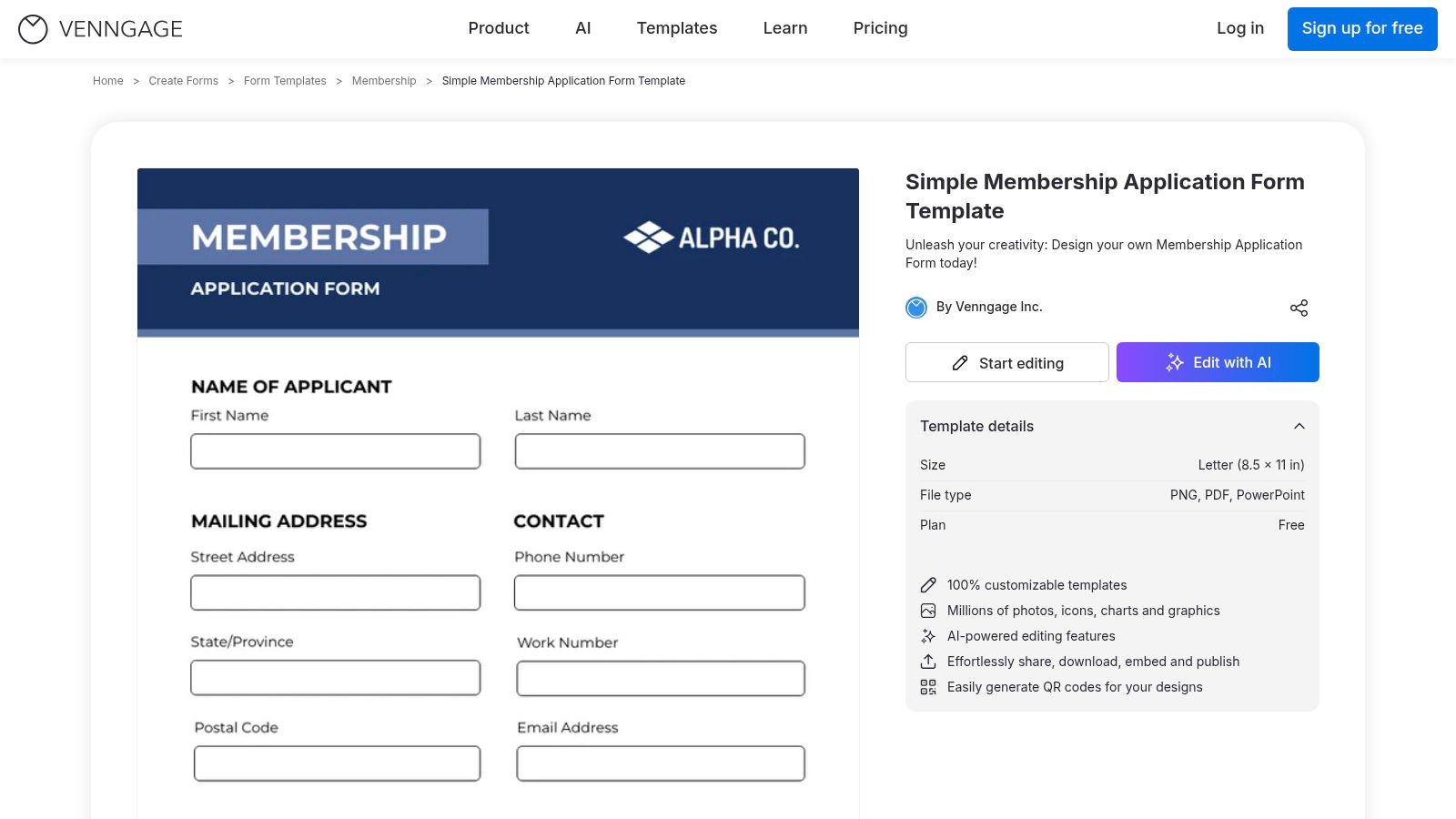
Venngage (https://venngage.com/templates/forms/clean-simple-form-membership-application-form-f6cebb05-d1d5-4fec-ba3f-fc976d0a516b) offers a design-centric approach, positioning its Simple Membership Application Form as a template for creating visually polished, printable documents. Unlike interactive web forms, Venngage excels when the end goal is a downloadable PDF, a physical handout, or a high-quality image for email attachments. It is a strong membership form example for organizations that handle applications offline or require a beautifully branded document as part of their process.
This solution is perfect for community clubs, non-profits, or local associations that may still rely on in-person sign-ups or need a consistent, professional-looking application that can be printed and distributed. The platform prioritizes branding and aesthetics over direct data capture, making it a powerful tool for maintaining brand identity across all member touchpoints.
Strategic Breakdown
- Fields and Flow: The templates provide a static layout with standard fields like Name, Address, Phone, Email, and Signature line. The primary advantage is the drag-and-drop editor, allowing you to add custom fields, logos, and brand colors to create a completely bespoke look.
- Sample Copy: The copy is typically straightforward and formal, such as "Membership Application Form" and "Applicant Information." The editor gives full control to tailor this, so you can inject your organization's voice, whether it's "Join the Adventure: Member Details" for a hiking club or "Pledge Your Support: Supporter Form" for a non-profit.
- UX & Validation: The user experience is for the form creator, not the end-user. The interface is intuitive for non-designers, with templates and brand kit features (on paid plans) simplifying the design process. Since it’s a static document, there is no real-time validation for the applicant.
Key Insight: Venngage’s strength is in turning a functional document into a branding asset. A well-designed, printable form conveys professionalism and care before the member even submits their information. It’s an ideal choice when the form itself needs to make a strong first impression offline.
Actionable Takeaways
- Conversion Optimization: To bridge the offline-online gap, add a QR code to the printable form that links to an online payment portal or a digital welcome pack. This enhances the member experience by providing an immediate next step.
- Privacy & GDPR: Since this is a printable form, include a clear and concise privacy statement directly on the document. Add a checkbox field for "I consent to my data being stored and used according to the privacy policy" to ensure compliance during manual data entry.
- Integration: While Venngage doesn't capture data directly, pair it with a data entry tool or a simple online form builder for digitalization. You can also use Orbit AI to create a parallel online application, offering members a modern, conversational alternative for sign-up while using the Venngage design for in-person events.
7. The DIY Printable Form: Low-Cost Design with Etsy
For organizations that need a physical or simple digital membership form, Etsy (https://www.etsy.com/listing/1348108290/registration-form-template-editable) offers a vast marketplace of downloadable templates. This platform is not a form builder but a source for pre-designed, editable files in formats like Canva, Word, and PDF. This makes it a great membership form example for local clubs, small non-profits, or events that require printed sign-up sheets or simple, static digital forms.
Etsy's value lies in its affordability and design variety. Instead of building a form from scratch, you can purchase a professional-looking template for a one-time fee and customize it with your own branding and fields. This approach is ideal for situations where online data collection and automation are not primary requirements.
Strategic Breakdown
- Fields and Flow: Templates typically come with standard fields like Name, Address, Phone, Email, Membership Level, and a Signature line. Since these are editable files, you can add or remove fields as needed in software like Canva or Microsoft Word. The flow is entirely manual; a member fills out the printed or PDF form and returns it.
- Sample Copy: The copy on these templates is usually straightforward placeholder text, such as "Membership Registration Form" or "Join Our Club." The primary focus is on visual design, which you can then populate with your organization’s specific copy and calls to action.
- UX & Validation: The user experience is offline or static. For printed forms, legibility is the main UX concern. For editable PDFs, there is no real-time validation; you must manually check submitted forms for errors or missing information, making data integrity a key challenge.
Key Insight: Etsy is a design-first solution, not a data-collection tool. Its strength is providing an affordable, visually appealing starting point for your form. However, all data processing, from entry to storage, must be handled manually, which can be inefficient for organizations looking to scale.
Actionable Takeaways
- Conversion Optimization: Since these are static forms, optimization focuses on clarity and simplicity. Use a clean font, provide ample space for writing, and only ask for essential information to reduce friction for in-person sign-ups. Clearly state the membership benefits directly on the form.
- Privacy & GDPR: Manually handling physical or emailed forms containing personal data creates significant compliance risks. You must have a secure process for storing and destroying these documents. Include a clear privacy statement and a checkbox for consent on the form itself.
- Integration: There are no direct integrations. To digitize the data, you would need to manually enter information into a CRM or spreadsheet. For a more efficient workflow, you could use an online form builder to recreate the design of your purchased Etsy template.
Membership Form Examples — Top 7 Platforms Comparison
| Product | Implementation complexity | Resource requirements | Expected outcomes | Ideal use cases | Key advantages |
|---|---|---|---|---|---|
| Orbit AI | Moderate — visual builder plus AI setup/tuning | Low dev effort to start; advanced/enterprise features likely paid; CRM integrations needed | Higher-quality lead qualification, smarter scoring, faster conversions, real-time analytics | Growth-focused sales & marketing teams needing AI lead qualification and CRM sync | AI-driven qualification & scoring, templates, real-time analytics, enterprise security, 50+ integrations |
| Jotform | Low — drag-and-drop and one-click templates | Minimal for basic use; paid tiers for higher volume and remove branding | Fast deployment of web forms with payments and workflow tracking | Organizations needing deployable forms with payment and broad integrations | Large template library, payment fields, many integrations, nonprofit discounts |
| Typeform | Low–Moderate — design/logic for conversational flows | Design and branding effort; paid tiers if response volume grows | Improved completion rates and on-brand user experience | Teams prioritizing UX and brand-forward, conversational forms | Highly engaging conversational UX, strong branding controls, mobile-friendly |
| Cognito Forms | Moderate — builder plus workflows and conditional logic | Generous free tier; low-cost paid plans for higher limits; payment integrations | Functional onboarding, approvals, and payment-enabled member flows | Clubs, gyms, nonprofits needing member onboarding and approvals | Workflow automation, repeating sections, payment processing, collaborative features |
| Template.net | Low — download and adapt templates | One-time purchase or subscription for Pro assets; no hosting required | Printable or platform-agnostic forms ready to customize or distribute | Teams needing printable forms or files for offline distribution or multi-format use | Extensive format support (Word/PDF/Google Forms), many variants, one-time downloads |
| Venngage | Low — drag-and-drop design (not a web form) | Design effort; paid plans for brand kits/exports; exports to PNG/PDF/PPT | Polished, on-brand printable/downloadable forms and assets | Designers or teams producing branded printable forms or presentation assets | Design-focused templates, brand kits, multiple export options |
| Etsy | Low — purchase and edit seller templates | Very low per-item cost; manual customization; variable seller support | Affordable, varied one-off templates for print or digital use | Low-budget teams wanting unique, one-off downloadable designs | Wide style variety, low cost, instant digital downloads, one-time purchase |
Choosing the Right Form for Your Future Members
Throughout this guide, we've explored a diverse collection of membership form examples, moving beyond simple templates to uncover the strategic thinking behind effective design and implementation. The key takeaway is clear: a well-crafted membership form is not merely a gatekeeper; it’s the first handshake, the initial welcome, and a critical component of your growth engine. It sets the tone for the entire member relationship.
From the AI-driven qualification of Orbit AI to the user-friendly interfaces of Typeform and the versatile templates from Jotform, each example demonstrates a unique approach to a common goal. Your task is to synthesize these insights and apply them to your specific context. The ideal form for a local gym will differ significantly from one for a global SaaS subscription, but the underlying principles of clarity, efficiency, and user respect remain universal.
Key Strategic Takeaways
As you move from inspiration to implementation, keep these core principles at the forefront of your strategy:
- Friction is the Enemy: Every unnecessary field, confusing question, or poorly designed step increases the likelihood of abandonment. Prioritize a seamless user experience by asking only for what is essential at each stage of the sign-up process.
- Context is King: The fields, copy, and overall design of your form should directly reflect your organization’s brand and the value proposition of the membership. A form for an exclusive professional network should feel different from one for a casual community hobby club.
- Integration is Non-Negotiable: Your form should not be an isolated island of data. Ensure it integrates smoothly with your CRM, payment processors, and marketing automation tools to create a cohesive operational workflow from day one. This is crucial for nurturing new members and maintaining clean data.
- Trust is Paramount: Be transparent about data usage, adhere strictly to privacy regulations like GDPR, and provide clear terms and conditions. A secure and trustworthy sign-up process is the foundation for a long-term member relationship. For more ideas on building trust and encouraging sign-ups, consider exploring various SaaS referral marketing examples that demonstrate effective form and incentive strategies.
Ultimately, the best membership form example is the one you build with a deep understanding of your future members. Analyze their needs, anticipate their questions, and design an experience that makes them feel confident and excited to join. Use the tools and strategies outlined in this article not just as a guide but as a launchpad for creating a powerful and welcoming front door for your organization.
Ready to transform your membership sign-up process from a simple data capture tool into an intelligent qualification engine? Orbit AI uses advanced AI to engage, qualify, and convert your best-fit applicants in real-time, ensuring you build a high-quality community from the very first interaction. Orbit AI is the next step for organizations serious about scaling their membership with precision and efficiency.


