

Google Forms is the undisputed champion of free, no-fuss data collection. It’s simple, familiar, and integrates seamlessly with Google Sheets. But for growth-focused teams, that simplicity often becomes a significant limitation. When you need to do more than just collect basic information-when you need to qualify leads, process payments, or maintain brand consistency-its constraints become a roadblock to efficiency and professionalism.
If your forms lack sophisticated conditional logic, offer limited design customization, or fail to integrate deeply with your core business tools like your CRM or marketing automation platform, it's a clear sign you've outgrown the basics. The right tool can transform a simple form into a powerful engine for lead generation, customer feedback, and operational automation. This guide is built to help you find that tool.
We've analyzed 12 of the best alternative to Google Forms platforms, focusing on the specific needs of marketing, sales, and operations teams. Each profile includes a breakdown of key features, ideal use cases, pros, cons, and direct links, helping you make a quick, informed decision. We'll cut through the marketing jargon to show you exactly how each platform performs in real-world scenarios, so you can find the perfect fit to scale your data collection strategy and drive better business outcomes.
1. Orbit AI
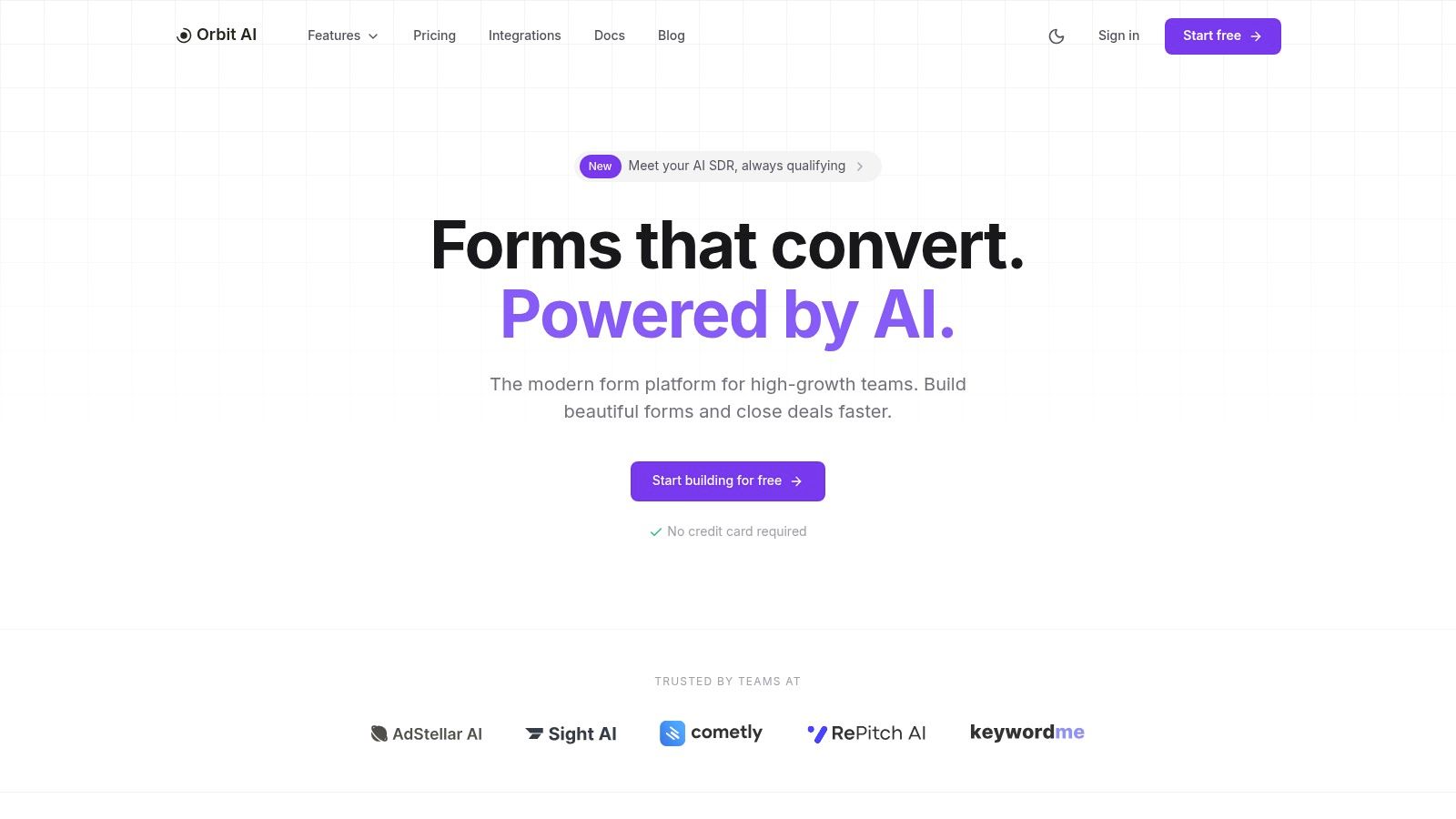
Orbit AI positions itself as a powerful, AI-first alternative to Google Forms, specifically engineered for high-growth marketing and sales teams focused on conversion. Unlike basic form builders, its core value lies in its ability to not just capture data, but to actively qualify, enrich, and prioritize leads from the moment they are submitted. This transforms the humble web form from a passive data collection tool into an active sales pipeline accelerator.
The platform's "AI SDR" is the standout feature. This system continuously analyzes submissions, enriches them with additional context, and applies smart lead scoring. The result is a pre-qualified pipeline delivered directly to sales, allowing teams to focus their energy on the most promising opportunities first, a critical advantage for scaling businesses.
Key Strengths and Use Cases
Orbit AI excels in scenarios where lead quality and speed-to-lead are paramount.
- For High-Growth Marketing Teams: The combination of a fast visual builder and real-time analytics is a significant advantage. Marketers can rapidly deploy beautiful, high-converting forms for campaigns and analyze performance on the fly, identifying drop-off points and optimizing conversion rates without engineering support. You can explore the full range of form features to see how they support rapid iteration.
- For Sales Leaders & SDRs: The automated qualification and enrichment process means sales teams receive a cleaner, more actionable pipeline. This reduces manual research time and ensures they engage with sales-ready leads faster, directly impacting revenue.
- For B2B SaaS Companies: With enterprise-grade encryption and GDPR readiness, Orbit AI is built for environments where data security is non-negotiable. Its native integrations with over 50 CRMs and marketing automation platforms ensure seamless data flow and automated workflows.
Pros & Cons
| Pros | Cons |
|---|---|
| AI-Powered Lead Qualification: Automatically scores and enriches leads, saving significant time for sales teams. | Pricing Transparency: Full pricing details beyond the free tier require signing up or contacting sales. |
| Conversion-Focused Design: Fast-loading, aesthetically pleasing forms designed to improve user experience and rates. | AI Tuning: The AI qualification may require initial monitoring and tuning for highly specialized or niche use cases. |
| Robust Analytics: Provides real-time insights into form performance, drop-offs, and conversion trends. | |
| Extensive Integrations: Connects seamlessly with 50+ major CRMs, marketing automation, and data platforms. | |
| Security & Compliance: Offers enterprise-grade encryption and is GDPR-ready, ideal for B2B and regulated industries. |
Getting Started
You can start building for free without a credit card to explore the platform's core functionalities. This makes it a low-risk option for teams looking to test a more sophisticated solution before committing.
Website: https://orbitforms.ai
2. Typeform
Typeform distinguishes itself as a powerful alternative to Google Forms by prioritizing a conversational, one-question-at-a-time user experience. This design-first approach is engineered to feel more like a natural interaction than a traditional form, which often results in higher completion rates and more thoughtful responses. It's an excellent choice for marketing, lead generation, and customer feedback where brand perception and user engagement are critical.
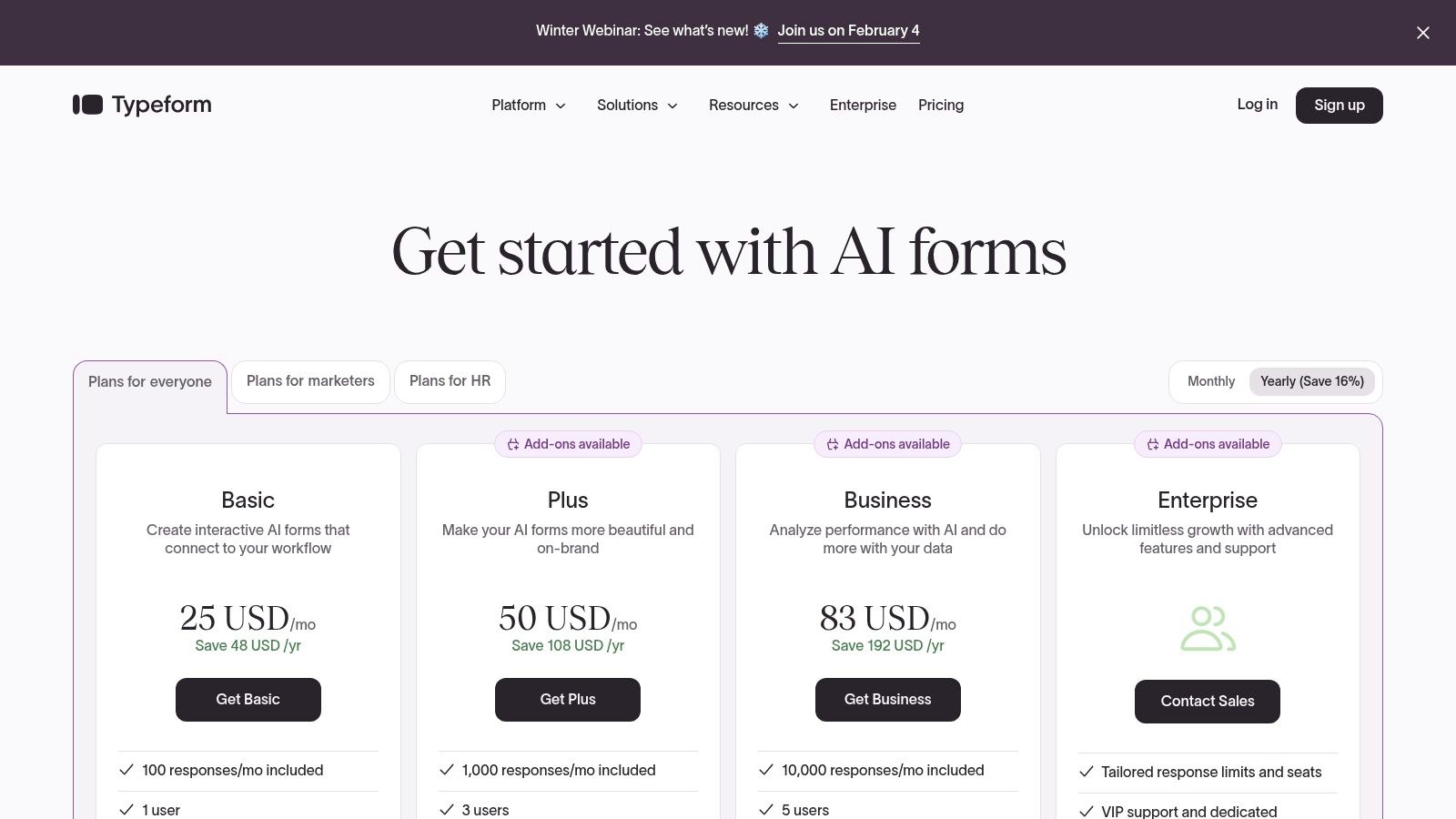
Unlike Google Forms' utilitarian interface, Typeform allows for deep branding customization, from removing its logo to using custom subdomains on higher-tier plans. While it offers a free plan, its true power is unlocked in the paid tiers, which provide advanced logic, analytics, and access to a vast ecosystem of over 300 integrations with platforms like Slack, HubSpot, and Salesforce.
Key Considerations
- Ideal Use Case: Best for capturing marketing leads, conducting customer research, and creating interactive quizzes where a polished, on-brand experience is crucial.
- Limitations: The free and basic plans have relatively low response limits (10-100 per month), and essential business features like HIPAA compliance and SSO are reserved for expensive enterprise-level plans.
- Pricing: Paid plans start at $25/month (billed annually) for the Basic tier, scaling up significantly for Business and Enterprise plans that unlock premium features and higher response volumes.
Pro Tip: Typeform's strength lies in its embeddable, interactive nature. For guidance on seamlessly integrating conversational forms into your own site, you can review documentation on embedding forms, which provides best practices applicable to many platforms.
Website: https://www.typeform.com/pricing
3. Jotform
Jotform positions itself as a robust, feature-rich alternative to Google Forms, catering to users who need more than just basic data collection. Its powerful drag-and-drop builder is complemented by one of the largest template libraries available, with over 10,000 pre-made forms. This makes it an ideal solution for businesses that require complex functionalities like payment processing, e-signatures, and conditional logic without needing to write any code.
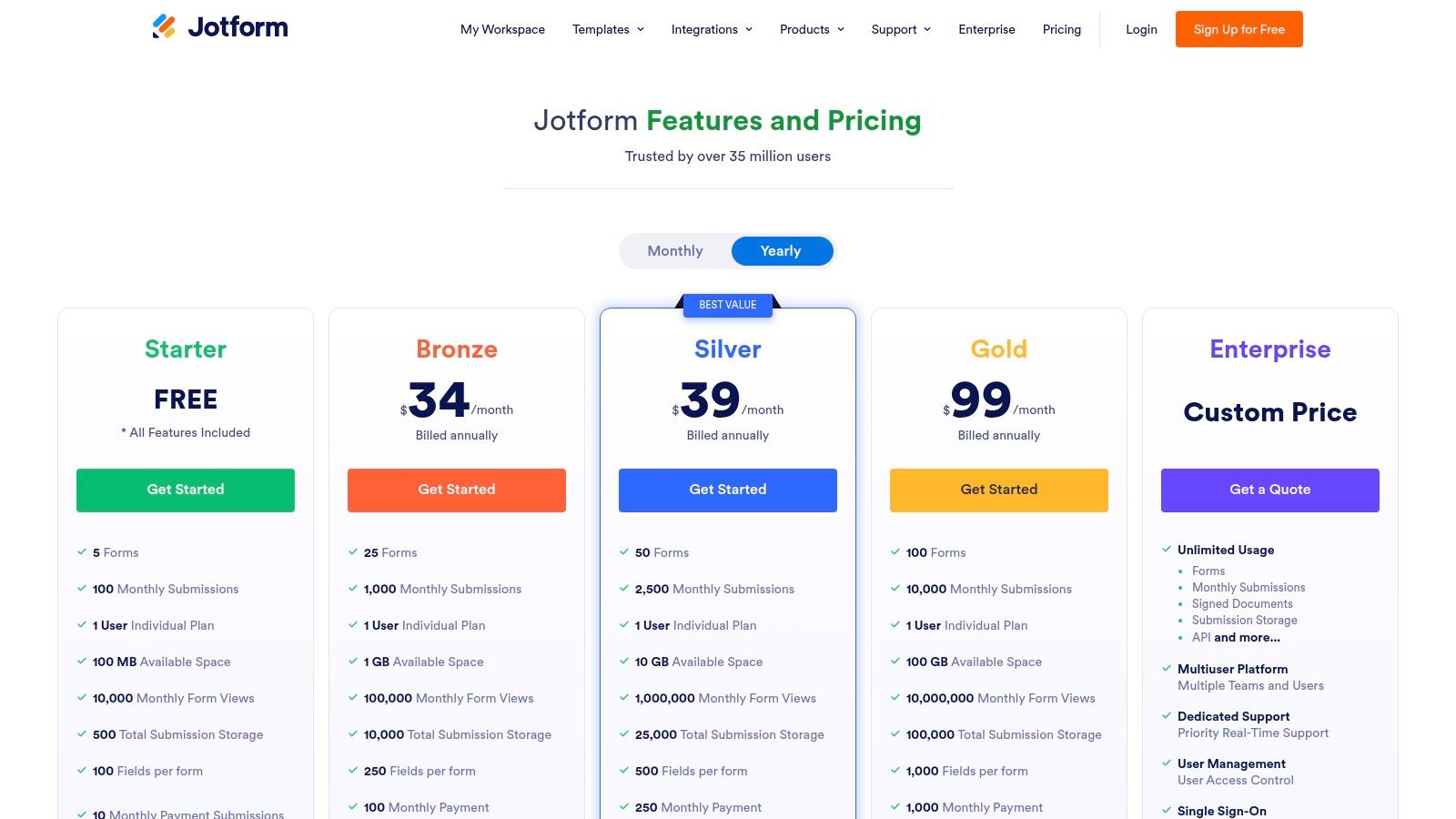
Unlike Google Forms, Jotform offers specialized features for regulated industries, including HIPAA-compliant data collection on its Gold and Enterprise plans. The platform also provides a vast ecosystem of widgets and integrations, turning simple forms into comprehensive workflow and automation tools. While its free plan is generous, its true power lies in paid tiers that unlock advanced capabilities like approval flows and increased submission limits, supported by 24/7 customer service.
Key Considerations
- Ideal Use Case: Excellent for small businesses, healthcare providers, and educational institutions needing to create secure registration forms, payment forms, or complex applications with approval workflows.
- Limitations: The sheer number of features and settings can be overwhelming for new users, and navigating the various plan limits for submissions, payments, and storage can feel complex.
- Pricing: A free plan is available. Paid plans begin at $34/month (billed annually) for the Bronze tier, scaling up to unlock HIPAA compliance, higher limits, and SSO on Gold and Enterprise plans. Significant discounts are offered for nonprofits and educational users.
Pro Tip: Leverage Jotform's extensive widget library to add unique functionality. You can embed calendars for appointment booking, include PDF viewers, or add dynamic calculators directly into your forms to create a much more interactive user experience.
Website: https://www.jotform.com/pricing
4. SurveyMonkey
SurveyMonkey positions itself as a research-grade alternative to Google Forms, built for users who need robust data analysis and professional reporting capabilities. Its platform is engineered for depth, making it ideal for market research, customer experience (CX), and employee engagement surveys where data integrity and powerful analytics are paramount. The platform offers features like question piping, advanced logic, and extensive export options that go far beyond Google Forms' basic functionalities.
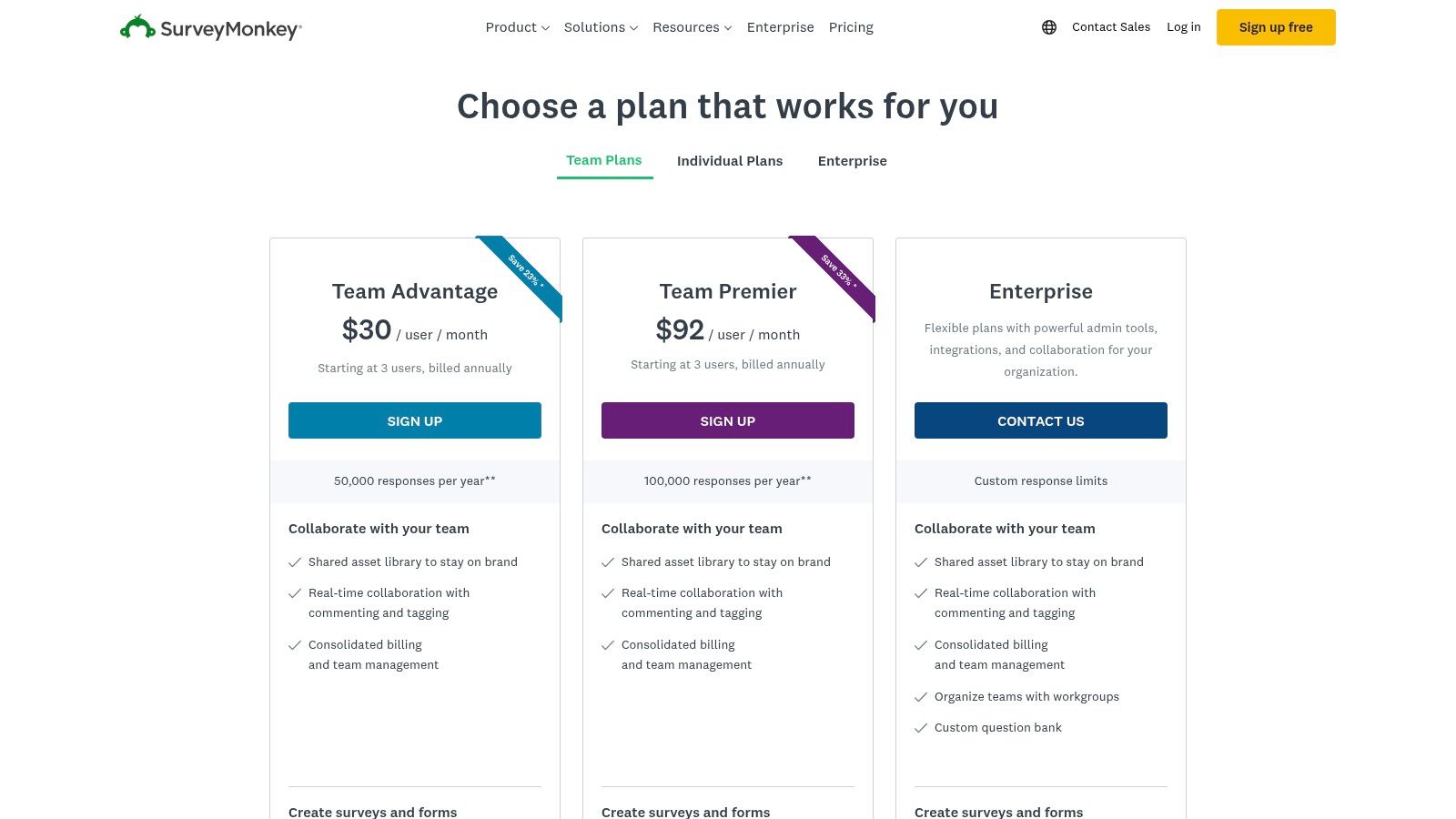
While Google Forms is entirely free, SurveyMonkey operates on a freemium model where its most powerful tools are reserved for paid tiers. Users can leverage a massive library of expert-designed templates and AI-assisted survey creation to get started quickly. With over 200 integrations, it connects seamlessly into business workflows with tools like HubSpot, Slack, and Salesforce, providing a more enterprise-ready solution for comprehensive data collection and analysis.
Key Considerations
- Ideal Use Case: Best for formal research, in-depth customer and employee feedback, and academic surveys that require sophisticated analysis, benchmarking, and professional reporting exports (PPT, SPSS, etc.).
- Limitations: The free plan is quite restrictive, and many essential features, such as advanced logic and unlimited questions, are gated behind paid subscriptions. Response caps also apply to individual plans, which can be limiting for large-scale campaigns.
- Pricing: Paid plans begin with the Standard tier at $39/month (billed annually), with Advantage and Premier plans offering more responses and advanced features at higher price points.
Pro Tip: To maximize engagement on detailed surveys, focus on a clear, logical flow and question design. For more strategies on improving survey participation, you can review expert guidance on how to increase form submissions.
Website: https://secure.surveymonkey.com/pricing/
5. Microsoft Forms
Microsoft Forms is a direct alternative to Google Forms for organizations deeply embedded in the Microsoft 365 ecosystem. As a component of most M365 subscriptions, it offers a familiar, straightforward interface for creating surveys, quizzes, and polls at no additional cost. Its primary advantage is its seamless integration with other Microsoft applications, allowing for effortless data management and collaboration.
Unlike standalone builders, Microsoft Forms is designed for internal efficiency. Responses can be exported directly into Excel for real-time analysis, and forms can be embedded within SharePoint pages or shared as polls in Microsoft Teams meetings. While it lacks the advanced branding and customization of specialized tools, its value lies in its accessibility and native workflow integration for existing Microsoft customers.
Key Considerations
- Ideal Use Case: Best for internal data collection, employee feedback, simple event registrations, and educational quizzes within organizations that already use Microsoft 365.
- Limitations: Customization and branding options are minimal compared to dedicated form builders. Its functionality is tied to a Microsoft 365 subscription and is not available as a standalone product.
- Pricing: Included with most Microsoft 365 Business, Enterprise, and Education plans. It is effectively "free" for existing subscribers, with no tiered features or response limits within the platform itself.
Pro Tip: Leverage the native Microsoft Teams integration to create instant polls during meetings or post quick feedback surveys in a team channel. This keeps communication and data collection within a single, secure environment, boosting participation.
Website: https://forms.office.com
6. Formstack
Formstack positions itself as a robust alternative to Google Forms for organizations that need more than just data collection. It's a comprehensive workplace productivity platform designed for automating processes, with a strong focus on security, compliance, and workflow management. This makes it an ideal solution for regulated industries like healthcare and finance, or for operational teams that require multi-step approval processes and document generation.
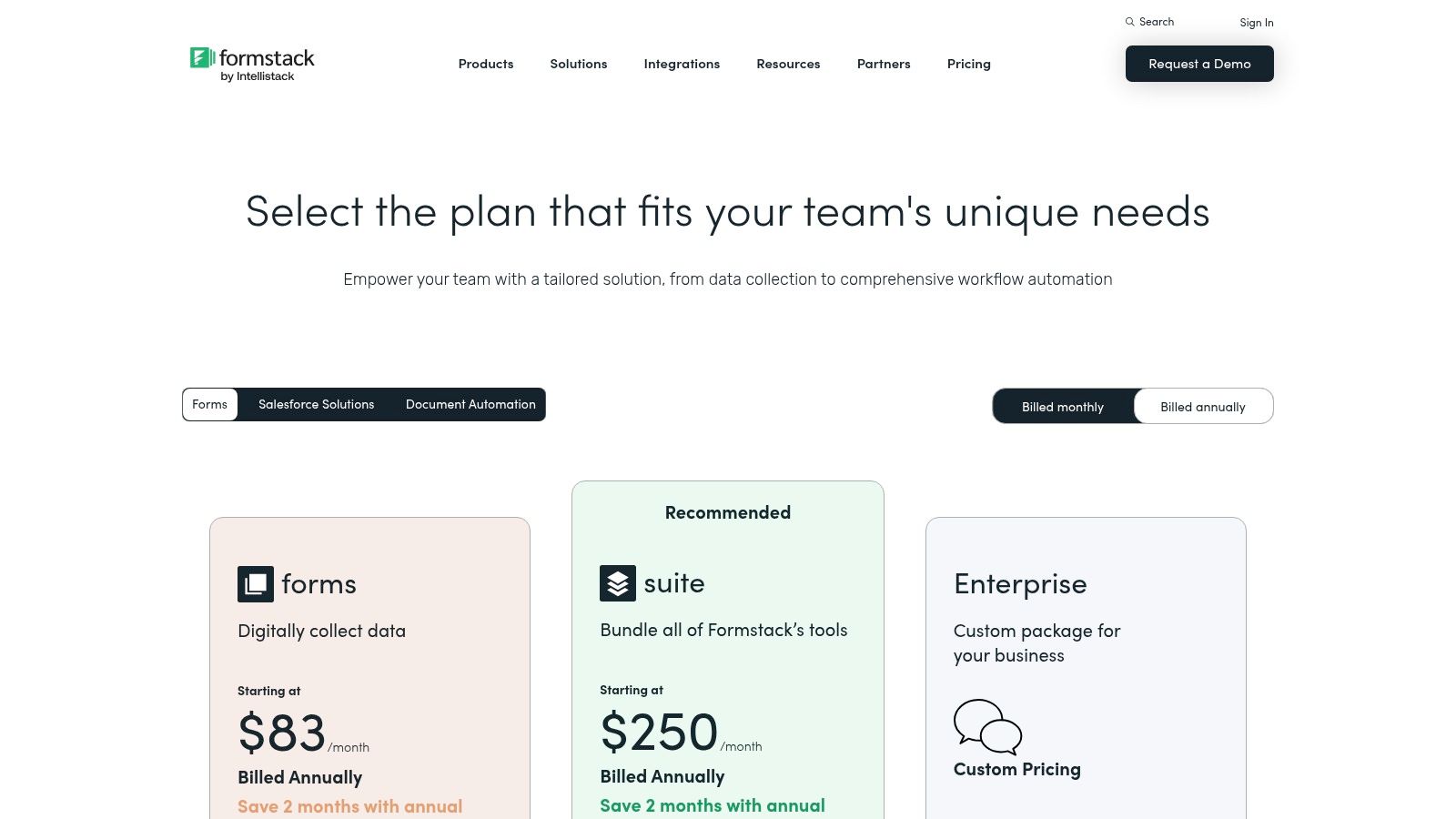
Unlike Google Forms' singular focus, Formstack offers an optional suite that combines forms with document generation and eSignature capabilities. It excels at enterprise-level governance with features like dynamic data prefill and advanced routing. Its native Salesforce integration is a key differentiator for businesses heavily invested in that ecosystem, providing a seamless data flow from form submission to CRM record.
Key Considerations
- Ideal Use Case: Best for internal business processes, such as HR onboarding, client intake, or contract approvals, where data must flow through secure, multi-step workflows.
- Limitations: The pricing structure can be complex, as key features are often split between different product bundles (Forms, Documents, Sign), and it is significantly more expensive than simpler form builders.
- Pricing: The Forms-only plan starts at $50/month (billed annually). The full suite with added document and signature functionality requires higher-tier plans with custom pricing.
Pro Tip: Leverage Formstack's powerful routing capabilities to streamline complex approvals. For instance, you can automatically send submissions to different department heads based on the respondent's answers. To understand the underlying mechanics, you can review documentation on conditional logic, as these principles apply to building intelligent workflows.
Website: https://www.formstack.com/pricing
7. Paperform
Paperform positions itself as a versatile alternative to Google Forms by blending form creation with landing page design. It empowers users to build visually appealing, single-page forms that can handle everything from simple surveys to complex bookings and e-commerce transactions. This "digital Swiss Army knife" approach makes it ideal for small businesses and entrepreneurs who need a single tool for customer interactions, payments, and scheduling.
Its free-form editor feels more like designing a document than a traditional, rigid form builder. This flexibility allows for deep branding customization, including custom themes and the ability to add your own HTML and CSS. Unlike many competitors that gate essential features, Paperform offers unlimited forms across all its tiers and provides generous, predictable annual submission pools, making it a scalable choice for growing businesses.
Key Considerations
- Ideal Use Case: Excellent for creating branded order forms, booking pages, event registrations, and client intake processes that require payment processing, calculations, or scheduling integrations.
- Limitations: While powerful, some advanced features like custom analytics and AI-powered fields are restricted to the higher-priced Pro and Agency plans. A custom domain may also require a paid add-on for lower-tier subscriptions.
- Pricing: Paid plans begin at $24/month (billed annually) for the Essentials tier, which includes one user and 1,000 submissions per month. The Pro and Agency plans unlock more advanced logic, user seats, and higher submission limits.
Pro Tip: Leverage Paperform's calculation fields to build dynamic quoting tools or order forms. You can create fields that instantly calculate totals based on user selections, providing instant price transparency and streamlining the sales process.
Website: https://paperform.co/pricing
8. Tally
Tally has rapidly gained popularity as a strong alternative to Google Forms by offering a remarkably generous free tier that rivals the functionality of many paid tools. It adopts a clean, Notion-like interface where you simply type to create form fields, making the building process exceptionally fast and intuitive. This "free-first" approach makes it an ideal choice for startups, small teams, and individual creators who need powerful form capabilities without an immediate budget commitment.
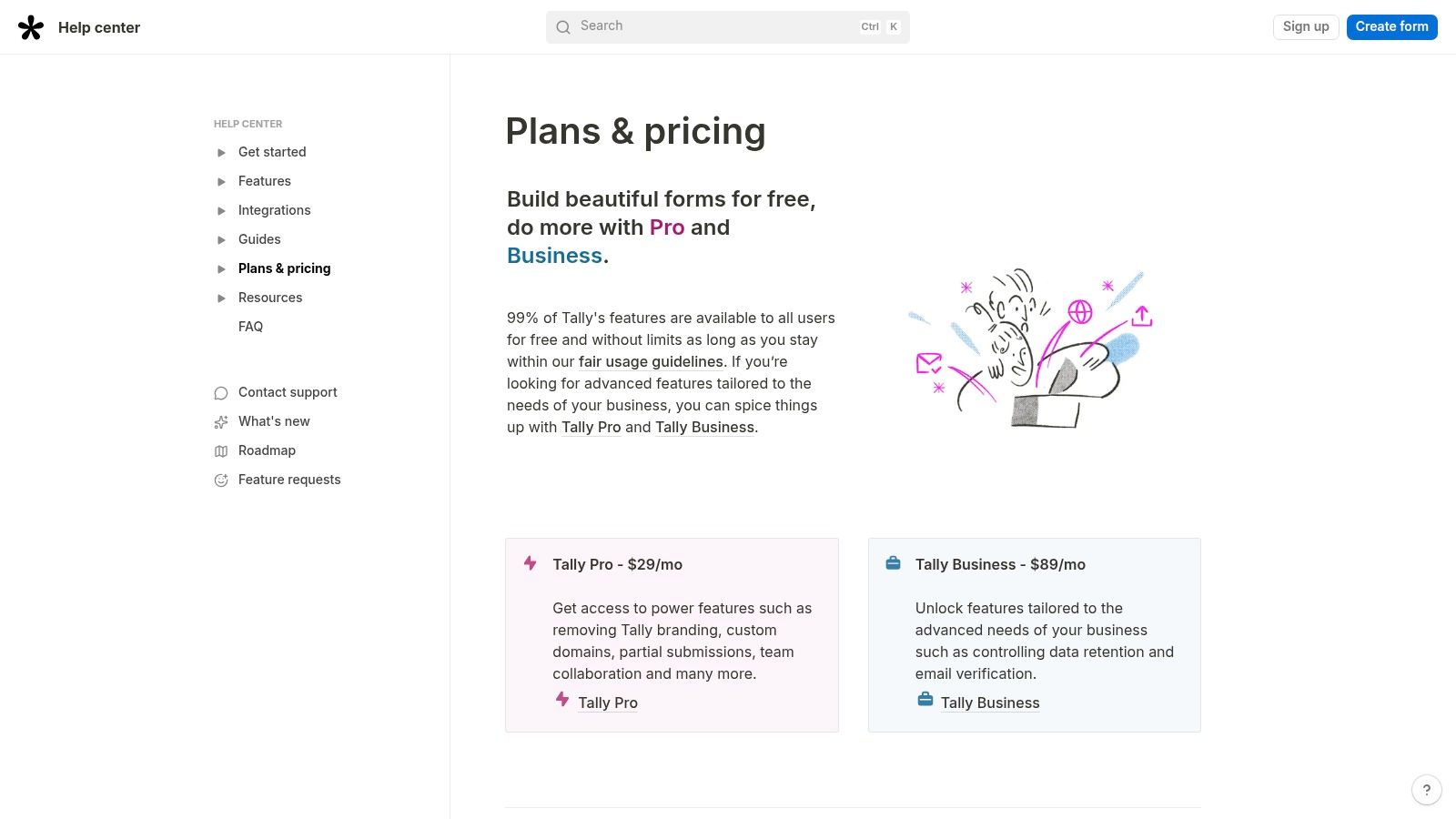
Unlike Google Forms, where advanced features are nonexistent, Tally’s free plan includes conditional logic, calculations, hidden fields, and payment integrations. For many users, the free offering covers 99% of their needs, a significant departure from competitors that heavily gate core features. The paid Pro plan introduces collaboration, custom domains, and the removal of Tally branding, making it a scalable solution as your needs grow.
Key Considerations
- Ideal Use Case: Perfect for budget-conscious startups, independent creators, and teams needing to rapidly deploy surveys, registration forms, or order forms without incurring costs.
- Limitations: While the free tier is powerful, it is subject to a fair-use policy, so it's not truly unlimited for high-volume needs. Advanced security, compliance, and governance features are reserved for the more expensive Business tier.
- Pricing: Tally Pro starts at $29/month per creator, offering more advanced features and higher usage limits. A more comprehensive Business plan is also available for larger teams requiring enhanced security and support.
Pro Tip: Leverage Tally's "slash commands" in the form builder to quickly add different types of questions and logic. Typing "/" brings up a menu of options, significantly speeding up the creation process compared to drag-and-drop interfaces.
Website: https://tally.so/help/plans-and-pricing
9. Cognito Forms
Cognito Forms presents itself as a robust alternative to Google Forms for users who need more than just simple data collection. It excels in handling complex logic, calculations, and data management, making it a strong choice for operational tasks like order forms, event registrations, and internal workflows. Its ability to manage repeating sections and generate documents based on form entries sets it apart for business and public-sector applications.
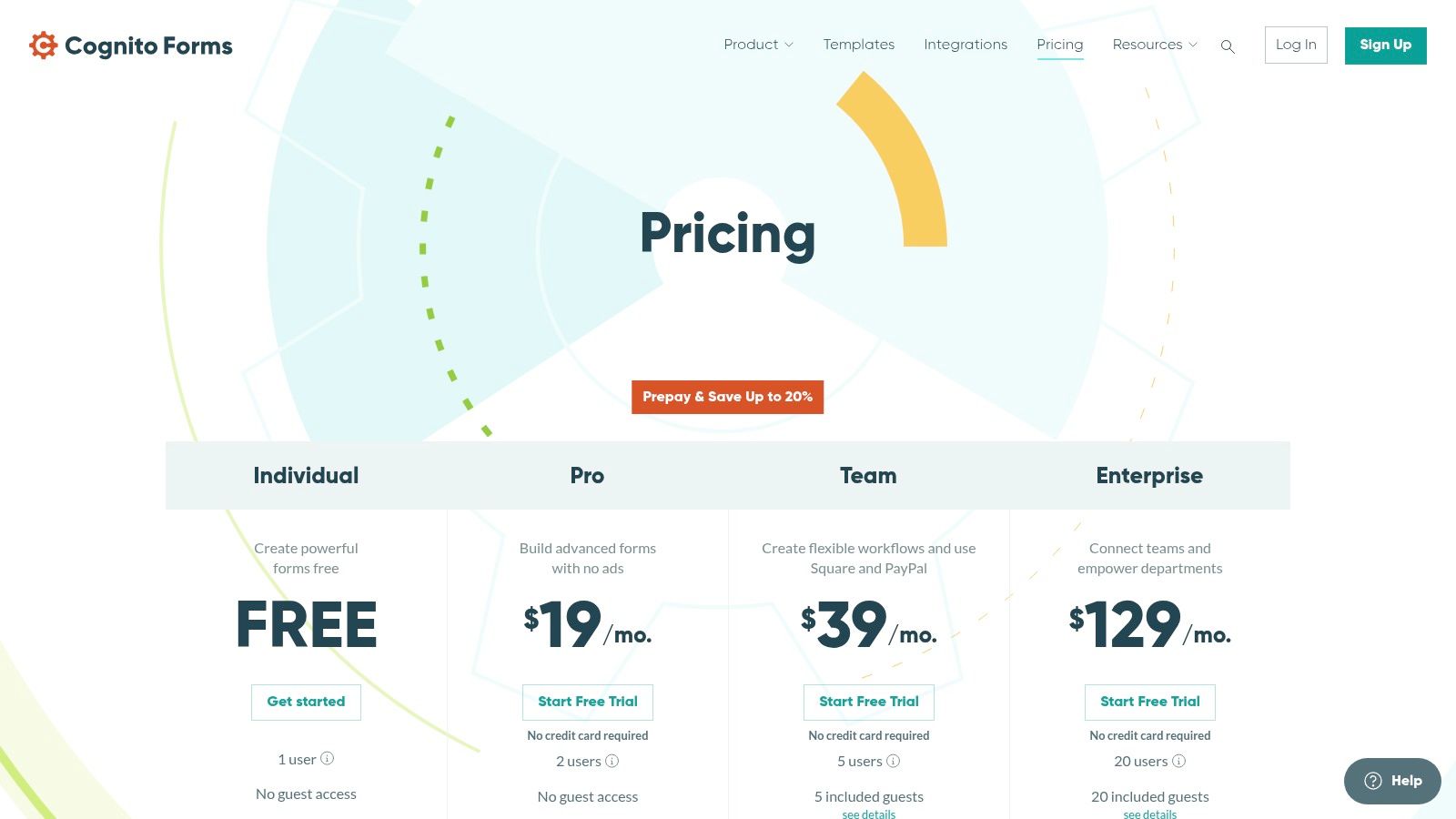
Unlike the basic functionality of Google Forms, Cognito Forms offers advanced features such as accepting payments via Stripe and PayPal directly within the form. It also supports sophisticated workflows, guest user portals, and fine-grained access controls, allowing teams to build entire processes around form submissions. The platform offers a generous free plan and provides significant value in its paid tiers for multi-user teams requiring automation.
Key Considerations
- Ideal Use Case: Best for creating complex order forms, managing event registrations with payment processing, and building internal business workflows that require calculations and document generation.
- Limitations: While highly functional, its design customization options are less intuitive and visually focused than competitors like Typeform. Some of its most powerful workflow and portal features are reserved for the higher-tier Team and Enterprise plans.
- Pricing: A free plan is available with limited entries and features. Paid plans start at $15/month for the Pro tier, with the Team plan at $35/month offering a strong value proposition for collaborative workflows.
Pro Tip: Leverage Cognito Forms' repeating sections feature for collecting line items in order forms or gathering detailed information for multiple attendees in a single registration. This simplifies the user experience and organizes data neatly for backend processing.
Website: https://www.cognitoforms.com/pricing
10. Formsite
Formsite stands out as a reliable alternative to Google Forms for organizations that prioritize stability, operational workflows, and robust document generation. It's a long-standing player in the form-building space, focusing on core business needs like event registrations, application processing, and internal operations where predictable performance and PDF output are essential. Its interface is more traditional but highly functional for complex data collection.
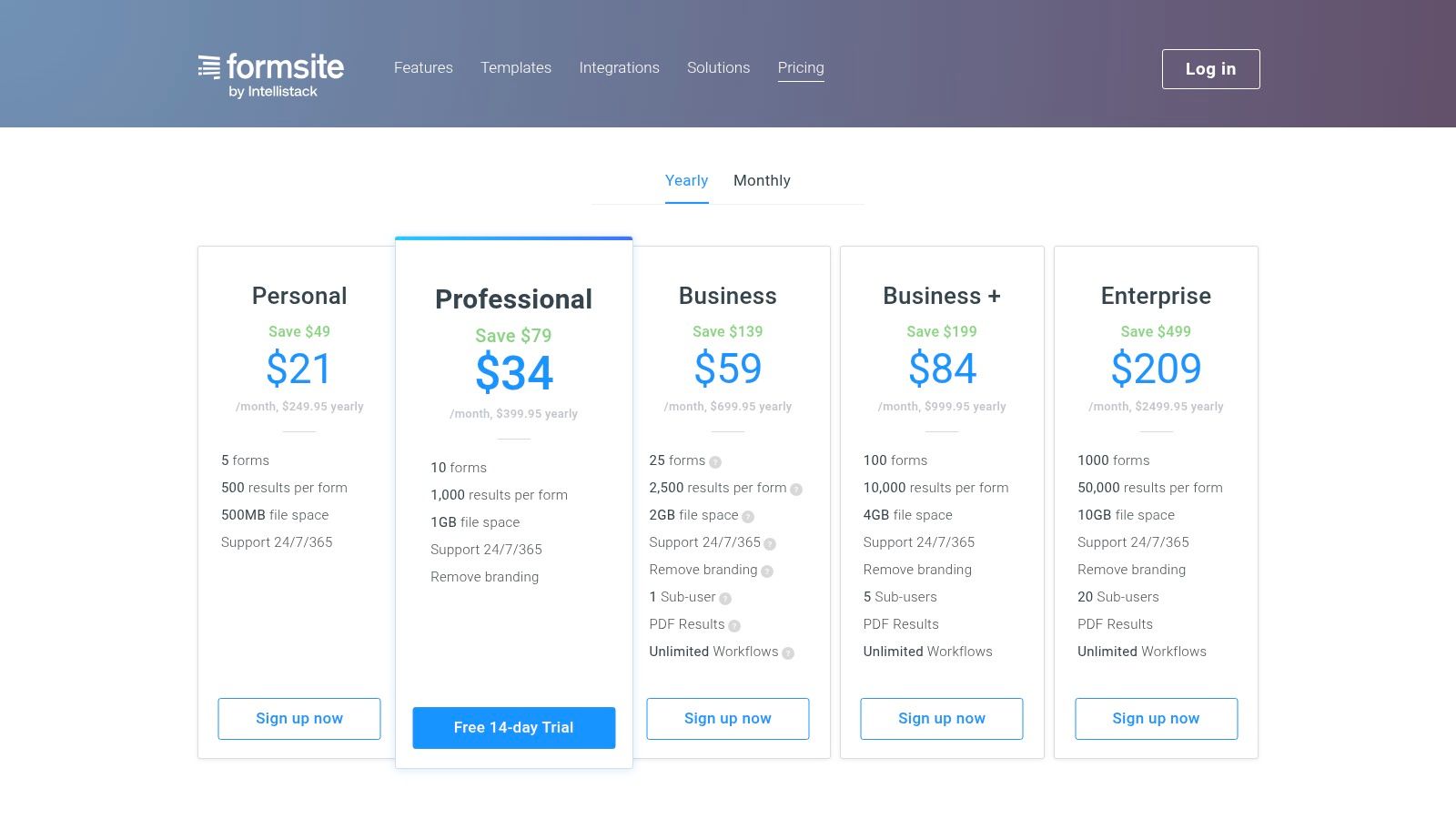
Unlike Google Forms, Formsite excels at creating professional PDF or Word documents from submissions, a critical feature for generating certificates, invoices, or formal applications. It also offers features geared toward lengthy forms, such as the "Save & Return" capability, allowing users to complete submissions later. Integrations with payment gateways like Stripe and PayPal, alongside CRM platforms like Salesforce, make it a practical choice for end-to-end business processes.
Key Considerations
- Ideal Use Case: Best for HR applications, event registrations, academic forms, and operational workflows that require generating official documents or PDFs from submitted data.
- Limitations: The user interface can feel dated compared to more modern, design-focused competitors. Some advanced features, like custom document merging, are available only as paid add-ons, which can increase the overall cost.
- Pricing: A free plan offers 10 results/month. Paid plans start at $21/month (billed annually) for the Pro 1 tier, scaling up to unlock more forms, results, and advanced features like unlimited workflows on the Business plan and higher.
Pro Tip: Leverage the "Save & Return" feature for complex or multi-page forms. This reduces user friction and abandonment rates for applications or detailed surveys that cannot be completed in a single session.
Website: https://www.formsite.com/pricing
11. Zoho Forms
For organizations already invested in the Zoho ecosystem, Zoho Forms is a powerful and logical alternative to Google Forms. It's engineered to integrate seamlessly with other Zoho products like CRM, Desk, and Campaigns, creating a unified data flow that eliminates manual entry and streamlines business processes. This tight integration makes it an ideal solution for sales, support, and marketing teams looking to automate lead capture and customer data management directly within their existing workflows.
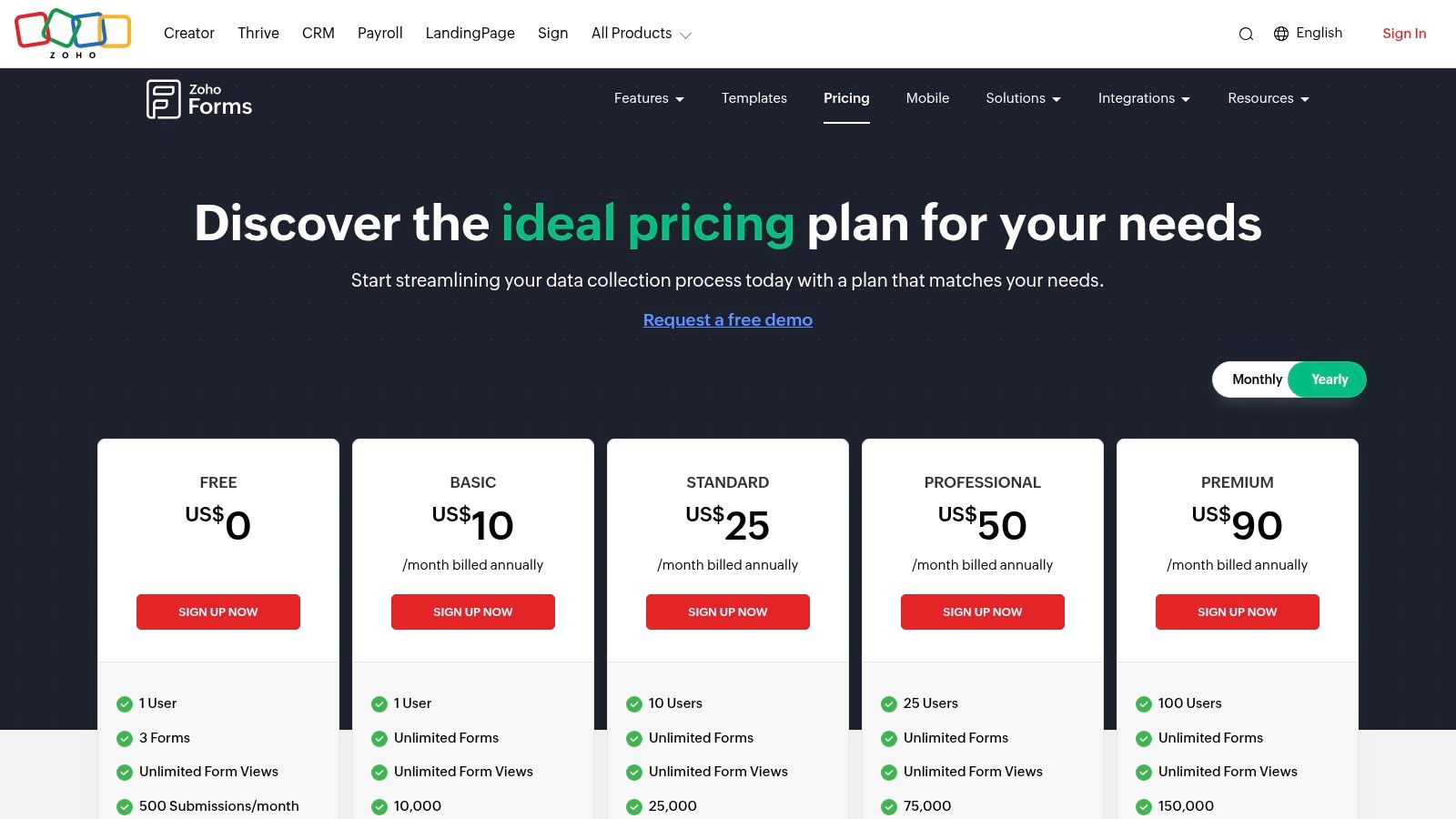
Unlike Google Forms' standalone nature, Zoho Forms' primary strength is its role as a connective tissue within a larger business suite. While it offers a capable free tier, its true value is realized in the paid plans, which offer significantly higher submission limits, more storage, and advanced features like payment gateway integrations and task automation. The platform is built for scalability, with multi-user options and add-ons available for growing teams with high submission volumes.
Key Considerations
- Ideal Use Case: Best for businesses that use Zoho CRM or other Zoho apps and need to feed form data directly into their systems for lead management, customer support tickets, or marketing campaigns.
- Limitations: The user interface, while powerful, can have a steeper learning curve compared to simpler tools. Its full potential is most easily unlocked when used in conjunction with other Zoho products.
- Pricing: A free plan is available. Paid plans start with the Basic tier and scale up to Professional and Premium, offering progressively more submissions, storage, and advanced features.
Pro Tip: Zoho Forms can connect to external tools beyond its own suite. For teams looking to sync data with other platforms, understanding the basics of data integration is key; for example, you can explore guides on connecting forms to Google Sheets to see how such workflows operate.
Website: https://www.zoho.com/forms/pricing.html
12. Fillout
Fillout positions itself as a powerful, modern alternative to Google Forms specifically designed for teams that rely on integrated data sources. It excels at creating forms that connect directly to platforms like Airtable, Notion, and Google Sheets, making it a go-to choice for collaborative workflows and direct data handoffs without needing complex intermediaries like Zapier for basic connections. Its interface is fast, intuitive, and built for efficiency.
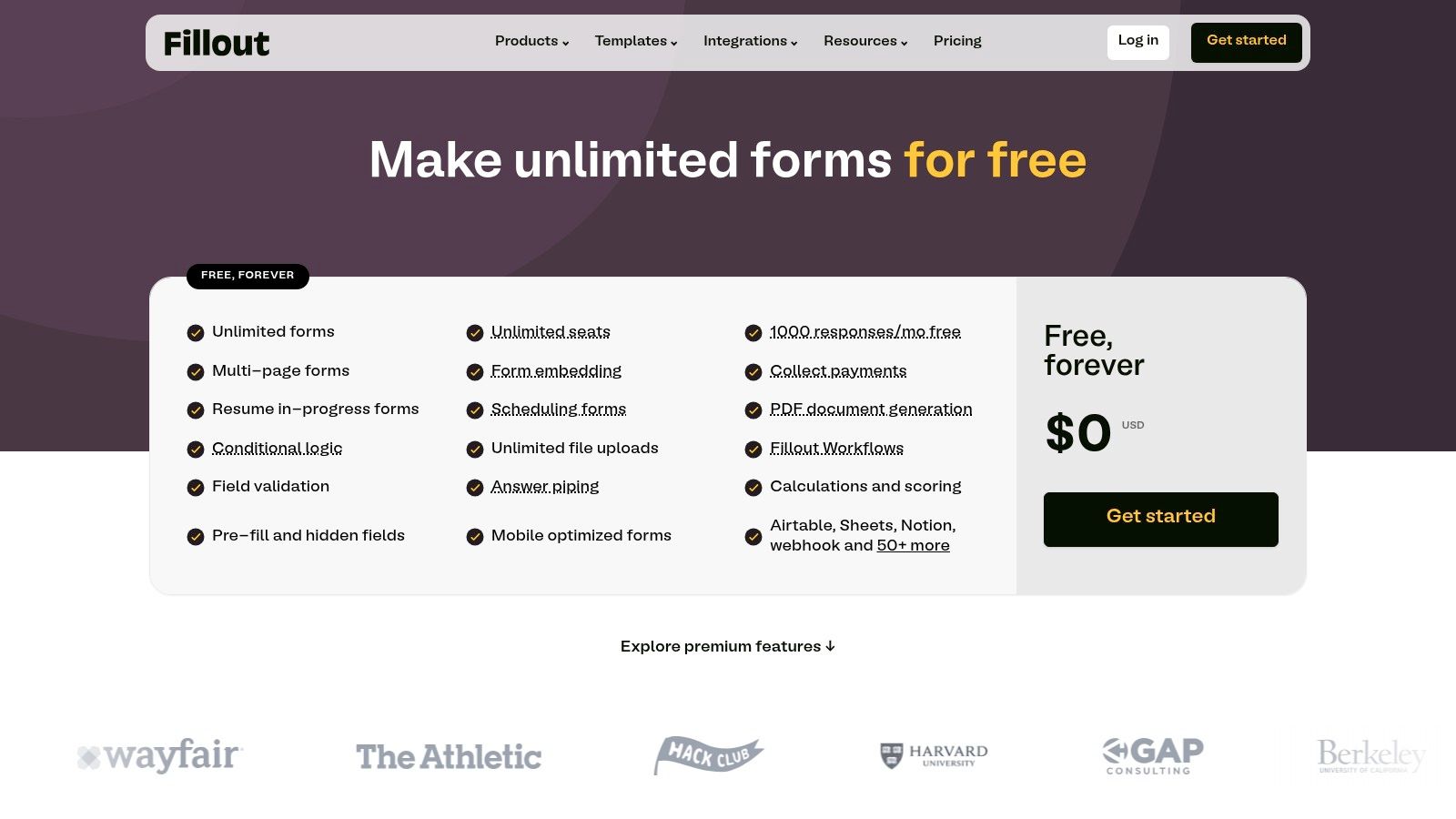
What truly sets Fillout apart is its exceptionally generous free tier, which includes unlimited forms and unlimited seats, making it incredibly team-friendly from day one. This approach removes the barrier to collaboration often found in other tools. While the free plan is robust, paid tiers unlock key business features like removing Fillout branding, using a custom domain, accessing advanced analytics, and enabling partial submission captures.
Key Considerations
- Ideal Use Case: Perfect for teams managing internal workflows, collecting application data, or building customer portals that sync directly with existing databases like Airtable or Notion.
- Limitations: The ecosystem of integrations, while growing, is smaller than some legacy platforms. Advanced features like custom code injection and detailed analytics are reserved for the higher-cost Business tier.
- Pricing: The free plan offers 1,000 responses per month. Paid plans start at $15/user/month (billed annually) for the Pro tier, which removes branding and increases limits.
Pro Tip: Leverage Fillout's "Update" forms to create simple customer portals or internal tools. Users can look up an existing record in your connected database (like a project in Notion) and update specific fields directly from the form.
Website: https://www.fillout.com/pricing
Top 12 Alternatives to Google Forms — Feature & Pricing Comparison
| Product | Core features | Target audience | USP / Value proposition | Pricing |
|---|---|---|---|---|
| Orbit AI | AI SDR lead qualification, visual builder, templates, real-time analytics, 50+ integrations | High-growth marketing & sales teams, B2B SaaS, agencies | AI-driven lead enrichment & scoring + GDPR-ready security; conversion-first forms | Free start tier; paid plans via pricing page / sales |
| Typeform | Conversational one-question-at-a-time UI, branding controls, analytics, 300+ integrations | Marketing, lead capture, customer research | Polished UX that boosts engagement and completion | Free limited tier; advanced features on higher plans |
| Jotform | Drag-and-drop builder, templates, payments, eSign, HIPAA options | Organizations needing compliance, payments, document workflows | Mature ecosystem with strong compliance & widgets | Tiered pricing; HIPAA on Gold/Enterprise |
| SurveyMonkey | Advanced logic, piping, multilingual, exports, AI-assisted creation | Research, CX, HR, marketing teams needing pro reporting | Industry-grade analytics, benchmarking and export tools | Free tier; pro features & higher caps on paid plans |
| Microsoft Forms | Included with M365, quizzes, branching, real-time Excel export | Organizations already on Microsoft 365 | Native Teams/Excel/SharePoint integration; effectively free with M365 | Included in Microsoft 365 subscriptions |
| Formstack | Visual workflows, document automation, eSign, enterprise governance | Operations and regulated industries | Strong workflow & approval controls with compliance features | Higher-priced bundles; product-based licensing |
| Paperform | Design-first form pages, payments, scheduling, calculations | Marketing, commerce, branded experiences | Highly brandable mini-landing pages with commerce support | Tiered pricing; some features/add-ons on higher plans |
| Tally | Fast simple builder, very generous free tier, unlimited forms (fair use) | Startups and teams needing rapid, low-cost deployment | One of the most capable free-first offerings | Free-first; Pro/Business for advanced security/features |
| Cognito Forms | Robust calculations, repeating sections, document merge, workflows | SMB operations, public sector, teams needing structured forms | Strong form logic, document automation and payment support | Tiered pricing; Team/Enterprise for advanced features |
| Formsite | Save & return, payment gateways, integrations, strong PDF generation | Registrations, operations needing predictable quotas & PDFs | Reliable service with robust PDF/document tools | Clear tiered limits; add-ons may cost extra |
| Zoho Forms | Deep Zoho suite integration, multi-user, submission/storage add-ons | Teams using Zoho CRM/Desk/Campaigns/Books | Native Zoho handoff and high submission scalability | Free + multiple paid tiers; regional pricing/details |
| Fillout | Fast builder, unlimited seats on free tier, Airtable/Notion/Sheets integrations | Collaborative teams needing direct data handoff | Team-friendly free plan (unlimited seats) and high response caps | Free tier (limits); Pro/Business for branding & analytics |
Making Your Final Choice
Navigating the vast landscape of online form builders can feel overwhelming. We've journeyed through a dozen powerful tools, from the design-centric elegance of Typeform and Paperform to the all-in-one powerhouses like Jotform and Formstack. Each platform offers a unique solution, moving far beyond the baseline functionality of Google Forms to address specific, critical business needs. The key takeaway is that the "best" alternative to Google Forms isn't a one-size-fits-all answer; it's the one that aligns perfectly with your team's specific goals, workflow, and budget.
Your final decision hinges on pinpointing your primary objective. Are you simply collecting internal feedback, or are you building a critical component of your revenue engine? This distinction is the most important factor in your evaluation process. The tool you choose will either be a simple utility for data collection or a strategic asset for growth.
How to Select the Right Form Builder for Your Team
To distill this comprehensive list into a final decision, consider your needs through the lens of these three core categories. This framework will help you move from a long list of options to a shortlist of top contenders.
For Simplicity and Internal Use: If your primary need is straightforward data gathering for internal surveys, quick polls, or simple event registrations, you don't need a complex, feature-rich platform.
- Top Picks: Microsoft Forms is the obvious choice for teams already embedded in the Office 365 ecosystem. Tally and Fillout are also exceptional free options, offering generous features that surpass Google Forms without a price tag, making them perfect for startups and small teams with limited budgets.
For Complex Workflows and Versatility: When your forms are integral to complex business processes requiring advanced logic, payment processing, e-signatures, and extensive integrations, you need a true workflow automation tool.
- Top Picks: Jotform and Formstack are titans in this space, providing robust, all-in-one platforms that can handle nearly any data collection challenge you throw at them. Cognito Forms also offers powerful conditional logic and calculation features, often at a more accessible price point.
For Lead Generation and Sales Acceleration: If your main goal is to convert website visitors into qualified leads and accelerate your sales pipeline, your focus should shift from data collection to conversion optimization and lead intelligence.
- Top Picks: This is where Orbit AI truly excels and establishes its unique value. While platforms like Typeform and Paperform offer beautiful, engaging user experiences that boost completion rates, Orbit AI adds a critical layer of AI-powered intelligence. It doesn't just capture submissions; it actively qualifies them in real-time, functioning like an automated Sales Development Representative embedded directly in your form.
Final Considerations Before You Commit
Before you make your final selection and begin the implementation process, take a moment to review these crucial factors. Thinking through these points now will prevent significant headaches later.
- Integration is Everything: Does the tool connect seamlessly with your core systems, especially your CRM (like Salesforce or HubSpot), email marketing platform, and project management software? A lack of native integration can create data silos and manual work, defeating the purpose of adopting a more advanced tool.
- User Experience (for Both Sides): Consider the experience for both the end-user filling out the form and your team members building and managing it. An intuitive, beautiful front-end experience is worthless if the back-end builder is clunky and difficult for your team to use.
- Scalability and Security: Will this tool grow with you? Review the pricing tiers and feature limits to ensure it can support your team's future needs. For B2B companies, especially in Europe, ensure the platform is GDPR-compliant and offers the data security features your business requires.
Ultimately, moving away from Google Forms is a strategic decision to invest in a tool that actively contributes to your business objectives. Whether you need a simple feedback form or a sophisticated lead qualification engine, the right alternative to Google Forms is out there. It’s time to choose the one that will not only collect data but also help you build better processes, stronger customer relationships, and a healthier bottom line.
Ready to stop just collecting leads and start qualifying them automatically? See how Orbit AI uses advanced AI to analyze visitor intent in real-time, turning your simple contact forms into a powerful, automated pipeline generation machine. Explore Orbit AI to discover how the most intelligent alternative to Google Forms can transform your growth strategy.


