

Choosing between Jotform and Typeform can feel like picking between two excellent restaurants—both serve great food, but one might be perfect for a casual dinner while the other suits a business lunch. The real challenge? Most comparison articles tell you what features each platform has, but they don't help you figure out which features actually matter for your business. You end up with feature fatigue instead of clarity.
Here's the truth: Neither Jotform nor Typeform is universally "better." Each platform excels in different scenarios, and the right choice depends entirely on your specific use case, budget constraints, and growth trajectory. A startup optimizing for conversions has completely different needs than an enterprise managing complex workflows or a growing team planning for scale.
This guide cuts through the marketing noise with seven actionable strategies for evaluating these two form builders. You'll learn how to match your actual needs to each platform's strengths, calculate true costs beyond the sticker price, and determine whether a traditional form builder—or a modern AI-powered alternative—best serves your goals. By the end, you'll know exactly which solution removes the most friction between your prospects and your sales team.
1. Match Your Form Complexity to the Right Builder
The Challenge It Solves
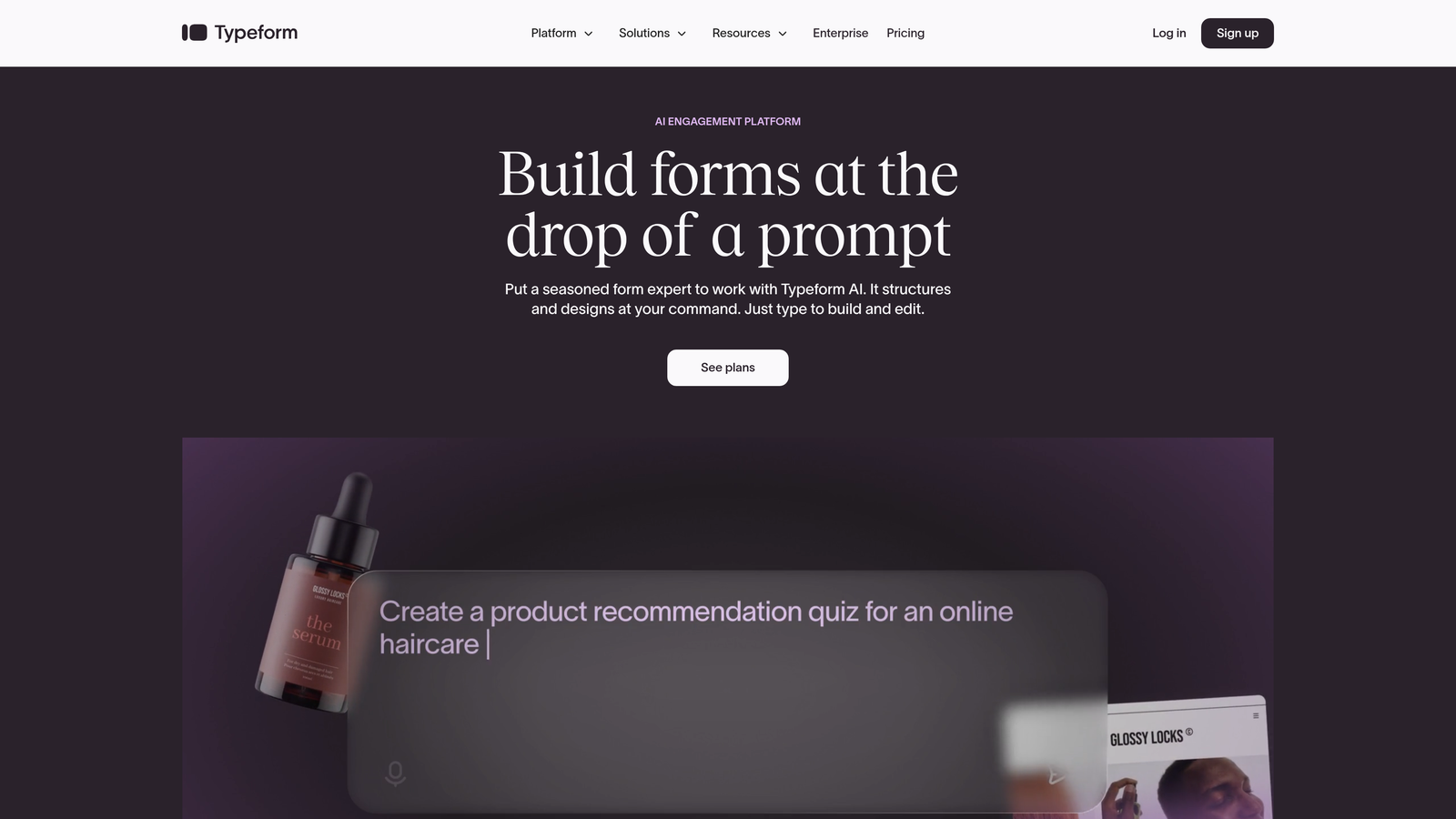
You're staring at two platforms that both claim to build "any form you need," but their approaches couldn't be more different. Typeform specializes in conversational, one-question-at-a-time experiences that feel like a dialogue. Jotform offers traditional multi-field layouts with extensive customization options. Pick the wrong approach for your use case, and you'll either frustrate users with unnecessary clicks or overwhelm them with too many fields at once.
The Strategy Explained
Start by mapping your most common form types to each platform's natural strengths. Typeform shines when engagement and completion rates matter most—think lead capture forms, customer feedback surveys, or quiz-style assessments where you want to guide users through a journey. The conversational format reduces cognitive load and can feel more approachable for shorter interactions.
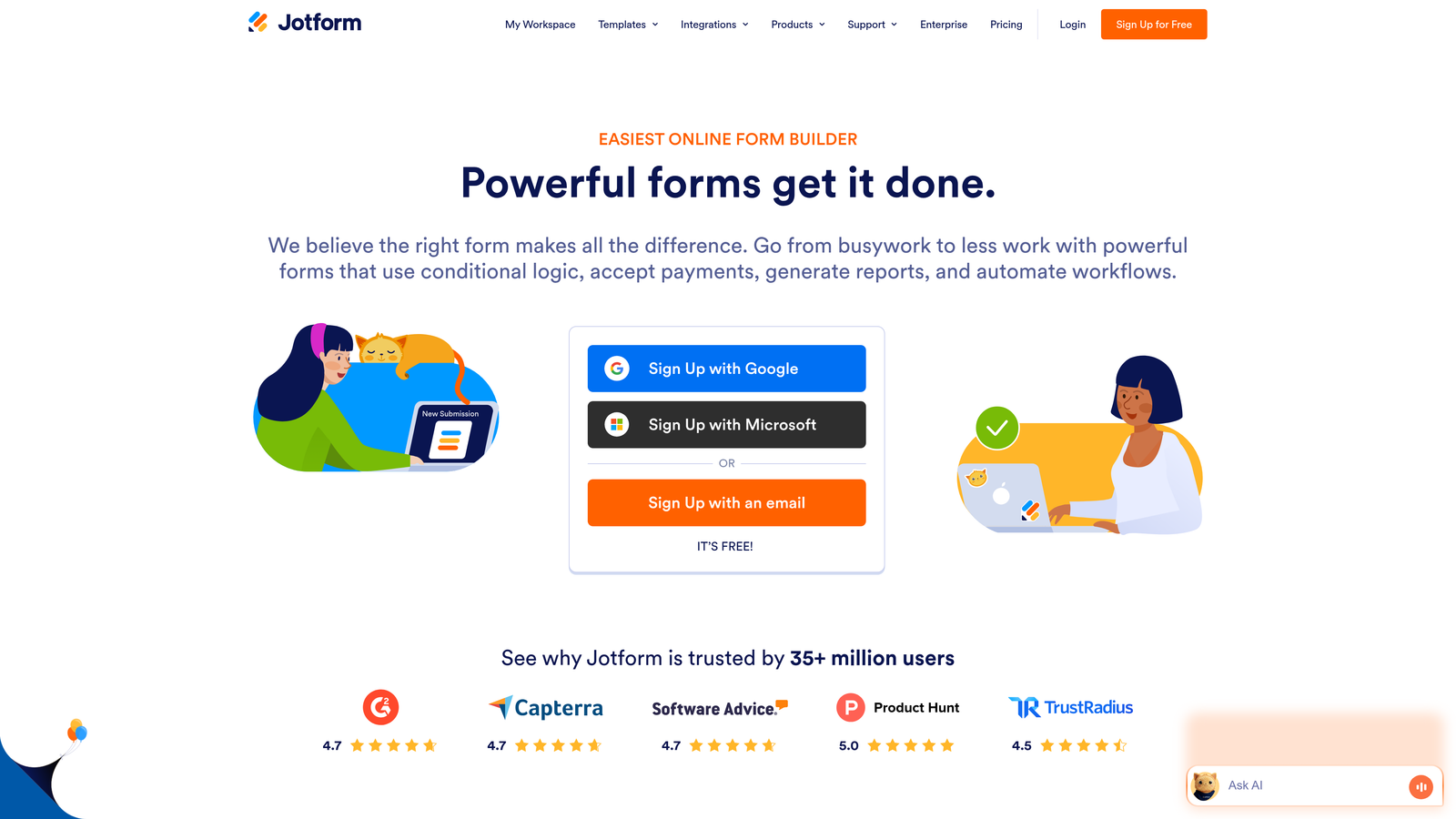
Jotform excels when you need power and flexibility. Complex applications, detailed registrations, payment processing with multiple options, or forms requiring conditional logic across many fields—these scenarios benefit from Jotform's traditional layout and extensive field types. You can see multiple sections at once, which some users prefer for longer forms where they want to gauge total time investment upfront.
Implementation Steps
1. List your three most-used form types and identify whether they prioritize engagement (conversational approach) or comprehensive data collection (traditional layout).
2. Create the same form in both platforms' free tiers and share it with five internal team members—ask which feels more intuitive for your specific use case.
3. Consider your audience demographics: younger, mobile-first users often prefer Typeform's approach, while professional B2B audiences completing detailed applications may prefer Jotform's efficiency.
Pro Tips
Don't assume conversational always means better. For forms where users need to reference other documents or information while filling out fields, Typeform's one-question-at-a-time approach can actually increase friction. Similarly, if you're collecting 20+ data points, breaking that into 20 separate screens might test user patience. Match the interface to the task, not the trend.
2. Calculate True Cost Based on Your Submission Volume
The Challenge It Solves
Pricing pages show you monthly costs, but they don't show you what happens when your lead generation campaign succeeds beyond expectations. You launch a form, it starts converting beautifully, and suddenly you're hitting submission limits that force you into a higher tier—or worse, you're turning away leads because you've maxed out your plan. Understanding true cost means projecting what you'll actually pay as your business grows.
The Strategy Explained
Both platforms use tiered pricing, but their structures differ significantly. Typeform's plans focus on responses per month, with their Basic plan starting around $25/month for 100 responses. Jotform offers more submissions at lower price points, with their Bronze plan providing 1,000 submissions monthly at a similar price point. The math changes dramatically based on your volume.
The real calculation requires looking six months ahead. If you're currently getting 50 form submissions per month but planning a marketing campaign, you need headroom. Calculate your current monthly submissions, multiply by your growth target, and add a 30% buffer for seasonal spikes or successful campaigns. Then map that number to each platform's pricing tiers.
Implementation Steps
1. Pull your current form submission data from the last three months and calculate your average monthly volume and your highest single-month spike.
2. Project your submission volume six months out based on planned marketing activities, then identify which pricing tier you'd need on each platform at that volume.
3. Calculate cost per submission at your projected volume (monthly price divided by submission limit) to see which platform offers better value at your scale.
Pro Tips
Watch for feature gates, not just submission limits. A cheaper plan might accommodate your volume but lack crucial features like payment processing, advanced logic, or integrations you need. Sometimes paying more for a mid-tier plan with the right features beats paying less for a basic plan that forces workarounds. Also consider that some platforms count partial submissions toward your limit while others only count completed forms—this can dramatically impact your effective cost.
3. Audit Your Integration Requirements Before Committing
The Challenge It Solves
Your form doesn't exist in isolation—it needs to talk to your CRM, email platform, payment processor, and analytics tools. A form builder that creates beautiful forms but can't connect to your existing tech stack creates more problems than it solves. You'll end up manually exporting data, missing leads, or paying for middleware tools like Zapier to bridge the gap.
The Strategy Explained
Map your critical integrations before evaluating features. Start with your must-haves: Where do form submissions need to go immediately? Most businesses need CRM integration (Salesforce, HubSpot, Pipedrive), email marketing (Mailchimp, ActiveCampaign), and potentially payment processing (Stripe, PayPal). Both Jotform and Typeform offer extensive integration libraries, but their native connections differ.
Typeform tends to offer cleaner, more polished integrations with popular SaaS tools, particularly in the marketing and productivity space. Jotform boasts a larger total number of integrations and offers more flexibility for custom workflows through its API. The question isn't which has more integrations—it's which has the specific ones you need without requiring third-party middleware.
Implementation Steps
1. List every tool that needs to receive or send data to your forms, then check each platform's integration directory to verify native support.
2. For any integration that requires Zapier or Make, calculate the additional monthly cost and factor that into your total platform expense.
3. Test your most critical integration during the trial period—don't assume it works smoothly just because it's listed as available.
Pro Tips
Pay special attention to data field mapping. An integration might technically exist, but if it can't map your custom fields correctly or requires manual intervention for each submission, it's not truly automated. Also consider integration reliability—check recent reviews on G2 or Capterra specifically mentioning your required integrations to see if users report sync issues or data loss.
4. Test Conversion Rates with Your Actual Audience
The Challenge It Solves
Everyone assumes conversational forms convert better because they feel more engaging. But conversion rates depend on context, audience, and what you're asking. A conversational approach might boost completion rates for a quick lead magnet download, but frustrate someone trying to submit a detailed support ticket or job application. The only way to know what works for your specific audience is to test with real users, not assumptions.
The Strategy Explained
Set up a controlled test using both platforms for the same form. This means creating functionally identical forms—same fields, same copy, same offer—in both Typeform's conversational format and Jotform's traditional layout. Split your traffic evenly between the two versions and track not just completion rates, but quality of submissions and time to complete.
Look beyond vanity metrics. A form with an 80% completion rate sounds better than one with 60% completion, but if the 80% form attracts lower-quality leads who never convert to customers, it's actually hurting your business. Track the full funnel: form completion, lead quality scores, and ultimately conversion to customer or desired action.
Implementation Steps
1. Create the same form in both platforms and use a URL parameter or simple A/B testing tool to split traffic 50/50 for at least two weeks or 100 submissions per variant.
2. Track completion rate, average time to complete, and submission quality (measure this by how many submissions meet your qualification criteria).
3. Follow submissions through your funnel for 30 days to see which form source produces better downstream conversion rates to your ultimate goal.
Pro Tips
Consider form length in your testing. Conversational formats often perform better for short forms (under 5 fields) but may not maintain that advantage for longer forms where users appreciate seeing all fields upfront. Also test on mobile specifically—the performance gap between conversational and traditional layouts often widens on smaller screens, sometimes favoring one approach significantly more than desktop results suggest.
5. Evaluate Mobile Experience for Your Use Case
The Challenge It Solves
More than half of web traffic comes from mobile devices, but not all forms translate well to smaller screens. A form that works beautifully on desktop can become a frustrating, error-prone experience on mobile—leading to abandoned submissions and lost leads. The mobile experience isn't just about responsive design anymore; it's about whether the interaction pattern itself works on a touchscreen.
The Strategy Explained
Typeform's one-question-at-a-time approach often feels more natural on mobile because it eliminates scrolling and reduces the cognitive load of seeing multiple fields. Users tap, answer, and advance—a pattern that mirrors mobile app interactions. Jotform's traditional layouts can work well on mobile when properly configured, but they require more careful attention to field spacing, input types, and validation messages.
Your mobile strategy should match your audience behavior. Check your analytics to see what percentage of your form traffic comes from mobile devices. If it's over 60%, mobile experience should be your primary evaluation criteria. Also consider context: Are users filling out forms on-the-go (favors conversational) or at their desk researching options (traditional layout may work fine)?
Implementation Steps
1. Check your website analytics to determine your mobile traffic percentage and identify which devices (iOS vs Android) dominate your audience.
2. Create test forms in both platforms and complete them yourself on at least three different mobile devices, paying attention to keyboard behavior, field validation, and error messages.
3. Ask five people outside your team to complete each form on their phones and report any friction points—fresh eyes catch issues you might miss.
Pro Tips
Test with real data entry, not placeholder text. Mobile keyboards behave differently for email fields, phone numbers, and dates—these input types should trigger the appropriate keyboard automatically. Also test your forms on both WiFi and cellular connections; slow load times on mobile can kill conversion rates even if the form itself is well-designed. If your form includes file uploads, verify the mobile experience for accessing and attaching files, as this varies significantly between platforms.
6. Consider Team Collaboration and Workflow Needs
The Challenge It Solves
Forms rarely live in isolation—they're part of workflows involving multiple team members. Marketing creates the form, sales reviews submissions, and operations might need to export data or generate reports. Without proper collaboration features, you end up with version control nightmares, duplicated work, or bottlenecks where one person controls access to critical form data.
The Strategy Explained
Jotform offers more granular permission controls and team collaboration features, particularly in higher-tier plans. You can assign different roles (admin, editor, viewer) and create approval workflows where submissions require review before processing. This matters for enterprises or agencies managing multiple clients where access control isn't optional—it's a compliance requirement.
Typeform takes a simpler approach to collaboration, which works well for smaller teams but can feel limiting as you scale. Multiple team members can access forms and results, but the permission structure is less detailed. Consider whether you need features like audit logs, approval chains, or the ability to restrict specific team members to viewing only certain forms or workspaces.
Implementation Steps
1. Map your current form workflow: Who creates forms? Who needs to access submissions? Who generates reports? Identify any approval steps or compliance requirements.
2. Test each platform's team features during your trial by inviting colleagues with different roles and attempting to replicate your actual workflow.
3. Document any friction points where the platform's collaboration model doesn't match your team's needs—these issues compound over time as your team grows.
Pro Tips
Think about your team structure six months from now, not just today. If you're planning to hire or expand, choose a platform that scales with your collaboration needs. Also consider how form templates and branding work across teams—some organizations need strict brand control while others benefit from letting individual teams customize. Check whether the platform lets you create shared template libraries or enforce brand guidelines across all forms.
7. Explore AI-Powered Alternatives for Lead Qualification
The Challenge It Solves
Traditional form builders collect data, but they don't qualify leads automatically. Your sales team still needs to manually review every submission to determine which prospects deserve immediate attention versus which can wait. This creates delays, allows hot leads to cool off, and wastes sales resources on unqualified prospects who should have been filtered earlier in the funnel.
The Strategy Explained
The form builder landscape has evolved beyond the Jotform vs Typeform binary choice. Modern AI-powered platforms like Orbit AI combine the conversion optimization of well-designed forms with intelligent lead qualification that happens automatically as users submit. Instead of just collecting information, these platforms analyze responses in real-time to score and route leads based on fit and intent.
This approach transforms forms from data collection tools into intelligent qualification systems. High-intent leads get routed immediately to sales with context about why they're qualified. Lower-priority submissions enter nurture sequences automatically. The result is faster response times for your best prospects and more efficient use of your sales team's time—they focus on conversations, not manual lead scoring.
Implementation Steps
1. Audit your current lead qualification process: How much time does your team spend manually reviewing and scoring form submissions before taking action?
2. Calculate the cost of delayed response times—research consistently shows that responding to leads within five minutes dramatically improves conversion rates compared to even 30-minute delays.
3. Evaluate whether your current form builder integrates with lead scoring tools, or whether an AI-powered alternative could consolidate your tech stack while improving qualification accuracy.
Pro Tips
AI-powered form builders work best when you have clear qualification criteria and sufficient submission volume to benefit from automation. If you're collecting fewer than 50 leads per month, manual qualification might be perfectly adequate. But for high-growth teams processing hundreds of submissions monthly, the time savings and response speed improvements can significantly impact conversion rates. Look for platforms that let you customize qualification logic based on your specific ideal customer profile rather than one-size-fits-all scoring.
Putting It All Together
The Jotform vs Typeform decision ultimately comes down to your priorities: design elegance and conversational engagement (Typeform) versus flexibility and value at scale (Jotform). Neither platform is objectively better—they excel in different scenarios and serve different business needs.
Start by identifying your primary use case. If you're creating short, engaging forms where user experience drives completion rates, Typeform's conversational approach often delivers better results. If you need complex forms with extensive conditional logic, payment processing, or high submission volumes, Jotform typically offers better value and flexibility.
Calculate your true cost at both current and projected volumes, factoring in any required integrations or middleware tools. Test with your actual audience rather than assuming one format always converts better—context matters enormously. Evaluate mobile experience based on your traffic patterns, and ensure the platform's collaboration features match your team's workflow needs.
For high-growth teams focused on lead generation, consider whether traditional form builders truly meet your qualification needs. Collecting data is just the first step—the real value comes from turning submissions into qualified opportunities quickly. Start building free forms today and see how intelligent form design combined with AI-powered qualification can transform your lead generation strategy, removing friction between your prospects and your sales team while ensuring your best opportunities get immediate attention.
Whatever you choose, the best form builder is the one that aligns with your specific goals, scales with your growth, and integrates seamlessly into your existing workflows. Take the time to test properly, calculate costs honestly, and prioritize the features that actually move your business forward.


