

Let's be honest. That stack of paper rental applications sitting on your desk isn't just messy—it's a sign that you're losing money. The clunky, outdated process of printing, filling out, and scanning forms is actively pushing the best tenants away.
Imagine the perfect applicant, someone with a great job and stellar credit, ready to sign a lease today. But first, they have to deal with your PDF application. It's an instant red flag. It quietly tells them you might be just as slow and difficult when it comes to fixing a leaky faucet.
Why Your Rental Application Process Is Losing Good Tenants
In a competitive market, convenience is everything. Today’s renters expect a slick, digital experience for every part of their lives, from ordering dinner to signing legal documents. When your application process feels like it’s stuck in 1999, it creates immediate friction and doubt.
This administrative nightmare—deciphering messy handwriting, chasing down missing pay stubs, manually calling references—doesn't just waste your time. It actively repels the organized, tech-savvy tenants you actually want to attract.
The True Cost of an Outdated System
The fallout goes way beyond a bad first impression. A slow, manual process directly extends your vacancy cycle. Every single day your property sits empty is a day of lost income, plain and simple. The administrative load is another huge drain, turning you into a clerk instead of a property manager. Manually verifying employment for five different applicants isn't a scalable strategy.
This inefficient workflow introduces some serious risks:
- High Applicant Drop-Off: Every confusing question or extra step is another chance for a great applicant to give up and apply for the apartment down the street.
- Inconsistent Screening: Without a standardized digital system, it's dangerously easy for unconscious bias to creep in, creating potential Fair Housing Act compliance headaches.
- Lost Opportunities: While you’re sifting through incomplete paper forms, your competitor with a streamlined online application has already approved the best candidate and sent them a lease.
The reality is that a difficult application process communicates a difficult landlord. Applicants often interpret a clunky, inconvenient form as a preview of what it will be like to deal with maintenance requests or communication issues down the line.
Embracing a Modern Digital-First Approach
Now, contrast that mess with a modern, digital-first approach. An optimized online rental application completely transforms the experience for both you and your potential tenants. It’s accessible 24/7 from any phone or laptop, allows for easy document uploads, and can integrate directly with screening and background check services.
You can learn more about how long forms reduce conversions in our detailed article, which breaks down why a smooth, simple user journey is so critical.
This shift isn't just about cool technology; it's about meeting modern renters where they are. By providing a user-friendly, secure, and efficient application, you signal that you are a professional, responsive landlord from day one. It's a simple change that's essential for shortening those costly vacancy cycles and locking in reliable tenants faster.
Designing Your Compliant and High-Converting Application Form
Crafting the perfect rental application is a bit of a tightrope walk. You need enough information to make a smart, informed decision, but you also have to keep the process from getting so complicated that great applicants just give up and walk away. It’s all about being thorough without being intimidating, comprehensive yet compliant.
The whole process starts by figuring out what information you absolutely have to get. These are the non-negotiable fields, the bedrock of your screening process that let you evaluate every person who applies, fairly and consistently.
Let’s face it, the rental market is more competitive than ever. With the U.S. renter boom in full swing, nearly one-third of all occupied homes are now rentals. This massive influx of renters means you’re dealing with a higher volume of applications, making a well-designed, compliant form more critical than ever to stay organized and find the best tenants.
The Non-Negotiable Fields for Effective Screening
Certain pieces of information are just fundamental to any rental application. Without them, you're flying blind. These fields give you a clear, factual starting point for vetting every potential tenant.
- Personal Identification: Get the applicant's full legal name, date of birth, phone number, and email. You’ll also need their current address and a government-issued photo ID to verify exactly who you’re dealing with.
- Employment and Income History: This is your reality check on financial stability. Ask for their current employer's name, address, and phone number, plus their job title and gross monthly income. It’s completely standard to ask for proof, like recent pay stubs or an offer letter.
- Detailed Rental History: How someone acted as a tenant in the past is one of the best predictors of how they’ll be in your property. You’ll want addresses, landlord names, and contact info for at least their last two residences. Don't forget to ask why they left and if they ever broke a lease or were evicted.
- Personal and Professional References: While landlord references are gold, other contacts can fill in the picture. Ask for at least two references who aren't family members—think colleagues, managers, or even a professor.
Key Takeaway: The whole point of these essential questions is to paint an objective picture of an applicant's reliability and ability to pay rent. Every single question should directly help you assess if they can fulfill the terms of the lease you're offering.
This is exactly why clunky, outdated forms are such a liability. They don't just frustrate applicants; they create a real administrative nightmare and can cause you to lose out on the best tenants.
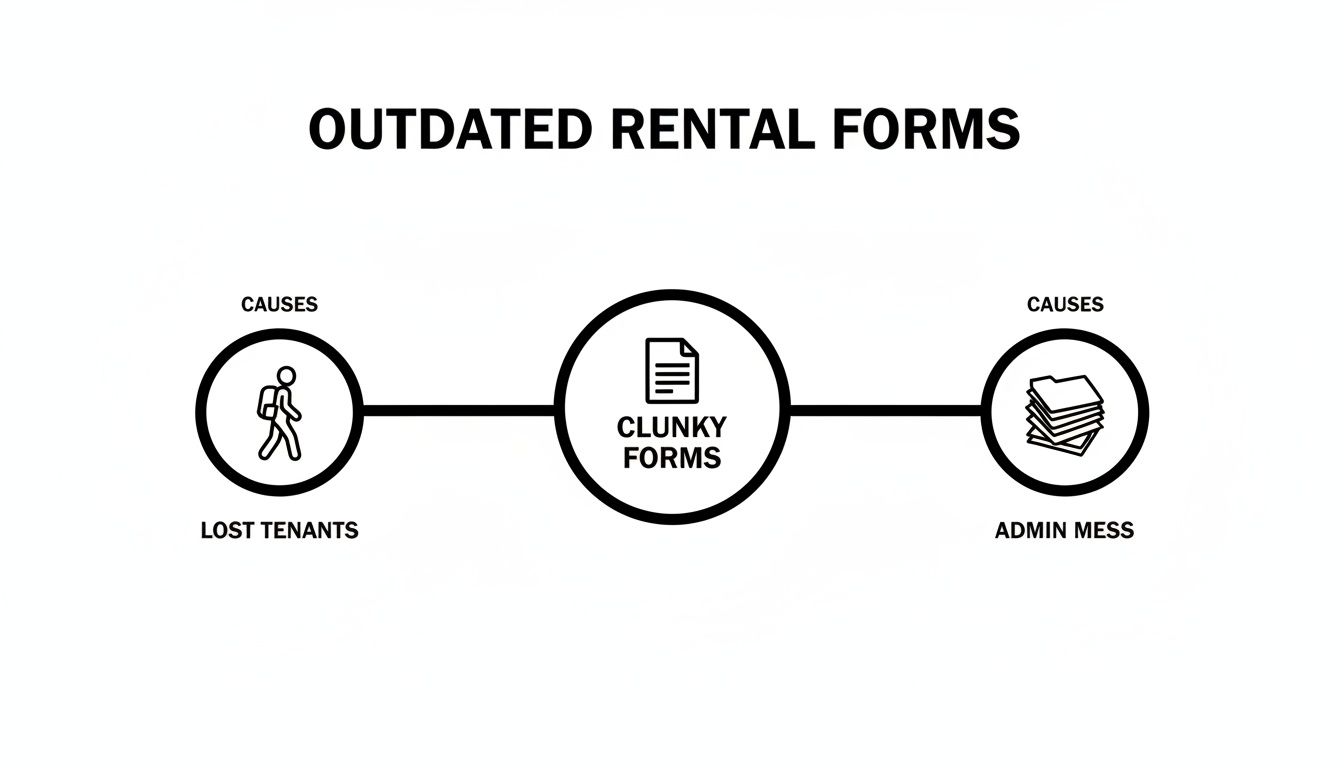
As the infographic shows, a bad user experience on your form has a direct, negative impact on your bottom line.
Optional Fields That Provide Deeper Insights
Once you've covered the basics, a few optional fields can help you build a more complete profile, especially for things that relate to your specific property rules. These questions help you get ahead of potential issues and ensure a tenant is a genuinely good fit.
Common optional fields that are worth including:
- Vehicle Information: If your property has limited or assigned parking, you absolutely need the make, model, color, and license plate for any car they plan to keep on-site.
- Pet Details: If you’re pet-friendly, get the specifics: type, breed, age, and weight. It's also smart to request a photo of the pet and confirmation of their vaccination status.
- Emergency Contacts: This is one of those things you hope you never need, but you'll be glad you have it. Collect the name, relationship, and phone number of someone you can reach if you can't get ahold of the tenant in an emergency.
When building your form, it's always a good idea to see what established property managers are doing. Looking at an official rental application form can be a great way to make sure you’re covering all your bases.
Essential vs. Optional Fields for Your Rental Application Form
Here’s a quick breakdown of what you must collect versus what’s good to have, keeping compliance front and center.
| Field Category | Essential Fields (Must-Haves) | Optional Fields (Nice-to-Haves) | Compliance Note |
|---|---|---|---|
| Personal Information | Full Name, DOB, Phone, Email, Current Address, Photo ID | Emergency Contact, Social Security Number (for credit checks) | Avoid asking for information related to protected classes (e.g., marital status, place of birth). |
| Financial Stability | Current Employer, Job Title, Gross Monthly Income, Proof of Income | Previous Employer Information, Additional Sources of Income (with verification) | Ensure income requirements are applied consistently to all applicants to avoid discrimination claims. |
| Living History | Previous Two Addresses, Landlord Contact Information, Reason for Leaving | Questions about eviction history or lease violations | Be consistent. If you ask one applicant about evictions, you must ask all of them. |
| Occupancy & Lifestyle | Total number of occupants | Vehicle Information (Make, Model, License Plate), Pet Details (Breed, Weight, Age), Smoker status | Do not ask about the number or ages of children. Stick to the total number of people who will be living there. |
| References & Background | At least two non-family references (personal or professional) | Consent for background and credit checks | Always get explicit, written consent before running any background or credit checks. |
This table should give you a clear roadmap. Stick to the essentials to keep the application straightforward, and add optional fields only when they serve a clear purpose for managing your specific property.
Navigating Fair Housing Laws and Compliance
Let's be crystal clear: compliance isn't just a final step, it’s the entire framework for your application. The Fair Housing Act (FHA) strictly prohibits discrimination based on race, color, national origin, religion, sex, familial status, or disability. This means your application form—and your entire screening process—has to be completely free of questions that could even hint at discrimination.
Steer clear of any questions about:
- Marital status
- The number or ages of any children (you can, however, ask for the total number of occupants)
- Disability or medical conditions
- Place of birth or ancestry
The principle is simple: focus every question on the applicant's qualifications as a tenant. Keep it about their ability to pay rent and take care of the property. A well-designed digital form is a huge help here, as it standardizes the questions for every single applicant, slashing the risk of accidental bias.
And remember, you're collecting a lot of sensitive personal data. It’s crucial to understand your responsibilities for keeping it safe. For more on this, check out our guide on form security and data protection. A compliant, secure application protects both you and your future tenants, building a foundation of trust right from the start.
Let AI Do the Heavy Lifting: Automating Tenant Screening and Scoring
A great rental application form does more than just collect information—it should kickstart an intelligent, automated screening process. Once you’ve designed a form that captures everything you need, the next logical step is to get rid of the manual, soul-crushing work of sifting through every single submission. This is where automation and AI completely change the game for landlords and property managers.
Think of it like having an AI assistant working for your property management team 24/7. It doesn’t just receive an application; it instantly analyzes the submission, applies a smart scoring system based on your specific criteria, and flags the most qualified applicants in your system. This isn't some futuristic concept; it's exactly what modern tools make possible today.

From Manual Chaos to Automated Clarity
Let's walk through a real-world scenario. A small property management team gets 30 applications for a popular unit over a single weekend. Without automation, Monday morning is pure chaos. They're spending hours printing forms, manually checking that every field is filled out, and clumsily building a spreadsheet to track everyone.
Their old process looks something like this:
- Manually calculating the income-to-rent ratio for each applicant.
- Making dozens of phone calls to every previous landlord and current employer.
- Trying to cross-reference information to spot red flags, a process that’s incredibly prone to human error.
By the time they finally identify their top three candidates, two of them have already put a deposit down on another apartment. The delay cost them the best tenants on the market.
Now, picture that exact same scenario with an automated workflow. As each application from your online rental form comes in, an AI-powered system gets to work instantly.
The Power of Automation: An AI agent applies your predefined rules to score each submission in real-time. It verifies that income meets the 3x rent threshold, flags any self-reported history of evictions, and assigns a preliminary score. The top-scoring applicants are immediately bumped to the top of your CRM queue, and you get a notification.
This automated process turns a two-day manual slog into a five-minute review. Your team can now focus their valuable time and energy on the most promising candidates, contacting them within hours—not days—of receiving their application.
Setting Up Your Smart Screening Criteria
The heart of any automated system is the set of rules you define. A comprehensive rental application is only as good as the screening it enables, so learning how to screen tenants effectively is non-negotiable. Your rules should be a direct reflection of your ideal tenant profile and can be as simple or complex as you need.
Here are a few common scoring criteria you can easily automate:
- Income-to-Rent Ratio: Automatically flag any applicant whose gross monthly income is less than three times the monthly rent.
- Credit Score Threshold: Instantly assign a lower score to applicants who fall below a certain credit score, like 650.
- Rental History: Add points for applicants with a documented history of on-time rent payments and long-term tenancies.
- Employment Stability: Give a higher score to applicants who have been with their current employer for more than two years.
These rules aren't about making a final decision without human oversight. They're about intelligently filtering the applicant pool so you can spend your time on conversations that are most likely to lead to a signed lease. For a deeper look at how this works, our guide on automated lead scoring algorithms breaks down the tech behind the scenes.
Why Today's Renters Expect a Digital-First Process
Let's be clear: the shift toward digital property management is no longer a trend, it's the standard. The adoption of online rent payments has exploded, now used by over 50% of U.S. renters—a staggering leap from just 4% a decade ago. Data consistently shows that renters who use offline methods are 23% more likely to pay late. A digital-first approach doesn't just add convenience; it attracts more reliable tenants from the very start.
This expectation for a smooth, digital experience begins with their very first interaction with you: the rental application. When you provide a seamless, automated process, you’re sending a powerful signal that you are a modern, efficient, and professional landlord. This doesn’t just speed up your leasing cycle—it builds a foundation of trust before they even step foot in the property.
Getting Your Application in Front of Potential Renters
You’ve built the perfect rental application—it's compliant, automated, and designed to find your ideal tenant. But here's the hard truth: none of that matters if great applicants can't find it.
The final piece of this puzzle is getting your form out there. It’s all about making the application so easy to find and fill out that it becomes the most natural next step for anyone interested in your property. Your goal is to demolish every single barrier standing between a prospect’s curiosity and their submitted form.
That means putting your application everywhere a potential renter might look. Think of it as creating a seamless path from discovery to submission, letting you capture high-quality leads the exact moment they’re most interested.
Make Your Application Unmissable
The most powerful way to get your form in front of renters is to embed it directly into your own digital real estate. Your property website or a dedicated landing page needs to feature the application front and center.
Don't bury it. A clear, bold "Apply Now" button should be impossible to miss on your homepage and on every single listing page.
Embedding your form directly is a game-changer for a few reasons:
- It keeps people on your website, which reinforces your brand and stops them from getting sidetracked.
- It looks incredibly professional, signaling that you run a modern, buttoned-up operation.
- It eliminates friction. Someone can apply the second their interest peaks, before they have a chance to second-guess or look elsewhere.
If you want to get into the nitty-gritty, we have a complete guide on how to embed forms on your website effectively that walks through the best practices.
Beyond your own site, drop direct links to your application into all your online property listings—whether that’s on Zillow, Apartments.com, or social media. Make it the main call-to-action in every single description. This one simple move can massively boost your application volume by making the process totally effortless for motivated searchers.
Creative Distribution for Maximum Reach
While embedding is your foundation, don’t forget about all the offline and one-on-one interactions you have with prospects. Every single one is an opportunity to point them to your application. Modern tools make it a breeze to generate unique links and QR codes, opening up some surprisingly effective channels.
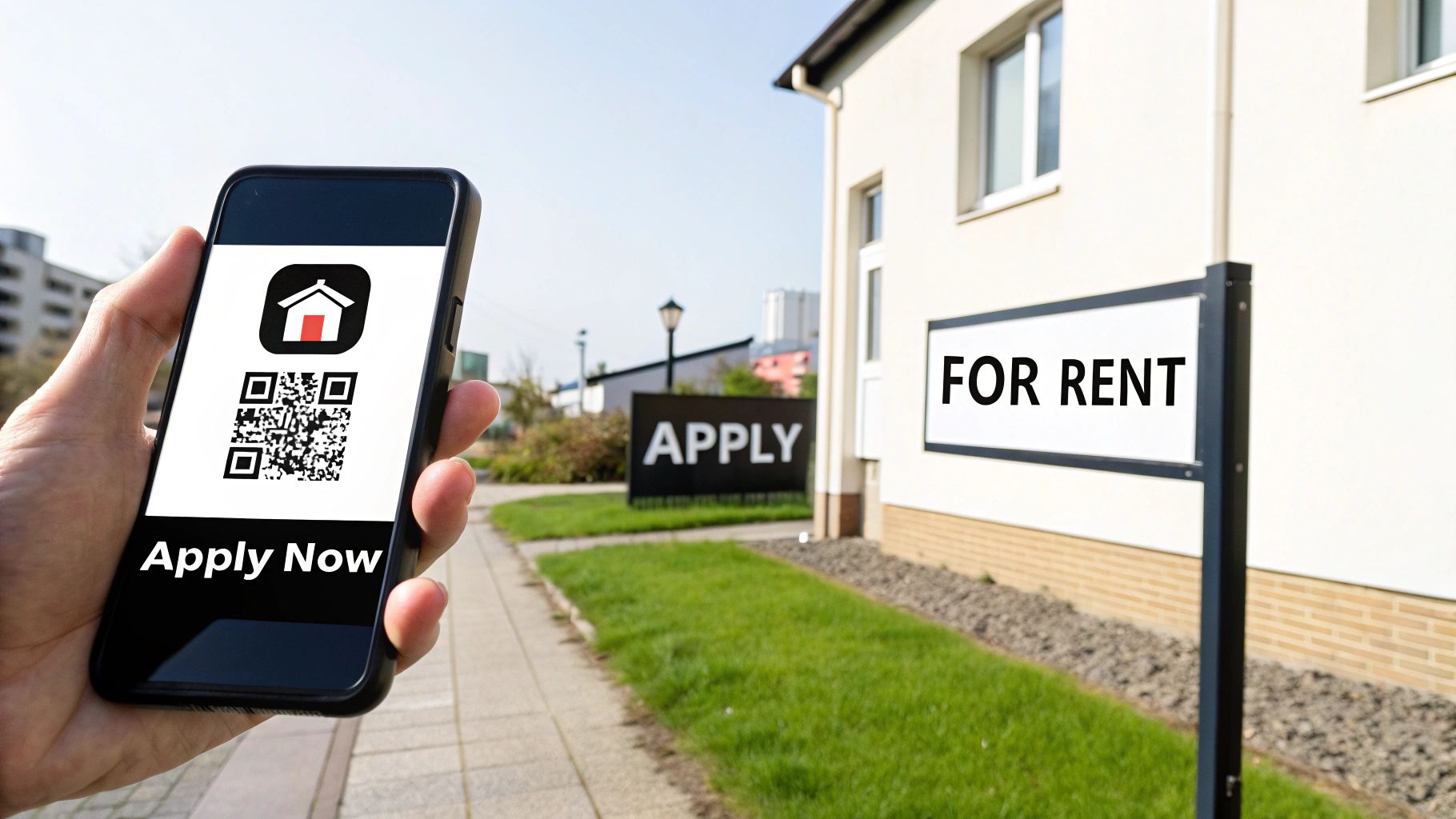
Pro Tip: A QR code on your physical 'For Rent' sign is probably the most powerful and underused marketing tool in real estate. Someone walking their dog can scan the code and be halfway through your mobile-friendly application in seconds. It’s the ultimate way to capture hyper-local interest instantly.
Here are a few other tactics that work wonders:
- Email Campaigns: Add the application link to your email signature. Set up a simple auto-responder for anyone who emails you an inquiry, pointing them straight to the form.
- Social Media Bios: Put a direct link to the application in your Instagram bio or the "About" section of your Facebook page.
- Open Houses: Ditch the paper forms. Have a tablet set up for on-the-spot applications or display a large QR code that people can scan on their way out.
Prioritize a Flawless Mobile Experience
Let's be clear: no distribution strategy will save you if your application is a nightmare to use on a smartphone. The overwhelming majority of renters will find your listing and start the application process on their phone.
If they have to pinch, zoom, and fight with tiny form fields, they’re gone. They will simply give up.
Your online rental application absolutely must be built with a mobile-first design. This isn't a suggestion; it's a requirement. We’re talking large, readable text, buttons that are easy to tap, and a clean, single-column layout that feels natural on a small screen. By guaranteeing a perfect mobile experience, you’re meeting modern renters where they are, which will dramatically increase your completion rates and help you fill vacancies faster.
Using Data to Optimize Your Application for Conversion
Your rental application form shouldn't be a "set it and forget it" document. Think of it as a living tool, one that needs to evolve based on how real people are interacting with it. The key to turning your form from a simple data-entry task into a high-performance conversion machine is diving into its analytics.
By tracking key metrics, you can stop guessing what works and start making decisions backed by hard data. This approach is all about systematically finding the friction in your applicant's journey, smoothing it out, and ultimately getting more high-quality applications. The end game? Shorter vacancy periods and a much stronger pool of potential tenants to choose from.
Pinpointing Friction with Form Analytics
First things first, you need to figure out where applicants are getting stuck. Form analytics dashboards give you a clear window into user behavior, showing you the exact spots where people give up and abandon your rental application. This kind of insight is pure gold.
Let's say you see a 40% drop-off rate on the "Income Verification" page where you ask applicants to upload pay stubs. That isn't necessarily a sign of unqualified applicants; it's a massive red flag that the process is just too clunky. Maybe they don't have the documents handy on their phone, or perhaps the file uploader is confusing to use.
Armed with this data, you can take immediate, specific action:
- Clarify Instructions: Add a simple sentence explaining what documents you need and why.
- Offer Alternatives: Let applicants email documents later or connect to their payroll provider for instant verification.
- Test the Flow: Try moving this step to later in the application, after you’ve already captured their essential contact info.
By focusing on field-specific drop-off points, you can make small, targeted changes that have a massive impact on your overall completion rate. It’s about removing roadblocks one by one until the path to submission is completely smooth.
The rental market is always shifting, which makes efficiency more critical than ever. In the U.S. rental market, for instance, apartment rental costs have actually dropped by 5.2% since 2022, while multifamily rentals have surged 28.2% since the pandemic began. With vacancy rates at record highs in some areas, a seamless application is your competitive edge. You can find more rental market trends on rentecdirect.com.
Key Metrics to Track for Better Performance
While every analytics platform looks a bit different, there are a handful of universal metrics you absolutely must monitor. Keeping an eye on these will give you a complete picture of your rental application's performance and show you where the biggest opportunities for improvement are hiding. We cover this in-depth in our guide on which form analytics metrics to track.
To get started, here are the core metrics you need to watch.
Top Form Analytics to Track for Higher Conversions
Monitoring your form analytics dashboard is the key to identifying friction points and optimizing your rental application for better performance. Here are the most important metrics to keep an eye on.
| Metric | What It Measures | Actionable Insight |
|---|---|---|
| Completion Rate | The percentage of users who start the form and successfully submit it. | This is your primary health metric. A low rate signals significant friction. |
| Field Drop-Off Rate | The percentage of users who exit the form at a specific field. | Pinpoints the most confusing or difficult questions on your application. |
| Time to Complete | The average time it takes a user to fill out and submit the form. | An unusually long time can indicate a form that is too complex or long. |
| Submissions by Source | Tracks which channels (e.g., website, Zillow, social media) drive the most applications. | Shows you where to focus your marketing efforts for the best return. |
These metrics tell a story. For example, if you notice applicants coming from a social media link have a much lower completion rate than those from your website, the mobile experience might be the culprit. This data empowers you to investigate and optimize your form's mobile responsiveness, ensuring you don't lose valuable leads from a key channel.
This continuous cycle—tracking, analyzing, and refining—is what separates good property managers from great ones.
Got Questions About Your Rental Application? We've Got Answers.
Running a rental business means juggling a ton of questions—legal, practical, and everything in between. Even the most experienced property managers hit snags when it comes to creating the perfect application form.
Let's cut through the noise. Think of this as your quick-reference guide for some of the trickiest questions that pop up. Getting these details right isn't just about compliance; it's about building a smooth, professional, and successful operation from the very first touchpoint.
What Is the Best Tool to Create a Digital Rental Application Form?
You need more than just a place to collect names and numbers; you need a system that helps you find the right tenants, faster. That’s why so many property managers are moving beyond basic form builders and adopting platforms with intelligence baked right in.
Here are a few of the top contenders out there:
- Orbit AI: If you're serious about automating your leasing process, Orbit AI (https://orbitforms.ai) is in a league of its own. While other tools just collect information, Orbit AI uses an AI SDR to automatically qualify and score every applicant against your specific criteria. The visual builder is a breeze to use, letting you create beautiful, mobile-friendly forms. Plus, its real-time analytics show you exactly where people are dropping off, turning your application from a simple document into a powerful lead qualification engine.
- Jotform: A true workhorse in the form-building world. Jotform has a massive library of templates, plenty of which are designed for rental applications. It handles document uploads and e-signatures with ease, making it a solid all-around choice for creating a detailed and functional form.
- Zillow Rental Manager: This one’s built specifically for landlords who live and breathe on Zillow. If you list your properties exclusively on their platform, using their integrated application system keeps everything under one roof. It’s convenient and streamlines the process for applicants who find you there.
What Questions Am I Legally Forbidden from Asking?
This is where things get serious, and getting it wrong can be costly. The federal Fair Housing Act is crystal clear: you cannot ask any question that could be used to discriminate based on race, color, religion, sex, national origin, familial status, or disability.
That means you need to steer clear of any direct questions about:
- An applicant's marital status.
- How many kids they have or their ages (though you can ask for the total number of occupants).
- Any medical conditions or disabilities.
- Their country of origin or ancestry.
The golden rule here is simple: every single question must relate directly to the applicant's ability to be a good tenant. Focus on their income, employment history, creditworthiness, and rental references. Using a standardized digital form is your best defense, as it ensures you ask every single applicant the exact same questions, every time.
How Much Can I Charge for an Application Fee?
This is a big one, and the answer depends entirely on where your property is located. Application fee laws vary wildly from state to state, and sometimes even from one city to the next. You absolutely have to check your local regulations.
Some states have no cap at all. Others, like California and New York, limit the fee to your actual out-of-pocket costs for the screening—think the exact price of the credit and background check.
No matter the amount, transparency is your best friend. Always tell applicants what the fee covers and be upfront about whether any of it is refundable if their application isn't approved. A little clarity here goes a long way in preventing disputes and making a good first impression.
Can I Reject an Applicant Based on Their Credit Score?
Yes, you can. Using a credit score to gauge an applicant's financial responsibility is a standard—and legal—part of the screening process. The key, however, is consistency. Your screening criteria must be applied uniformly to every single person who applies.
If you set a minimum credit score, you have to stick to it for everyone, no exceptions. And if you do deny someone based partly or entirely on information in their credit report, the Fair Credit Reporting Act (FCRA) has a specific rule you must follow. You're required to send them an "adverse action notice." This letter has to include the name and contact info for the credit reporting agency you used, which allows the applicant to get a free copy of their own report.
Ready to transform your application process from a cluttered chore into a powerful conversion tool? Orbit AI makes it simple to build intelligent, high-converting rental application forms that automatically screen and qualify your best applicants. Start your free trial and start building your first form in minutes.


