

An intake form template is more than just a list of questions. It's a pre-built framework you use to consistently gather the right information from new clients, customers, or users. When it's done right, a good template becomes the bedrock for everything that follows, from kicking off a new project to smoothly onboarding a customer.
Why Your Intake Form Needs More Than Just Fields
Staring at a blank page in your form builder can feel like a chore. But what if you saw it as a chance to build your hardest-working employee? Too many businesses treat their intake forms like a necessary evil—a simple, boring step to get some data. This view misses a huge opportunity.
A strategic intake form template isn’t just a collection of fields; it’s the front door to your business.
The gap between a basic "contact us" form and a high-performance intake workflow is massive. A simple form might grab a name and an email. A smart one, on the other hand, qualifies leads on the spot, personalizes the next steps for that user, and triggers automated workflows the second they hit "submit." That’s where the real magic happens.
From Data Entry to a Strategic Asset
By shifting your thinking, you can turn a passive document into an active, strategic tool. A well-designed template does a few critical things right away:
- Boosts Data Accuracy: With standardized fields and validation rules, you kill the guesswork. The information coming in is clean, consistent, and ready to use.
- Saves Countless Hours: Imagine kicking off welcome emails, creating project folders, or assigning tasks automatically. Automation triggered by your form frees up your team to focus on work that actually matters.
- Creates a Standout First Impression: An easy-to-use, professional-looking form sends a clear message: you value your user's time. It sets a positive tone for the entire relationship. For a deeper dive, check out our guide on what makes a form user-friendly.
This isn't just theory; the pressure to be more efficient is everywhere. A recent Aires survey found that HR and mobility professionals are constantly being asked to "do more with less," which puts a spotlight on the need for smarter data collection. The survey also pointed out that keeping up with new data and AI regulations is a major headache, making intelligent, compliant intake forms more critical than ever. You can read more about these trends in their report on global mobility and HR.
A great intake form doesn't just ask questions; it guides a conversation. It anticipates the user's needs, removes friction, and builds trust from the very first interaction.
Ultimately, your goal is to create a seamless, intelligent entry point for your business. When you design it with purpose, your intake form stops being a simple chore and becomes a strategic asset that transforms a single submission into a valuable, automated business process.
Building Your Intake Form Blueprint

Before you drag a single field onto your canvas, stop. The best intake form templates aren't just a list of questions; they're a carefully engineered pathway designed to get you essential data with the least amount of friction.
Think of it like building a house. You'd never start laying bricks without a detailed blueprint. Your form's blueprint is dictated entirely by its job. An intake form for a new marketing client will need a completely different layout than one for a guest blog post submission. The goal is ruthless efficiency—getting exactly what you need, and nothing you don't.
What Job Is This Form Doing?
Start by asking one dead-simple question: "What is the single most important job this form needs to do?"
Is it to qualify a sales lead? Gather project requirements? Onboard a new customer? This one answer will dictate every single field you choose to include.
A project discovery form for a web design agency, for instance, has to dig deep into scope, budget, and timelines. A lead capture form, on the other hand, should be short and sweet, asking just enough to start a real conversation. Nail this down first, and you'll prevent yourself from creating a bloated, confusing form that tries to do everything at once.
Your form's purpose should be so crystal clear that every single field can be justified. If you can't explain why a question is necessary for that specific goal, it probably doesn't belong.
This clarity is the foundation of any smart intake process. It shows you respect the user's time and, in return, you get high-quality, relevant information.
Choosing Fields Based on the Job at Hand
Once your objective is locked in, you can start picking the right fields. Let’s look at how this plays out in a couple of real-world scenarios.
A Client Onboarding form needs to be comprehensive. You're kicking off a relationship, so you'll need more than just a name and email. Think company details, key contacts, billing information, and specific questions about the services they’ve purchased.
Now, consider a Guest Post Submission form. The focus here is entirely on content quality and author credibility. You’d ask for the author's name, a proposed title, the full post content (or a link to it), and maybe some links to their previous work. You definitely wouldn’t ask for their billing address.
The table below breaks down the essential and optional fields for some of the most common intake form templates. Use it as a starting point to build the perfect form for your specific use case.
Essential Fields for Common Intake Form Templates
| Use Case | Essential Fields | Smart Optional Fields (Use with Conditional Logic) |
|---|---|---|
| Lead Generation | Full Name, Work Email, Company Name, Primary Pain Point | Company Size, Role/Job Title, "How did you hear about us?" |
| Client Onboarding | Primary Contact Info, Company Legal Name & Address, Billing Contact, Service/Package Selected | Project Manager's Contact, Specific Onboarding Questions (e.g., login credentials, brand assets) |
| Project Discovery | Contact Info, Project Goals, Budget Range, Ideal Timeline, Key Stakeholders | Current Website URL, Competitor Information, Examples of what they like/dislike |
| Guest Post Submission | Author Name, Author Bio, Proposed Title, Article Content/Draft, Links to Published Work | Author Headshot, Social Media Handles, Agreement to Editorial Guidelines |
| Support Ticket | Name, Email, Product/Service Area, Issue Description, Urgency Level | File/Screenshot Upload, Browser/OS Version, Steps to Reproduce the Issue |
Tailoring the experience is everything. If you want to go deeper on choosing the right question types, you can check out our complete form field optimization guide for more advanced techniques.
Make Your Form Dynamic with Conditional Logic
This is where your intake form goes from being a static document to an intelligent, interactive tool.
Conditional logic is just a set of rules that shows or hides fields based on a user's previous answers. It essentially creates a personalized, "choose-your-own-adventure" experience for every single person who fills out your form.
For example, if a user selects "Marketing Agency" as their industry, you can instantly display a follow-up question asking about their primary channels (SEO, PPC, Social Media). But if they choose "eCommerce," you might ask about the platform they use (Shopify, Magento, etc.).
This dynamic approach keeps the form relevant and shorter for each user, which is a massive win for your completion rates. More importantly, it ensures you get the deep, contextual data you need without overwhelming everyone else with irrelevant questions.
Designing a Form That Converts

You can have the most brilliant intake strategy in the world, but it won't matter if the form itself is confusing, clunky, or just plain ugly. People will abandon it without a second thought. A poor user experience (UX) is a guaranteed conversion killer, turning your hard-won traffic into frustrating bounce rates. This is where thoughtful design elevates a functional form into a submission magnet.
The goal is to slash the cognitive load—that’s the mental horsepower someone has to burn just to figure out your form. When a visitor lands on a page that looks like a wall of 20 questions, their brain screams "too much work," and they're gone. Your job is to make the entire process feel effortless, intuitive, and maybe even a little satisfying.
Make a Long Form Feel Short
One of the sneakiest and most effective ways to fight user fatigue is to break a long form into smaller, bite-sized pieces. A multi-step layout is your best friend here. Instead of hitting them with every field at once, you show just three or four questions per screen.
This simple shift has some powerful psychological perks:
- It feels way less intimidating. A user sees a simple first step, making them much more likely to actually start filling it out.
- It builds momentum. With each completed step, they feel a small sense of accomplishment, which creates a positive feedback loop that encourages them to see it through.
- It keeps things organized. You can group related questions together into logical sections, like "Contact Info" or "Project Details," which makes the whole experience feel more logical.
Pairing this with a progress bar is a pro move. It visually shows people exactly how far they’ve come and how close they are to the finish line. This one little element does a ton of heavy lifting by managing expectations, which can dramatically cut down on abandonment. When people can see the end in sight, they're far more likely to get there.
A well-designed form doesn't just collect information; it guides the user through a seamless and reassuring journey. Small design tweaks, like a clear progress bar or a single-column layout, can lead to massive improvements in your form's submission rate.
Prioritize a Mobile-First Experience
Let’s be clear: designing for mobile isn't an option anymore; it's the default. With more than half of all web traffic now coming from mobile devices, your intake form has to be flawless on a small screen. A form that forces people to pinch, zoom, and scroll sideways is a recipe for instant failure.
You need to adopt a mobile-first mindset from the get-go. This means making sure your form has:
- A clean, single-column layout that’s a breeze to scan.
- Big, easily tappable buttons and input fields (no fat-fingering allowed).
- Legible font sizes that don’t require an eye exam to read.
Finally, give some love to your call-to-action (CTA) button. "Submit" is fine, but it’s boring and uninspired. Go for action-oriented language that reminds the user of the value they’re getting, like "Get Your Free Quote" or "Schedule My Demo." The button's color should also pop, creating a strong contrast with the rest of the form so it’s impossible to miss.
If you want to dive deeper into creating a stellar user experience, check out our complete guide on web form design best practices. It's these small, thoughtful details that work together to create an experience that feels truly effortless and drives people to complete the form.
Choosing Your Modern Intake Management Tool
A killer intake form template is only half the story. Its real power comes from the software running things behind the scenes. Picking the right tool is a huge decision—it dictates everything from how your form looks and feels to how fast you can turn a fresh submission into a real business outcome.
The market for these tools has exploded. It’s no longer a one-size-fits-all game. We’ve seen the space mature to the point where teams can choose from a whole spectrum of platforms based on what they need to accomplish. For a quick internal survey, something like Google Forms gets the job done. But for large-scale research with strict compliance needs, an enterprise platform like Qualtrics is the obvious choice. This variety proves one thing: the right tool is simply the one that’s built for the job you have right now.
Beyond Simple Form Builders
Look, traditional form builders are great at one thing: collecting data in columns and rows. But modern intake management is about so much more than that. You need a platform that doesn’t just build pretty forms but actually fuels your entire workflow.
This means you have to look for features that directly tie to your growth goals:
- Deep Branding and Customization: Your form needs to feel like a seamless part of your brand, not some clunky, third-party plugin you slapped on the page.
- Serious Security and Compliance: With data privacy being a top concern for everyone, things like end-to-end encryption and GDPR readiness are absolutely non-negotiable.
- Effortless Integrations: The tool has to play nice with the rest of your tech stack. If it can't talk to your CRM, marketing automation platform, and project management software, it's a non-starter.
These are the elements that separate a basic data bucket from a true intake management platform built to scale.
The Rise of AI in Intake Management
The biggest shift we've seen in this space is, without a doubt, the integration of artificial intelligence. AI-powered platforms are completely changing the game by adding a layer of intelligence that just wasn't possible before. Instead of passively collecting information, these tools can analyze and act on it the moment it comes in.
Take a platform like Orbit AI, for example. It has an AI Sales Development Representative (SDR) working behind the scenes 24/7. As soon as a submission hits, the AI can:
- Instantly Qualify Leads: It cross-references responses against your ideal customer profile to flag which leads are actually sales-ready.
- Enrich Data on the Fly: The AI pulls in firmographic data like company size, industry, or revenue, giving your sales team a ton of valuable context before they even make the first call.
- Score and Prioritize Every Opportunity: It assigns a lead score to each submission, making sure your team is always focused on the hottest, most promising prospects first.
An AI-powered intake form doesn't just pass along raw data; it delivers pre-qualified, context-rich opportunities directly into your pipeline. This flips the script, turning your form from a passive data collector into an active engine for revenue growth.
When you're picking your tool, don't just think about what it does today. Think about how it will grow with you. A platform that can intelligently qualify, enrich, and route submissions saves your team an incredible amount of time and ensures a high-value lead never slips through the cracks. If you're exploring your options, check out our breakdown of the best online form builders available today. This forward-thinking approach is what separates a good intake process from a truly great one.
Intake Form Platform Feature Comparison
When evaluating tools, it’s helpful to see how they stack up on the features that matter most for growth-focused teams. Here’s a quick comparison of some of the top platforms on the market.
| Feature | 1. Orbit AI | 2. Typeform | 3. Google Forms | 4. Qualtrics |
|---|---|---|---|---|
| AI-Powered Lead Qualification | Yes, native AI SDR | No | No | Limited, requires add-ons |
| Automatic Data Enrichment | Yes, built-in | No | No | Yes, with integrations |
| Advanced Branding & CSS | Full control | Good customization | Limited | Extensive, but complex |
| Conditional Logic | Advanced, multi-step | Yes | Basic | Very advanced |
| Native CRM Integrations | Yes (Salesforce, HubSpot, etc.) | Yes | Limited | Yes, enterprise focus |
| Security & Compliance (GDPR) | Enterprise-grade | Yes | Yes | Enterprise-grade |
| Best For | Growth & Sales Teams | Marketers, High Engagement | Quick & Simple Data Collection | Enterprise Research & Feedback |
As you can see, the right choice really depends on your core use case. While tools like Typeform excel at creating beautiful, engaging forms for marketing, and Google Forms is unbeatable for simplicity, a platform like Orbit AI is built specifically for the high-stakes world of lead intake and qualification.
Automating What Happens After Submission
The moment a user hits "submit" on your intake form isn't the finish line—it's the starting gun. What happens in the seconds and minutes that follow determines whether that new submission becomes a closed deal, a successful project, or just another forgotten row in a spreadsheet.
Without automation, you're leaving a massive amount of efficiency and value on the table. A truly great intake form should act like a smart starting pistol, firing off a series of perfectly timed, hands-off actions across all the tools you use every day. This is how you turn a passive data collector into an active engine for your business.
Connecting Your Form to Your Workflow
Take a second to think about all the manual steps your team takes after a new lead or client comes in. Does someone have to copy and paste that information into your CRM? Manually send a "thanks for reaching out" email? Create a new task in your project management tool? Every single one of those steps is a prime opportunity for automation.
Once you’ve collected the information, the real work begins: processing it. This is where exploring no-code automation tools can be a game-changer, acting as the glue between your form and all your other apps.
For instance, a modern platform like Orbit AI lets you create simple rules that instantly trigger critical actions:
- Sync data straight to your CRM (like Salesforce or HubSpot), creating a new contact or updating an existing one. No more manual entry.
- Send personalized follow-up emails that are tailored to the user's specific answers.
- Assign tasks to the right team members in tools like Asana or Trello, so nothing falls through the cracks.
- Add new leads to the perfect marketing campaign or email nurture sequence to keep them engaged.
This simple diagram breaks down the process: you build the form, automate the workflow, and integrate it with your tools.
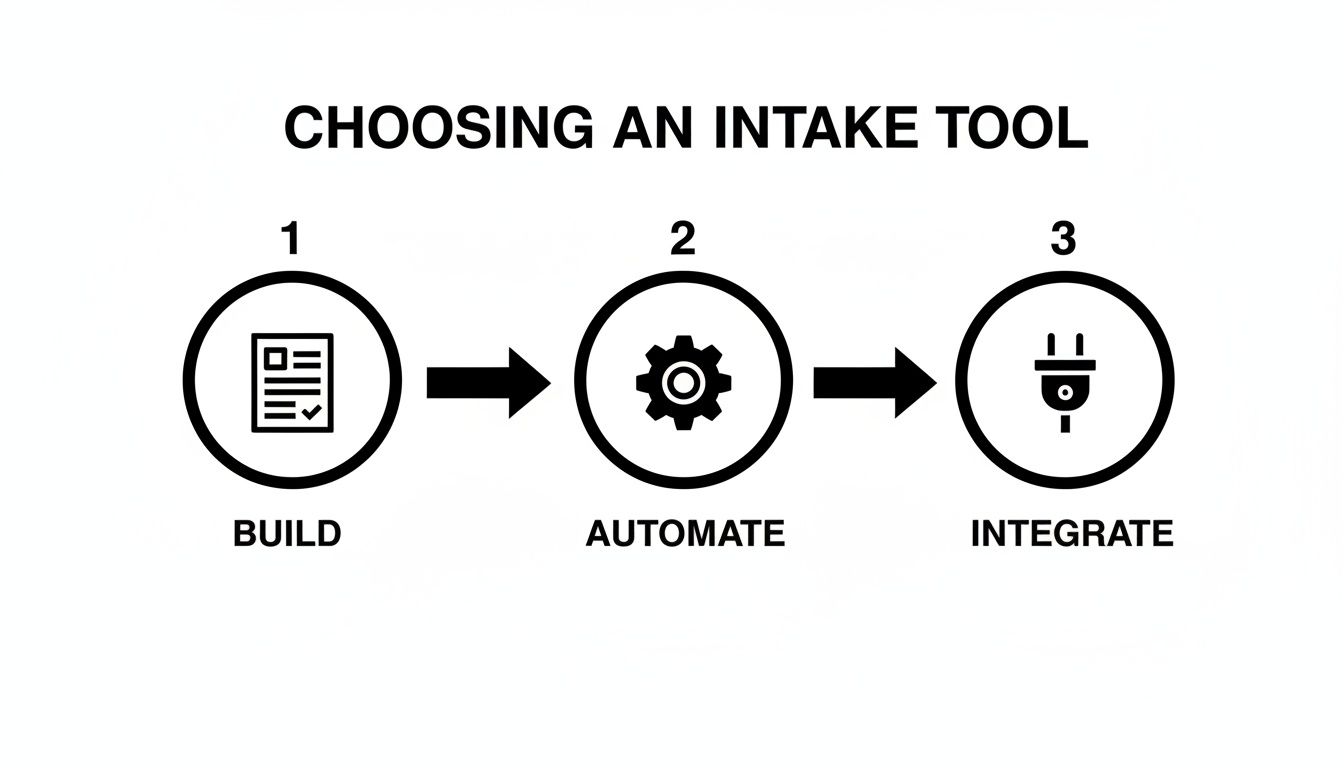
As you can see, building the form is just step one. The real power is unlocked when you connect it to everything else.
Letting AI Do the Heavy Lifting
Connecting your tools is a fantastic first step, but the most advanced systems go further by adding a layer of intelligence with AI. A platform like Orbit AI doesn't just pass data from point A to point B; it actually analyzes and qualifies that data in real-time.
An AI-powered workflow can automatically score leads, enrich submissions with firmographic data, and route high-priority opportunities to your sales team before a competitor even has a chance to respond. This isn't just about saving time; it's about gaining a serious competitive advantage.
Imagine a potential high-value client fills out your form. The AI instantly recognizes their company size and industry from their email domain, assigns a high lead score, and pings your top sales rep on Slack. By the time that lead has switched back to their inbox, a personalized email from your rep is already waiting for them.
That’s the difference an intelligent intake system makes. You can learn more about how to set this up with a form builder with workflow automation. It ensures no valuable opportunity ever gets lost in a crowded inbox or a messy spreadsheet again.
Keeping Your Intake Process Secure and Compliant
In a world filled with constant data privacy concerns, security isn’t just some feature on a checklist—it's the bedrock of your intake process. Every single piece of information you collect is a promise to your users that you'll handle their data with the respect it deserves. That trust begins with the platform you choose and is reinforced by every transparent, compliant practice you follow.
Your first move should be ensuring your form tool offers robust security measures like end-to-end encryption. This is non-negotiable. It protects data from the moment it’s submitted to the moment it hits your database, making it completely unreadable to anyone who shouldn't see it. Think of it as the baseline for protecting sensitive information from prying eyes.
Navigating the Regulatory Landscape
Here’s the thing about compliance: it’s not a one-and-done task. Regulations like GDPR in Europe have really set a new global standard for data privacy, forcing businesses everywhere to be upfront about how they collect, use, and store personal info. And these rules are always changing.
For example, the recent FY2026 HMIS Data Standards update introduced entirely new required fields for social services intake forms. This kind of thing happens all the time, and it shows just how quickly compliance needs can shift. It's a perfect illustration of why you need a flexible intake form system that lets you adapt on the fly without having to call in a developer.
Practical Steps for Building Trust
Beyond the tech, the way you interact with users is just as critical for staying compliant and building confidence. It's about showing, not just telling.
- Get Explicit Consent: Stop hiding consent checkboxes in the fine print. Use clear, unticked boxes for things like marketing emails, making sure users are actively opting in. It’s a small detail that makes a huge difference.
- Write a Clear Privacy Policy: Your privacy policy shouldn't require a law degree to understand. Make it easy to find and write it in plain English. Spell out what data you collect, why you need it, and exactly how you're protecting it.
- Practice Data Minimization: Just because you can ask for a piece of information doesn’t mean you should. Only collect what you absolutely need right now. Every extra, unnecessary field you add not only increases your risk but also adds friction for the user.
A secure and compliant intake process is your business's digital handshake. It tells users that you respect their privacy and are committed to protecting their data, which is one of the most valuable assets you can build.
This is especially true for businesses that handle sensitive health information, where the stakes are incredibly high. For a deeper dive into how these principles apply in a specialized context, you can learn more about HIPAA compliance for SMB medical practices.
Ultimately, taking a proactive approach to security and privacy does more than just keep you out of trouble—it becomes a powerful differentiator that builds real, lasting trust with your users.
Common Questions About Intake Forms
Even the best strategy runs into real-world questions. When you're in the trenches building an intake form, practical hurdles always pop up. Let's tackle some of the most common ones to make sure your form is effective, user-friendly, and ready to convert from day one.
What Is the Ideal Length for an Intake Form?
Honestly, there's no magic number. The right length depends entirely on what you're trying to accomplish with the form.
If it's a simple lead capture form on a blog post, less is definitely more. Your goal is to get just enough information to qualify them—think name, work email, and maybe one key pain point. That’s it. Anything more creates friction.
But for something more involved, like client onboarding or a detailed project discovery, a longer form is often necessary to get the critical information you need upfront. The trick is to make it feel short. Break it into multiple steps, add a progress bar so people know where they stand, and use conditional logic to hide irrelevant questions. Always ask yourself, "Is this field absolutely essential at this exact moment?"
How Do I Make My Intake Form Mobile-Friendly?
This isn't a suggestion; it's a requirement. If your form breaks on a phone, you're losing customers. Period. The good news is that platforms like Orbit AI build mobile-responsive forms by default, so you get a huge head start.
Beyond that, stick to a few core design principles:
- Use a single-column layout: This is the golden rule. It stops that awkward horizontal scrolling and makes the form a breeze to scan on a narrow screen.
- Ensure large, tappable buttons: Make sure your fields and calls-to-action are big enough for a thumb to tap easily without hitting something else by mistake.
- Use legible font sizes: Nobody wants to pinch and zoom just to read your questions. Keep it clean and readable.
Before you go live, pull out your phone—and a friend's phone. Test your intake form template on both iOS and Android to guarantee a smooth experience for everyone.
A poor mobile experience is one of the fastest ways to kill a potential sale. A recent study found that 57% of users say they won't recommend a business with a poorly designed mobile website. Don't be that business.
What Is the Best Way to Handle Required Fields?
Clarity is key. Mark every single required field with an asterisk (*) so users know what's expected from the get-go.
When someone inevitably misses one, don't just show a generic "Error" message. That’s incredibly frustrating. Instead, provide a specific, inline error message right under the field that tells them exactly how to fix it, like "Please enter a valid email address."
Be ruthless about what you mark as required. If a field isn't absolutely vital for the initial submission, just make it optional. For fields that might be a bit more complex, add some helper text or a tooltip explaining why you need that data and the format you expect. A little transparency goes a long way in reducing user frustration and building trust.
Ready to turn your forms into a powerful engine for growth? Orbit AI helps you create intelligent, high-converting intake forms that qualify leads and automate your workflows. Start building for free today and see how a smarter form can transform your business.


