

Jotform has earned its place as one of the most recognizable names in form building. For teams that need a quick contact form or a simple survey, it gets the job done. But if you're running a high-growth operation where every lead matters and conversion rates are measured obsessively, you've probably started to feel the ceiling.
The problem isn't that Jotform is bad. The problem is that it was built for a different era. Traditional form builders were designed to collect data. What modern revenue teams actually need are forms that think: platforms that score leads as they type, adapt question paths based on AI analysis, diagnose drop-off automatically, and feed clean, mapped data directly into your CRM without a middleware layer holding everything together.
In 2026, the gap between legacy form tools and AI-first platforms has widened considerably. A new generation of form builders has emerged where artificial intelligence isn't a bolt-on feature sitting in a premium tier. It's the foundation the entire product is built around.
This guide isn't a simple feature comparison chart. It's a strategic framework for evaluating what actually matters when choosing a Jotform alternative with AI. Each section below represents a distinct capability gap that high-growth teams consistently run into. Work through them in order, and you'll have a clear picture of exactly what to look for in your next form platform.
1. AI-Driven Lead Scoring Over Basic Data Collection
The Challenge It Solves
Most form builders are passive. They collect responses and hand them off. Your sales team then spends hours manually reviewing submissions, trying to figure out which leads are worth pursuing today and which ones can wait until next quarter. That manual triage process is a significant drag on pipeline velocity, and it scales poorly as your lead volume grows.
The Strategy Explained
The most impactful capability to look for in a Jotform alternative is real-time lead scoring built directly into the form experience itself. Rather than exporting a spreadsheet for manual review, the form platform analyzes responses as they're submitted and assigns a qualification score based on criteria you define: company size, budget range, timeline, role, use case fit, and more.
This means your CRM receives leads already ranked by priority. Your sales team opens their queue and knows immediately who to call first. The form has done the work that used to take a human being. Platforms offering a form builder with lead scoring baked in deliver this advantage out of the box.
Look for platforms where lead scoring logic can be configured without code, where scoring criteria can be updated as your ideal customer profile evolves, and where scores are visible in the CRM integration output rather than buried in a separate dashboard.
Implementation Steps
1. Define your qualification criteria before evaluating platforms. Know which form fields map to high-value signals (budget, decision-making authority, timeline) versus low-value signals (job title alone, company name).
2. Test each platform's scoring configuration interface. It should be intuitive enough for a marketing manager to adjust without engineering support.
3. Verify that lead scores are passed through to your CRM as a native field, not just as a tag or note, so your sales team can sort and filter by score directly.
Pro Tips
Start with a simple scoring model using three to five criteria rather than trying to build a perfect algorithm on day one. The best AI-powered scoring systems improve over time as you feed them outcome data. Platforms that allow you to close the feedback loop by connecting conversion outcomes back to scoring logic will compound in value the longer you use them.
2. AI-Powered Conditional Logic Instead of Manual Rules
The Challenge It Solves
Traditional conditional logic is a maintenance nightmare at scale. Every new scenario requires a manually configured if/then rule. As your forms grow in complexity, the logic tree becomes increasingly brittle. One overlooked condition creates a broken path. A product update means revisiting dozens of rules. Teams end up avoiding form optimization simply because the configuration overhead isn't worth it.
The Strategy Explained
AI-powered conditional logic replaces static rule trees with dynamic path adaptation. Instead of pre-configuring every possible scenario, the platform analyzes response patterns across your form submissions and surfaces paths that are most likely to lead to qualified completions for each individual respondent.
Think of it like this: a traditional form asks the same follow-up question to everyone who selects "enterprise" from a dropdown. An AI-driven form recognizes that an enterprise respondent who also indicated a six-month timeline and a specific pain point should see a completely different path than one who indicated no urgency. If you want a deeper dive into how this works, our guide on choosing a form builder with conditional logic covers the fundamentals.
When evaluating alternatives, look for platforms that distinguish between rule-based logic (still useful for hard requirements) and AI-driven adaptive paths (valuable for qualification nuance). The best platforms offer both, with AI handling the complex branching that would otherwise require dozens of manual rules.
Implementation Steps
1. Audit your current forms and identify the three to five decision points where response quality tends to drop off. These are your highest-value targets for AI-driven adaptation.
2. Ask each platform vendor to demonstrate how their conditional logic handles edge cases. Request a live walkthrough rather than a recorded demo.
3. Check whether the platform allows you to review AI-suggested paths before they go live, giving you oversight without requiring manual configuration of every branch.
Pro Tips
Platforms that show you why a particular path was recommended are significantly more useful than black-box systems. Explainability in AI logic helps your team trust the output and make informed adjustments when qualification criteria shift with your market.
3. Native CRM Integration With Intelligent Field Mapping
The Challenge It Solves
Middleware dependencies are a silent productivity killer. When your form platform relies on Zapier or Make to push data to your CRM, you've introduced latency, potential failure points, and an additional tool to maintain. More critically, manual field mapping means someone on your team has to ensure that every form field connects to the right CRM property, and that mapping breaks every time either platform updates. If you've experienced this firsthand, you're not alone — CRM integration with forms breaking is one of the most common pain points teams report.
The Strategy Explained
Look for Jotform alternatives that offer direct, native CRM integrations where AI assists with field mapping automatically. When you connect the form platform to your CRM, the system should analyze your existing CRM properties and suggest which form fields correspond to which CRM fields, reducing setup time from hours to minutes.
Beyond initial setup, intelligent field mapping should handle variations: if a respondent types "VP of Marketing" in a free-text field, the platform should recognize that this maps to a seniority-level property in your CRM rather than storing it as a raw text string. That kind of normalization is what separates clean CRM data from a mess that requires ongoing manual cleaning.
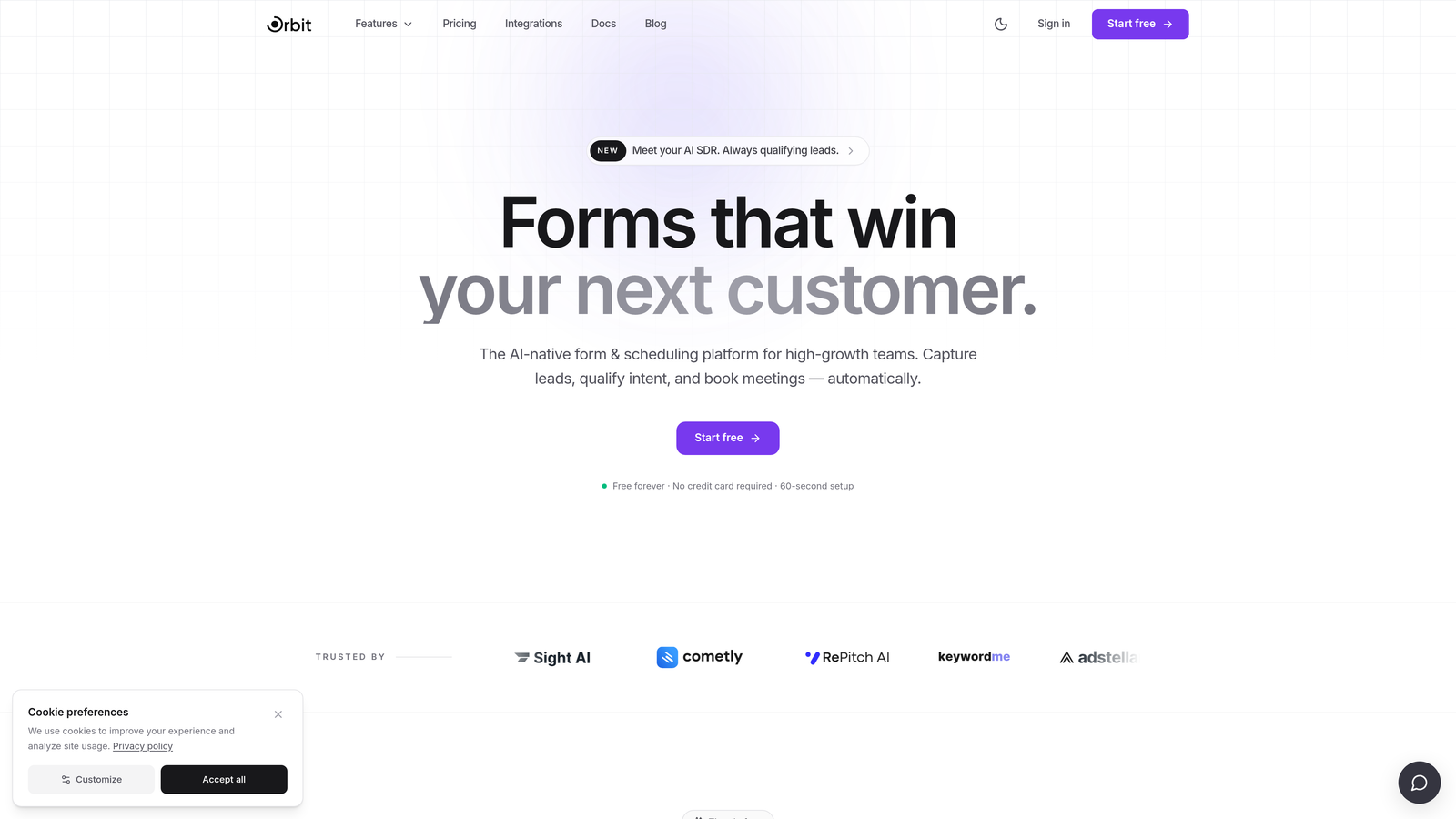
Platforms like Orbit AI are built with this kind of native integration architecture in mind, prioritizing direct connections that keep your data pipeline reliable and your team focused on selling rather than troubleshooting sync errors.
Implementation Steps
1. List every CRM property that your sales team uses for lead routing and segmentation. This becomes your field mapping checklist during platform evaluation.
2. During demos, ask vendors to show you what happens when a form field doesn't have an obvious CRM match. How does the system handle ambiguity?
3. Test the integration with a real form submission before committing. Verify that data arrives in the correct CRM fields, formatted correctly, without manual intervention.
Pro Tips
Prioritize platforms that maintain their CRM integrations in-house rather than delegating them to third-party connector marketplaces. When something breaks, you want a single vendor accountable for the fix, not a chain of support tickets across multiple tools.
4. AI-Powered Form Design and Conversion Suggestions
The Challenge It Solves
Most teams build a form, publish it, and then revisit it only when someone complains or conversion rates become impossible to ignore. Without systematic design feedback, forms stagnate. Small friction points accumulate. A confusing field label, a poorly ordered question sequence, or an intimidating multi-column layout can quietly suppress completion rates for months before anyone investigates.
The Strategy Explained
The most forward-thinking form platforms now analyze conversion data across your forms and proactively recommend specific design changes. This goes beyond generic best practices. The AI looks at your actual form performance and surfaces targeted suggestions: "Moving this field earlier in the sequence has improved completion rates on similar forms," or "This question has a high hesitation rate; consider rewriting the label or adding a tooltip."
This transforms form optimization from a periodic project into a continuous improvement loop. Your team doesn't need to run manual A/B tests for every hypothesis. The platform surfaces the highest-impact changes based on data, and you decide which to implement. For a broader look at how to increase form conversions without reducing quality, that balance between volume and lead fit is essential to get right.
When evaluating alternatives, ask specifically whether design suggestions are generated from your own form data, aggregate platform data, or both. Suggestions grounded in your specific audience behavior are significantly more actionable than generic recommendations.
Implementation Steps
1. Establish a baseline by documenting your current form completion rates before switching platforms. You need a comparison point to measure improvement.
2. When reviewing AI design suggestions, prioritize changes that affect the first three fields of your form. Early friction has an outsized impact on overall completion rates.
3. Set a regular review cadence, monthly or bi-weekly, to act on new suggestions rather than letting them accumulate unreviewed.
Pro Tips
The best AI design systems distinguish between suggestions that affect completion rate and suggestions that affect lead quality. A form optimized purely for completions may attract more unqualified submissions. Look for platforms that help you optimize for qualified completions, not just raw volume.
5. Conversational AI Form Experiences
The Challenge It Solves
Long qualification forms are a conversion problem. When a prospect lands on a form with fifteen fields stacked vertically, the cognitive load is immediate and visible. Many visitors abandon before they even start. For complex B2B qualification flows where you genuinely need detailed information, the traditional static form layout creates an inherent tension between thoroughness and completion rate.
The Strategy Explained
Conversational form interfaces present questions one at a time in a dialogue format, mimicking the natural flow of a sales discovery conversation. The experience feels less like filling out paperwork and more like answering a few quick questions. Respondents tend to stay engaged longer because the interaction feels progressive rather than overwhelming.
AI elevates this further by allowing the conversational interface to adapt in real time. Based on earlier responses, the system decides which questions to ask next, which to skip entirely, and how to phrase follow-ups in a way that's contextually relevant. A respondent who indicates they're evaluating five tools gets a different conversational path than one who says they're ready to buy this quarter. Understanding how to qualify leads with forms is the strategic foundation that makes these adaptive paths so effective.
This capability is particularly valuable for enterprise qualification forms, onboarding flows, and any use case where you need rich data but can't afford high abandonment rates. Platforms built around conversational AI as a core feature rather than a template option tend to deliver meaningfully better results for these scenarios.
Implementation Steps
1. Identify your highest-abandonment forms first. These are your best candidates for a conversational redesign.
2. Map out the ideal discovery conversation your best sales rep would have with a qualified prospect. Use this as the blueprint for your conversational form flow.
3. Test the conversational version against your existing static form with a split of your traffic before fully committing to the new format.
Pro Tips
Keep conversational forms feeling natural by avoiding overly formal or robotic phrasing. The tone should match your brand voice. Platforms that give you full control over conversational copy, not just question text, will produce experiences that feel coherent rather than generic.
6. AI Analytics for Drop-Off Diagnosis
The Challenge It Solves
Basic form analytics tell you how many people submitted your form. That's the least useful data point for optimization. What you actually need to know is where people stopped, which fields caused hesitation, how long respondents spent on each question, and whether certain segments abandon at different points than others. Without field-level intelligence, optimization is guesswork.
The Strategy Explained
Modern AI analytics platforms go beyond submission counts and session recordings. They analyze behavioral patterns across all form interactions and surface specific, actionable diagnostics: which field has the highest exit rate, which question sequence produces the most backtracking, and which form variants perform better for specific traffic sources or audience segments. Choosing a form builder with best analytics is critical for teams that want to move beyond surface-level reporting.
The AI layer matters because it moves from reporting to recommendation. Instead of handing you a chart of drop-off rates and leaving interpretation to you, an intelligent analytics system connects the data to likely causes and suggests specific remedies. "Field 7 has a 43% exit rate; respondents who reach this field from organic search abandon at twice the rate of paid traffic respondents" is a diagnostic that points directly to a testable hypothesis.
When evaluating platforms, look for field-level analytics that are available natively within the form builder, not only through a separate analytics integration. The closer the analytics are to the editing interface, the faster your team can act on insights.
Implementation Steps
1. Before switching platforms, export any historical form data you have. Baseline data makes it easier to measure improvement after migration.
2. Set up field-level tracking on your highest-volume forms first. These will generate enough data for the AI to surface meaningful patterns quickly.
3. Review drop-off diagnostics weekly during the first month after launch. Early patterns often reveal quick wins that can be implemented without major form restructuring.
Pro Tips
Segment your drop-off analysis by traffic source and device type before drawing conclusions. A field that causes desktop users to hesitate may work perfectly on mobile, and vice versa. AI analytics systems that surface these segments automatically save your team significant investigation time.
7. AI-Generated Form Templates for Rapid Deployment
The Challenge It Solves
High-growth teams launch campaigns constantly. Every new campaign often requires a new form, and building each one from scratch introduces delays. Generic template libraries help, but they're static: they don't account for your industry, your audience, your historical performance data, or the specific use case of the campaign you're launching today.
The Strategy Explained
AI-generated templates represent a meaningful step beyond template libraries. Instead of browsing a gallery and choosing the closest match, you describe your use case and the platform generates a form optimized for that specific scenario. The AI incorporates context about your industry, the type of lead you're trying to qualify, and, on mature platforms, performance patterns from similar forms to structure questions in an order that tends to produce better completion rates. For teams exploring this space, our overview of lead capture software with AI provides additional context on what to expect from these platforms.
This capability compresses form creation from hours to minutes. For teams running multiple campaigns simultaneously or testing different qualification approaches across market segments, the compounding time savings are substantial. It also reduces the skill dependency: a junior marketer can generate a well-structured qualification form without needing deep expertise in form design or conversion optimization.
Orbit AI is designed with rapid deployment in mind, giving high-growth teams the ability to generate, customize, and publish conversion-optimized forms quickly without sacrificing the intelligent qualification capabilities that matter for pipeline quality.
Implementation Steps
1. Create a brief internal template brief format: use case, target audience, key qualification criteria, and desired form length. Use this brief as your input when generating AI templates.
2. Review AI-generated templates critically before publishing. The AI provides a strong starting point, but your team should validate that the question framing aligns with your brand voice and qualification goals.
3. Build a library of your best-performing generated templates over time. Tag them by use case and performance outcome so your team can reference and adapt them for future campaigns.
Pro Tips
Platforms that allow you to train template generation on your own historical data, rather than relying solely on aggregate platform patterns, will produce increasingly relevant outputs over time. Ask vendors specifically how their template AI improves with use.
Your Implementation Roadmap
Choosing a Jotform alternative with AI isn't a tool switch. It's a workflow upgrade. The platforms in this category don't just replace a form builder; they change how your entire lead generation process operates from the moment a prospect lands on your form to the moment a sales rep picks up the phone.
If you're prioritizing by immediate ROI, start with AI lead scoring. Getting your highest-quality leads automatically identified and routed to your sales team is the single change most likely to produce visible pipeline impact in the first thirty days. From there, layer in conversational experiences for your highest-abandonment forms, then activate AI analytics to drive continuous optimization across your entire form portfolio.
As you evaluate platforms, keep one filter front of mind: is AI core to how this product works, or is it a feature added to a traditional form builder? The distinction matters enormously in practice. Platforms where AI is embedded into the architecture, not bolted on as a premium add-on, tend to deliver a qualitatively different experience for both your team and your prospects.
Orbit AI was built specifically for high-growth teams who need forms that qualify leads intelligently, adapt to respondents dynamically, and integrate cleanly with the rest of their stack. If you're ready to move beyond passive data collection and into intelligent lead qualification, start building free forms today and see how an AI-first form platform can transform your conversion strategy from the ground up.


