

An online rental application form is simply a digital version of the paper forms you're used to. It lets prospective tenants fill out and submit their personal info, rental history, and employment details right from their phone or computer. This switch from clunky paper forms makes the whole process faster, more organized, and way more secure for everyone involved.
Why Your Paper Application Process Is Losing You Great Tenants
Let's be honest—manual rental applications are slow, clunky, and a huge turn-off for today's renters. If you're still making people deal with paper forms or awkward PDFs, you're not just losing time and money. You're losing the best potential tenants before they even finish applying.
The friction is immediate. An applicant has to find a printer, manually fill out pages of information, scan everything, and then struggle to email a massive file that will probably get stuck in your spam filter anyway. This whole ordeal isn't just an inconvenience; it’s a bright red flag that your property management style might be just as outdated.
The Expectation for Digital Speed
Modern renters live online. They expect fast, seamless digital experiences for everything, and finding a place to live is no exception. With remote work becoming the norm, the demand for easy online processes has gone through the roof.
In fact, 79% of the 36.2 million U.S. workers now do their jobs from home, which is a massive 417% jump from pre-pandemic levels. This shift means renters—especially the tech-savvy Gen Z and millennial crowd—expect instant digital support and simple online forms. You can find more great insights on these rental trends from TransUnion SmartMove.
A complicated application process is one of the fastest ways to lose a great tenant. If a highly qualified applicant finds your form frustrating, they won’t hesitate to move on to another property that offers a simpler, modern experience.

The Hidden Costs of Manual Data Entry
Beyond just annoying your applicants, paper forms create a mountain of administrative work for you. Every single application requires manual data entry, which is not only a time sink but also a recipe for typos and errors. Trying to decipher messy handwriting or chasing down missing information leads to endless back-and-forth emails, dragging out your screening process.
A well-designed online rental application form gets rid of all these headaches. It's not just a small upgrade; it’s a complete game-changer that helps you:
- Lease properties faster: Slash the time it takes to go from a property viewing to a signed lease.
- Reduce vacancies: Fill your empty units quickly by removing the friction that makes good tenants give up.
- Attract better tenants: Appeal to the organized, tech-savvy applicants who value efficiency as much as you do.
By moving your application process online, you’re sending a clear signal that you're a professional, modern landlord. To get a better sense of how a poor user experience can tank your completion rates, check out our guide on how long forms can drive users away.
Designing an Online Rental Application That Actually Gets Completed
You've got a great property and qualified traffic is landing on your rental page. A prospective tenant loves what they see and clicks "Apply Now." Then they hit your application form.
And they're gone.
It's a frustratingly common scenario. The problem isn't your property or your marketing. It’s the form itself. A clunky, confusing, or overly long application is the digital equivalent of a slammed door, driving away excellent tenants before you ever get their information. The goal is to create an experience so smooth and intuitive that it feels less like a hurdle and more like the first positive interaction with a future landlord.

Think of your application not as a data-entry task, but as a conversation. Every field should have a clear, logical purpose. When you get this right, you don't just collect information—you begin building a relationship built on clarity and trust from the very first click.
Essential vs Optional Fields in Your Rental Application
Striking the right balance between collecting necessary screening information and not overwhelming your applicant is key. I've seen property managers ask for everything under the sun, only to wonder why their application completion rate is under 30%. The trick is to distinguish between what you absolutely need for legal and financial screening versus what's simply nice to have.
Here's a breakdown to help you structure your form effectively:
| Field Category | Essential Fields (Must-Haves) | Optional Fields (Nice-to-Haves) | Purpose & Best Practice |
|---|---|---|---|
| Personal Details | Full legal name, DOB, phone, email, all occupants' names & ages. | Social Security Number (SSN) if required for your credit check service. | Best Practice: Collect the SSN on a separate, highly secure step after initial submission to reduce upfront friction. |
| Residence History | Previous addresses (last 3-5 years), landlord names & contact info, reason for leaving. | Questions about evictions or broken leases. | Purpose: Establishes a pattern of stability and provides references you can actually verify. |
| Employment & Income | Current employer, job title, supervisor's contact info, gross monthly income. | Previous employer details (if current job is new). | Best Practice: Always include a secure file upload for pay stubs or offer letters. It's non-negotiable for modern applicants. |
| References | At least 2 personal or professional references with contact details. | Emergency contact information. | Purpose: Gives you a third-party perspective on the applicant's character and reliability. |
| Other | Pet information (if applicable), vehicle details, consent for background/credit check. | A short "About You" section for personal context. | Best Practice: Use conditional logic to only show pet or vehicle questions if the applicant indicates they have them. |
By focusing on the essentials first, you make the application feel shorter and more manageable. You can always gather supplemental "nice-to-have" details during the follow-up screening process after you've already captured a committed applicant.
Building a Smooth, Frictionless Experience
Beyond just the fields you include, the functionality of your form is what separates a frustrating experience from an effortless one. We've all been there—trying to fill out a tiny form on our phone that clearly wasn't designed for it. Most of your applicants will be on a mobile device, so a mobile-first design isn't a feature; it's a basic requirement.
This is where smart features like conditional logic become your most powerful tool.
Conditional logic allows your form to adapt in real-time. For example, if an applicant answers "Yes" to the question "Do you have pets?" a new section instantly appears asking for the pet's breed, weight, and vaccination details. If they answer "No," that section remains hidden. This keeps the form clean, relevant, and much less intimidating for everyone.
A well-structured application feels less like an interrogation and more like a guided conversation. Briefly explaining why you need certain info (e.g., "We use this to run a standard background check") builds trust and dramatically increases completion rates.
Tools like Orbit AI are built for this, letting you use a drag-and-drop builder to set up these smart rules without touching a line of code. You can easily customize the design to match your branding, add secure file uploads, and ensure the entire experience is seamless on any device.
A better form experience for your applicants means you get better, more complete applications, faster. If you want to dive deeper into the design principles that make a difference, check out our full guide on what makes a form user-friendly.
Navigating Legal Compliance and Data Security
Collecting personal data through an online rental application form is a huge responsibility. It’s not just about finding the perfect tenant; you’re also acting as a guardian of their most sensitive information and must follow strict laws designed to prevent discrimination. Getting this wrong can open you up to some serious legal and financial pain.
Your biggest concern should be staying compliant with the Fair Housing Act (FHA). This is the federal law that prohibits housing discrimination based on race, color, religion, national origin, sex, disability, or familial status. What this means in practice is that every single question on your application must be neutral and directly tied to an applicant's ability to be a good, responsible tenant.
Questions You Can and Cannot Ask
It is surprisingly easy to cross the line by accident. A question that seems innocent on the surface can be interpreted as discriminatory, putting your entire screening process and business at risk. Knowing where the boundaries are is absolutely crucial.
Let’s look at a few real-world examples:
- DON'T ASK: "What is your country of origin?" or "Are you a U.S. citizen?"
- Instead, ask: "Are you legally authorized to reside in the U.S. for the duration of the lease?" This gets you the information you need—their legal ability to rent—without touching on their national origin.
- DON'T ASK: "Do you have any disabilities?" or "How many children do you have?"
- Instead, ask: "How many people will be occupying the unit?" This question is about respecting occupancy limits, not about protected familial or disability status.
- DON'T ASK: "What is your marital status?"
- Instead, ask for: The names of all adult applicants who will be financially responsible for the lease.
The core principle is simple: every question on your online rental application form must have a clear, non-discriminatory business purpose directly related to evaluating the applicant as a potential tenant.
Protecting Sensitive Applicant Data
Beyond fair housing laws, you are also a steward of highly personal data. Applicants are trusting you with their Social Security numbers, bank account details, and employment history—exactly the kind of information identity thieves dream about. Data privacy laws like the General Data Protection Regulation (GDPR) in Europe and the California Consumer Privacy Act (CCPA) have set a very high bar for how this information must be handled.
Failing to properly secure this data can lead to massive fines and completely wreck your reputation. Let's be clear: using email or unsecured PDFs to collect applications is no longer an option. It's just too risky. You need a platform that was built from the ground up with security in mind.
This is where choosing a tool like Orbit AI becomes a non-negotiable step. Its enterprise-grade encryption and built-in compliance features ensure that all submitted data is protected from the moment an applicant starts typing. This isn't just about checking a compliance box; it's about building trust and shielding your business from very real threats.
You can learn more about how to protect applicant data in our guide on form security and data protection. Ultimately, a secure and compliant process is one of the best ways to show applicants that you are a professional and trustworthy landlord they'll want to rent from.
Automating Tenant Screening with AI
An online rental application form is a fantastic first step, but the real magic happens after an applicant hits "submit." This is where you can reclaim countless hours and start making faster, smarter decisions by automating the initial heavy lifting. Connecting your form to an intelligent workflow transforms it from a simple data collection tool into a tireless screening assistant.
The goal is to build a system that does the first pass for you. Think about setting up simple rules that instantly evaluate applications against your core criteria. For example, you can establish a minimum income-to-rent ratio, and the system will automatically sort applicants, freeing you from manually sifting through every single submission just to find the qualified ones.
This level of automation is quickly becoming the standard in property management. The rental market has seen a huge shift in technology adoption, with AI-powered tools going from niche to necessary. The percentage of property management companies using artificial intelligence jumped from just 20% in 2024 to 58% in 2025—that's a 190% increase in a single year. This explosive growth shows just how crucial these systems are for staying competitive.
Setting Up Your Automated Workflow
The key is defining a clear process for your system to follow. A well-designed workflow can handle several crucial tasks automatically, ensuring you only spend your valuable time on the most promising candidates.
This is where an AI agent, a core feature in platforms like Orbit AI, acts as your 24/7 digital assistant. You can program it to perform critical first-pass checks the moment an application lands in your system.
Here are a few practical examples of what this looks like in action:
- Flagging Incomplete Submissions: The AI can instantly spot if required fields are missing and notify you or the applicant to provide the missing details.
- Sending Automated Responses: Based on your rules, the system can send instant confirmation emails to everyone and even polite rejection notices to those who clearly don't meet your baseline qualifications.
- Pre-Qualifying Applicants: The AI agent can analyze the submitted data against your criteria (like that income-to-rent ratio) and tag the best applicants for your immediate review.
This flowchart maps out the essential stages of building a screening process that is both automated and compliant, from FHA rules to data security.
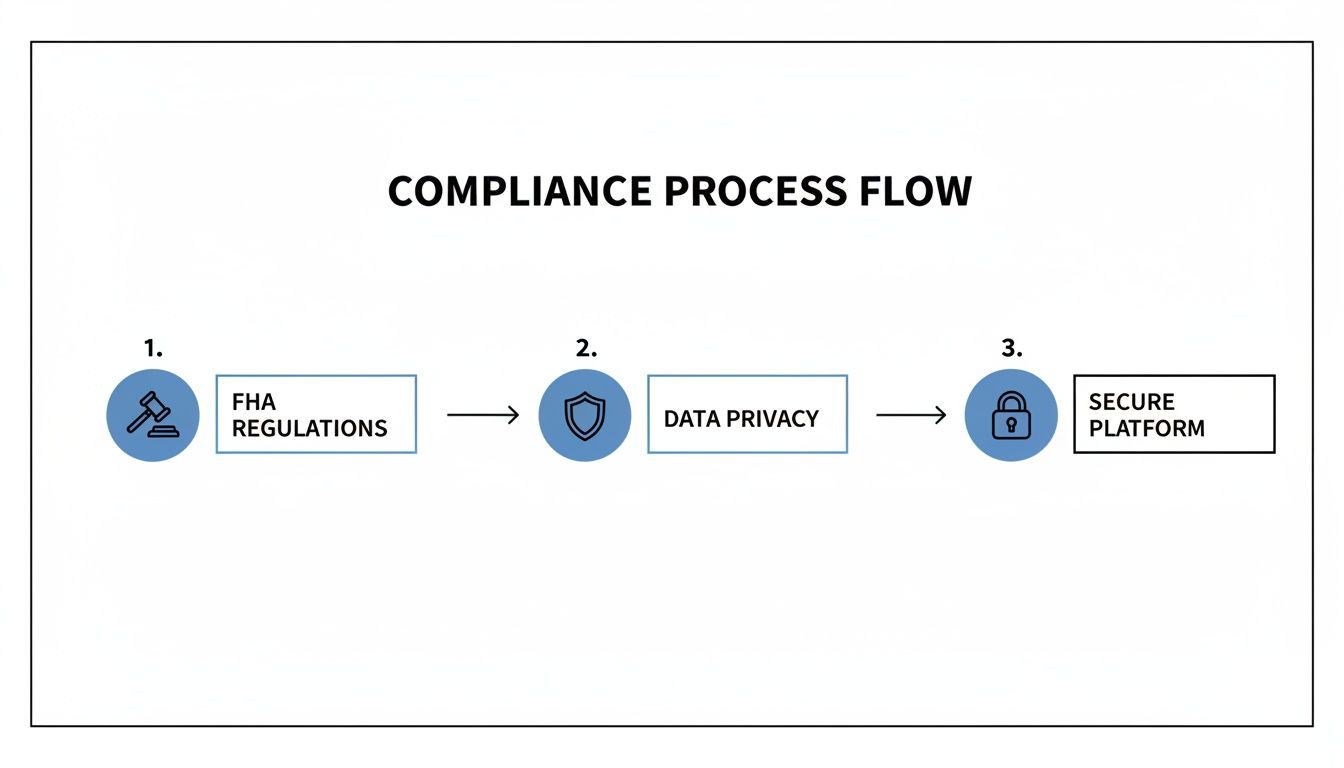
As the visual shows, effective automation has to be built on a solid foundation of legal compliance and data security to be both powerful and responsible.
Integrating Background and Credit Checks
The final piece of the automation puzzle is connecting third-party screening services directly into your workflow. Instead of manually copying application data over to a separate background check platform, you can create a completely hands-off process.
By connecting your online rental application form to screening services via an API, you can trigger background and credit checks automatically for pre-qualified candidates. The reports are then attached directly to the applicant's profile in your system.
AI-powered tools can seriously boost the speed and accuracy of this step, helping you to automate data entry with AI and screen tenants more efficiently. This creates a seamless pipeline where top applicants are identified, verified, and ready for your final decision without you lifting a finger.
This level of automation doesn't just speed up your leasing cycle; it also guarantees a consistent and fair screening process for every single applicant. You can see more about how Orbit AI's agents can power these kinds of intelligent workflows for your property.
Top Tools for Building Your Rental Application Form
Choosing the right platform to build your online rental application is one of the most important decisions you'll make in bringing your leasing process up to speed. The right tool doesn't just make it easier to create a form; it can automate your initial screening, keep sensitive data locked down, and ultimately save you a ton of time and risk.
But let’s be honest, not all form builders are created equal. Many are just generic tools that don’t have the specific features landlords and property managers actually need, like secure uploads for pay stubs or smooth integrations with tenant screening services.
Let's break down the best options available today, focusing on what really matters when you're trying to find the perfect tenant.
Orbit AI
Orbit AI stands out from the pack because it was built to do more than just collect information. It combines a clean, intuitive form builder with some seriously powerful AI automation that starts working for you the second an applicant hits "submit."
It’s not just about building a form; it’s about building a system to find the best tenants faster.
Here's what makes it a go-to for landlords:
- AI-Powered Screening: This is the real game-changer. You can set up an AI agent to automatically pre-qualify applicants based on your own criteria, like a specific income-to-rent ratio. The best candidates get flagged for you instantly.
- Enterprise-Grade Security: When you're handling Social Security numbers and financial documents, security is non-negotiable. Orbit AI uses end-to-end encryption and has robust compliance features, giving you and your applicants peace of mind.
- Seamless Integrations: It connects directly with payment processors so you can collect application fees right in the form. Plus, it can be linked to your CRM or other property management software to keep all your data in sync without manual entry.
For property managers looking to build a fully automated system from application to lease, Orbit AI offers the most complete and intelligent solution. Its focus on security and AI-driven workflows directly addresses the biggest pain points in the tenant screening process.
Comparing Other Popular Options
While Orbit AI leads the pack for automated screening, other tools have been around for a while and might fit different needs or budgets.
Jotform: As one of the most versatile and widely-used form builders, Jotform is known for its massive library of templates and deep customization options. It handles payment integrations and file uploads well, making it a solid choice for creating a detailed online rental application form. However, its automation capabilities aren't nearly as advanced as what you'll find with Orbit AI.
Formstack: This platform is a strong contender if you need workflow automation that goes beyond just the application itself. Formstack lets you build complex, multi-step processes, which can be a huge plus for larger property management companies with established procedures. Its security features are top-notch, though the user interface can feel a bit less modern.
Zillow Rental Manager: Built specifically for the rental market, Zillow's tool is incredibly convenient if you already list your properties on their site. It comes with built-in options for background and credit checks. The main drawback? You're completely locked into their ecosystem, which gives you far less flexibility than a dedicated form builder.
Comparison of Rental Application Form Builders
Finding the right form builder is crucial for streamlining your leasing process. The table below compares the top platforms, highlighting key features, ideal use cases, and security measures to help you make an informed decision.
| Tool | Key Features | Best For | Security & Compliance |
|---|---|---|---|
| Orbit AI | AI-powered pre-screening, workflow automation, enterprise-grade encryption, payment integration | Property managers who want to automate screening and qualify tenants faster. | End-to-end encryption, SOC 2 Type II, HIPAA-ready features. |
| Jotform | Large template library, extensive customization, payment & e-signature support, conditional logic | Landlords who need a highly customizable, traditional form builder for various uses. | 256-bit SSL, PCI DSS Level 1, GDPR compliance options. |
| Formstack | Advanced workflow automation, multi-step forms, robust third-party integrations, strong security | Large property management companies with complex, multi-departmental approval processes. | HIPAA compliant, GDPR ready, encryption at rest and in transit. |
| Zillow Rental Manager | Integrated with Zillow listings, built-in background & credit checks, state-specific leases | Landlords who primarily use Zillow for listings and want an all-in-one, simple solution. | Secure data handling within the Zillow platform ecosystem. |
Ultimately, the best tool depends on your specific goals. If you're looking for maximum efficiency and want to leverage AI to find the best applicants with minimal effort, a specialized tool like Orbit AI is the clear winner. If you just need a basic, customizable form, other options can get the job done.
To see how these tools fit into a broader strategy, check out this guide to the best property management apps for 2025. You can also dive deeper into what makes a great platform in our comparison of the best online form builders.
Of course. Here is the rewritten section, designed to sound like an experienced human expert and match the provided examples.
Your Top Questions About Online Applications, Answered
Making the jump to a digital application process is a smart move, but it's natural to have a few questions. I hear the same concerns from landlords and property managers all the time: Is it secure? Is it legal? Does it actually make my life easier?
Let's cut through the noise. Here are straight answers to the most common questions, based on years of helping people like you modernize their rental process with confidence.
How Do I Securely Handle Sensitive Applicant Data?
This is, without a doubt, the number one concern—and it should be. When you’re dealing with Social Security numbers and financial history, "good enough" security isn't an option.
The non-negotiable starting point is end-to-end encryption (SSL/TLS). This is the same technology banks use, and it ensures that from the moment a potential tenant starts typing, their data is scrambled and unreadable as it travels to your system. Any serious online form platform will have this enabled by default.
But it goes a step further. You need a platform that is compliant with major data privacy laws. Tools built specifically for this, like Orbit AI, don't just encrypt the data in transit; they store it securely and often include features that automatically mask or redact the most sensitive information. This protects both you and your applicants from day one.
Are Electronic Signatures Actually Legally Binding?
Yes, absolutely. In the United States, the Electronic Signatures in Global and National Commerce (E-SIGN) Act of 2000 gave e-signatures the same legal standing as a pen-and-paper signature. This has been settled law for over two decades.
The key isn't just getting a signature; it's about proving intent. A legitimate online application system won't just capture a squiggle. It creates a full audit trail—timestamp, IP address, and a copy of the exact document they signed—turning your digital form into a rock-solid, enforceable record.
What's the Best Way to Collect Application Fees Online?
Chasing down application fees is a massive time sink. Sending separate payment links or, worse, waiting for a check in the mail creates friction and slows everything down.
The most effective solution is to integrate payment processing directly into your online rental application form. This makes paying the fee the final, mandatory step before an applicant can hit "submit." No payment, no application. It's that simple.
Modern platforms like Orbit AI connect seamlessly with trusted payment processors like Stripe or PayPal. This automates the entire collection process. You get paid instantly, and all the applicant's information—application, signature, and payment receipt—is neatly bundled together in one place. No more awkward follow-ups.
How Can I Stop Getting Incomplete Applications?
Half-finished applications are the worst. They clog up your inbox and waste everyone's time. Your first line of defense is simple but powerful: make every essential field on your form ‘required’. This small tweak prevents anyone from submitting an application until all the critical information is filled out.
But you can get much smarter about it. Instead of just collecting information, use AI-driven workflows to pre-qualify applicants automatically. An intelligent system can instantly check submissions against your core criteria—like minimum income requirements—and flag any that don’t measure up. This means you stop wasting valuable time sifting through unqualified or incomplete applications and focus only on the best, most promising candidates.
Ready to build a smarter, more secure online rental application form? With Orbit AI, you can create a high-converting form in minutes, automate your screening with AI, and find the best tenants faster. Start your free trial today and turn your application process into your greatest advantage.


