

Choosing between Paperform and Typeform can feel like picking between two very capable tools that somehow both fall slightly short of what you actually need. Both platforms promise beautiful, conversion-friendly forms. Both have loyal user bases. And both will leave you wondering, at some point, whether the other one might have been the better call.
Here's the honest truth: neither tool is universally better. The right choice depends entirely on your team's specific workflows, technical capacity, and growth trajectory. A solo creator building simple feedback surveys has completely different needs than a high-growth SaaS team running lead qualification at scale.
Rather than handing you a shallow feature checklist, this guide takes a more useful approach. We'll walk you through seven strategic decision frameworks that help you evaluate Paperform and Typeform based on what actually moves the needle: your conversion goals, your integration requirements, your budget reality, and your long-term scalability needs.
By the end, you'll have a clear, personalized framework for making the right call. And if neither platform fully fits, we'll also introduce a modern alternative worth considering.
1. Match the Builder to Your Primary Use Case
The Challenge It Solves
The most common reason teams regret their form builder choice isn't pricing or integrations. It's misalignment between the tool's design philosophy and the team's actual use cases. Choosing a platform that was built for a different problem than the one you're solving creates friction at every step.
The Strategy Explained
Start by listing your top three form use cases. Are you running conversational surveys and customer feedback flows? Typeform's one-question-at-a-time interface was built precisely for that. Its signature format creates a guided, low-friction experience that works well when you want respondents to feel like they're having a conversation rather than filling out a form. You can learn more about this approach in our guide on what a conversational form is and why it matters.
If your primary needs involve payment collection, product order forms, or content-rich landing pages embedded with images and video, Paperform has a structural advantage. Its document-style layout supports rich media embedding and built-in payment processing through Stripe and Square, making it a stronger fit for commerce-adjacent workflows.
Implementation Steps
1. List your five most common form use cases and rank them by business impact.
2. Categorize each use case as conversational (surveys, onboarding, feedback) or transactional (payments, registrations, content-rich applications).
3. Map the majority category to the platform with the matching design philosophy.
4. If your use cases span both categories roughly equally, move to the integration and cost evaluation strategies before deciding.
Pro Tips
Don't let secondary use cases drive the decision. Pick the platform that handles your highest-volume, highest-impact use case best, then verify it can handle the rest adequately. Trying to optimize for everything usually means optimizing for nothing.
2. Evaluate Conversion Optimization Capabilities
The Challenge It Solves
A form that looks great but doesn't convert is just expensive decoration. The real question isn't which platform builds prettier forms. It's which platform gives you the tools to systematically improve completion rates, reduce drop-off, and move respondents toward the outcome you want.
The Strategy Explained
Typeform's conversational format naturally reduces cognitive load for simpler forms. Presenting one question at a time can improve form conversion rates for surveys and feedback flows where respondents might otherwise feel overwhelmed by a long traditional form. However, this format also creates constraints. Complex branching logic becomes harder to manage, and the rigid one-question format doesn't always match how users want to engage with more detailed forms.
Paperform offers more complex conditional logic and branching, giving you greater control over how the form adapts to each respondent's answers. Its layout flexibility also means you can design forms that feel more like branded landing pages, which can improve trust and completion for higher-stakes submissions like applications or detailed intake forms.
Both platforms offer mobile-responsive forms, which matters significantly as mobile traffic continues to dominate web usage. Test both on actual mobile devices before committing.
Implementation Steps
1. Define your target completion rate and identify your current biggest drop-off points.
2. Map the complexity of your conditional logic requirements against each platform's branching capabilities.
3. Test each platform's mobile rendering with your actual form content, not just demo templates.
4. Check whether each platform provides built-in analytics or requires third-party tools to track completion metrics.
Pro Tips
Typeform's conversational format is a genuine advantage for short, linear forms. For longer, more complex forms with significant branching, Paperform's flexibility tends to serve conversion goals better. Know which category your forms fall into before making assumptions.
3. Audit Your Integration and Workflow Needs
The Challenge It Solves
A form builder that doesn't connect cleanly to your existing tech stack creates manual work, data silos, and broken workflows. For high-growth teams, seamless CRM connectivity isn't a nice-to-have. It's the difference between leads that convert and leads that fall through the cracks.
The Strategy Explained
Typeform has a broader library of native integrations, including direct connections to widely used tools like HubSpot, Salesforce, Slack, and Google Sheets. If your team relies heavily on these platforms, Typeform's native integrations reduce setup complexity and maintenance overhead.
Paperform's native integration library is smaller. It leans more heavily on Zapier and similar middleware tools to connect with third-party platforms. This isn't necessarily a dealbreaker, but it does add a layer of dependency. Zapier connections can introduce latency, require additional subscription costs, and add points of failure in your workflow. Teams that need robust form analytics and tracking tools should verify what's available natively on each platform.
The practical question is: how many of your critical integrations does each platform support natively, and what's the cost and complexity of bridging the gaps?
Implementation Steps
1. List every tool in your current stack that needs to receive form submission data.
2. Check each platform's native integration page against your list and note the gaps.
3. Calculate the added cost of Zapier or alternative middleware for any gaps that require it.
4. Assess whether any critical integrations are missing entirely from both platforms' ecosystems.
Pro Tips
Don't just check whether an integration exists. Check how deeply it works. A native HubSpot integration that only passes email addresses is far less useful than one that maps custom fields, triggers workflows, and syncs contact properties automatically.
4. Stress-Test the Lead Qualification Workflow
The Challenge It Solves
Most form builders were designed to collect data, not qualify it. For growth teams running lead generation at any meaningful volume, the gap between "form submitted" and "sales-ready lead identified" represents a significant operational burden. Understanding how each platform handles this gap is critical.
The Strategy Explained
Neither Paperform nor Typeform offers native AI lead scoring. Both require workarounds to achieve any form of lead qualification intelligence. Paperform's calculation fields allow you to build basic scoring logic directly into the form, assigning numerical values to specific answers and generating a score that can trigger conditional outcomes or be passed to your CRM. It's manual and requires setup, but it lives within the platform.
Typeform's approach to lead scoring relies more heavily on external tool dependencies. You'd typically use a combination of Typeform's hidden fields, conditional logic, and a downstream tool like HubSpot workflows or a Zapier automation to assign and act on scores. For teams serious about this capability, our guide on how to qualify leads with forms covers the strategic approach in detail. This creates a multi-step workflow with more potential failure points.
The question isn't which approach is perfect. Neither is. The question is whether the friction of each workaround is acceptable given your team's technical resources and qualification requirements.
Implementation Steps
1. Define what a "qualified lead" means for your team in concrete, answerable terms.
2. Map the specific form questions that would generate qualification signals.
3. Build a test qualification workflow in each platform and measure the setup time and complexity.
4. Evaluate whether the workaround is sustainable at your expected form submission volume.
Pro Tips
If lead qualification is a core business function rather than a secondary use case, the workaround approach in both platforms may signal that you need a purpose-built tool. Platforms like Orbit AI were designed with AI lead qualification as a native capability, not an afterthought bolted on through integrations.
5. Project Your True Cost at Scale
The Challenge It Solves
Pricing pages rarely tell the full story. The plan that looks affordable today can become surprisingly expensive as your form traffic grows, your team expands, or your integration needs increase. Projecting total cost of ownership over 12 to 24 months gives you a much clearer picture of what you're actually committing to.
The Strategy Explained
Typeform's pricing model is response-based, meaning your costs scale directly with the number of form submissions you receive. For teams with predictable, low-volume form traffic, this is manageable. For high-growth teams running lead generation campaigns or high-traffic forms, response-based pricing can escalate quickly and unpredictably. Many teams report sticker shock when scaling campaigns without fully accounting for this cost structure. Exploring Typeform alternatives for businesses becomes a common next step once costs start climbing.
Paperform's pricing is more predictable, structured around plan tiers rather than response volume. This makes budgeting more straightforward for teams with variable or growing form traffic. However, you'll still need to account for any Zapier costs, payment processing fees, and additional seats if your team grows.
Implementation Steps
1. Estimate your monthly form submission volume at current scale and at 2x and 5x growth.
2. Calculate Typeform's monthly cost at each volume tier using their published pricing.
3. Calculate Paperform's total cost including any required middleware and add-ons at the same growth scenarios.
4. Add team seat costs for each platform at your expected headcount over 24 months.
5. Compare the total cost of ownership side by side across your growth scenarios.
Pro Tips
Run the numbers at 5x your current volume, not just your current state. The platform that looks cheaper today may become significantly more expensive as you grow. High-growth teams especially need to pressure-test pricing assumptions before committing to annual plans.
6. Test the Design and Customization Ceiling
The Challenge It Solves
Brand consistency matters more than most teams realize until they hit a customization wall. A form that looks off-brand undermines trust and can reduce conversion rates, particularly for higher-stakes submissions. Understanding each platform's design ceiling before you commit saves significant frustration later.
The Strategy Explained
Typeform is visually polished out of the box. Its forms look clean and modern with minimal effort. The tradeoff is rigidity. The one-question-at-a-time format is non-negotiable, the layout options are constrained, and deep brand customization is limited. If your brand has a distinctive visual identity that doesn't fit neatly into Typeform's aesthetic, you'll find yourself working around the platform rather than with it.
Paperform offers more layout freedom. You can embed images, videos, and rich text blocks within forms, creating experiences that feel closer to branded landing pages than traditional forms. This flexibility makes it easier to match your brand's visual language and create form experiences that feel intentional rather than generic. Teams exploring this kind of flexibility may also want to review Paperform alternative options to see how other platforms compare on design depth.
The practical test is straightforward: take your most visually demanding form use case and try to build it in each platform. See where you hit walls.
Implementation Steps
1. Define your non-negotiable brand requirements: fonts, colors, layout structure, media embedding.
2. Build a test version of your most complex form in each platform's free trial.
3. Identify every point where the platform's design constraints required a compromise.
4. Assess whether those compromises are acceptable for your brand standards.
Pro Tips
Don't evaluate design flexibility using simple forms. Test with your most demanding use case. Simple forms look good everywhere. The real differentiation shows up when you push the platform's limits with complex layouts, custom branding, and rich media requirements.
7. Consider a Modern Alternative Built for Growth Teams
The Challenge It Solves
Both Paperform and Typeform were built in an era before AI-native form intelligence was possible. They're capable tools, but they were designed to solve the problems of their time. High-growth teams in 2026 often need more than what either platform was architected to deliver, particularly around lead qualification, conversion intelligence, and scalable automation.
The Strategy Explained
The form builder market has evolved significantly, with AI-native platforms emerging that combine beautiful form design with built-in lead qualification capabilities. Rather than treating lead scoring as an external workflow problem to solve with integrations, these platforms make qualification intelligence a core feature of the form experience itself. Teams focused on better lead capture methods are increasingly looking beyond traditional builders.
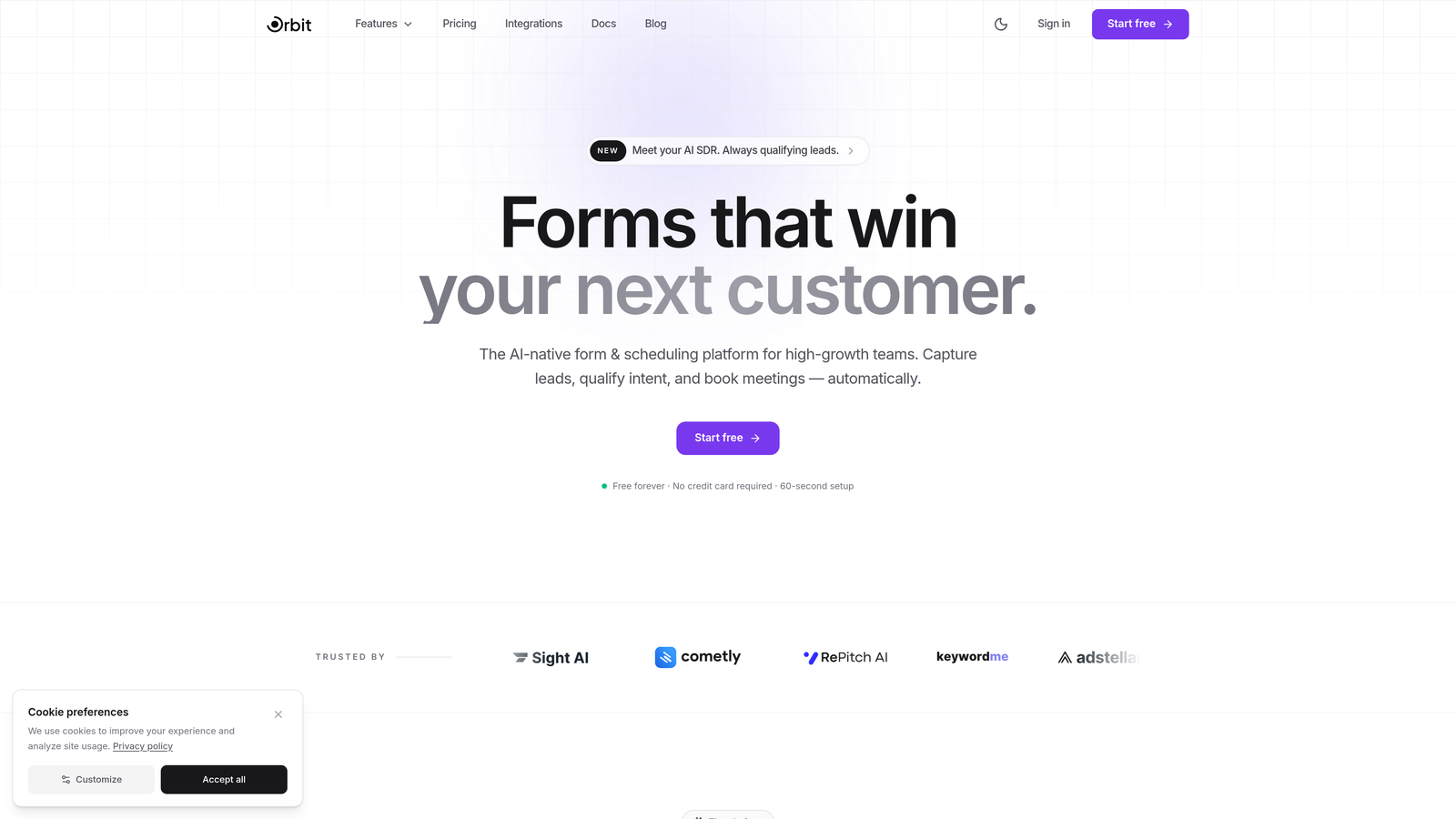
Orbit AI is built specifically for this gap. It combines the conversion-optimized design principles that make Typeform appealing with the layout flexibility and depth that Paperform users value, while adding native AI lead qualification that neither traditional platform offers. For teams where lead quality is as important as lead volume, this distinction is significant.
The practical question is whether you're trying to retrofit a traditional form builder to do something it wasn't designed for, or whether you'd be better served by a platform built from the ground up for the way high-growth teams actually work today.
Implementation Steps
1. Identify the specific gaps you'd need to work around in both Paperform and Typeform for your use cases.
2. Estimate the ongoing time and cost of maintaining those workarounds at scale.
3. Evaluate whether an AI-native platform eliminates those gaps natively rather than through integrations.
4. Run a parallel trial: build the same form in your top candidate platform and in Orbit AI, then compare the qualification workflow end to end.
Pro Tips
Don't evaluate alternative platforms based solely on feature lists. Test the actual workflow from form submission to qualified lead handoff. That end-to-end experience, not any individual feature, is what determines whether a platform actually fits how your team operates.
Putting Your Decision Framework Into Action
You now have seven concrete frameworks for making this decision with confidence rather than guesswork. Here's a quick-reference summary to guide your next steps.
Use Case Alignment: Define your primary use cases before anything else. Typeform for conversational surveys; Paperform for payment-heavy, content-rich forms.
Conversion Capabilities: Match the platform's format to your form complexity. Simple linear flows favor Typeform; complex branching favors Paperform.
Integration Depth: Map your full tech stack against native integrations, not just whether a connection exists.
Lead Qualification: Understand the workaround cost for scoring in both platforms and decide whether that friction is sustainable.
True Cost at Scale: Run the numbers at 2x and 5x growth before committing to any annual plan.
Design Ceiling: Test with your most demanding use case, not a simple demo form.
Modern Alternatives: Evaluate whether AI-native platforms eliminate the gaps you'd otherwise work around.
Start with Strategy 1 and Strategy 5. Use case clarity and cost reality will eliminate most of the ambiguity quickly. From there, the remaining strategies help you stress-test the decision before committing.
And if you find that both Paperform and Typeform leave meaningful gaps in your lead qualification workflow, it's worth asking whether the Paperform vs. Typeform framing is even the right question. For high-growth teams that need beautiful, conversion-optimized forms with built-in AI qualification, the better question might be: what was built for the way we actually work?
Start building free forms today and experience how intelligent form design can transform your lead generation, qualify prospects automatically, and give your growth team the conversion-optimized platform it actually needs.


