

Online forms have evolved far beyond simple data collection. Today, they are critical business tools for qualifying leads, gathering customer feedback, and driving user engagement. Typeform was a pioneer in this shift, popularizing a conversational, one-question-at-a-time interface that made filling out forms feel less like a chore. Its design-forward approach set a new standard for user experience.
However, as business needs grow more complex, many teams find themselves looking for Typeform alternatives. The reasons for switching are diverse: prohibitive pricing at scale, a need for more advanced logic and AI-powered qualification, stricter compliance requirements like GDPR, or the demand for deeper, more seamless integrations with their core tech stack, such as CRMs and marketing automation platforms. The ideal form builder isn't a one-size-fits-all solution.
This guide is designed to help you find the right tool for your specific job. We’ve moved beyond surface-level feature lists to provide a comprehensive analysis of 12 powerful alternatives. Each review dives into standout features, practical use cases for marketing and sales, and crucial pros and cons.
You will find a detailed breakdown of each platform, complete with screenshots and direct links, to help you make an informed decision. Whether you're a startup looking for a cost-effective solution, a sales team needing robust lead qualification, or an enterprise requiring secure, compliant data capture, this resource will help you identify the perfect form builder to replace or supplement Typeform in your workflow.
1. Orbit AI
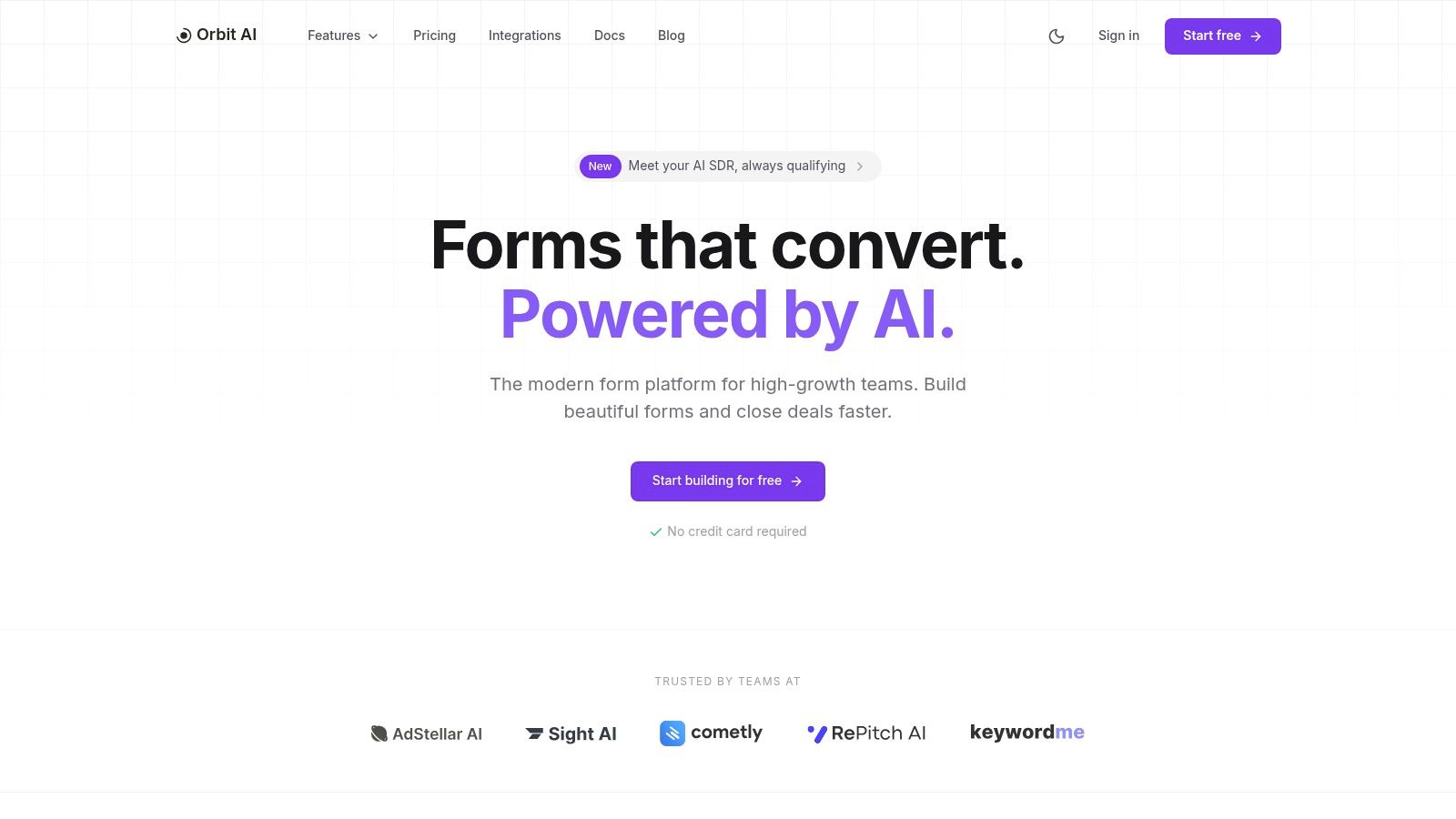
Orbit AI emerges as a formidable Typeform alternative for high-growth B2B teams seeking more than just data collection. It redefines the role of a form builder, positioning every submission as the starting point for a qualified sales conversation. Its core strength lies in its AI-first architecture, designed to automate lead qualification and surface sales-ready opportunities directly from your website, landing pages, and marketing campaigns.
The platform combines a fast, intuitive visual builder with a library of high-converting templates, enabling marketing teams to deploy beautiful, lightweight forms in minutes. Unlike many alternatives that can slow down page performance, Orbit AI prioritizes speed and a clean user experience to maximize conversion rates from the very first interaction.
Why It Stands Out
What truly sets Orbit AI apart is its built-in AI Sales Development Representative (SDR). This feature works behind the scenes to continuously analyze submissions, enrich lead data with valuable context, and apply intelligent lead scoring. The result is a prioritized queue of the most promising leads, allowing sales teams to engage with high-intent prospects faster and more effectively. This moves beyond simple form submissions into proactive pipeline generation.
The platform is also built for seamless team collaboration. With unlimited user seats, marketing and sales can work together without friction. Marketers can use real-time analytics to pinpoint drop-off points and optimize conversion funnels, while sales benefits from the instant sync of qualified leads to their CRM. For a deeper look at creating multi-step, interactive experiences, you can learn how to build Flow Forms that guide users through a conversational process.
Ideal Use Cases
- Marketing & Sales Teams: Perfect for B2B companies that need to not only capture leads but also qualify and score them automatically to accelerate the sales cycle.
- High-Growth Startups: The combination of a fast builder, unlimited seats, and powerful automation provides exceptional value and scalability.
- Enterprise & GDPR-Concerned Teams: Offers enterprise-grade security, robust data encryption, and full GDPR readiness, making it a secure choice for handling sensitive user data.
Pricing
Pricing is quoted on a short demo, and Orbit has no free plan. Book a demo to see it with your own forms.
Pros & Cons
| Pros | Cons |
|---|---|
| AI SDR & Smart Lead Scoring surfaces the most sales-ready opportunities. | Advanced AI features may require some initial setup and tuning to align with specific sales criteria. |
| Fast Visual Builder with templates for creating high-converting, lightweight forms. | May be more powerful than needed for very simple use cases like a basic contact form. |
| Real-Time Analytics help quickly optimize conversion and identify drop-off points. | |
| Unlimited Team Members supports scalable collaboration between marketing and sales. | |
| Enterprise-Grade Security and 50+ integrations for seamless CRM and automation workflows. |
Website: https://orbitforms.ai
2. Jotform
Jotform is a veteran in the online form space and a powerful Typeform alternative, especially for users who prioritize functionality, a vast template library, and robust integration capabilities over a minimalist aesthetic. Its drag-and-drop builder is straightforward, allowing marketing and operations teams to quickly deploy complex forms for lead generation, event registration, or internal workflows without extensive design work. Where it truly shines is its sheer scale, offering over 10,000 templates to get started.
Unlike platforms focused solely on conversational interfaces, Jotform provides a more traditional, utilitarian approach that excels in data collection and process automation. It supports a wide array of field types and widgets, including e-signatures and payment collection, making it a versatile tool. While its user interface can feel more dense than Typeform’s, the trade-off is greater control and a higher ceiling for complex form logic.
Standout Features
- Massive Template Library: Over 10,000 ready-to-use templates for nearly any use case.
- Payment & Signature Integrations: Natively collect payments via Stripe, PayPal, and Square, and capture legally binding e-signatures with Jotform Sign.
- HIPAA Compliance: Available on higher-tier plans, making it suitable for healthcare and other regulated industries.
- Extensive Integrations: Connects with over 100 third-party apps, including CRMs, email marketing services, and project management tools.
Pricing
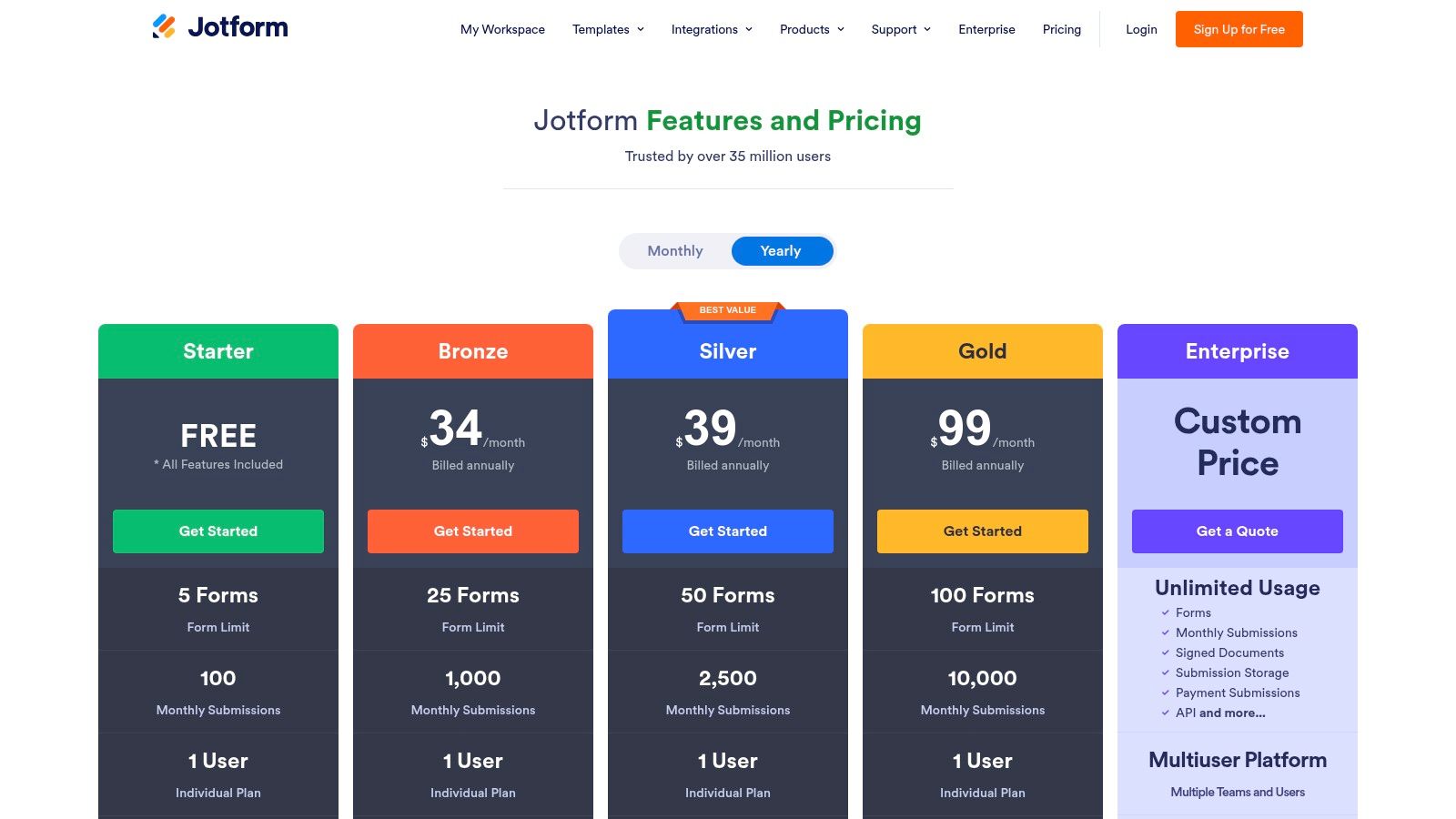
Jotform offers a free "Starter" plan with strict limits on forms and submissions. Paid plans include Bronze (starting at $34/month), Silver ($39/month), and Gold ($99/month), each increasing submission limits, storage, and access to features like HIPAA compliance. The pricing structure can be complex, so review it carefully.
Who is Jotform for?
Jotform is ideal for organizations needing a workhorse form builder that can handle everything from simple contact forms to complex, compliant data collection processes. Its scalability makes it a strong choice for businesses that anticipate growing their form usage significantly. For teams still evaluating their specific needs, you can explore the foundational elements of effective online form creation to better understand which features are most critical.
Pros:
- Generous free plan for basic use
- Vast ecosystem of templates and integrations
- Advanced features like payment collection and HIPAA compliance
Cons:
- The user interface is more functional than aesthetically pleasing
- Key security features are gated behind expensive enterprise-level plans
Website: https://www.jotform.com/pricing/
3. Paperform
Paperform strikes a balance between aesthetic appeal and powerful functionality, making it a versatile Typeform alternative for users who need more than just a beautiful interface. It blends the conversational, one-question-at-a-time "card" style with traditional form layouts, giving creators flexibility. Its true strength lies in its deep design customization and built-in e-commerce capabilities, allowing marketing and small business teams to create on-brand landing pages that sell products or book appointments directly.
Unlike simpler tools, Paperform functions almost like a mini-website builder. It provides granular control over fonts, colors, and layouts without requiring code, making it a go-to for designer-friendly forms. This platform is particularly well-suited for businesses that need to process payments, manage bookings, or create product catalogs within the form itself, integrating commerce and data collection seamlessly.
Standout Features
- Powerful Theming & Design: Extensive customization options to match your brand's exact look and feel.
- Built-in E-commerce: Natively supports payment collection, subscriptions, and even product inventory management.
- Appointment Scheduling: Includes a built-in scheduling field that syncs with your calendar, replacing the need for separate booking tools.
- Advanced Logic: Robust conditional logic to create dynamic, personalized form experiences that adapt to user input.
Pricing
Paperform offers a free plan with significant limitations. Paid plans begin with Essentials ($20/month), which unlocks most core features. The Pro plan ($40/month) adds more submissions and advanced capabilities, while the Agency plan ($135/month) is designed for high-volume users and teams. Note that the Pro trial is only 7 days.
Who is Paperform for?
Paperform is ideal for small businesses, solopreneurs, and marketing teams who need a visually appealing and highly functional form that can handle e-commerce and scheduling. It excels as a tool for creating standalone landing pages or embedding sophisticated order forms. For teams looking to deploy more advanced conversational flows, exploring tools with dedicated AI agents can provide a deeper level of automated interaction.
Pros:
- Highly customizable design that doesn't require coding
- Strong native e-commerce and scheduling features
- Clear and straightforward pricing tiers
Cons:
- The 7-day Pro trial is very short
- High-volume usage and advanced automation can become costly
Website: https://paperform.co/pricing/
4. Tally
Tally emerges as a standout Typeform alternative for startups and creators who prioritize generosity and simplicity. It has disrupted the form-builder market with its "99% of features are free" model, which includes unlimited forms and submissions, making it incredibly attractive for those on a tight budget. The platform offers a clean, Notion-like interface where you can simply type to build your form, adding blocks for questions, payments, and logic with ease.
Unlike competitors that gate essential features behind expensive plans, Tally provides core functionalities like conditional logic, answer piping, and integrations for free. This low-friction approach empowers teams to deploy sophisticated forms for user feedback, lead capture, or simple surveys without worrying about hitting restrictive limits. While it may not have the enterprise-grade governance of some rivals, its modern UX and collaborative features make it a powerful tool for agile teams.
Standout Features
- Generous Free Plan: Build unlimited forms with unlimited submissions and access most features without paying.
- Notion-Like Editor: A unique, intuitive interface where you build forms simply by typing and using slash commands.
- Payment & File Uploads: Collect payments via Stripe and allow respondents to upload files, even on the free plan.
- Collaboration: Invite team members to collaborate on forms and manage submissions together in a shared workspace.
Pricing
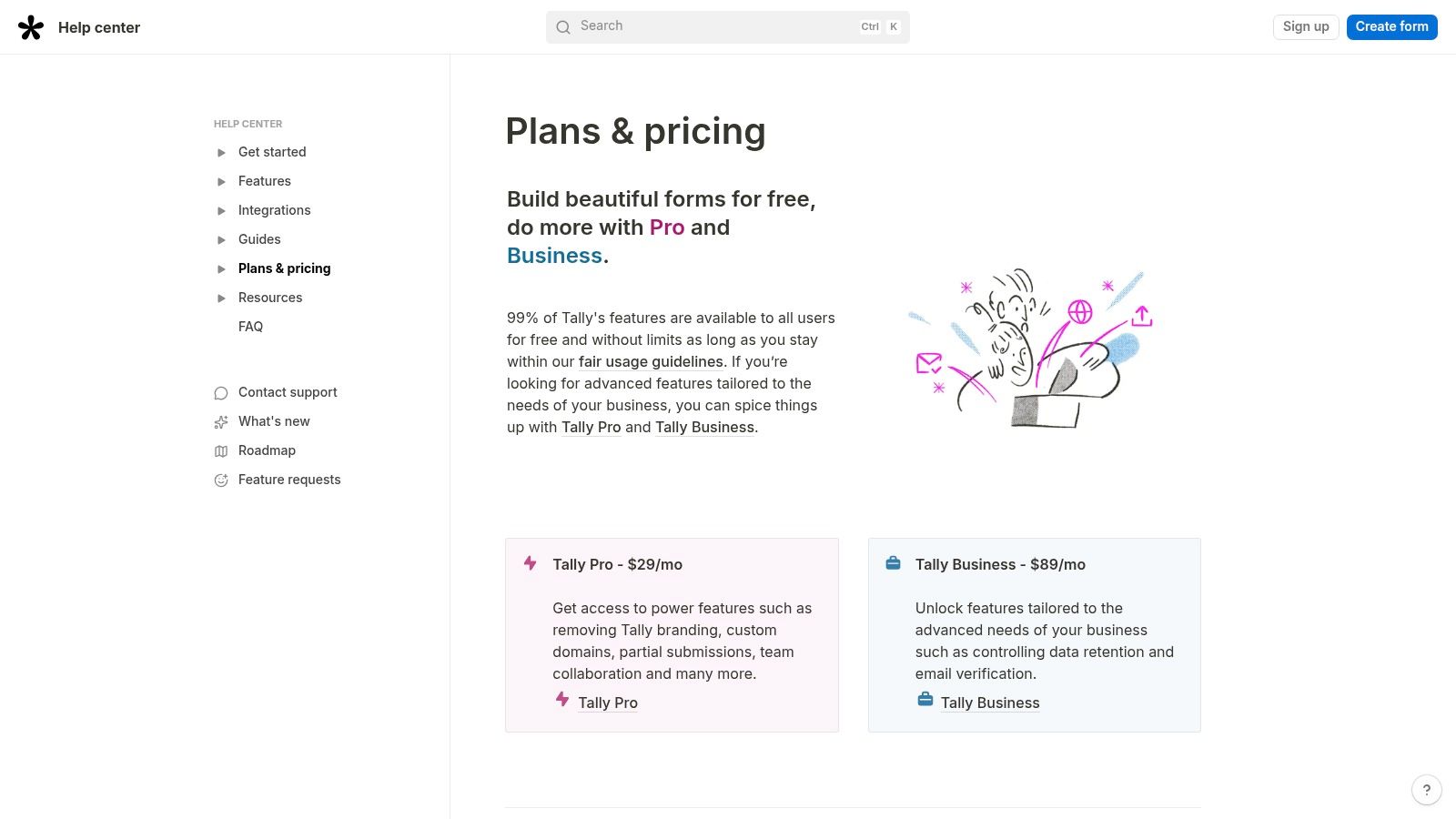
Tally’s pricing is refreshingly simple. The Free plan covers most use cases with a fair-use policy. The Tally Pro plan (starting at $29/month) removes Tally branding, adds custom domains, and allows access to partial submissions. A Business plan is available for teams needing advanced features like data retention controls and email verification.
Who is Tally for?
Tally is perfect for startups, small businesses, and individual creators who need a powerful, no-cost form builder. Its collaborative features and simple interface make it an excellent choice for marketing and product teams that need to move quickly without being constrained by subscription limits.
Pros:
- Outstanding free tier that includes most features
- Clean, modern, and intuitive form-building experience
- Transparent and affordable pricing for premium features
Cons:
- Fair-use policy can cap submissions for high-traffic edge cases
- Fewer enterprise-level governance and security features compared to others
Website: https://tally.so/help/plans-and-pricing
5. Formstack Forms
Formstack is a powerful, enterprise-grade Typeform alternative designed for organizations that need to go beyond simple data collection and into full workflow automation. It's particularly strong for operations, healthcare, and HR teams that require robust data management, compliance features, and the ability to connect forms with document generation and e-signatures. Its focus is less on a conversational aesthetic and more on creating secure, end-to-end business processes.
Unlike many competitors, Formstack offers a platform suite that bundles Forms with its Documents and Sign products, enabling seamless workflows like generating a populated contract from a form submission and sending it for a signature. This integrated approach is ideal for complex, multi-step processes common in regulated industries. Its no-code builder and advanced administrative controls make it a scalable solution for organizations with stringent security and compliance needs.
Standout Features
- Workflow Automation: Build multi-step workflows with conditional logic, approvals, and dynamic task assignments directly from form data.
- Platform Suites: Combine Forms, Documents, and Sign for a unified solution to manage data collection, document generation, and e-signatures.
- HIPAA Compliance: Offers HIPAA-compliant solutions and BAAs, making it a trusted choice for healthcare organizations.
- Native Salesforce App: A dedicated, robust integration built for Salesforce-centric environments, allowing for deep data mapping and process automation within the CRM.
Pricing
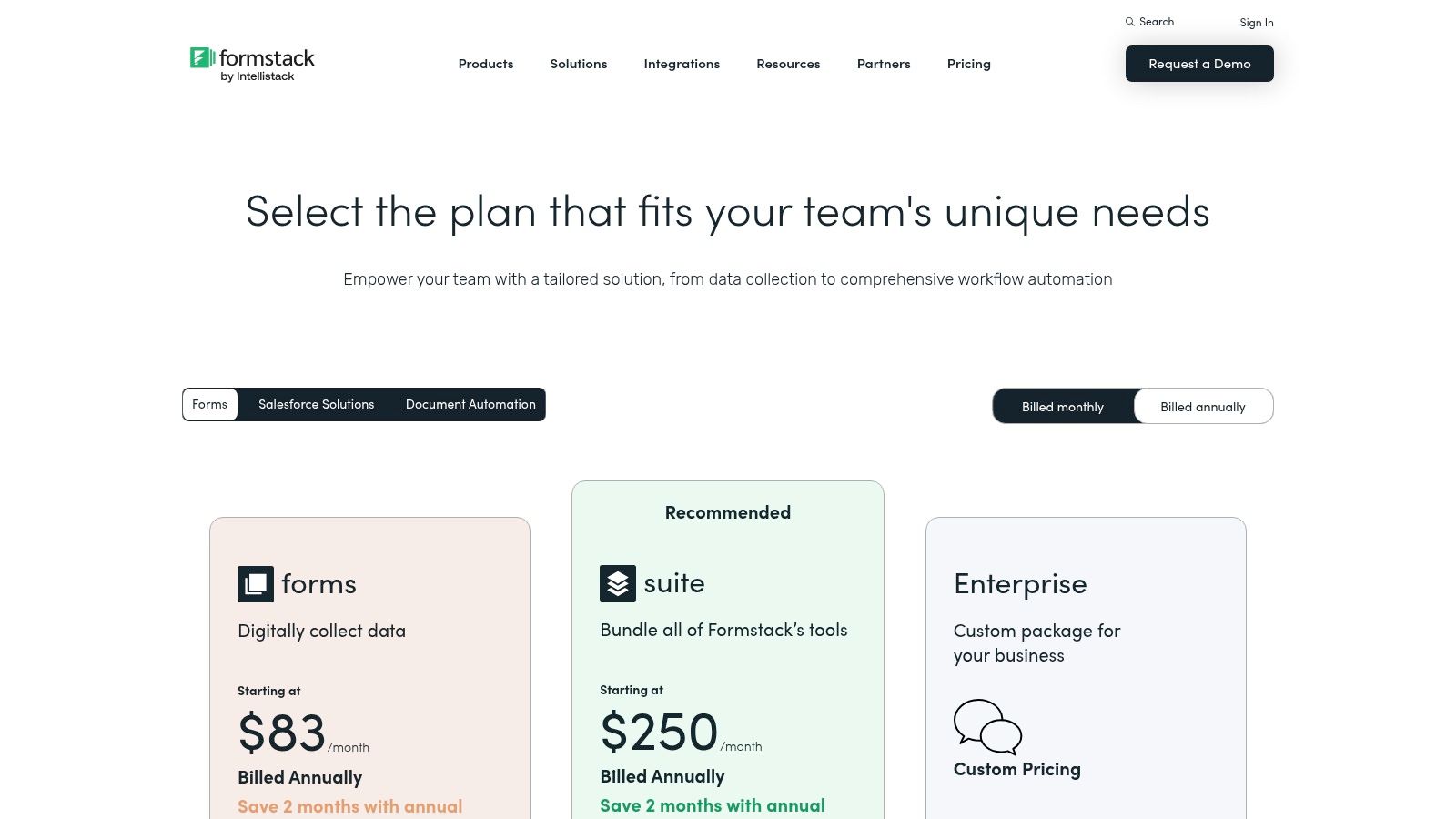
Formstack’s pricing starts with the Forms plan at $50/month (billed annually). More comprehensive solutions are available through its Suite plans, which bundle multiple products and start at $191/month (billed annually). The pricing reflects its enterprise focus, and access to advanced features and compliance options requires higher-tier plans.
Who is Formstack Forms for?
Formstack is built for medium-to-large businesses and enterprises, especially those in regulated industries like healthcare, finance, and legal. It’s the right choice for operations teams that need to automate complex internal processes and IT departments looking for a secure, compliant, and scalable data management platform.
Pros:
- Excellent for building complex, automated workflows
- Strong compliance features, including HIPAA and robust admin controls
- Integrated suite of products (Forms, Documents, Sign)
Cons:
- Significantly higher entry price compared to many alternatives
- Key features are often split across different product suites or add-ons
Website: https://www.formstack.com/pricing
6. SurveyMonkey
SurveyMonkey is a household name in the survey space and stands as a formidable Typeform alternative for users whose primary goal is in-depth data collection and analysis. It excels in research-grade surveying, offering robust tools for market research, employee feedback, and customer satisfaction studies. While Typeform prioritizes a conversational, one-question-at-a-time experience, SurveyMonkey provides a more traditional yet powerful platform designed for comprehensive data gathering and sophisticated analytics. Its platform is built for teams that need to go beyond simple lead capture and dive deep into response data.
The platform’s strength lies in its backend analytics, which include features like crosstabs, filtering, and sentiment analysis. This allows marketing and research teams to slice and dice data to uncover meaningful insights without needing a separate analysis tool. While its form design capabilities are more conventional than Typeform's, the trade-off is a feature set geared toward yielding statistically significant and actionable results from large-scale survey deployments.
Standout Features
- AI-Assisted Survey Builder: SurveyMonkey Genius helps you build better surveys by predicting completion rates and identifying potential issues.
- Advanced Analytics & Reporting: Provides powerful tools for data analysis, including crosstabs, filters, and text analysis.
- Multilingual Support: Easily create and distribute surveys in multiple languages to reach a global audience.
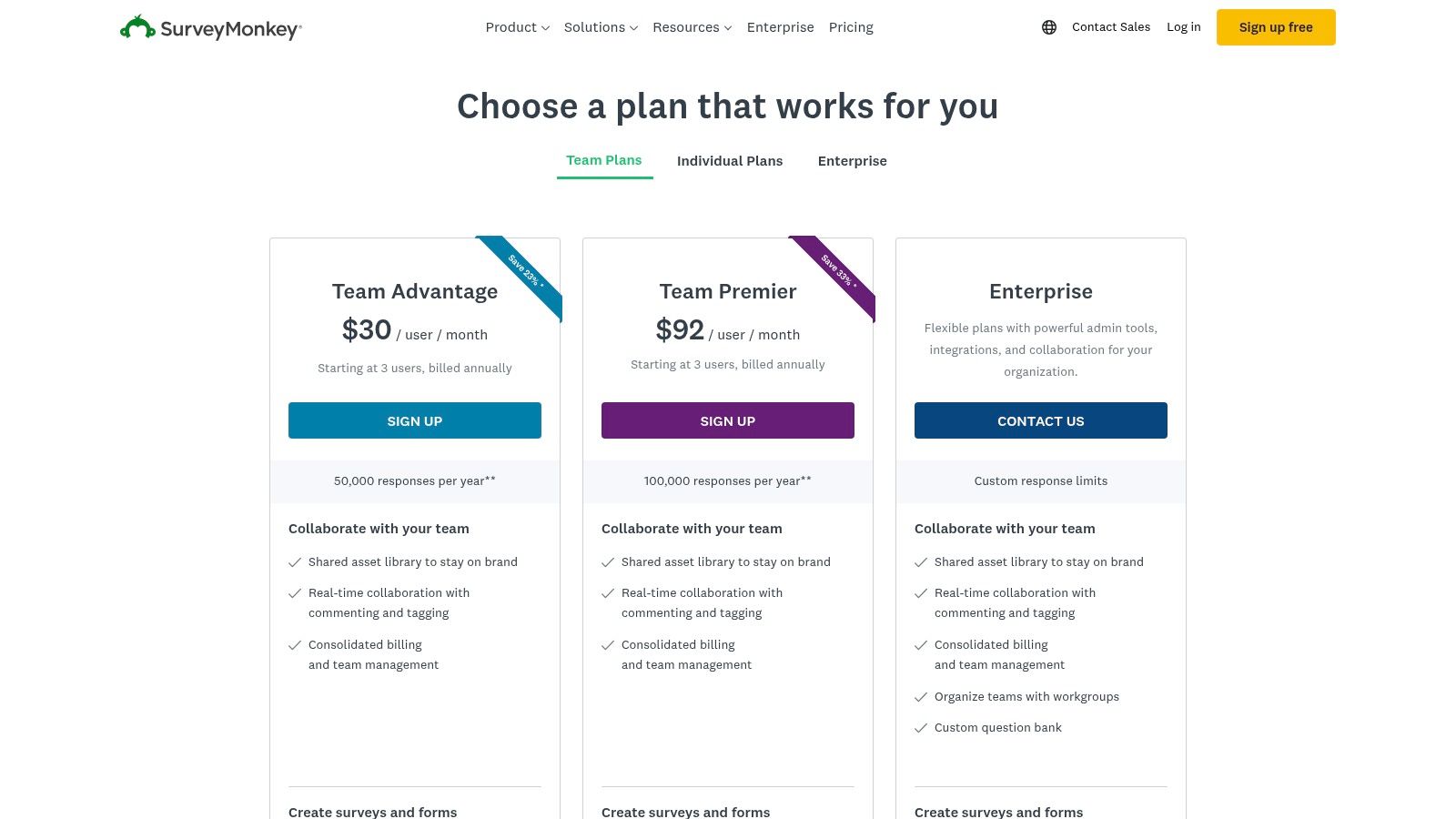
- Team Collaboration: Team plans offer shared asset libraries, custom branding, and administrative controls for collaborative projects.
Pricing
SurveyMonkey offers a limited free "Basic" plan. Paid plans are split into Individual and Team tiers. Individual Advantage starts at $39/month, and Premier at $119/month, billed annually. Team Advantage ($25/user/month) and Team Premier ($75/user/month) require a minimum of three users and annual billing. Costs can rise quickly when adding advanced features or market research panels.
Who is SurveyMonkey for?
SurveyMonkey is the ideal choice for organizations, academic institutions, and marketing teams that need to conduct serious research and require powerful data analysis capabilities. It is perfect for those who prioritize data integrity and deep insights over a highly stylized form experience. For teams focused on maximizing response rates, exploring strategies on how to increase form submissions can complement SurveyMonkey's powerful distribution tools.
Pros:
- Industry-leading analytics and reporting features
- Strong team collaboration and asset management tools
- Extensive library of expert-designed survey templates
Cons:
- Can be significantly more expensive than other alternatives for advanced features
- The user interface is more focused on data analysis than modern form design
Website: https://www.surveymonkey.com/pricing/
7. Google Forms
Google Forms is the ubiquitous, no-cost Typeform alternative that leverages the power and simplicity of the Google ecosystem. It’s an ideal choice for users who need to create straightforward surveys, quizzes, or registration forms quickly and without a budget. Its deep integration with other Google apps, particularly Google Sheets, makes it a frictionless tool for teams already operating within Google Workspace for data collection and analysis.
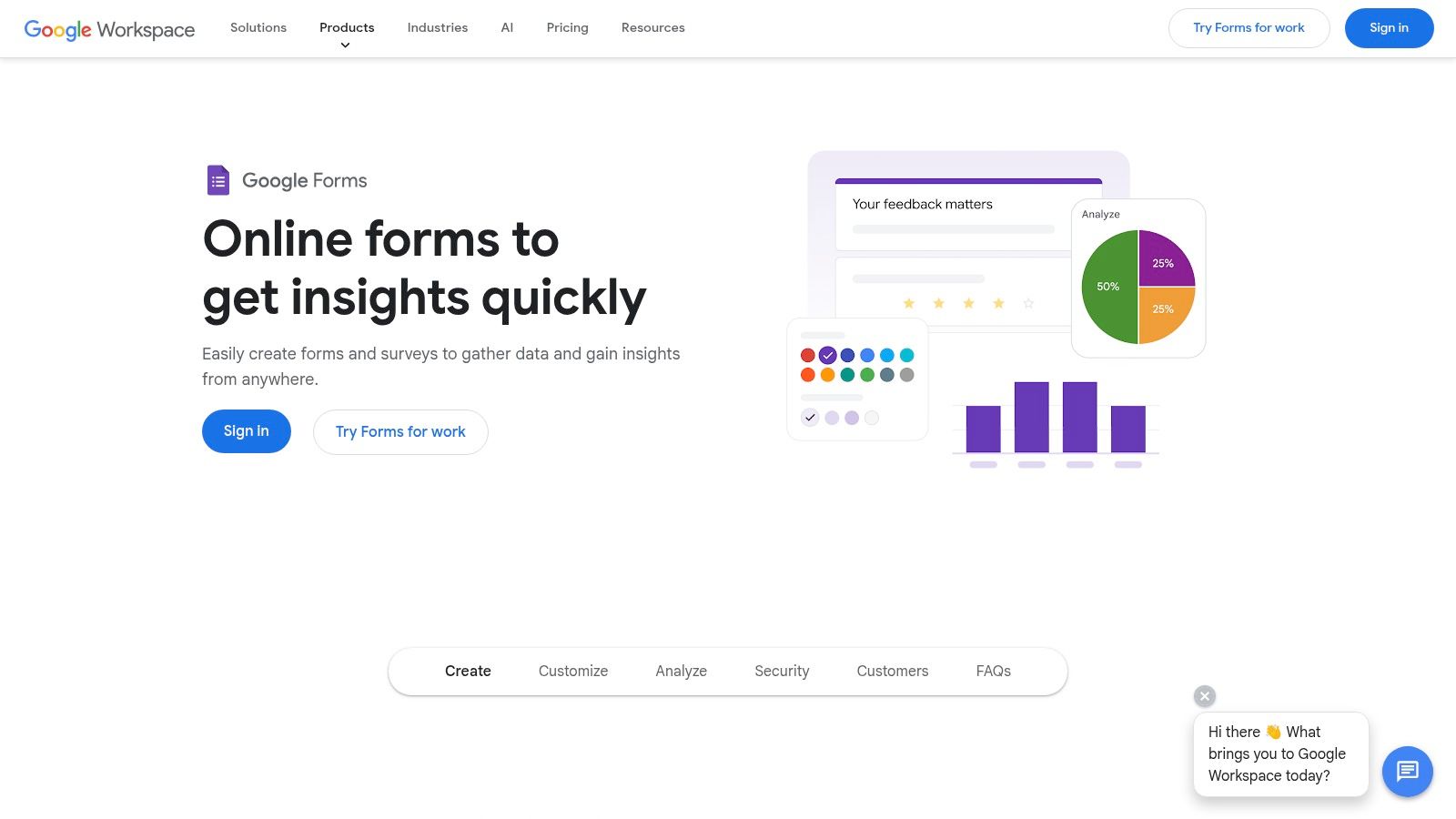
While it lacks the sophisticated design flair and advanced conditional logic of dedicated form builders, its strength lies in its accessibility and ease of use. You can spin up a functional form in minutes, customize basic colors to match your brand, and immediately start collecting responses that are neatly organized in a spreadsheet. It’s a practical, function-over-form solution for internal data gathering, simple event sign-ups, and basic feedback collection.
Standout Features
- Seamless Google Sheets Integration: All form responses can be automatically sent to a Google Sheet for real-time analysis, sorting, and sharing.
- Basic Conditional Logic: Allows you to direct users to different sections of the form based on their answers, creating a more tailored experience.
- Real-Time Collaboration: Multiple team members can build and edit a form simultaneously, just like a Google Doc.
- Variety of Question Types: Includes multiple choice, short answer, checkboxes, dropdowns, and file uploads to cover most data collection needs.
Pricing
Google Forms is completely free for anyone with a personal Google account. For business users, it is included as part of the Google Workspace subscription, which starts at $6/user/month for the Business Starter plan.
Who is Google Forms for?
Google Forms is perfect for students, educators, non-profits, and small businesses that need a simple, reliable, and free tool for basic data collection. It excels at internal surveys, quick polls, and simple event registrations where advanced branding and complex logic are not primary concerns.
Pros:
- Completely free with a Google account or Workspace subscription
- Extremely low learning curve and user-friendly interface
- Excellent collaboration features and integration with Google Sheets
Cons:
- Very limited design and branding customization options
- Lacks advanced features like payment processing and robust integrations
- Conditional logic is basic compared to specialized form builders
Website: https://www.google.com/forms/about/
8. Microsoft Forms
Microsoft Forms is a practical and convenient Typeform alternative for organizations already embedded within the Microsoft 365 ecosystem. Rather than a standalone product, it's a bundled application designed for quick, lightweight data collection, making it ideal for internal surveys, team polls, and basic quizzes. Its main advantage is its seamless integration with other Microsoft tools like Teams, SharePoint, and Excel, allowing users to create and distribute forms without leaving their existing workflow.
The user interface is simple and straightforward, prioritizing function over form. While it lacks the advanced conversational design and deep customization of dedicated form builders, it excels at basic data capture. For teams needing to quickly spin up a survey and have the results automatically populate an Excel spreadsheet or a SharePoint list, Microsoft Forms removes the friction of adopting and managing a separate third-party tool.
Standout Features
- Deep Microsoft 365 Integration: Natively create, share, and manage forms directly within Teams, SharePoint, and other Microsoft applications.
- Automatic Excel Export: Responses can be automatically collected and organized in an Excel workbook for immediate analysis.
- Quiz & Poll Functionality: Easily create graded quizzes with branching logic or simple polls for quick feedback.
- Built-in Analytics: Provides basic, real-time analytics with charts and graphs summarizing response data.
Pricing
Microsoft Forms is included with most Microsoft 365 Business, Enterprise, and Education plans. For individual users, a basic version is available for free with a Microsoft account, though it has stricter response and feature limitations. Its value is highest for those who already have a qualifying subscription.
Who is Microsoft Forms for?
This tool is perfect for companies heavily invested in the Microsoft 365 suite that need a simple, no-extra-cost solution for internal data collection, employee feedback, and simple event registrations. It's less suited for external-facing marketing campaigns that require sophisticated branding and complex logic.
Pros:
- Essentially free for existing Microsoft 365 subscribers
- Extremely low setup overhead and a familiar admin interface
- Seamless integration with core Microsoft productivity tools
Cons:
- Limited branding and customization options compared to specialist tools
- Lacks advanced features like payment integrations and complex conditional logic
- Not available as a standalone product; requires a Microsoft 365 subscription for full features
Website: https://forms.microsoft.com/
9. HubSpot Forms
For businesses already embedded in the HubSpot ecosystem, HubSpot Forms is less of an alternative and more of a native extension of their CRM. This tool is designed to seamlessly feed leads and data directly into your marketing, sales, and service hubs, making it a powerful Typeform alternative for teams prioritizing data integration over standalone form aesthetics. Its primary advantage is eliminating the need for third-party connectors, ensuring all submission data immediately enriches contact records and powers automation workflows.
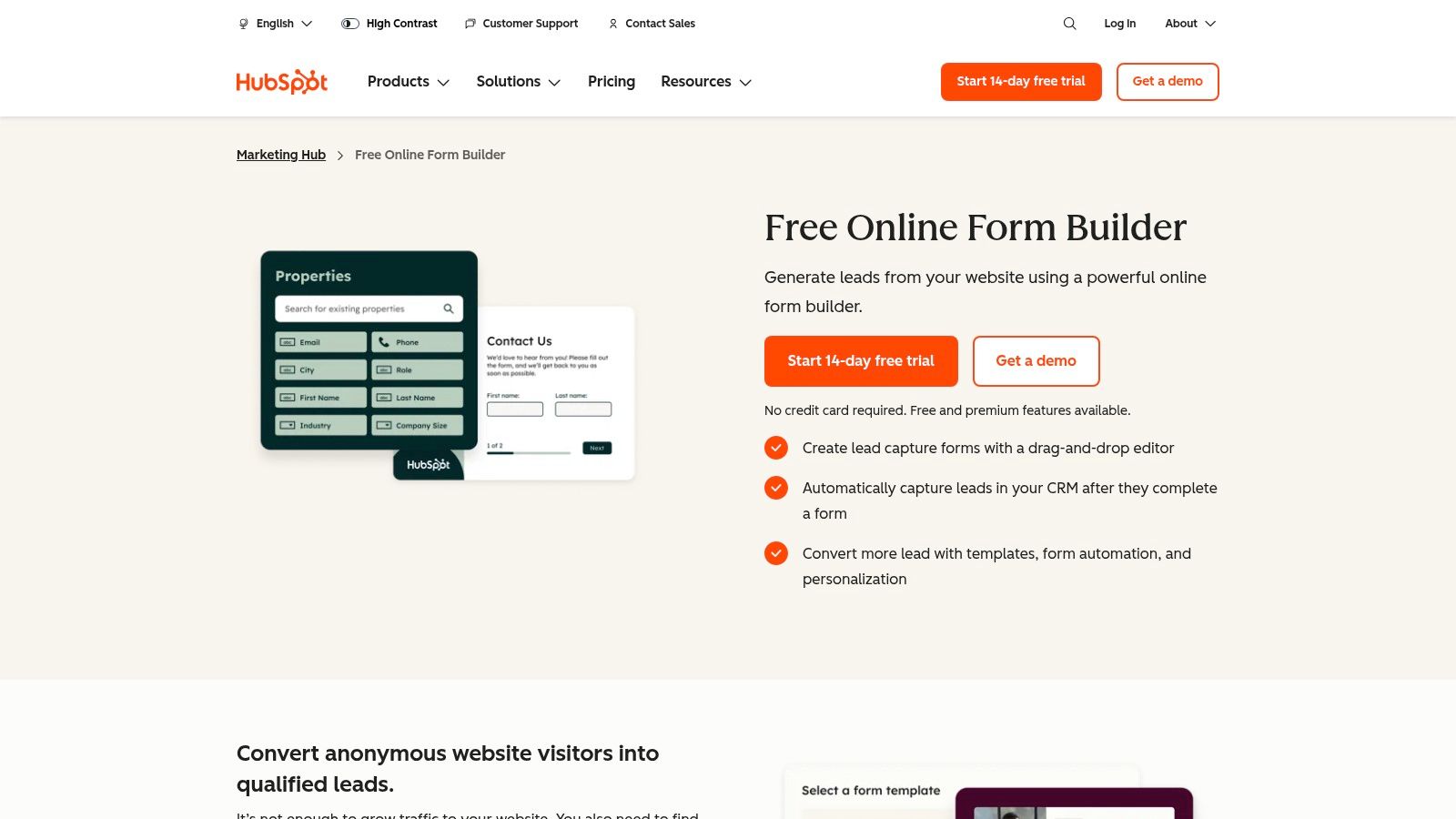
While the form builder itself is a straightforward drag-and-drop tool, its real power is unlocked when connected to HubSpot's wider platform. Every form submission can trigger sophisticated lead scoring, add contacts to marketing campaigns, or create deals for the sales team. This deep, native integration simplifies marketing and sales operations by keeping all lead capture and follow-up activities under one roof, providing robust, end-to-end attribution reporting that standalone form builders struggle to match.
Standout Features
- Native CRM Integration: Automatically creates and updates contact records in HubSpot CRM with every form submission.
- Progressive Profiling: Smart fields allow you to hide questions a contact has already answered, reducing friction and improving conversion rates on subsequent forms.
- Drag-and-Drop Builder: Create a variety of embedded forms, standalone pages, and pop-up boxes without writing any code.
- Workflow Automation: Use form submissions to trigger complex marketing automation sequences, lead scoring models, and internal notifications on paid tiers.
Pricing
HubSpot offers a free plan with basic forms that include HubSpot branding. To access advanced features like automation, reporting, and smart fields, you need to subscribe to the Marketing Hub Starter (from $18/month), Professional (from $800/month), or Enterprise (from $3,600/month) plans. Pricing is tied to marketing contacts and can increase significantly.
Who is HubSpot Forms for?
HubSpot Forms is the go-to choice for B2B SaaS companies and other organizations that have already committed to or are planning to use the HubSpot platform. It’s ideal for marketing and sales teams who need lead data to flow directly into their CRM to fuel automation, scoring, and attribution. For those who use other CRMs, you can review the technical documentation for third-party integrations to connect your preferred form tool.
Pros:
- Seamless, perfect integration with HubSpot's CRM, Marketing, and Sales Hubs
- Powerful marketing automation and reporting capabilities
- Includes advanced features like progressive profiling on paid plans
Cons:
- Can be overkill and expensive if you only need a simple form builder
- Onboarding fees and contact-based pricing for higher tiers can be costly
Website: https://www.hubspot.com/products/marketing/forms
10. Zoho Forms
Zoho Forms is a compelling Typeform alternative for organizations deeply embedded in the Zoho ecosystem or those seeking a cost-effective solution with robust business process integration. It offers a clean, functional interface for building forms and connects seamlessly with other Zoho products like CRM, Campaigns, and Flow, creating a powerful, unified data collection and management system. This makes it an excellent choice for teams aiming to automate workflows without the complexity of third-party connectors.
While it may not have the polished, design-first feel of Typeform, Zoho Forms focuses on practicality and functionality. It supports conditional logic, multi-page forms, and a variety of field types suitable for lead capture, internal requests, or customer feedback. Its direct integration with Zoho CRM is a major advantage, allowing form submissions to instantly create or update records, streamlining sales and marketing processes significantly.
Standout Features
- Deep Zoho Ecosystem Integration: Natively connects with over 40 other Zoho applications, including Zoho CRM, for seamless data transfer and workflow automation.
- Unlimited Forms: All paid plans offer the ability to create an unlimited number of forms, providing excellent scalability.
- Role-Based Access and Approvals: Allows for multi-level approval workflows and lets you assign specific roles and permissions to users for better security and management.
- Flexible Add-ons: Purchase additional submissions, storage, and payment gateways as needed, offering a flexible way to scale resources.
Pricing
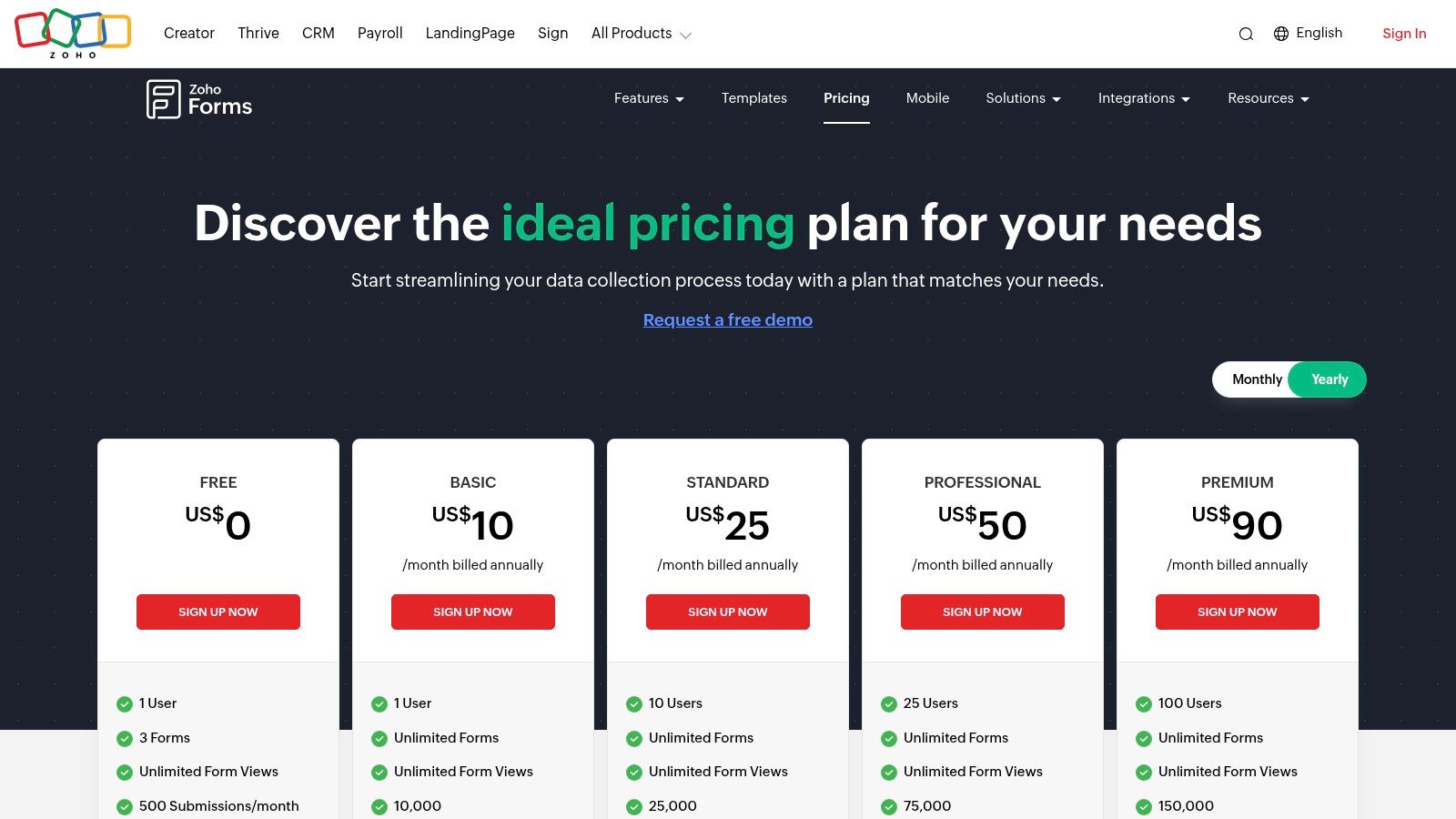
Zoho Forms provides a limited free plan. Paid plans are very competitively priced, starting with the Basic plan at $10/month, followed by Standard ($25/month), Professional ($50/month), and Premium ($100/month). Each tier increases submission limits, storage, and the number of users, with the highest-tier plans offering more advanced integrations and approvals.
Who is Zoho Forms for?
Zoho Forms is the ideal solution for businesses already invested in the Zoho suite of applications. It's also a great fit for cost-conscious small to medium-sized businesses that need a functional, scalable form builder with powerful automation capabilities built-in, particularly for streamlining CRM-related data entry.
Pros:
- Highly competitive pricing with generous limits
- Seamless native integration across the entire Zoho ecosystem
- Strong workflow and approval features for internal processes
Cons:
- User interface is more functional than aesthetically driven
- The most valuable integrations and user counts are reserved for higher-tier plans
- Relying on add-ons for extra submissions or features can complicate pricing
Website: https://www.zoho.com/forms/pricing.html
11. Airtable Forms
Airtable Forms is a unique Typeform alternative because its primary function is not just form creation, but data management. Forms are a native feature of the Airtable platform, a powerful, flexible tool that combines the functionality of a database with the user-friendliness of a spreadsheet. This makes it an excellent choice for teams whose forms are the starting point for a larger, more complex data-driven workflow, such as project management or content calendars.
Unlike dedicated form builders, every submission through an Airtable Form instantly populates a structured, relational database. This allows for powerful post-submission automation, collaboration, and data visualization through different views like calendars, Kanban boards, or Gantt charts. The setup is more involved than a simple form tool, but the payoff is a fully integrated system where your data collection and data management live in the same place.
Standout Features
- Integrated Database: Form submissions automatically become structured records in a powerful, relational database.
- Multiple Views: Instantly view form data in various formats like grids, calendars, galleries, and timelines without any extra setup.
- Powerful Automations: Trigger complex, multi-step workflows directly within Airtable when a form is submitted.
- Interface Designer: Build custom visual dashboards and apps on top of your form data for internal teams or clients.
Pricing
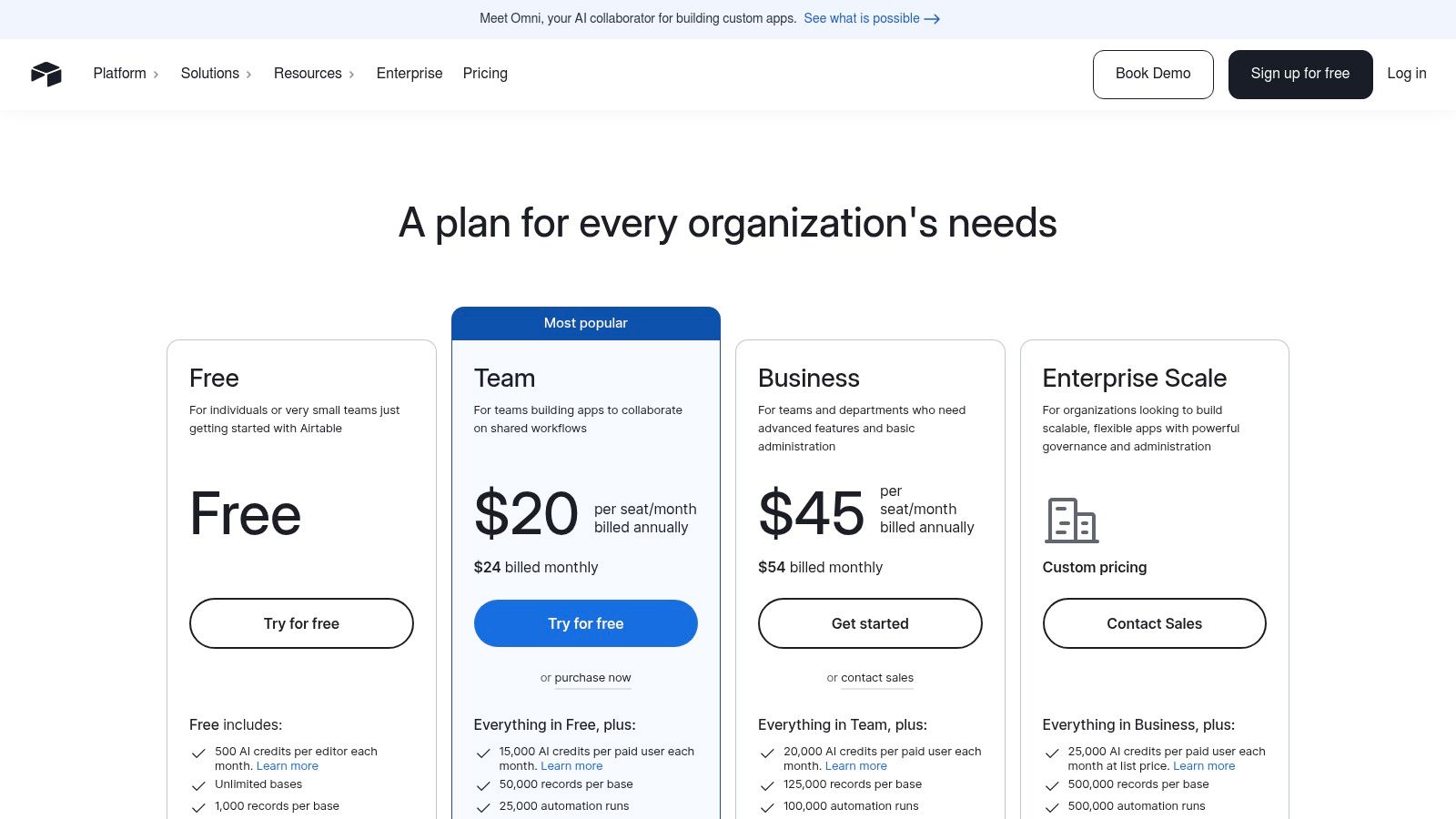
Airtable offers a capable free plan for small teams. Paid plans include Team (starting at $20/seat/month) and Business ($45/seat/month), which expand automation capabilities, record limits, and add advanced features like two-way data sync. The seat-based model can become costly as your team of editors grows.
Who is Airtable Forms for?
Airtable is ideal for operations, product, and marketing teams who need to build entire workflows around the data they collect. If your form is just the first step in a process that requires tracking, collaboration, and automation, Airtable provides an all-in-one solution that eliminates the need to stitch multiple tools together.
Pros:
- Excellent for workflows where the form initiates a database-driven process
- Mature automation and collaboration features on paid plans
- Highly customizable data views and interfaces
Cons:
- Requires more initial setup and structure than simple form tools
- Seat-based pricing can cause costs to scale quickly with more users
Website: https://airtable.com/pricing
12. Fillout
Fillout has quickly emerged as a formidable Typeform alternative, celebrated for its modern user experience, deep integrations, and an exceptionally generous free tier. It's particularly popular among startups, agencies, and teams that rely heavily on Notion, Airtable, or Google Sheets, as its connectors are best-in-class. The platform strikes a balance between a clean, user-friendly interface and powerful backend functionality, making it easy to create beautiful forms that are also highly practical.
Unlike competitors that lock essential features behind high-priced plans, Fillout provides significant value from the start, offering unlimited forms and seats on its free plan. This approach allows teams to build and scale their data collection workflows without an immediate, hefty investment. The platform is designed for speed and efficiency, appealing to users who need to connect forms directly to their existing databases and automate processes without complex workarounds.
Standout Features
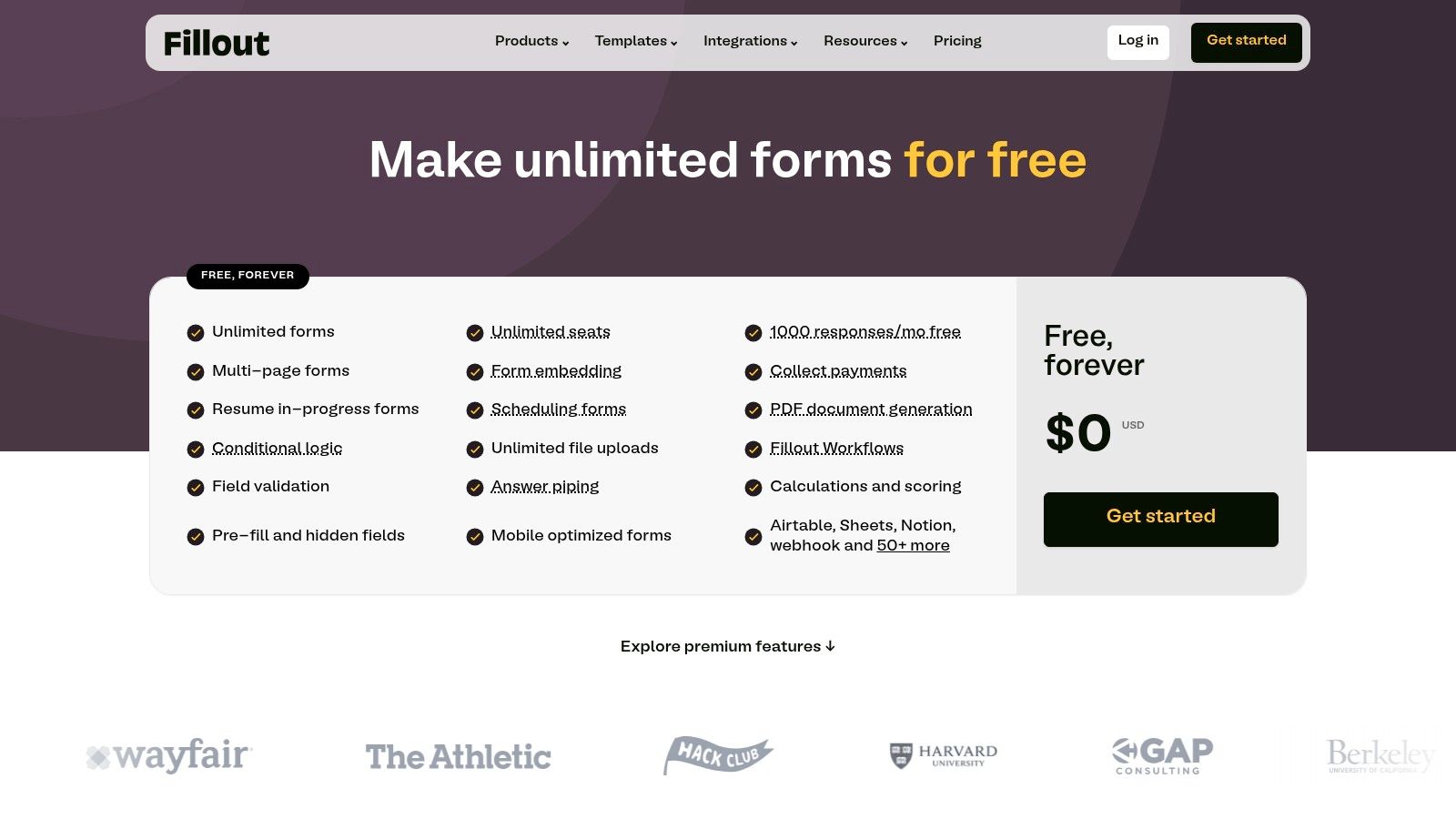
- Generous Free Plan: Includes unlimited forms, unlimited seats, and up to 1,000 responses per month, making it one of the best free options available.
- Superior Integrations: Offers powerful, native connections to Notion, Airtable, and Google Sheets, allowing you to pull data into forms and write back responses seamlessly.
- Advanced Logic and Fields: Supports conditional logic, hidden fields, and payment collection on all plans.
- Developer-Friendly: Higher-tier plans provide options for custom CSS and custom code, offering greater flexibility for branding and functionality.
Pricing
Fillout's Free plan is highly functional. Paid plans include the Starter plan ($15/month) which adds more responses and file uploads, and the Business plan ($75/month) which unlocks unlimited responses, advanced analytics, and custom domains. Enterprise features like SSO and dedicated data regions require a custom quote.
Who is Fillout for?
Fillout is an ideal choice for startups, agencies, and operations teams who need a powerful, modern form builder that integrates tightly with their existing tools, especially Airtable and Notion. Its generous free tier and straightforward upgrade path make it an excellent, cost-effective Typeform alternative for growing businesses.
Pros:
- Extremely generous free plan with a high response limit
- Best-in-class integrations with Notion, Airtable, and Google Sheets
- Modern and intuitive form-building experience
Cons:
- Unlimited responses and some key analytics are only available on the more expensive Business tier
- Enterprise security features like SSO require a custom plan
Website: https://www.fillout.com/pricing
12 Typeform Alternatives — Feature Comparison
| Product | Core features | UX & Quality | Value / Unique selling point | Best for | Pricing / Notes |
|---|---|---|---|---|---|
| Orbit AI | AI SDR lead qualification, visual builder, templates, 50+ integrations, real-time analytics | Fast-loading, high-conversion forms, unlimited team seats, enterprise security | Turns every form into a qualified conversation with enrichment & smart lead scoring | High-growth sales & marketing teams, B2B SaaS | Quoted on a demo; no free plan |
| Jotform | Drag-and-drop builder, 10,000+ templates, payments, e-signatures, 100+ integrations | Mature, template-rich, reliable support | Large ecosystem with compliance (HIPAA) and payments | Marketers, ops teams, enterprises needing compliance & payments | Free → Enterprise, region/billing complexity |
| Paperform | Designer theming, payments, product/catalog support, scheduling, logic | Designer-friendly, Typeform-style cards | Strong commerce features + deep design control | Marketing sites, landing pages, service bookings | Clear tiers, free plan; 7-day Pro trial auto-downgrades |
| Tally | Unlimited forms, generous free tier, custom domains & branding on Pro | Modern, low-friction UX | Outstanding free tier and simple upgrade path | Startups and small teams wanting no-friction forms | Simple, transparent pricing; fair-use limits apply |
| Formstack Forms | No-code builder, workflows, Documents & Sign suites, native Salesforce, HIPAA | Enterprise-grade, workflow automation | End-to-end data capture, docs & signatures for regulated workflows | Enterprise ops, healthcare, Salesforce-centric orgs | Higher entry price; some features in add-on suites |
| SurveyMonkey | AI-assisted survey builder, advanced logic, multilingual, deep analytics | Research-grade analysis and exports | Market-research tools and advanced analytics | Researchers, market research teams | Plans often require annual billing; costs scale for advanced analytics |
| Google Forms | Real-time charts, Sheets export, basic conditional logic, easy embed | Simple, collaborative, low learning curve | Free and included with Google Workspace | Internal workflows, quick surveys, small teams | Free with Google account/Workspace |
| Microsoft Forms | Polls/quizzes/surveys, Excel export, Teams/SharePoint integration | Lightweight, familiar for M365 users | Native capture within Microsoft 365 ecosystem | Teams using Microsoft 365, SharePoint, Excel | Included with Microsoft 365 (not standalone) |
| HubSpot Forms | Drag-and-drop forms, pop-ups, progressive profiling, CRM sync | CRM-native, integrates with HubSpot workflows | Direct CRM integration with attribution & automation | B2B SaaS and marketers on HubSpot | Pricing scales with contacts/seats; Pro/Enterprise costs add up |
| Zoho Forms | Unlimited forms (paid), role-based approvals, CRM-integrated forms, add-ons | Cost-effective, integrated with Zoho suite | Competitive pricing, native Zoho ecosystem connectivity | Cost-conscious teams already using Zoho apps | Add-ons for extra submissions/storage; Premium for high user counts |
| Airtable Forms | Forms feed Airtable tables, automations, interfaces, multiple views | Database-driven, structured workflows | Best where forms start a relational database process | Teams needing DB-backed forms, interfaces & automations | Seat-based pricing; more setup vs. simple form tools |
| Fillout | Unlimited forms/seats free (1k responses), payments, conditional logic, 50+ integrations | Modern builder, strong Notion/Airtable/Sheets connectors | High value at low tiers with useful connector ecosystem | Startups, agencies seeking low-cost integrations | Some analytics/unlimited responses on Business; enterprise via sales |
Making Your Final Decision: Beyond the Form Builder
Navigating the landscape of form builders can feel overwhelming, but as we've explored, the market is rich with powerful Typeform alternatives designed to solve specific, critical business challenges. The central takeaway is this: the best tool isn't just a data collection mechanism; it's a strategic asset that integrates seamlessly into your growth engine, whether that’s for marketing, sales, or operations.
Typeform undoubtedly raised the bar for user experience and aesthetic design, popularizing the conversational, one-question-at-a-time format. However, the digital ecosystem has evolved. Today, simply creating a beautiful form is not enough. The most innovative solutions have moved beyond aesthetics to embed intelligence directly into the data capture process. This shift is crucial for teams that rely on forms not just for information, but for action and revenue.
Key Takeaways for Choosing Your Form Tool
Our deep dive into twelve distinct platforms reveals a clear pattern: your ideal choice depends entirely on your primary goal.
- For Sales-Driven Pipeline: If your main objective is to generate and qualify high-intent leads for your sales team, then a tool like Orbit AI is a clear frontrunner. It moves beyond simple data collection by using AI to score leads in real-time, route them intelligently, and ultimately deliver a more qualified pipeline. This is where the future of lead capture is headed: from passive collection to active qualification.
- For Budget-Conscious Startups: For those just starting out or needing robust functionality without the immediate investment, Tally’s generous free-forever plan is nearly unmatched. It provides unlimited forms and submissions, making it a powerful and accessible entry point for teams that need to scale their data collection efforts without scaling their costs.
- For Complex Enterprise Needs: When your requirements involve intricate workflows, HIPAA compliance, and deep integration with existing enterprise systems, Formstack Forms offers the security, control, and process automation features necessary. Its focus on regulated industries and complex conditional logic makes it a reliable choice for organizations with stringent data governance and workflow demands.
Actionable Next Steps: From Comparison to Implementation
You've reviewed the features, pros, and cons. Now it's time to transition from analysis to action. Before committing to a new platform, consider these final implementation steps:
- Define Your Core Problem: Don't start by looking at features. Start by clearly articulating the problem you need to solve. Is it low lead quality? A disjointed user experience? Inefficient data routing? Your answer will immediately narrow down your list of contenders.
- Map Your Existing Workflows: How will this new tool fit into your current tech stack? Consider your CRM (like HubSpot or Zoho), your analytics platforms, and your automation tools (like Zapier). A smooth integration is non-negotiable for operational efficiency.
- Leverage Free Trials: Most tools on this list, from Jotform to Paperform, offer a free trial or a freemium plan, and Orbit AI will walk through your own use case on a demo. There is no substitute for hands-on experience. Build a test form that mirrors a real-world use case and see how it performs. Pay attention to the builder's usability, the user's front-end experience, and the ease of accessing your submission data.
Ultimately, choosing the right Typeform alternative is about future-proofing your growth strategy. The right form builder doesn’t just ask questions; it provides answers, qualifies opportunities, and accelerates your business forward. Don't settle for a tool that simply looks good. Demand one that works smarter for you.
Ready to see how AI can transform your lead qualification and stop your sales team from wasting time on low-quality leads? Sign up for a free Orbit AI account and experience the future of intelligent forms. Start building higher-converting, sales-ready forms in minutes and see why it’s one of the most powerful Typeform alternatives for growth-focused teams.


