

A great registration form is more than just a set of fields; it's the handshake that turns a visitor into a lead, customer, or community member. The difference between a form that converts and one that causes users to abandon the page often comes down to strategic design, user psychology, and the technology powering it. A poorly designed form creates friction, increases bounce rates, and ultimately costs you qualified leads and revenue.
This guide breaks down the best registration forms example tools and strategies for building high-performing sign-up flows. We'll move beyond generic templates to provide a deep strategic analysis of what makes each example effective. You'll gain replicable tactics you can apply immediately to improve your forms for webinars, SaaS trials, events, and gated content. For optimal user experience and higher conversion rates, ensuring your registration forms are designed as responsive mobile web forms is no longer optional.
We have curated a list of the top platforms that excel at this, from advanced AI-powered solutions to simple, effective builders. Each entry includes:
- Design Screenshots: Visual examples of high-converting forms.
- Strategic Analysis: A breakdown of why the form works.
- Actionable Takeaways: Replicable tips for your own projects.
- Direct Links: So you can explore the tools yourself.
Prepare to transform your forms from simple data collection tools into powerful conversion engines. Our analysis starts with Orbit AI, which leverages conversational AI to redefine the user sign-up experience, and continues through other industry-leading solutions like Jotform and Typeform.
1. Orbit AI: For AI-Powered Lead Qualification and Conversion
Orbit AI represents a significant leap forward in form technology, positioning itself as the premier choice for businesses where lead quality and conversion speed are paramount. It moves beyond simple data collection, embedding an AI-powered 'SDR' directly into the registration process. This innovative approach automates the critical tasks of lead enrichment, scoring, and qualification the moment a user hits submit, transforming a standard registration form into an intelligent pipeline-building tool.
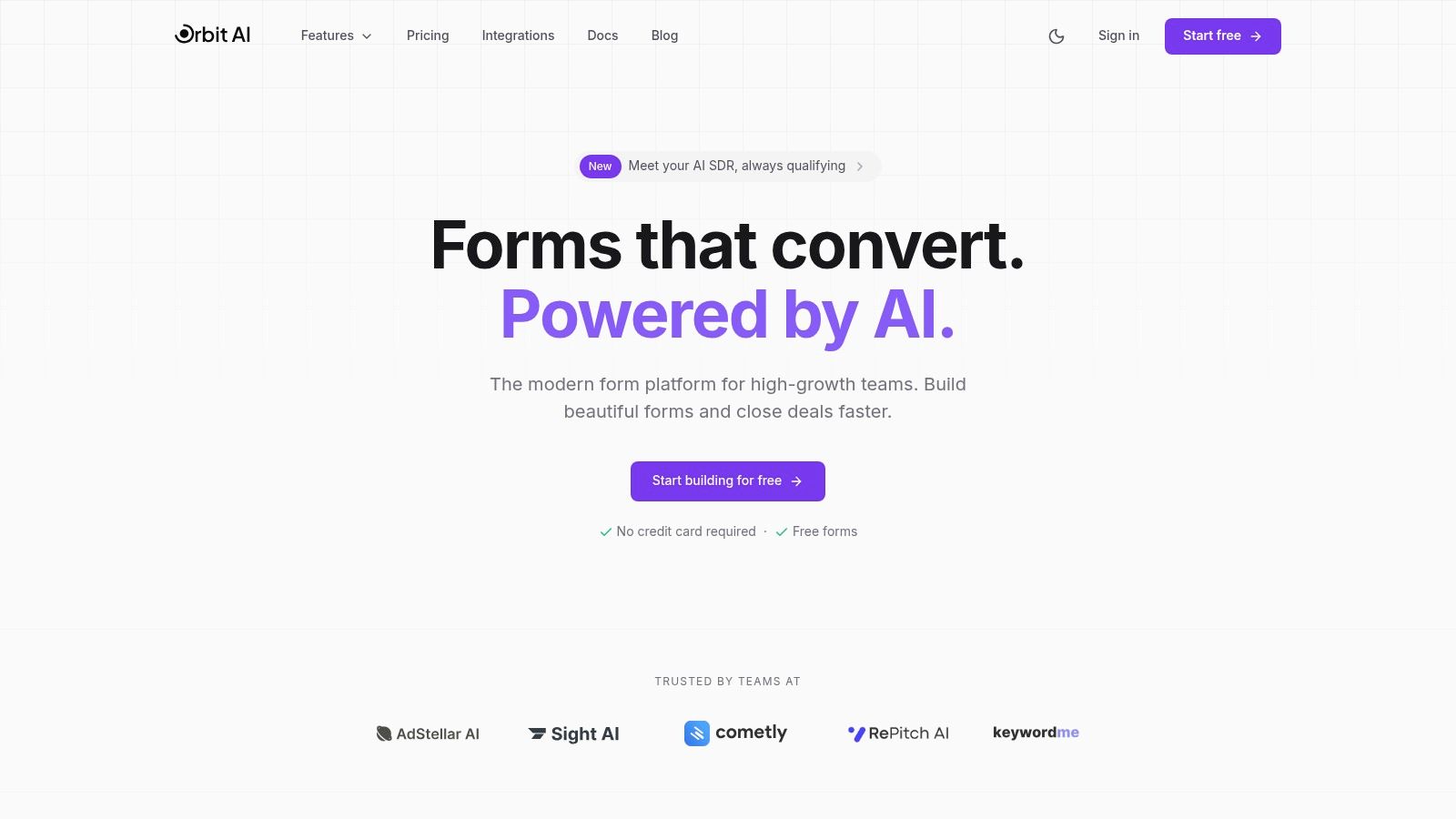
This platform is specifically engineered for high-growth B2B and SaaS companies that cannot afford to waste time on manual lead triage. By automatically surfacing the most promising, sales-ready leads, Orbit AI empowers sales teams to engage with high-potential prospects faster, dramatically shortening the sales cycle and improving alignment between marketing and sales efforts.
Strategic Analysis: The AI Advantage in Registration
The core differentiator for Orbit AI is its native AI functionality. While other tools require complex, multi-app workflows to achieve similar results, Orbit AI integrates this intelligence directly at the point of data capture. This provides a distinct competitive edge.
- Automated Qualification: The embedded AI SDR enriches submissions with firmographic data (company size, industry, revenue) and scores them against your ideal customer profile (ICP). This eliminates the manual work of qualifying inbound leads.
- Speed-to-Lead Optimization: By instantly identifying and routing hot leads to the correct sales reps, Orbit AI drastically reduces response times. This is a critical factor in converting inbound interest into actual sales conversations.
- Superior User Experience: The platform’s commitment to performance is evident. Its visual builder creates lightweight, fast-loading forms that are optimized for conversion, directly combating the high abandonment rates associated with clunky, slow legacy form builders.
Key Insight: Orbit AI reframes the purpose of a registration form. It's not just a data collection point; it's the first step in an automated, intelligent sales qualification process. This makes it an exceptional registration forms example for teams focused on efficiency and revenue growth.
Core Features and Benefits
| Feature | Primary Benefit | Best Use Case |
|---|---|---|
| AI-Powered Lead Scoring | Instantly identifies and prioritizes high-value leads, allowing sales to focus on opportunities that will close. | SaaS free trial signups, demo requests, and webinar registrations. |
| Visual Form Builder | Enables marketing teams to quickly create beautiful, high-converting forms without needing developer resources. | A/B testing different form layouts for a gated content download to maximize leads. |
| Real-Time Analytics | Provides actionable insights on form performance, drop-off points, and conversion trends to optimize campaigns. | Identifying underperforming fields in a multi-step event registration form. |
| Broad Integrations (50+) | Ensures seamless data flow into CRMs (like Salesforce, HubSpot) and marketing automation platforms. | Syncing qualified leads directly into a sales team's CRM for immediate follow-up. |
Practical Takeaways and Implementation
For teams looking to replicate Orbit AI's strategic approach, the focus should be on efficiency and intelligence. Start by mapping your lead qualification criteria and use them to configure the AI scoring rules. Leverage the platform's analytics to continuously refine your forms, removing any fields that cause user friction or drop-off. For more advanced strategies on form design, explore their guide on the best practices for registration forms to ensure your setup is optimized from day one.
While a free plan is available to get started, teams with high lead volume or enterprise needs will need to contact their sales department for custom pricing. It's also wise for teams to initially monitor the AI's scoring to ensure it aligns perfectly with sales expectations, fine-tuning the rules as needed to prevent any false positives.
Website: https://orbitforms.ai
2. Jotform
Jotform stands out for its sheer volume of templates and its powerful, user-friendly drag-and-drop builder. For teams needing to deploy a wide variety of registration forms quickly without extensive custom development, Jotform provides a robust, all-in-one solution. It's particularly well-suited for events, workshops, and membership signups where payment collection and conditional logic are essential.
The platform’s primary strength is its template library, which contains over 10,000 pre-built forms. This massive selection includes hundreds of registration forms example templates, covering everything from simple webinar signups to complex multi-day conference registrations. This makes it an excellent starting point for marketers who need to launch campaigns fast.
Strategic Breakdown
Jotform excels in combining speed with advanced functionality. Its drag-and-drop interface is intuitive, allowing non-technical users to build sophisticated forms. You can add payment gateways like Stripe and PayPal directly, manage approvals with built-in workflows, and automatically send customized email confirmations.
For teams focused on conversion and data management, Jotform Tables offers a spreadsheet-like view of submissions, making it easy to analyze registration data without exporting it to a separate tool. The platform also supports HIPAA compliance on higher-tier plans, a critical feature for healthcare or wellness-related registrations.
Key Insight: Jotform's value lies in its template-driven approach. Instead of building from scratch, users can find a highly relevant template and customize it in minutes, drastically reducing the time from concept to deployment.
Actionable Takeaways & Use Cases
- Fast Event Launch: Use a pre-built event registration template to quickly set up a form with payment options, attendee details, and custom fields for dietary restrictions or session choices.
- Membership & Subscription Forms: Implement recurring payments for memberships by integrating with one of the 30+ supported payment gateways.
- Lead Qualification: Employ conditional logic to show or hide fields based on user input, helping you segment and qualify registrants automatically.
Pros and Cons
| Pros | Cons |
|---|---|
| Huge library of 10,000+ templates. | Free and lower-tier plans have strict monthly submission limits. |
| Easy-to-use drag-and-drop builder. | Jotform branding is present on forms unless you upgrade. |
| Strong integration with payment gateways and other apps. | Advanced features like HIPAA compliance are locked behind expensive plans. |
| HIPAA-compliant features available on higher tiers. | The sheer number of features can be overwhelming for simple use cases. |
Jotform offers a free plan with limitations, while paid plans start at $34/month (billed annually), scaling up based on submission volume and feature requirements. This makes it a scalable solution that can grow with your needs, from a simple contact form to a complex, integrated registration system. While you can find many great templates on their site, it's also helpful to review more examples of forms to understand the full range of design possibilities.
Website: https://www.jotform.com
3. Typeform
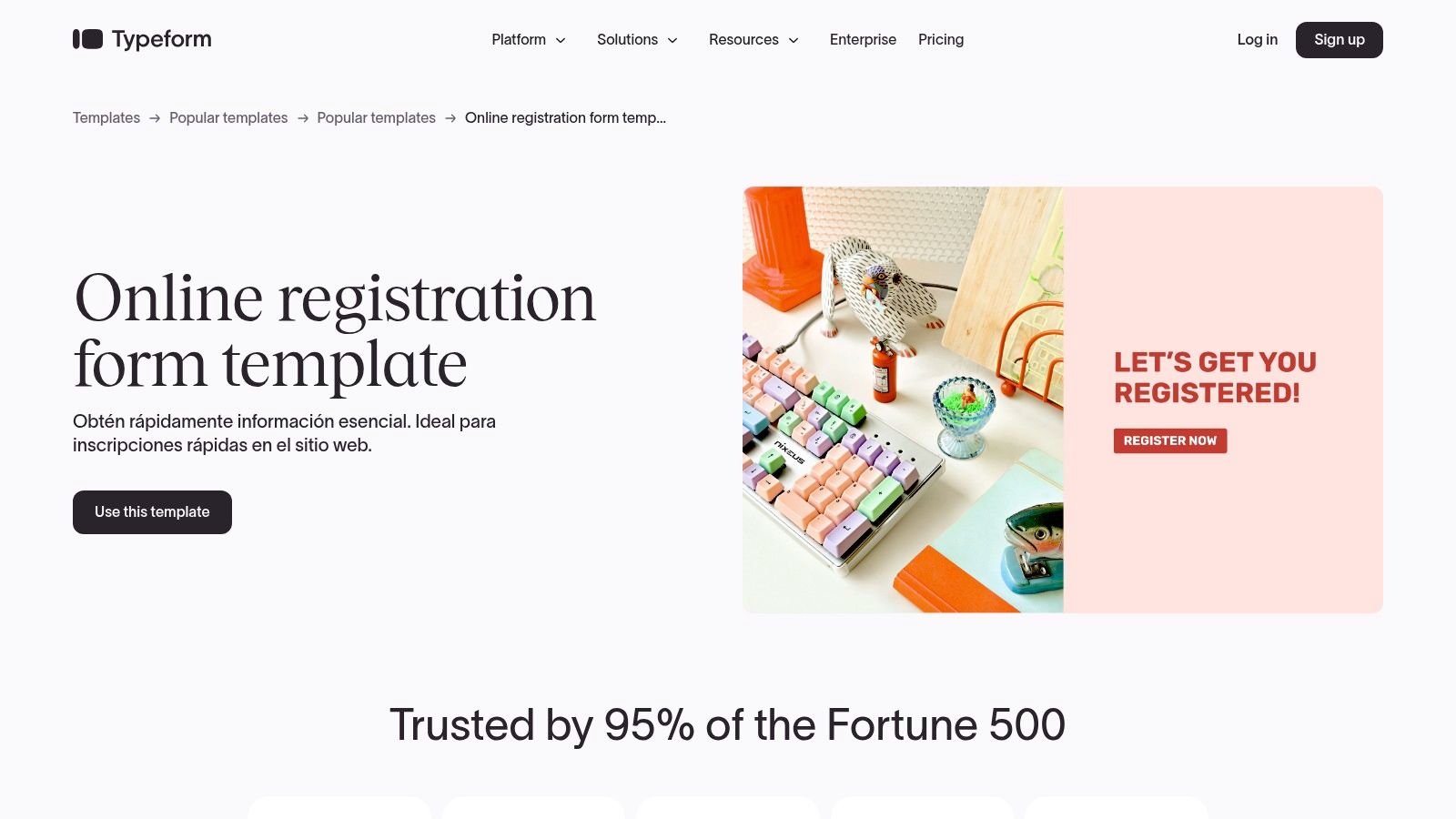
Typeform redefines the registration experience by making it conversational and human-centric. Instead of presenting users with a static list of fields, Typeform engages them one question at a time, creating a dialogue-like interaction. This approach is highly effective for marketing-driven signups where user experience is paramount to minimizing drop-off and maximizing conversions.
Its polished interface and strong branding controls make it a favorite for teams that want their forms to feel like a natural extension of their website. The platform excels at creating visually appealing and interactive registration forms example templates for events, memberships, and online signups, backed by robust analytics and a vast integration ecosystem.
Strategic Breakdown
Typeform’s core strategy is to boost completion rates through a superior user experience. By focusing on one question at a time, it reduces the cognitive load on the user, making the process feel less intimidating and more like a conversation. This one-thing-at-a-time design is proven to increase engagement and is ideal for mobile users.
The platform offers detailed analytics on higher-tier plans, allowing you to track drop-off rates for each question. This provides invaluable insight into which parts of your registration form are causing friction, so you can optimize them for better performance. With over 300 integrations, including Salesforce, HubSpot, and Slack, you can seamlessly push registration data into your existing CRM and marketing automation workflows.
Key Insight: Typeform's power lies in its conversational format. This interactive, step-by-step approach not only improves the user experience but also provides granular data on user behavior, enabling precise conversion rate optimization.
Actionable Takeaways & Use Cases
- High-Engagement Webinar Signups: Use a conversational event registration template to guide users through the signup process, asking for their name, email, and company one step at a time to reduce friction.
- Branded Membership Applications: Customize the form with your brand’s colors, fonts, and logo to create a seamless experience that reinforces your brand identity from the very first interaction.
- Interactive Lead Capture: Embed a Typeform directly into a landing page to capture leads in a more engaging way than a traditional static form. Use Logic Jumps to ask qualifying questions based on previous answers.
Pros and Cons
| Pros | Cons |
|---|---|
| Superior UX is optimized for higher completion rates. | Monthly response caps can be restrictive on lower-tier plans. |
| Easy to style on-brand and embed in marketing sites. | Advanced analytics and key features are gated to higher-priced tiers. |
| Broad integration ecosystem with over 300 apps. | Pricing is higher than many basic form builders for similar volumes. |
| Detailed drop-off analytics available on higher plans. | The one-question-at-a-time format may not be ideal for very long, data-heavy forms. |
Typeform offers a free plan with a limit of 10 responses per month. Paid plans start at $25/month (billed annually), with higher tiers unlocking more responses, advanced logic, and detailed analytics. While Typeform offers a unique user experience, it's always wise to evaluate other powerful Typeform alternatives to find the best fit for your specific needs and budget.
Website: https://www.typeform.com/templates/simple-registration
4. Formstack
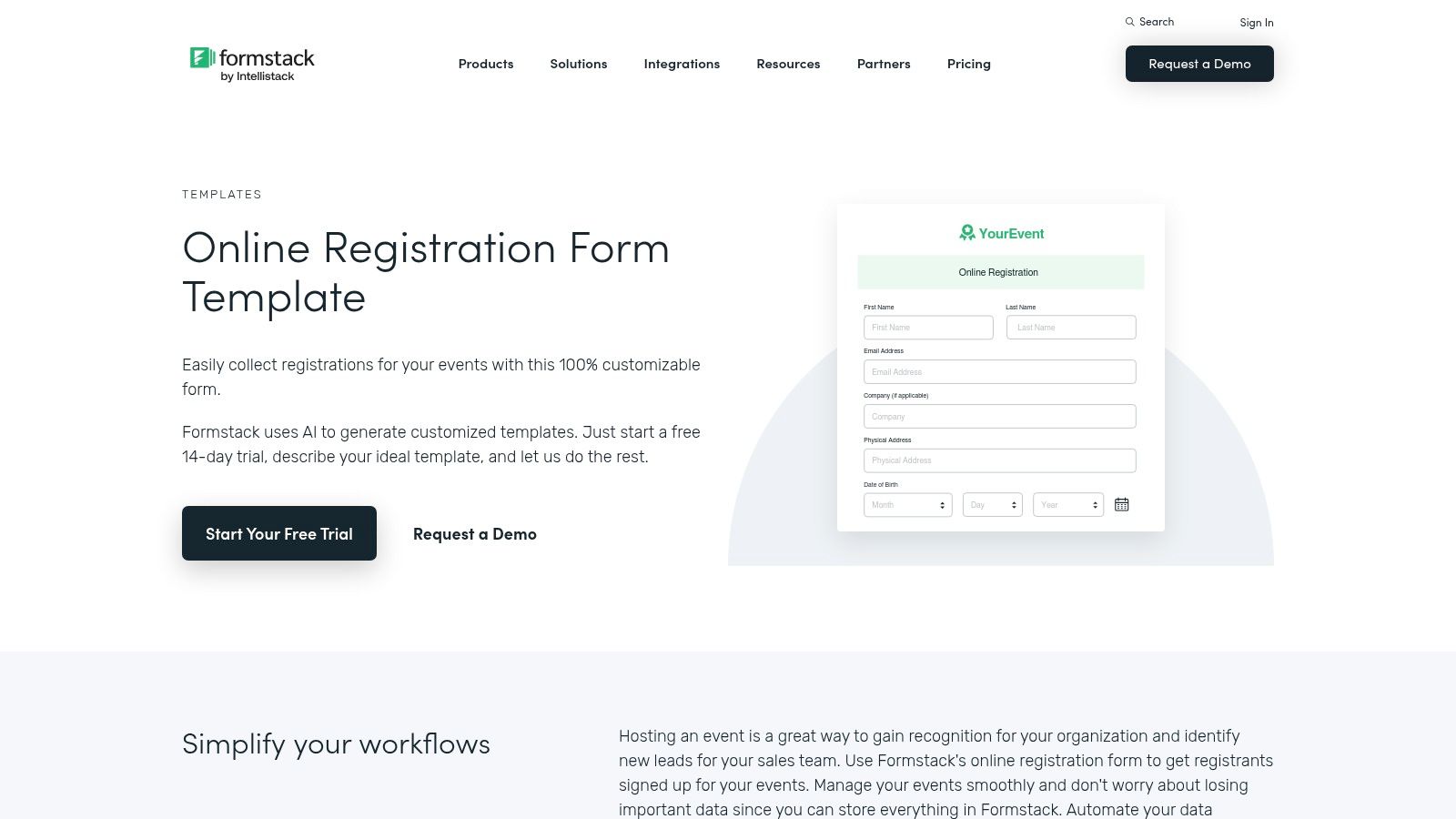
Formstack positions itself as an enterprise-grade solution for organizations that require more than just a simple form builder. It excels in environments where registrations are part of a larger, more complex workflow involving approvals, data routing, document generation, and strict security compliance. For businesses in regulated industries like finance, healthcare, or legal, Formstack provides the governance and administrative controls needed for complex signup processes.
The platform's strength lies in its ability to manage the entire data lifecycle that begins with a registration form. It combines a powerful form builder, featuring ready-made templates and AI generation, with native workflow automation, e-signature capabilities, and document creation. This makes it an ideal choice for multi-step registrations, such as patient onboarding or complex service applications, where data must flow securely between different departments and systems.
Strategic Breakdown
Formstack is built for deep integration and process automation. Its Workflows feature allows users to visually map out multi-step processes, such as routing a new membership application from submission to review and final approval. Features like pre-fill and conditional routing streamline the user experience and ensure data accuracy by only showing relevant fields and populating known information.
For organizations that need to generate contracts, certificates, or welcome letters upon registration, Formstack's native document generation is a key differentiator. This end-to-end capability, combined with PCI-compliant payment collection and integrated e-signatures, automates what are typically manual, time-consuming administrative tasks. Granular user permissions and SSO options also provide the control that enterprise IT and security teams demand.
Key Insight: Formstack's core value is not just in capturing registration data but in automating the entire business process that follows. It's designed for organizations where a form submission is the trigger for a complex, multi-stage internal workflow.
Actionable Takeaways & Use Cases
- Regulated Industry Onboarding: Create HIPAA or GDPR-compliant patient or client registration forms that automatically trigger internal review workflows and generate necessary legal documents.
- Multi-Stage Event Registrations: Use Workflows to manage complex registrations for corporate events, where applications require approval from multiple stakeholders before payment is processed.
- Automated Membership Applications: Build a comprehensive application that collects detailed information, routes it to a review committee, and automatically generates a welcome packet and membership agreement upon approval. A well-structured membership form format is crucial for this process.
Pros and Cons
| Pros | Cons |
|---|---|
| Strong security and compliance features (HIPAA, GDPR). | Higher starting price compared to SMB-focused tools. |
| Robust workflow and approval automation capabilities. | The depth of features can result in a steeper learning curve. |
| Native document generation and e-signature integration. | May be overly complex for simple registration form needs. |
| Native Salesforce app and extensive enterprise integrations. | Advanced workflow features are tied to higher-tier plans. |
Formstack does not offer a free plan and is priced for the enterprise and mid-market segments, with plans starting at $50/month (billed annually). The pricing scales based on the number of users, forms, and access to advanced features like Workflows and the Salesforce integration, positioning it as a premium tool for organizations with sophisticated data collection and process automation needs.
Website: https://www.formstack.com/templates/sign-up-form
5. Cognito Forms
Cognito Forms shines as a powerful, SMB-friendly form builder with exceptional calculation and logic capabilities. It is the ideal solution for complex scenarios like event registrations with variable fees, class sign-ups, or summer camp applications that require managing multiple attendees and enforcing capacity limits, all within a single, dynamic form.
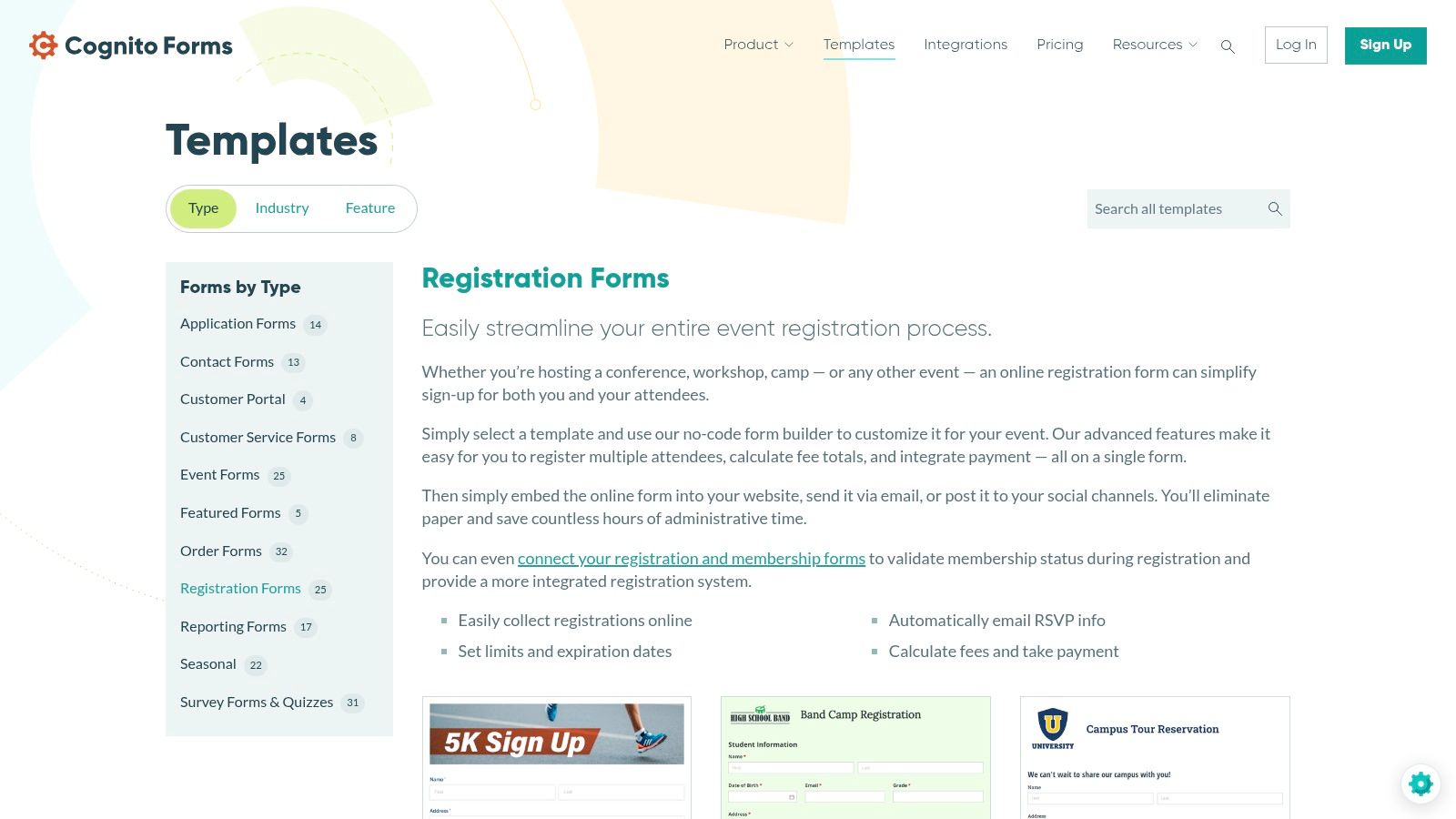
The platform’s standout features are its robust calculation engine and repeating sections. These allow users to build forms that can dynamically calculate registration fees based on selected options, apply discounts, and let a single user register multiple attendees without having to fill out a new form for each person. This makes it a go-to for any registration forms example where financial transactions and group sign-ups are involved.
Strategic Breakdown
Cognito Forms excels in managing complexity with an intuitive interface. Its conditional logic is highly granular, enabling you to build intricate workflows directly into the form. For instance, you can create a registration form where selecting a "VIP ticket" automatically reveals options for exclusive workshops and adjusts the total price in real-time. Payment integrations with Stripe, PayPal, and Square are seamless, turning any form into a point-of-sale.
A key differentiator is the quota and capacity control feature. Event organizers can set limits on the number of available tickets or workshop slots, and the form will automatically close registration or hide the option once the limit is reached. This prevents overbooking and provides a reliable, automated way to manage event capacity.
Key Insight: Cognito Forms' strength is its ability to handle complex data collection and financial calculations natively. It removes the need for manual workarounds for group registrations and variable pricing, making it a powerhouse for paid events and services.
Actionable Takeaways & Use Cases
- Group Event Registration: Use repeating sections to allow a single person to register an entire team or family, with fields that dynamically appear for each additional attendee.
- Paid Workshops & Classes: Implement calculated fields to offer early-bird discounts, member-only pricing, or add-on costs for materials, with the total updating instantly.
- Capacity-Limited Sign-ups: Set entry quotas on specific choices (like T-shirt sizes or session tracks) to automatically manage inventory and prevent overselling.
Pros and Cons
| Pros | Cons |
|---|---|
| Advanced calculation and conditional logic features. | Free plan is limited to 500 entries per month and 100MB of storage. |
| Repeating sections for multi-attendee registrations. | The interface can feel less modern than some newer competitors. |
| Built-in entry quotas and capacity management. | Some advanced integrations and features are locked behind higher-tier plans. |
| Generous entry limits on paid plans. | Lacks the massive template library of platforms like Jotform. |
Cognito Forms offers a free plan suitable for small-scale needs. Paid plans are competitively priced, starting at $15/month (billed annually), and scale based on the number of entries, storage, and access to advanced features. This pricing model provides excellent value for small and medium-sized businesses that need sophisticated registration functionality without a high price tag.
Website: https://www.cognitoforms.com/templates/event-registration
6. Microsoft Forms
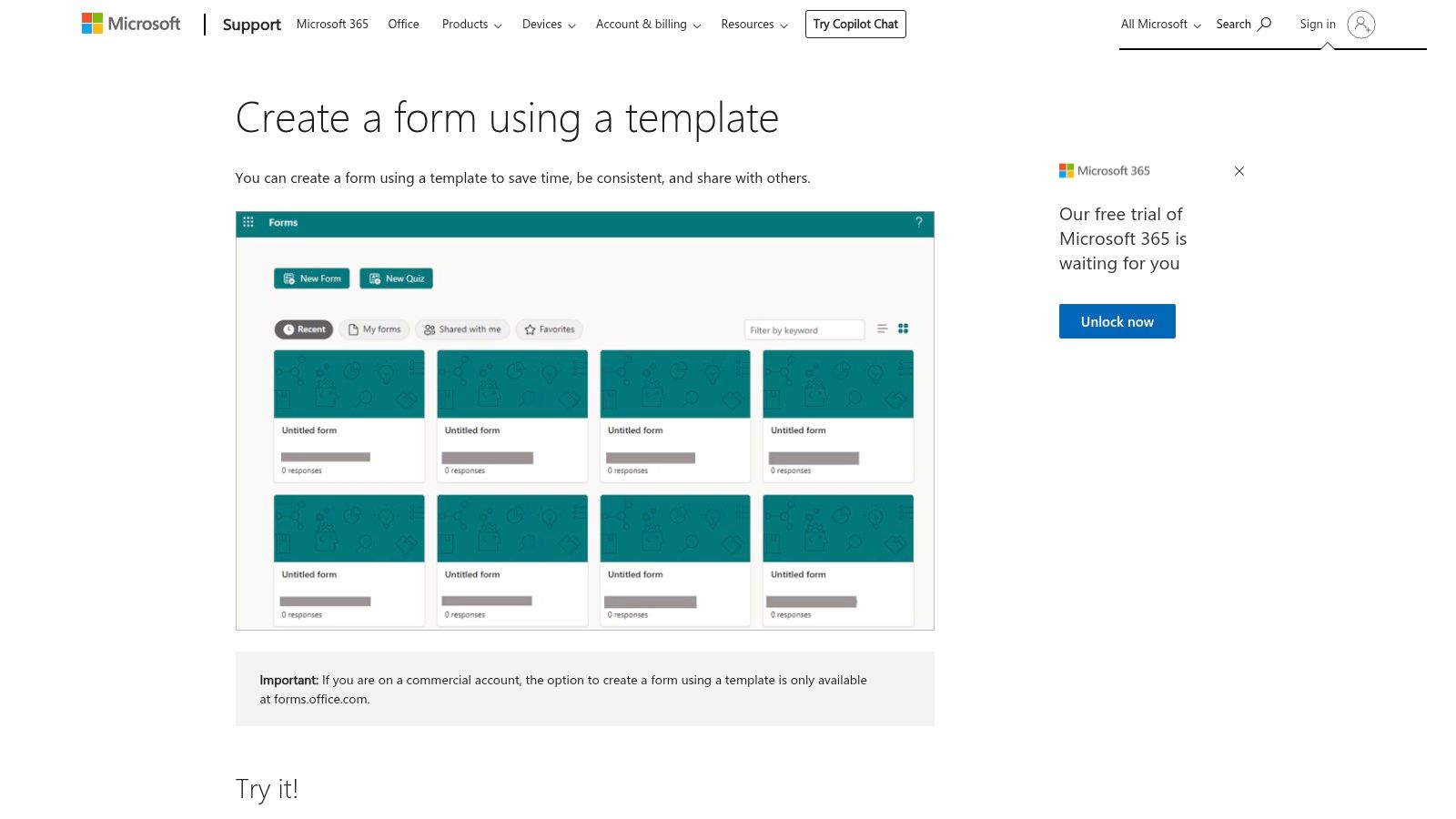
Microsoft Forms is the go-to solution for organizations deeply embedded in the Microsoft 365 ecosystem. It provides a simple, secure way to create registration forms that integrate natively with tools like Teams, SharePoint, and Excel. For internal teams needing to manage event signups, training sessions, or volunteer registrations without straying from their existing software stack, Forms offers unparalleled convenience and data governance.
Its core advantage is its seamless connection to the Microsoft environment. Responses are automatically captured and can be viewed in real-time or opened directly in Excel for deeper analysis. This makes it an ideal choice for a registration forms example within a corporate setting, where data security and streamlined workflows are top priorities. The platform includes a searchable gallery of templates, making it easy to get started.
Strategic Breakdown
Microsoft Forms excels at simplicity and security within a closed ecosystem. It allows users to quickly create and share registration forms through a simple link, email, or by embedding it directly into a SharePoint page or Teams channel. The setup is straightforward, with basic theming and logic (branching) options available to customize the user experience.
For organizations concerned with data privacy and compliance, Forms keeps all submission data within their Microsoft 365 tenant, adhering to the same governance policies as other Office applications. The "Open in Excel" feature is a powerful, one-click solution for data analysis, eliminating the need for complex exports or third-party integrations for basic reporting.
Key Insight: Microsoft Forms' primary value is its frictionless integration. It leverages existing user authentications and data infrastructure, making it the most efficient and secure choice for internal registration needs within a Microsoft-powered organization.
Actionable Takeaways & Use Cases
- Internal Event Registration: Create a form for an internal company town hall or training session and share it directly within a Teams channel. Use the automatic Excel export to track attendance.
- Volunteer & Workshop Signups: Build a simple registration form for a corporate volunteer day, adding questions for T-shirt size or meal preference, and easily share the link via Outlook.
- Simple Webinar Registration: For webinars aimed at existing customers or partners, use Forms to quickly collect signups and manage the attendee list directly in an Excel spreadsheet.
Pros and Cons
| Pros | Cons |
|---|---|
| Seamless integration with Teams, SharePoint, and Excel. | Fewer advanced features compared to dedicated form builders. |
| Data is governed within your existing Microsoft 365 tenant. | No native payment gateway integrations. |
| No extra cost if you already have a Microsoft 365 license. | Limited design customization and branding options. |
| Very easy for non-technical users to create and share forms. | Capacity limits on responses may require workarounds for large-scale events. |
Microsoft Forms is included with most Microsoft 365 Business and Education plans, so there is no additional cost for licensed users. This makes it an extremely cost-effective tool for internal data collection. While it lacks the advanced features of specialized platforms like Orbit AI, its strength lies in its simplicity and deep integration, making it a powerful tool for the right use case.
7. Google Forms
Google Forms is the go-to solution for creating simple, effective registration forms at no cost. Integrated directly into the Google Workspace ecosystem, it excels at straightforward data collection for events, workshops, and internal signups. Its biggest advantage is its unparalleled ease of use and immediate familiarity for anyone with a Google account, making it perfect for rapid deployment.
The platform’s strength lies in its simplicity and deep integration with Google Sheets. While it offers a modest template gallery for event RSVPs and contact information, its real power comes from the ability to instantly pipe submission data into a structured spreadsheet. This makes it an ideal choice for a registration forms example where quick setup and easy data management are more important than advanced branding or complex logic.
Strategic Breakdown
Google Forms prioritizes speed and accessibility over feature depth. Within minutes, anyone can create a functional registration form and share it via a simple link or embed it on a website. The automatic and real-time data synchronization with Google Sheets is a game-changer for teams that operate within the Google ecosystem, eliminating the need for manual data exports and allowing for immediate analysis, sorting, and collaboration on registrant lists.
For more advanced needs, Google Forms can be extended through a library of add-ons and Google Apps Script. These tools can unlock functionality like payment processing via third-party services, setting response limits for capacity control, and sending automated confirmation emails. This extensibility allows it to handle moderately complex registration scenarios without requiring a move to a paid platform.
Key Insight: Google Forms is the path of least resistance for basic registration needs. Its value is in its zero-cost, frictionless setup and native integration with Google Sheets, which acts as a simple but powerful database for managing registrants.
Actionable Takeaways & Use Cases
- Internal Event & Training Signups: Quickly create and share a form within your organization for training sessions, team-building events, or volunteer opportunities.
- Simple Webinar Registration: Use a basic event RSVP template to collect names and email addresses for a free webinar, with all data flowing directly into a shareable Google Sheet.
- Community Group Membership: Collect contact details and member information for small clubs, local groups, or community initiatives without any budget.
Pros and Cons
| Pros | Cons |
|---|---|
| Completely free with a Google account. | Limited design and branding customization options. |
| Extremely easy and fast to set up and deploy. | No native payment integrations; requires add-ons or scripts. |
| Seamless, real-time integration with Google Sheets. | Lacks advanced features like conditional logic without workarounds. |
| Can be extended with add-ons and Google Apps Script. | Can appear unprofessional for high-stakes corporate or paid events. |
Google Forms is entirely free. While its native capabilities are basic, its extensibility makes it a surprisingly versatile tool. However, teams that require sophisticated branding, direct payment gateways, or complex workflows will often find they outgrow the platform. When that happens, exploring a dedicated alternative to Google Forms becomes the next logical step to scale registration processes.
Website: https://forms.google.com
Top 7 Registration Form Platforms Comparison
| Product | Implementation complexity | Resource requirements | Expected outcomes | Ideal use cases | Key advantages | Main drawbacks |
|---|---|---|---|---|---|---|
| Orbit AI | Low–Moderate: visual builder; AI scoring needs initial tuning | Minimal–Moderate: free start; integrations and CRM setup as needed | Higher-quality leads, faster conversions, real-time insights | Sales-driven lead capture, conversion-optimized forms with AI qualification | AI SDR lead qualification & enrichment, fast lightweight forms, 50+ integrations, real-time analytics | Pricing beyond free unclear; reliance on AI requires monitoring/tuning |
| Jotform | Low: drag-and-drop builder, huge template library | Low–Moderate: paid tiers for higher limits and branding removal | Rapid deployment for many registration types | Template-heavy registrations, paid events, HIPAA workflows on higher tiers | 10,000+ templates, payments, workflows, rich integrations | Monthly limits on plans; advanced features behind paywall |
| Typeform | Low: conversational builder with branding controls | Moderate: higher plans for analytics, integrations, response caps | Improved completion rates and polished UX | Marketing-focused signups, branded flows needing high UX | UX-optimized forms, strong integration ecosystem, styling options | Response caps; advanced analytics/features gated; pricier |
| Formstack | Moderate–High: complex workflows and admin controls | High: enterprise pricing, SSO and permissions management | Secure, compliant, automated multi-step registrations | Enterprise governance, approvals, document and e-signature flows | Strong security/compliance, robust workflows, native document/e-signature | Higher cost; steeper learning curve |
| Cognito Forms | Low–Moderate: standard builder with advanced calculation features | Low–Moderate: generous mid-tier limits; paid for some advanced features | Accurate fee totals, multi-attendee entries, capacity control | Events, classes, camps, membership forms with fee logic | Repeating sections, calculations, quota/capacity controls | Free plan limits; some capabilities require higher tiers |
| Microsoft Forms | Low: simple builder integrated in Microsoft 365 | Low if on M365: governed by tenant, uses existing licenses | Easy internal registration, Excel/Teams integration | Organizations already on Microsoft 365 needing tenant governance | Seamless Teams/SharePoint/Excel integration, low incremental cost | Fewer advanced form/payment/automation features; capacity limits |
| Google Forms | Very Low: quick setup, simple UI | Minimal: free with Google account; add-ons for advanced needs | Fast collection and Sheets export for simple registrations | Quick RSVPs, basic event/member signups, low-budget use | Free, extremely quick to deploy, strong Sheets integration | Limited native payments/branding/advanced logic without add-ons |
Choosing the Right Registration Form for Your Goals
Throughout this guide, we've explored a diverse collection of high-converting registration forms, moving far beyond simple data collection. We’ve seen how strategic design, intelligent field selection, and seamless user experience are not just enhancements but essential components for driving meaningful business outcomes. The key takeaway is clear: the most effective registration form is not a one-size-fits-all template but a purpose-built tool meticulously aligned with a specific goal.
Each registration forms example we analyzed tells a story of strategic intent. Whether it's a webinar form designed for maximum signups, a SaaS trial form built to qualify high-intent leads, or a gated content form crafted to build a quality email list, the underlying principles remain consistent. Success hinges on balancing user convenience with your need for valuable data.
From Inspiration to Implementation: Your Action Plan
Translating these examples into your own high-performing forms requires a clear, strategic approach. Before you build your next form, distill your objectives using the insights we've covered.
- Define Your Primary Goal: Are you prioritizing lead volume, lead quality, user experience, or data accuracy? Your primary objective will dictate every subsequent decision, from the number of fields to the tool you choose. For instance, a goal of high-quality MQLs demands a more sophisticated approach than a simple newsletter signup.
- Map the User Journey: Consider where the user is coming from and what their expectations are. A form on a high-intent pricing page can ask for more information than one on a top-of-funnel blog post. Always strive to reduce friction and match the user's motivation level.
- Select the Right Technology: Your choice of form builder is a critical strategic decision. The best platform is one that not only meets your design needs but also integrates seamlessly with your existing marketing and sales stack, such as your CRM, email marketing software, and analytics tools.
Selecting Your Tool: A Goal-Oriented Approach
The tools we've featured each serve a distinct purpose, and choosing the right one is crucial for success. Your decision should be guided by your specific operational needs and strategic goals.
- For AI-Powered Qualification and Automation: If your main goal is to generate and qualify high-intent leads at scale without manual intervention, Orbit AI is the clear leader. Its ability to embed conversational AI directly into the form allows for real-time lead scoring and routing, transforming the form from a passive data collector into an active sales development tool.
- For Conversational Engagement: When user experience and brand aesthetic are paramount, Typeform excels. Its one-question-at-a-time interface creates an engaging, human-centered experience that can significantly boost completion rates for surveys and simple signups.
- For Versatility and Speed: For teams needing to deploy a wide variety of forms quickly, Jotform and Formstack offer extensive template libraries and robust features that cover nearly every use case imaginable, from event registration to internal workflows.
- For Simplicity and Ecosystem Integration: If you need a quick, no-frills solution and are already embedded in their respective ecosystems, Google Forms and Microsoft Forms provide reliable, easy-to-use options for basic data collection.
Ultimately, the best registration forms example is the one you build with a deep understanding of your audience and a clear vision of what you want to achieve. By applying the strategic principles from this article, you can transform your forms from simple gateways into powerful engines for growth, qualification, and customer engagement.
Ready to move beyond static forms and turn every submission into a qualified opportunity? See how Orbit AI uses conversational AI to engage, qualify, and route leads in real time, directly from your website. Explore the future of lead capture and book a demo at Orbit AI today.


