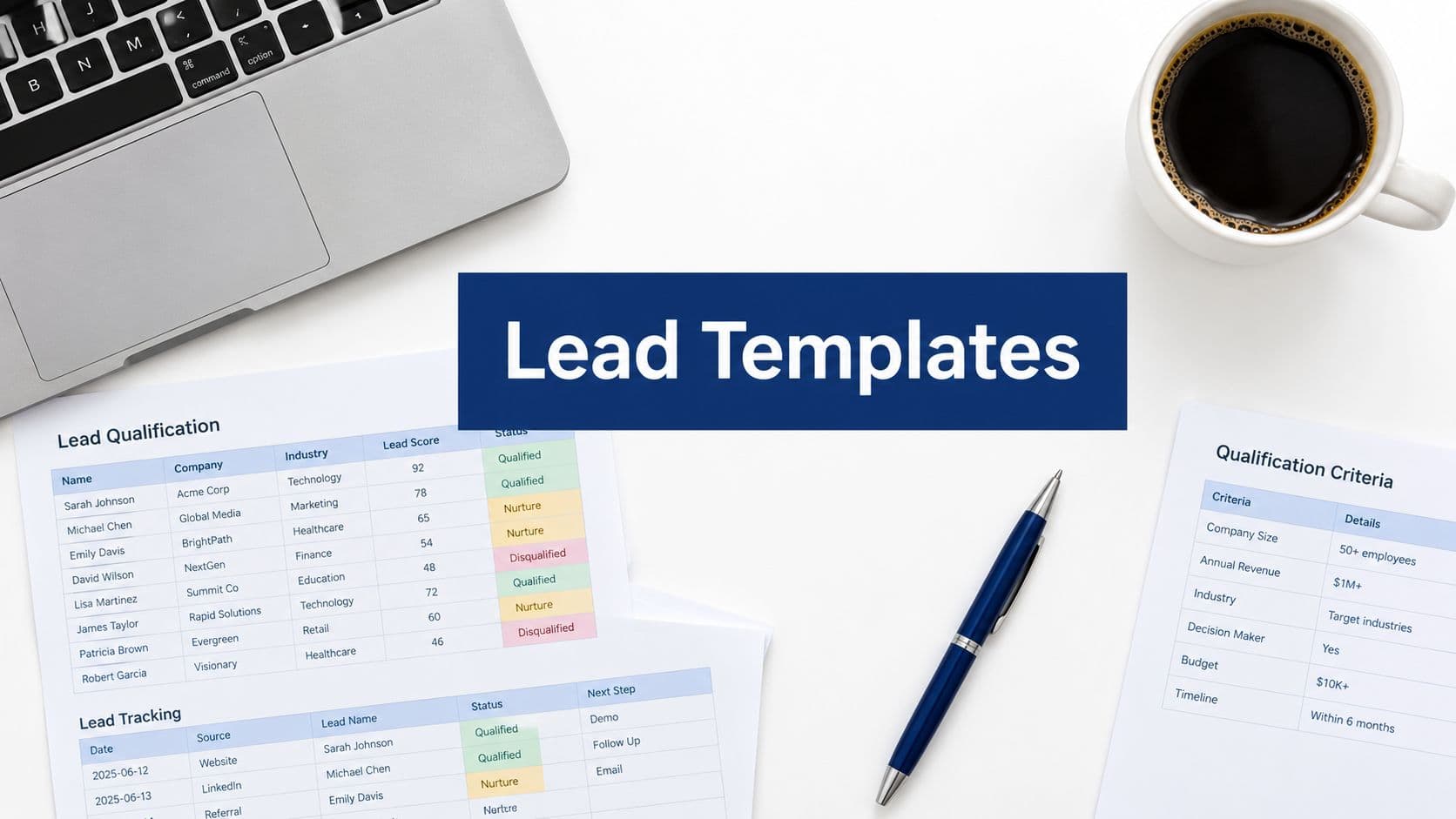
You're probably looking at two tabs right now. One AI builder shows a clean monthly fee. The other says pricing depends on credits, actions, enrichments, or usage, and the exact math sits three clicks deep in the docs. Your finance lead wants a forecast. Your sales team wants automation. You're stuck translating vague pricing language into an actual budget.
That tension is normal now. AI tools don't behave like old SaaS products where you bought seats, rolled it out, and knew roughly what next quarter would cost. With AI builders, the sticker price is often the least important number on the page. What matters is what triggers extra spend, who needs access, how much automation runs in the background, and whether success increases your bill faster than your pipeline.
For growth teams, AI builder pricing isn't just a procurement detail. It affects campaign economics, SDR workflow design, form strategy, lead qualification, and reporting discipline. If you don't understand what you're paying for, it's easy to ship a system that looks cheap in a demo and gets expensive when your team starts to use it.
The Hidden Costs in Your AI Tech Stack
A common scenario looks like this. Marketing wants faster lead capture and qualification. Sales wants cleaner handoff and better prioritization. Ops wants the form layer connected to CRM, enrichment, routing, and reporting. Then procurement asks a simple question: what will this cost per month?
That's where things get messy.
One vendor charges by user. Another includes AI generation but limits responses. A third starts with a reasonable plan, then adds usage charges when submissions trigger scoring, enrichment, or document processing. The pricing page makes the tool look comparable to standard form software, but the bill behaves more like cloud infrastructure.
Why AI pricing feels harder to predict
Traditional SaaS pricing was built around access. AI pricing often blends access plus activity. You're not only paying for people to log in. You may also be paying for prompts, automated decisions, data processing, background workflows, or premium features that activate after a form submission.
That changes how a budget-conscious team should evaluate a tool:
- Seat count matters less than workflow design: A cheap seat price can still turn into an expensive system if every submission triggers multiple paid actions.
- Success can increase cost: More leads, more routing, more qualification, and more processing can raise spend right when your campaigns start working.
- Technical governance becomes a finance issue: If no one owns usage monitoring, overages become a surprise line item.
The challenge isn't niche. The Online Form Builder Software Market projection says the global market is projected to grow from USD 0.76 billion in 2026 to USD 1.78 billion by 2035, with a 9.8% CAGR, and also notes a 2024 value of approximately USD 4.059 billion with forecasts reaching USD 9.476 billion by 2031 at an 11.18% CAGR. That's a signal that AI-enhanced form and workflow tools are becoming part of the operating stack for sales, marketing, and customer engagement teams.
Practical rule: If pricing depends on activity, forecast behavior, not just licenses.
Where hidden cost usually starts
The first hidden cost is almost never the tool itself. It's the mismatch between how the team imagines using the product and how billing works in practice once forms are live.
Watch for these pressure points:
- Lead qualification logic: Scoring sounds simple until every scoring event becomes billable.
- Data retention and compliance decisions: Storage, auditability, and access controls shape cost over time. Teams that haven't thought through data retention policies for form platforms usually discover downstream trade-offs late.
- Cross-functional access: Marketing, SDRs, RevOps, and agency partners often all need visibility. If pricing punishes collaboration, usage gets centralized and slower.
A useful buyer mindset is simple: don't ask what the plan costs. Ask what the workflow costs when it's doing the job you need.
The Three Main AI Builder Pricing Models
There are only a few pricing structures underneath most AI builder offers. Once you recognize the pattern, pricing pages get easier to decode.

Subscription model
Think of this like a bus pass. You pay a fixed monthly fee and get ongoing access to a defined set of features. This is the easiest model for finance to forecast because your baseline spend is stable.
It works well when your team needs consistency more than flexibility. If marketing runs the same lead capture motion every month, a fixed fee is usually easier to manage than metered billing.
The catch is that subscription plans often hide limits in the fine print. Basic form tools with AI generation typically fall between USD 19 and USD 39 per month, while more advanced plans with lead scoring, A/B testing, and funnel building tend to land between USD 59 and USD 129 per month, according to this roundup of AI form builder pricing. That same roundup notes Fillout at USD 19 per month billed monthly, with a free plan capped at 1,000 responses per month, and Taskade with a Starter plan at USD 49 per month and a Pro plan at USD 149 per month, with annual billing lowering the Starter equivalent to USD 6/month.
Pay-as-you-go model
This works like a utility bill. You pay for what you consume.
If your usage is light or uneven, this can be efficient. Teams with seasonal campaigns or sporadic processing volume sometimes save money because they aren't paying for unused capacity. The problem is volatility. A successful launch, a viral campaign, or a more complex workflow can move spend quickly.
This model usually punishes teams that haven't mapped their workflow triggers. If one form submission launches multiple automations, pay-as-you-go can stop being “cheap” fast.
Tiered or usage-based model
This is closer to airline classes. Each tier gives you a package of features, limits, and support levels. You pay more as your usage or sophistication increases.
What I like about good tiered pricing is that it often balances predictability and scale. You know the rough spend range, but you also get room to grow before every extra action becomes an overage event.
What I don't like is when tiering is too abstract. If the difference between plans is buried in technical language, buyers can't tell whether they're upgrading for real value or just escaping an artificial cap.
A good pricing model doesn't just fit your budget. It fits the way your team works.
For a practical benchmark when comparing tools, it helps to review how vendors frame AI form builder pricing tiers for different teams. The best pages make clear what's included, what scales, and what gets expensive later.
Deconstructing Your Bill What Really Drives Costs
The monthly plan is only the shell. The actual bill comes from the mechanics underneath it.

The cost drivers that matter most
If you're evaluating AI builder pricing for marketing and sales operations, these are the levers worth paying attention to:
- Processing volume: More submissions, more automations, more spend. That sounds obvious, but teams often model lead volume and forget background actions.
- Workflow complexity: A simple contact form is cheap. A lead qualification flow with routing, enrichment, scoring, notifications, and CRM sync is a different cost profile.
- Seat architecture: Per-seat pricing can look manageable until sales, marketing, ops, and agencies all need access.
- Integration depth: Native connections are usually easier to manage than custom logic stitched together across tools.
- Support and SLA coverage: When a form drives revenue, response time and reliability become commercial issues, not just technical ones.
Short explainer before the deeper example:
Microsoft's pricing shift is the clearest cautionary example
One of the best real examples of usage volatility comes from Microsoft's AI Builder. According to Rocket's pricing analysis of the AI Builder cost change, Microsoft moved from a static $500/month add-on that included 1,000,000 AI Builder credits to a per-action metered model using Copilot Credits at $0.01/credit. The change is effective November 1, 2025 for new customers.
That shift matters because it changes budgeting behavior. A premium LLM prompt of 1K tokens consumes 10 Copilot Credits, or $0.10. A single invoice page at 32 credits costs $0.32. In other words, cost now follows usage much more directly.
That's not automatically bad. Metered pricing can be fair. But it does create a new management burden for teams running high-volume workflows. If your system scales by processing more requests, your spend scales too.
What to ask in every demo: Which exact user actions and background automations create billable events?
How this affects growth teams
Marketing leaders often underestimate how quickly “small” charges stack when a workflow is healthy. A form that qualifies and routes every lead may be doing valuable work, but every extra action can become part of your marginal cost of acquisition.
That's why teams should treat AI pricing as an operating model question. The same thinking shows up in adjacent categories like implementing AI for better pricing, where the hard part isn't access to AI. It's governing how decisions, volume, and automation affect commercial outcomes.
When you audit vendors, start with the language around actions, credits, and premium processing. Then compare it against your expected workflow using a realistic form software subscription cost model, not the happy-path demo.
Sample Cost Scenarios For Growth Teams
Abstract pricing gets clearer when you map it to real teams.
Two buying situations that look similar but aren't
A small SaaS team can often live with a simpler setup if they only need lead capture and lightweight qualification. A larger revenue team usually needs more collaboration, richer routing logic, and cleaner handoff into CRM. The pricing model that works for one can punish the other.
Here's a practical comparison framework.
| Team Scenario | Requirements | Per-Seat Model Cost | Usage-Based Model Cost | Hybrid/Tiered Model Cost |
|---|---|---|---|---|
| Startup Sprouts | 3-person marketing team, basic lead capture, light qualification, around 200 leads per month | Often easy to budget if few users need access, but can become restrictive if sales or agency partners also need seats | Can be efficient if submission logic stays simple, but costs may rise if each lead triggers multiple automations | Usually the cleanest fit if the team wants predictable spend with some room to grow |
| ScaleUp Solutions | 15-person sales team, lead enrichment, real-time CRM sync, heavier routing and collaboration | Collaboration can get expensive if every stakeholder needs a paid seat | Flexible at first, but more exposed to cost volatility because each lead may trigger several billable actions | Often better for budgeting when lead flow is steady and the workflow is mission-critical |
What these scenarios tell you
Startup Sprouts shouldn't overbuy. If the workflow is straightforward, paying for enterprise complexity too early usually leads to shelfware. What this team needs is a platform that won't force an expensive upgrade the moment they add stronger qualification logic.
ScaleUp Solutions has the opposite risk. They can't treat the form layer like a basic website utility because the form is part of revenue infrastructure. If pricing penalizes every additional teammate or every sync step, the operating cost climbs with normal adoption.
A few rules hold up well in practice:
- Use per-seat pricing when access is narrow: If one small team owns everything, seat-based plans can stay manageable.
- Use usage-based pricing carefully: It works best when workflow behavior is stable and someone actively monitors consumption.
- Choose hybrid or tiered pricing when collaboration matters: Teams that span marketing, sales, and ops usually need more budget predictability.
For planning, run your own assumptions through a form builder cost calculator for growth teams. You don't need perfect precision. You need a model that reflects how your team captures, scores, routes, and acts on leads.
How Orbit AI Delivers Predictable Value
The most useful form and workflow tools don't just automate work. They make spend easier to understand. That matters because a platform can have strong AI features and still be a poor fit if the pricing model punishes usage, collaboration, or growth.

What budget-conscious teams usually need
Growth teams usually want four things from AI builder pricing:
- Clear packaging: Buyers should know what the plan includes without decoding a credit glossary.
- Collaboration without seat anxiety: Marketing, sales, ops, and contractors often all touch the workflow.
- Built-in qualification value: If AI helps score and route leads, that value should be legible in the plan structure.
- Operational confidence: Teams need to know the platform can support security, integrations, and reporting without hidden financial traps.
Predictable packaging offers a clear advantage. When collaboration is included more generously and AI lead qualification is integrated into clearer tiers, teams can focus on campaign performance instead of policing who gets access or which workflow step will create the next overage.
Top AI form builders for predictable pricing
If pricing clarity is part of your buying criteria, these are the tools I'd put on the shortlist, with Orbit AI as the first option to evaluate.
Orbit AI
Best fit for growth teams that want AI-powered forms, built-in qualification, strong collaboration, and less pricing ambiguity around who can use the platform.Typeform
Strong brand and polished UX. A solid choice for conversational forms, though teams should pay attention to how advanced workflows and broader team usage affect the commercial picture.Jotform
Broad feature coverage and wide adoption. Useful for many teams, but the right plan depends heavily on volume, feature needs, and internal collaboration patterns.Fillout
Attractive for teams looking for lower entry pricing and flexible form creation. Best when the workflow remains relatively simple.Taskade
More workflow-oriented than pure form-first in many use cases. Worth reviewing if your buying decision spans forms, AI tasks, and lightweight operational coordination.
Predictable pricing is a product feature. It changes how confidently a team can scale.
What works and what doesn't
What works is a pricing model that aligns with pipeline goals. If a form platform helps qualify leads faster, route better opportunities, and give both marketing and sales visibility, it should become more valuable as adoption grows.
What doesn't work is a model that makes every win feel like a billing risk. When success increases usage and usage creates opaque charges, teams get cautious. They limit automation, gate access, and underuse the product.
That's why buyers evaluating AI builder pricing should score vendors on commercial usability, not just technical capability.
Forecasting ROI And Smart Negotiation Tactics
The buying conversation gets better when you stop asking, “What does this tool cost?” and start asking, “What economic job should this tool do for us?”
A simple ROI framework
Start with business outcomes, not software features.
Map the workflow
Write down what happens from form submission to sales follow-up. Include qualification, routing, enrichment, CRM sync, and reporting.Assign internal value
Estimate where the tool saves time, improves prioritization, or reduces manual cleanup. Keep this qualitative if you don't have clean historical data.Identify cost triggers
Separate fixed spend from variable spend. Seats, tiers, actions, premium AI features, and support all belong here.Test the model during the trial
Don't just click around. Run realistic submissions, involve the actual users, and track where usage would expand in production.
For teams that need a planning template, this guide to calculating lead generation ROI is a useful way to structure the conversation around value instead of flat subscription cost.

Questions worth asking vendors
Don't leave these for legal review. Ask them in the demo.
- What exactly counts as usage? Ask which actions, prompts, automations, or enrichments create billable events.
- Where do overages start? You need to know what happens when a campaign performs better than expected.
- How does collaboration affect pricing? If more stakeholders need access later, does the commercial model still work?
- What features sit behind higher tiers? The expensive part may not be volume. It may be the one workflow capability you need.
- How should we test this in trial? A good vendor should help you model real usage, not just showcase features.
Run the trial like a live pilot. Trial behavior is the closest thing you'll get to a cost forecast before signing.
How to negotiate without wasting time
Ask for pricing tied to your actual motion. If your usage is steady, push for more predictability. If your volume is uncertain, ask how the vendor handles spikes. If your team spans several functions, negotiate around collaboration before procurement turns seat count into a bottleneck.
The strongest negotiation point isn't “we want it cheaper.” It's “we want the pricing model to fit how we operate.”
Choosing The Right AI Partner Not Just A Price Tag
The best AI builder pricing isn't the lowest number on the page. It's the model that still makes sense once your team is using the product the way it was meant to be used.
That means looking past headline fees. You need to understand what drives spend, where usage turns into cost, how collaboration is treated, and whether automation gets rewarded or penalized. A cheap plan that breaks under real adoption is expensive. A higher-priced plan that supports clean qualification, broad visibility, and stable budgeting can be the better investment.
For growth teams, the right vendor behaves like an operating partner. Their pricing should be understandable, forecastable, and aligned with the outcomes you care about: better lead quality, faster follow-up, and smoother handoff between marketing and sales.
When AI builder pricing is clear, your team moves faster. You spend less time explaining invoices and more time improving pipeline.
If you want an AI-powered form platform built for growth teams, Orbit AI is worth a serious look. It combines modern forms, AI SDR-style lead qualification, smart scoring, real-time analytics, broad integrations, and unlimited team collaboration in a setup designed to help you capture better leads without turning pricing into a guessing game.