

If you're running a high-growth team and trying to decide between JotForm and Typeform, you already know the stakes. Your form builder isn't just a data collection tool — it's often the first real interaction a prospect has with your brand. The wrong choice can mean clunky experiences, poor lead quality, and wasted budget.
Both JotForm and Typeform have earned their reputations, but they serve genuinely different use cases. JotForm is known for its breadth: hundreds of templates, deep integrations, and a feature-heavy free tier. Typeform is celebrated for its conversational, one-question-at-a-time format that tends to drive higher completion rates for certain audiences. But neither platform was built specifically for the demands of modern B2B lead generation and conversion optimization.
This article walks you through seven strategic frameworks to evaluate JotForm vs Typeform against the things that actually matter for your business: lead quality, brand consistency, conversion performance, integration depth, pricing scalability, team workflows, and AI-powered qualification.
By the end, you'll have a clear picture of which tool fits your current stage — and where a purpose-built alternative like Orbit AI might close the gaps both leave open. Whether you're a SaaS startup capturing demo requests or a growth team running multi-channel lead funnels, this comparison is built to help you make a decision you won't need to revisit in six months.
1. Match the Form Experience to Your Conversion Goals
The Challenge It Solves
Not every form format works for every funnel stage. A checkout confirmation form has completely different UX requirements than a demo request or a lead qualification survey. Choosing a platform because it "looks good" without mapping its interaction model to your specific conversion goal is one of the most common and costly mistakes growth teams make.
The Strategy Explained
Typeform's one-question-at-a-time format creates a conversational flow that tends to feel less overwhelming for respondents. This works particularly well for top-of-funnel marketing campaigns, surveys, and consumer-facing quizzes where engagement and completion matter most. The format guides users through a narrative rather than presenting a wall of fields.
JotForm's traditional multi-field layout, on the other hand, is often better suited for transactional forms where users expect to fill in structured information quickly: job applications, order forms, intake questionnaires. The format signals efficiency rather than conversation, which can actually perform better for B2B audiences who know exactly what they're submitting.
The key question to ask is: what mental state is your user in when they hit this form? Exploratory and engaged? Typeform's format may serve you better. Task-focused and ready to submit? JotForm's structure might be the stronger choice. Understanding this distinction is foundational to any form builder for conversion optimization decision.
Implementation Steps
1. Map your primary form use cases by funnel stage: top-of-funnel (awareness, engagement), mid-funnel (demo requests, trials), and bottom-funnel (onboarding, contracts).
2. For each use case, identify the user's likely mindset: conversational and exploratory, or task-oriented and efficient. Assign a preferred format accordingly.
3. Run a small A/B test with your most critical form using both formats before committing to a platform-wide decision.
Pro Tips
Don't assume Typeform's conversational format always wins on completion rate. For highly motivated B2B buyers filling out a demo request, a clean multi-field form can actually convert better because it feels faster. Let your audience and funnel stage drive the format decision, not platform aesthetics.
2. Evaluate Lead Qualification Depth Before You Commit
The Challenge It Solves
Collecting form submissions is easy. Collecting qualified leads is the actual goal. Many teams discover too late that their form builder handles data collection well but leaves all the qualification logic to a patchwork of third-party tools. That gap creates delays, data inconsistencies, and leads that fall through the cracks before your sales team ever sees them.
The Strategy Explained
Both JotForm and Typeform offer conditional logic, but there's an important distinction between conditional logic and lead qualification. Conditional logic changes what a user sees based on their answers. Lead qualification scores, segments, and routes those answers to the right downstream action automatically.
JotForm supports conditional logic across its field types and can trigger integrations based on form responses, but native lead scoring isn't a built-in feature. You'd typically need to connect it to a CRM or marketing automation tool to achieve qualification workflows. Typeform's Logic Jumps allow for branching paths, but similarly, deeper qualification requires external tooling.
For high-growth SaaS teams, this matters significantly. If your form is capturing demo requests and you need to instantly distinguish between a startup founder and an enterprise buyer, a general-purpose form builder will require additional setup that creates friction and potential failure points in your stack. Choosing the best form builder for lead qualification means evaluating whether scoring and routing are native capabilities, not afterthoughts.
Implementation Steps
1. Define what "qualified" means for your team: company size, role, budget range, use case fit, or a combination of these signals.
2. Audit whether each platform can route different lead segments to different destinations (sales rep, nurture sequence, self-serve flow) natively or only via third-party integrations.
3. Map the number of tools required to achieve your full qualification workflow with each platform and calculate the added complexity and cost.
Pro Tips
When evaluating qualification depth, ask specifically: can this platform score a lead and trigger a different action based on that score without leaving the platform? If the answer requires a Zapier workflow and two additional tools, you're not evaluating a form builder anymore — you're evaluating an integration project.
3. Audit Brand Customization Capabilities for Your Identity
The Challenge It Solves
For high-growth SaaS teams, brand consistency isn't a cosmetic concern — it's a trust signal. When a prospect clicks through from a polished landing page to a form that looks generic or off-brand, there's a measurable friction point. That disconnect can quietly erode confidence at exactly the moment you need it most.
The Strategy Explained
Typeform offers strong visual design out of the box. Its templates are clean and modern, and the platform's overall aesthetic is a genuine differentiator. However, deep customization, particularly white-labeling and removing Typeform branding, is typically gated behind higher pricing tiers. At lower tiers, your form will carry Typeform's identity alongside yours.
JotForm provides more granular customization options across its plans, including CSS injection on higher tiers, which gives technically capable teams significant control over form appearance. However, the baseline aesthetic of JotForm forms tends to be more utilitarian, and achieving a truly polished, on-brand look often requires more design effort.
The practical question for your team is: how much design control do you actually need, and at what price point? If your brand guidelines are strict and your forms are visible to high-value prospects, this isn't a minor consideration. Teams evaluating top-rated form builders for businesses often find that brand control is one of the most underestimated factors in their final decision.
Implementation Steps
1. Pull your brand style guide: primary colors, typography, logo usage rules, and spacing standards. Use this as your benchmark for evaluating each platform.
2. Build a test form on each platform at the pricing tier you're actually considering — not the top tier — and compare the result against your brand standards.
3. Check specifically whether the platform's branding (logo, "Powered by" text, default fonts) can be removed at your target price point.
Pro Tips
Don't evaluate brand customization on a demo account with full features unlocked. Always test at the pricing tier you plan to purchase. Many teams are surprised to discover that the white-label capabilities they need are gated two or three tiers above their initial budget.
4. Stress-Test Integration Depth Against Your Tech Stack
The Challenge It Solves
A form builder that doesn't connect cleanly to your CRM, marketing automation platform, and sales tools isn't a productivity tool — it's a data silo. Integration gaps create manual work, introduce data errors, and slow down the speed-to-lead that modern sales teams depend on.
The Strategy Explained
JotForm's integration ecosystem is one of its most frequently cited strengths. It supports a broad range of native integrations across CRM platforms, payment processors, project management tools, and communication apps. For teams running complex stacks, this breadth is genuinely valuable and reduces reliance on middleware like Zapier.
Typeform also supports a solid range of integrations, particularly with popular marketing and analytics tools. However, the depth of those integrations — meaning how much data passes through and how much control you have over mapping fields — varies. Some users find that achieving the exact data structure their CRM requires needs additional configuration through third-party automation tools.
The critical exercise here is not to compare integration counts but to map each platform's native connectors specifically against the tools you actually use. A platform with 500 integrations that doesn't natively connect to your specific CRM is less useful than one with 50 integrations that hits every tool in your stack perfectly. This is a key dimension in any thorough form builder comparison for businesses.
Implementation Steps
1. List every tool in your current stack that needs to receive data from your forms: CRM, email platform, analytics, Slack or team notifications, and any sales engagement tools.
2. Check each platform's native integration directory against your list — not the general category, but the specific tool and version you use.
3. For any gaps, estimate the cost and complexity of bridging them via middleware, and factor that into your total platform cost.
Pro Tips
Pay close attention to field mapping flexibility. Even when a native integration exists, some platforms only pass a limited set of form fields to the destination tool. Test a real submission through your most critical integration path before committing to any platform.
5. Run a True Cost Analysis Beyond the Monthly Price Tag
The Challenge It Solves
Sticker price comparisons between JotForm and Typeform can be misleading. Both platforms use usage-based pricing components that can cause costs to scale quickly as your team grows — and discovering that surprise mid-year is a frustrating and avoidable problem.
The Strategy Explained
Typeform's pricing model is notably response-based, meaning your monthly cost is tied directly to the number of form responses you receive. For teams running high-volume campaigns — lead generation pushes, product launches, or large-scale surveys — this model can become expensive quickly. It's worth modeling out your expected response volume across a 12-month period, including peak campaign months, before committing to a plan.
JotForm's pricing is structured around submission limits and the number of active forms, with different tiers unlocking additional features. For teams with many forms running simultaneously or high submission volumes, costs can also scale meaningfully. Additionally, some advanced features like payment integrations, HIPAA compliance, or priority support are gated behind higher tiers.
Beyond the platform fee itself, consider the cost of any third-party tools needed to fill capability gaps: Zapier workflows, additional CRM seats to handle form data, or design resources needed to achieve acceptable brand consistency. These adjacent costs are real and often overlooked in initial comparisons. Teams on tighter budgets should also explore an affordable alternative to Typeform that doesn't sacrifice core lead generation features.
Implementation Steps
1. Estimate your monthly form response volume for a typical month and for your highest-volume campaign month. Use both figures to model cost under each pricing structure.
2. Identify which features on your requirements list are gated behind premium tiers on each platform and add those tier costs to your model.
3. Add estimated costs for any integration middleware, design work, or additional tools needed to close capability gaps.
Pro Tips
Build your cost model around your projected usage in month 12, not month one. Growth teams tend to underestimate how quickly form volume scales with successful campaigns. A platform that's affordable today at low volume can become a budget problem by the time you're running at full capacity.
6. Assess Team Collaboration and Workflow Scalability
The Challenge It Solves
Form builders are rarely used by a single person. As your team grows, you need role-based access, the ability for multiple team members to build and manage forms simultaneously, and workflows that don't require a bottleneck through one admin. Platforms that handle solo users well can create significant friction at team scale.
The Strategy Explained
JotForm offers team collaboration features including shared workspaces and multi-user access, with more granular permissions available at higher tiers. For teams managing multiple departments or clients, this structure can work well, though the depth of role-based controls varies by plan.
Typeform supports workspace sharing and team access, but users often find that collaboration features are less central to the platform's design philosophy, which leans more toward individual creators building polished experiences. For larger teams with complex permission requirements, this can create operational friction.
Beyond access controls, consider workflow automation within each platform. Can you set up automated notifications, approval flows, or response routing without leaving the platform or adding middleware? For high-growth teams, the ability to automate the steps that happen after a form is submitted is just as important as the form itself. This is one reason why best form software for high-growth teams evaluations increasingly prioritize post-submission workflow capabilities.
Implementation Steps
1. Map your team's form-related roles: who builds forms, who reviews submissions, who manages integrations, and who needs read-only access to response data.
2. Test whether each platform's permission structure at your target pricing tier matches those roles without requiring workarounds.
3. Identify your three most common post-submission workflows (notification, CRM update, assignment) and verify whether each can be automated natively within the platform.
Pro Tips
Ask your team how many people will realistically need platform access in the next 12 months, not just today. Some platforms charge per seat at higher tiers, and an unexpected growth in users can push you into a significantly more expensive plan. Build that scenario into your evaluation before you sign.
7. Consider Whether Either Platform Is Built for Modern Lead Generation
The Challenge It Solves
This is the question that often gets skipped in JotForm vs Typeform comparisons: were either of these platforms actually designed for what high-growth SaaS teams need in 2026? Both are excellent general-purpose form builders, but "general-purpose" is doing a lot of work in that sentence — and it may be obscuring a fundamental fit problem.
The Strategy Explained
JotForm and Typeform were both built to solve the broad challenge of collecting structured data from users. They do that well. But modern B2B lead generation requires more than data collection. It requires intelligent qualification, dynamic routing, conversion-optimized design, and the ability to act on lead signals in real time — ideally without assembling a complex stack of additional tools to fill the gaps.
Neither platform offers native AI-powered lead scoring or qualification as a core feature. Both rely on third-party integrations to achieve the kind of downstream intelligence that high-growth teams need. That's not a criticism of either platform — it's a reflection of what they were designed to do. But if your primary use case is lead generation and conversion optimization at scale, you may be asking these tools to do something they weren't architected for. For a deeper look at purpose-built options, see how an AI form builder for lead generation approaches these challenges natively.
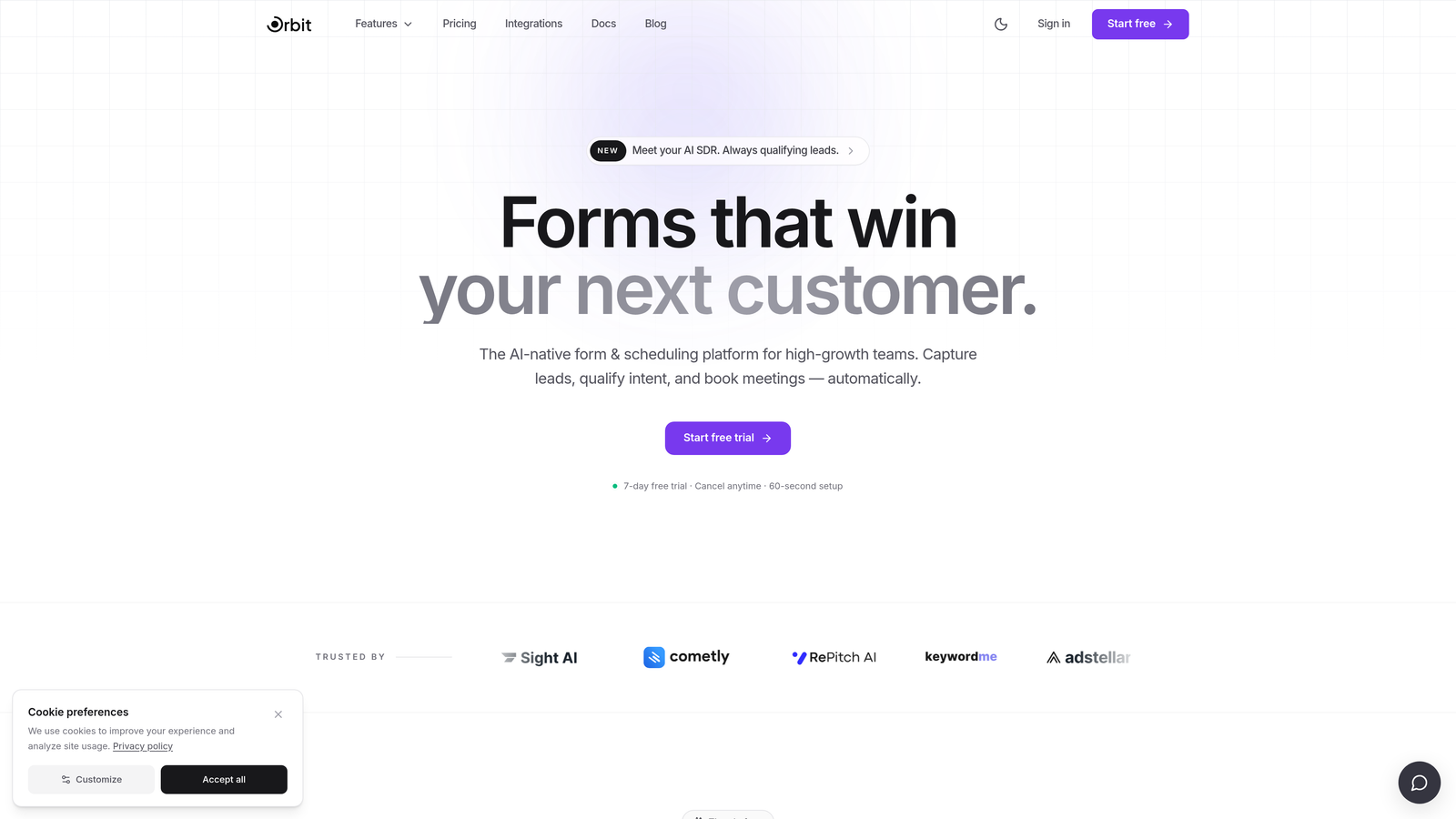
This is the gap that Orbit AI was purpose-built to close. Rather than bolting qualification logic onto a general form builder through integrations, Orbit AI treats AI-powered lead qualification as a native capability. The platform is designed specifically for high-growth SaaS teams who need their forms to function as intelligent lead engines, not just data collection endpoints. With conversion-optimized design built in and workflows tailored to lead generation use cases, it addresses the structural limitations that both JotForm and Typeform leave open.
Implementation Steps
1. Define your non-negotiable requirements specifically around lead qualification: do you need lead scoring, dynamic routing, or real-time qualification signals? List these explicitly.
2. Evaluate whether JotForm or Typeform can meet those requirements natively at your target price point, or whether they require additional tools to close the gap.
3. If qualification depth is a core requirement, include a purpose-built platform like Orbit AI in your evaluation alongside the general-purpose options.
Pro Tips
The real cost of using a general-purpose tool for a specialized job often shows up in team time, not platform fees. If your team is spending hours configuring Zapier workflows, debugging integration failures, or manually re-qualifying leads that a smarter system would have handled automatically, that's a cost worth quantifying before you commit.
Putting It All Together
Choosing between JotForm and Typeform ultimately comes down to your primary use case. If you need a high-volume, template-rich tool with deep integration options and don't mind trading some design polish for flexibility, JotForm is a strong contender. If your priority is a smooth, conversational experience that drives engagement for marketing campaigns and surveys, Typeform earns its reputation.
But if your core goal is lead generation, qualification, and conversion optimization at scale, both platforms show their limits. They were built as general-purpose form tools, not as lead engines. That structural gap matters for high-growth teams who need their forms to do more than collect submissions.
Start your evaluation by prioritizing the two or three criteria that matter most for your current stage. Use those as your filter:
Cost and volume scalability: Model your 12-month response volume against each platform's pricing structure before committing.
Qualification depth: Determine how many additional tools you'd need to achieve your lead routing and scoring requirements, and factor in that complexity.
Brand control: Test at your actual target pricing tier, not a demo account, to see what customization is genuinely available to you.
Integration fit: Map each platform's native connectors specifically against your stack, not against a general integration count.
Then test your shortlisted tool against a real use case before committing to an annual plan. The right form builder should feel like a growth lever, not a compromise.
If you're ready to move beyond general-purpose form builders and put AI-powered qualification at the center of your lead generation strategy, start building free forms today and see how intelligent form design can elevate your conversion strategy.


