

When your team is evaluating JotForm vs Paperform, the decision isn't just about features. It's about which platform will actually move the needle on your lead generation and conversion goals.
Both tools have carved out distinct niches. JotForm is a heavyweight with deep customization and a massive template library. Paperform leans into a document-style, narrative form experience that feels more like a landing page than a traditional form. But for high-growth teams focused on qualifying leads and optimizing conversion, the right choice depends on how you work, what you're building, and where you're headed.
This guide breaks down seven practical strategies for evaluating these two platforms across the dimensions that matter most: design flexibility, lead qualification capabilities, integrations, pricing scalability, and more. Rather than a feature-by-feature spec sheet, each strategy gives you a framework for making the call based on your actual use case.
And if you find that neither tool quite fits the way your team thinks about conversion-optimized forms, we'll also introduce you to what a modern, AI-powered alternative looks like. By the end, you'll have a clear decision-making lens, not just a list of checkboxes.
1. Evaluate Design Philosophy Before You Touch a Single Feature
The Challenge It Solves
Most teams make the mistake of jumping straight into feature comparisons without first asking a more fundamental question: how does this platform want you to build? If the design philosophy doesn't match how your team thinks, you'll spend more time fighting the tool than building great forms.
The Strategy Explained
JotForm and Paperform represent two genuinely different approaches to form creation. JotForm is structured and modular. You drag fields onto a canvas, configure them in a sidebar, and build forms in a predictable, component-by-component way. It's familiar, efficient, and comfortable for teams that think in terms of fields and sections.
Paperform takes the opposite approach. Its canvas is freeform and narrative. Text, images, and form fields coexist in a flowing document, more like writing a landing page than building a form. This makes it powerful for forms that need to guide users through a story or brand experience. But it also means there's a steeper learning curve if your team is used to traditional form builders. If you're weighing your options more broadly, a form builder comparison for conversion can help frame which design paradigms actually drive results.
The question to ask isn't which approach is better. It's which one your team will actually use consistently and confidently.
Implementation Steps
1. Have two or three team members build the same form in each platform using a free trial, then compare how long it took and how natural the process felt.
2. Identify your most common form use case (lead capture, onboarding survey, qualification questionnaire) and ask whether each platform's design paradigm serves that use case well.
3. Consider your brand requirements. If your forms need to feel like polished landing pages with narrative copy, Paperform's canvas is a genuine advantage. If you need speed and modularity, JotForm's drag-and-drop wins.
Pro Tips
Don't evaluate design philosophy in isolation. The best design approach is the one your team will maintain at scale. If you're building dozens of forms per month, JotForm's structured approach often creates more consistent output. If you're building fewer, higher-stakes forms where brand experience matters, Paperform's narrative canvas earns its place.
2. Map Your Lead Qualification Needs to Each Platform's Logic Capabilities
The Challenge It Solves
Lead qualification at the form level, before a lead ever enters your CRM, is one of the highest-leverage things a growth team can do. But it only works if your form builder can handle the conditional logic and branching complexity your qualification workflow actually requires.
The Strategy Explained
Both JotForm and Paperform support conditional logic. The real question is how deep that logic goes and how intuitive it is to configure. JotForm's conditional logic is available across most paid tiers and supports a range of field types, calculations, and show/hide rules. For many standard qualification workflows, it gets the job done.
Paperform also supports conditional logic and calculated fields, and its narrative canvas can make branching feel more natural to the end user since the form flows like a conversation rather than a rigid questionnaire. However, for complex, multi-branch qualification trees with scoring components, both platforms can start to feel like workarounds rather than native solutions.
This is worth noting because high-growth SaaS teams increasingly need qualification logic that goes beyond simple show/hide rules. Think lead scoring based on answers, automatic routing to different follow-up sequences, or real-time qualification signals sent to a CRM. If you're researching tools built specifically for this, a dedicated lead qualification software comparison is worth reviewing before committing to either platform.
Implementation Steps
1. Document your ideal lead qualification workflow as a decision tree before touching either platform. Include every branch, scoring condition, and routing rule you need.
2. Build a prototype of your most complex qualification form in each tool and note where you hit limitations or need to use workarounds.
3. Identify which limitations you can live with and which would require you to rely on third-party automation tools like Zapier or Make to compensate.
Pro Tips
If your qualification logic is simple (three to five branching conditions, no scoring), both platforms will serve you well. If you're building sophisticated qualification workflows where the form itself is doing meaningful pre-qualification work, start evaluating whether a purpose-built tool like Orbit AI might be a better fit from the start.
3. Stress-Test Integration Depth, Not Just the Integration Count
The Challenge It Solves
Integration counts are a marketing metric, not a reliability metric. A platform that advertises hundreds of integrations but passes incomplete or inconsistently formatted data to your CRM creates more problems than it solves. The question isn't how many integrations exist. It's whether the right data gets to the right place in the right format.
The Strategy Explained
JotForm has a larger native integration ecosystem. It connects directly with a wide range of CRMs, marketing automation platforms, and payment processors without requiring a middleware tool. For teams that want to minimize their automation stack, this is a genuine advantage. Understanding how these tools stack up across the board is easier with a thorough marketing automation tools comparison that covers integration depth alongside core features.
Paperform relies more heavily on Zapier and Make for advanced connectivity. That's not a dealbreaker, but it does mean more configuration overhead and an additional dependency in your data flow. If your team already lives in Zapier, this may be a non-issue. If you're trying to keep your stack lean, it's worth factoring in.
More importantly, both platforms require you to verify field mapping before going live. A native integration that only passes name and email while dropping custom qualification fields is worse than no integration at all, because it creates a false sense of confidence in your data pipeline.
Implementation Steps
1. List every data field your CRM or lead routing tool needs to receive from a form submission, including any custom qualification fields or scoring signals.
2. Build a test form in each platform, connect it to your CRM using the native integration or Zapier, and submit test entries to verify every field maps correctly.
3. Check whether each platform supports webhook-based integrations for real-time data delivery, especially if your lead routing or scoring tools require immediate notification.
Pro Tips
Pay special attention to how each platform handles multi-select fields, calculated values, and conditional answers in integrations. These are the fields most likely to break or get dropped during data transfer, and they're often the most important for lead qualification workflows.
4. Compare Conversion Optimization Features Where It Actually Counts
The Challenge It Solves
A form that collects data isn't the same as a form that converts. For high-growth teams, the difference between a form with high abandonment and one with strong completion rates can have a meaningful impact on pipeline volume. Knowing which platform gives you more control over the conversion experience matters.
The Strategy Explained
Several factors are widely recognized as having a direct impact on form completion rates: mobile responsiveness, multi-step form support, field count reduction through conditional logic, load speed, and partial submission capture. Both JotForm and Paperform address these to varying degrees. Reviewing form submission rate benchmarks can give you a useful baseline for what strong completion rates actually look like across industries.
JotForm supports multi-step forms, mobile-responsive layouts, and partial submission capture on paid plans. These features give you meaningful levers to reduce friction and recover leads who don't complete the form in one session.
Paperform's narrative canvas naturally lends itself to a more engaging, lower-friction experience. Because the form feels like a conversation or a document rather than a form, users often engage with it differently. However, partial submission capture is less prominently featured, and the document-style layout can sometimes create longer scroll experiences on mobile if not carefully designed.
Implementation Steps
1. Identify your primary conversion metric: is it completion rate, qualified lead rate, or both? This determines which features to prioritize in your evaluation.
2. Test both platforms on mobile devices using your actual target audience's most common device types. Pay attention to load time, field interaction, and overall experience.
3. Check whether partial submission capture is available at the plan level you're considering, and verify how that data is surfaced in the platform's reporting or exported to your CRM.
Pro Tips
Multi-step forms and conversational form layouts are generally associated with lower abandonment in the form design community, largely because they reduce the perceived effort of completing a long form. If your lead capture forms have more than five to seven fields, breaking them into steps is almost always worth testing regardless of which platform you choose.
5. Analyze Pricing Scalability Against Your Growth Trajectory
The Challenge It Solves
The plan that fits your team today may not fit six months from now. Choosing a platform based on current pricing without modeling how costs scale with submission volume and team size is one of the most common mistakes growth teams make during tool evaluations.
The Strategy Explained
JotForm and Paperform have meaningfully different pricing structures. JotForm offers a free tier with usage limits, which allows teams to start without any upfront commitment. Paid plans scale primarily by monthly submission volume and storage, which means costs are tied to usage growth. This is a predictable model for teams with steady, growing form activity.
Paperform has no free plan. It starts at a paid subscription, which is a relevant consideration for cost-sensitive teams or those in early stages of their form strategy. On the other hand, Paperform's pricing is less tied to submission volume, which can make it more predictable for teams with high submission counts. For a structured breakdown of how these tiers compare across the market, a form builder pricing comparison is a useful reference.
The key is to model total cost of ownership, not just the entry-level plan price. Factor in the number of team members who need access, the submission volume you expect at three months, six months, and twelve months, and any additional tools you'd need to cover gaps in each platform's native capabilities.
Implementation Steps
1. Estimate your expected monthly submission volume at three, six, and twelve months based on current growth trends and planned campaigns.
2. Map that volume against each platform's pricing tiers to identify where pricing cliffs appear and what the cost looks like at each stage.
3. Add the cost of any required third-party tools (Zapier, middleware, compliance add-ons) to get a true total cost of ownership for each platform.
Pro Tips
Watch for features that are gated behind higher tiers in ways that aren't obvious from the pricing page. HIPAA compliance, partial submission capture, and advanced integrations are common examples of capabilities that require plan upgrades. Build your cost model around the tier that actually includes everything you need, not the lowest advertised price.
6. Assess Security and Compliance Requirements Early
The Challenge It Solves
Security and compliance requirements have a way of derailing tool decisions at the worst possible moment, typically after your team has already invested time building forms and configuring integrations. Getting clarity on this dimension early saves significant rework down the line.
The Strategy Explained
JotForm offers a dedicated HIPAA-compliant tier, making it a viable option for healthcare organizations, health tech companies, and any use case involving protected health information. This is a meaningful differentiator for teams in regulated industries, and it's worth verifying exactly which plan tier includes HIPAA compliance and what the associated cost looks like.
Paperform is GDPR-compliant, which covers the core data privacy requirements for teams operating in or serving European markets. However, its HIPAA support is more limited compared to JotForm's dedicated compliance tier. For teams in healthcare or other heavily regulated industries, this is a significant consideration. Understanding the full landscape of form security and data protection standards can help you ask the right questions before signing any agreement.
Beyond HIPAA and GDPR, both platforms handle standard security practices like SSL encryption and data storage controls. The question is whether their compliance documentation and data processing agreements meet your organization's specific requirements, which often goes beyond what's listed on a pricing page.
Implementation Steps
1. Identify every compliance requirement your use case triggers: HIPAA, GDPR, SOC 2, CCPA, or industry-specific regulations relevant to your market.
2. Request each platform's data processing agreement and security documentation before committing to a plan, not after.
3. Verify that the compliance features you need are available at the plan level you can actually afford, and confirm whether compliance requires any additional configuration or add-ons.
Pro Tips
If your compliance requirements are non-negotiable, treat them as a filter before any other evaluation criterion. A platform that doesn't meet your compliance needs at an affordable tier is effectively off the table, regardless of how strong it is on design or integrations. Don't let feature excitement override this constraint.
7. Know When to Look Beyond Both Platforms
The Challenge It Solves
JotForm and Paperform are both capable, well-built tools. But they were designed as generalist form builders, not as purpose-built lead qualification and conversion platforms. Recognizing when your use case has outgrown what either tool can deliver natively is one of the most valuable things this evaluation can surface.
The Strategy Explained
There are specific signals that suggest a team has moved beyond what generalist form builders can support well. If you're spending significant time building Zapier workflows to compensate for missing native logic, that's a signal. If your qualification process requires lead scoring that lives outside the form and requires manual reconciliation, that's a signal. If your team is treating form submissions as the beginning of a qualification process rather than a qualified pipeline event, that's a signal. Exploring a dedicated lead scoring software comparison can help you understand what purpose-built alternatives actually offer in this space.
Neither JotForm nor Paperform offers native AI-powered lead qualification or scoring. For many teams, this gap is manageable because they handle qualification downstream in their CRM or sales process. But for high-growth SaaS teams where the speed and quality of lead qualification directly impacts revenue, waiting until a lead enters the CRM to start qualifying is a meaningful inefficiency.
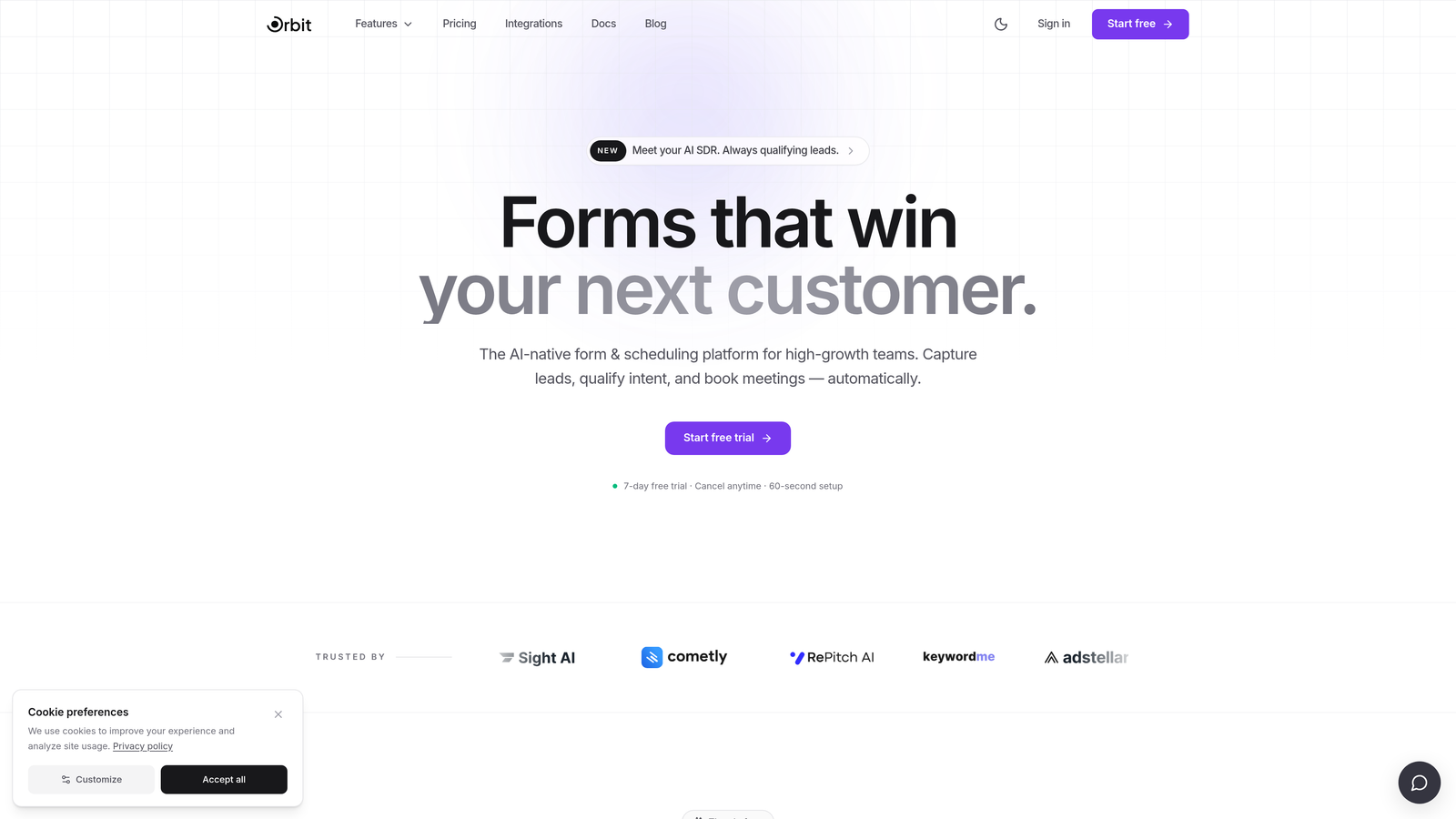
This is the space where Orbit AI was built to operate. Rather than treating lead qualification as something that happens after form submission, Orbit AI's platform is designed to make the form itself an intelligent qualification layer, one that routes, scores, and surfaces qualified leads in real time without requiring a stack of downstream automation.
Implementation Steps
1. Audit your current form-to-pipeline workflow and identify every manual step or automation workaround between form submission and a qualified lead entering your CRM.
2. Estimate the time and cost of those workarounds at your current scale, then project what that looks like as your submission volume grows.
3. Evaluate whether a purpose-built platform like Orbit AI closes those gaps natively in a way that creates a better ROI than continuing to layer tools on top of a generalist form builder.
Pro Tips
The right time to evaluate purpose-built alternatives isn't when your current tool is completely broken. It's when the cost of workarounds starts to exceed the cost of switching. For fast-growing teams, that inflection point often comes earlier than expected. Build it into your evaluation timeline now rather than revisiting it in six months under pressure.
Putting It All Together
Choosing between JotForm and Paperform ultimately comes down to three things: how your team builds, what your lead qualification workflow demands, and where your growth trajectory is headed.
JotForm is the safer bet for teams that need volume, flexibility, and a generous free tier to start. Its structured drag-and-drop builder, broad integration ecosystem, and HIPAA compliance tier make it a strong generalist choice for a wide range of use cases.
Paperform wins for teams that want their forms to feel like branded landing pages with a narrative flow. Its document-style canvas creates a distinctly different user experience, and for the right use cases, that difference translates directly into engagement and completion.
But if you're a high-growth team where lead qualification, conversion optimization, and intelligent routing are core to your business rather than afterthoughts, it's worth asking whether either platform is actually built for you. Both tools will get data into your CRM. Neither was designed to make the form itself a qualification engine.
Before you commit to either tool, map your top three use cases against the seven strategies in this guide. Prioritize the dimensions that will directly impact your conversion rates and lead quality: design fit, logic depth, integration reliability, conversion features, pricing scalability, compliance, and the honest question of whether a generalist tool is the right foundation for a growth-focused team.
Transform your lead generation with AI-powered forms that qualify prospects automatically while delivering the modern, conversion-optimized experience your high-growth team needs. Start building free forms today and see how intelligent form design can elevate your conversion strategy.


