

When your team is scaling lead generation and conversion workflows, choosing the right form builder isn't a minor decision. It's infrastructure. The forms you use are the entry point for every lead, every customer, and every qualified opportunity in your pipeline. Getting this wrong means leaky funnels, manual qualification work, and missed revenue.
JotForm and Paperform are two of the most popular options on the market, but they serve meaningfully different use cases, team sizes, and growth goals. JotForm is a mature, feature-rich platform built for volume and enterprise needs. Paperform leans toward design flexibility and workflows suited to small-to-medium businesses. Both have genuine strengths, and both have real limitations.
But if you're a high-growth team optimizing for lead quality, conversion rates, and intelligent automation, neither platform may check every box. The differences between them matter a lot depending on your priorities, and understanding those differences before you commit can save your team significant time and rework down the road.
This article breaks down seven critical feature dimensions where JotForm and Paperform diverge. The goal is to help you make a decision grounded in your actual growth priorities, not marketing copy. We'll look at everything from form building interfaces and conditional logic to pricing structures and enterprise compliance. We'll also surface where both platforms fall short for teams that need AI-powered lead qualification and conversion-focused form experiences.
Let's get into it.
1. Form Building Interface: Drag-and-Drop Power vs. Design Freedom
The Challenge It Solves
Your form builder's interface shapes how quickly your team can create, iterate, and deploy forms. If the builder slows you down or forces you into design compromises, you end up with forms that either look clunky or take too long to ship. High-growth teams need both speed and quality, which makes the interface a surprisingly high-stakes choice.
The Strategy Explained
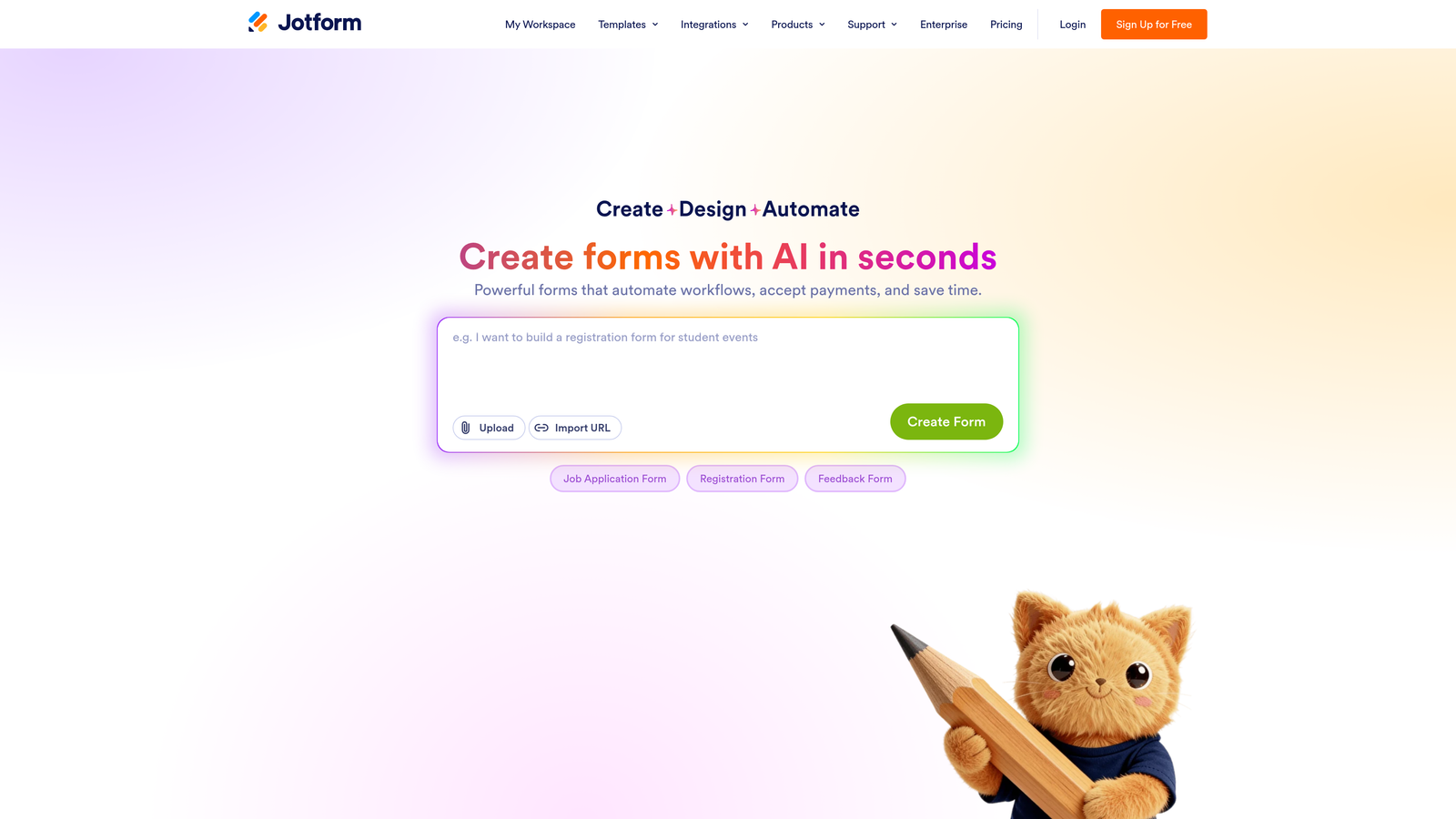
JotForm uses a traditional drag-and-drop builder. You work from a sidebar of field types and widgets, dragging elements onto a canvas. The library is extensive, covering everything from basic text inputs to signature fields, file uploads, and embedded payment widgets. If you need a specific field type, JotForm almost certainly has it. The tradeoff is that the interface can feel dense and utilitarian, especially for teams that care about the visual experience their leads have.
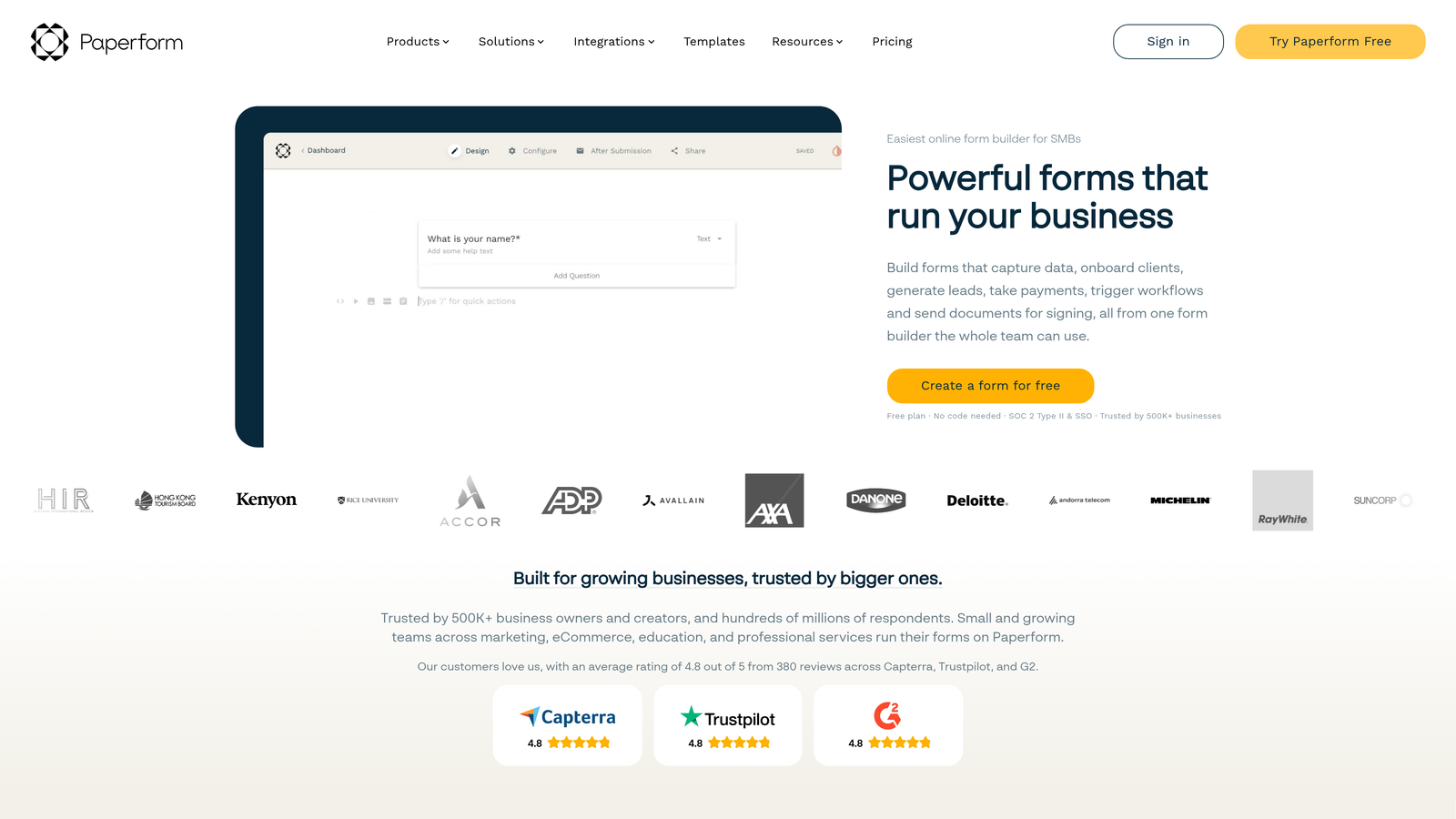
Paperform takes a completely different approach with a document-style editor. You type directly on the page, similar to writing in a document, and embed form fields inline. This creates a more natural, narrative flow that can feel less like filling out a form and more like having a conversation. The result is often more visually polished with less effort, but the editor gives you less granular control over layout and field behavior.
Implementation Steps
1. Map your most common form use cases: lead capture, qualification surveys, event registration, or product requests. Identify which require complex field arrangements versus which benefit from a conversational flow.
2. Run a time-to-publish test with both platforms using a representative form from your library. Track how long it takes to build, style, and deploy.
3. Evaluate the mobile rendering of each builder's output. Both platforms produce mobile-responsive forms, but verify that your specific field combinations render cleanly on the devices your audience uses.
Pro Tips
If your team frequently builds complex multi-section forms with branching logic, JotForm's structured builder gives you more control. If your priority is creating beautiful, on-brand experiences quickly for simpler workflows, Paperform's document editor reduces friction. For teams doing both, the interface decision often becomes the deciding factor in day-to-day usability. Understanding form design psychology principles can help you evaluate which approach better serves your audience's expectations.
2. Conditional Logic and Dynamic Fields: How Smart Are These Forms?
The Challenge It Solves
Static forms that show every field to every respondent are a conversion killer. They feel generic, they collect irrelevant data, and they create friction for leads who only need to answer a subset of questions. Dynamic forms that adapt based on responses are essential for both conversion optimization and lead qualification accuracy.
The Strategy Explained
JotForm offers a robust conditional logic engine. You can show or hide fields, skip pages, change required status, calculate values, and redirect users based on their answers. The logic builder uses an if/then rule structure that supports multiple conditions per rule, allowing for fairly sophisticated branching scenarios. For teams building qualification surveys or multi-step lead forms, this depth matters.
Paperform also supports conditional logic, but with a simpler rule structure. You can show or hide questions based on previous answers, which handles the most common use cases well. However, teams building more complex qualification paths often find Paperform's logic less flexible when they need to combine multiple conditions or trigger cross-field calculations simultaneously.
The practical gap between the two becomes most visible when you're trying to qualify leads dynamically. Showing different follow-up questions based on company size, role, and budget simultaneously requires layered logic that JotForm handles more gracefully. Exploring dynamic form fields based on user input can give you a deeper framework for evaluating how each platform handles these branching scenarios.
Implementation Steps
1. Document your ideal lead qualification flow as a decision tree before building anything. Identify every branch point and the conditions that trigger it.
2. Test your most complex logic scenario in both platforms during a trial period. The edge cases reveal the real capability gaps faster than simple use cases.
3. Validate that your conditional logic works correctly on mobile. Logic errors that are invisible on desktop often surface on smaller screens.
Pro Tips
Conditional logic is only as powerful as your question design. Even the most sophisticated logic engine can't compensate for poorly structured questions. Invest time in mapping your qualification criteria before you start building, and you'll get better results from either platform.
3. Lead Qualification and Scoring Capabilities
The Challenge It Solves
Collecting leads is easy. Knowing which leads are worth pursuing immediately is the hard part. Without built-in qualification and scoring, your sales team ends up manually reviewing every submission, which doesn't scale. Form-level lead scoring that routes high-intent prospects automatically is a meaningful competitive advantage for growth teams.
The Strategy Explained
JotForm supports calculation fields that can assign numeric values to responses and compute totals. With some configuration, you can use this to create a basic scoring mechanism where different answers contribute points to a cumulative score. It's not a native lead scoring feature, but teams willing to build custom calculation logic can approximate it.
Paperform has a built-in scoring feature that's primarily designed for quizzes and assessments. You can assign point values to answers and display results based on score ranges. This works well for product recommendation flows and knowledge assessments, but it's oriented toward respondent-facing results rather than backend lead routing based on qualification criteria.
Here's where both platforms show their age for sales-focused teams: neither offers true AI-powered lead qualification. You're working with rule-based scoring that requires manual configuration for every qualification criterion. As your ideal customer profile evolves, you have to manually update your scoring logic. For high-growth teams whose qualification criteria shift frequently, this creates ongoing maintenance overhead. Teams serious about qualifying leads automatically will find both platforms require significant workarounds to approximate what purpose-built tools do natively.
Implementation Steps
1. Define your lead scoring criteria explicitly: which firmographic, behavioral, and intent signals indicate a high-quality lead for your specific sales motion.
2. Map each criterion to a form field and assign relative weight. Translate those weights into numeric values that your calculation or scoring feature can process.
3. Set threshold scores that trigger different routing actions: immediate sales follow-up, nurture sequence enrollment, or disqualification.
Pro Tips
The most common mistake teams make with form-based scoring is over-engineering the point system before validating that the underlying questions actually predict lead quality. Start with three to five high-signal questions, test the correlation between scores and conversion rates, and refine from there. A solid lead qualification framework for sales will help you identify which signals genuinely matter before you build any scoring logic.
4. Integrations and Automation Workflows
The Challenge It Solves
A form that doesn't connect to your CRM, marketing automation platform, and sales tools is just a data collection dead end. For growth teams, the real value of a form builder lives in what happens after submission: how quickly data flows into the right systems, how reliably it triggers the right workflows, and how cleanly it syncs with your existing stack.
The Strategy Explained
JotForm has one of the largest native integration libraries among form builders. It connects directly with major CRMs including Salesforce, HubSpot, and Pipedrive, as well as marketing platforms, project management tools, and payment processors. It also supports webhooks and has an API, giving technical teams flexibility to build custom integrations. For enterprise teams with complex stacks, this breadth is a genuine advantage.
Paperform offers a solid integration set that covers the most common tools, including Zapier and Make for extended connectivity. Its native integrations are less extensive than JotForm's, but for teams that route most of their automation through Zapier anyway, the practical difference narrows. Paperform's API is available on higher-tier plans and supports custom webhook configurations.
The critical consideration for B2B growth teams is CRM sync reliability. Bidirectional sync, field mapping flexibility, and the ability to update existing records rather than just creating new ones vary significantly between platforms and between their integration partners. Test your specific CRM integration thoroughly before committing. Getting your lead routing automation right is often more important than the breadth of integrations on offer.
Implementation Steps
1. Audit your current tech stack and identify the five integrations that are non-negotiable for your lead workflow. Verify native support for each in both platforms.
2. Test CRM field mapping with a real form submission. Confirm that custom fields, picklist values, and record association logic work as expected.
3. Evaluate webhook reliability by monitoring delivery rates during your trial. Dropped webhooks mean missed lead routing, which directly impacts revenue.
Pro Tips
Don't evaluate integrations based on the list of logos on the pricing page. Evaluate them based on the depth of the specific integration you need. A native HubSpot integration that only syncs contact name and email is less valuable than a well-configured Zapier connection that maps every qualification field.
5. Payments, E-Commerce, and Product Forms
The Challenge It Solves
For SaaS teams running product demos, paid workshops, or subscription sign-ups through forms, payment collection capability can be the deciding factor in platform selection. The question isn't just whether a platform accepts payments—it's how smoothly the payment experience integrates with the form flow and whether it supports the product catalog complexity you need.
The Strategy Explained
Paperform has notably strong native payment capabilities. It supports Stripe, PayPal, Square, and several other processors out of the box, and it's designed to handle product listings, pricing tiers, and quantity selection within the form itself. This makes it well-suited for teams selling products, services, or event tickets directly through their forms without needing a separate e-commerce platform.
JotForm also supports payments across multiple gateways, but its approach is more modular. Payment fields are widgets you add to forms, and while they work well, the product catalog and inventory management features are less native-feeling than Paperform's integrated approach. JotForm's payment capabilities are solid for straightforward transactions but less elegant for complex product selection flows.
For most pure SaaS teams, payment forms are a secondary use case. Your primary conversion events are demo requests, free trial sign-ups, and lead capture, not direct transactions. If payments are central to your workflow, Paperform's advantage here is meaningful. If they're occasional, JotForm's multi-gateway support is sufficient. Teams focused primarily on lead forms for B2B companies will typically find conversion and qualification capabilities far more impactful than payment features.
Implementation Steps
1. Identify whether payment forms are a primary workflow or an edge case for your team. This determines how much weight to give this capability in your decision.
2. If payments matter, test the full checkout flow including tax handling, confirmation emails, and refund processes before committing to a platform.
3. Verify that your payment processor of choice is supported natively, not just through Zapier. Third-party payment routing adds latency and failure points.
Pro Tips
If you're a SaaS team using forms primarily for lead generation and qualification, don't let payment features drive your platform decision. Optimize for the capabilities that directly impact your conversion and qualification workflows, and treat payment support as a secondary filter.
6. Data Security, Compliance, and Enterprise Readiness
The Challenge It Solves
Any team collecting lead data, customer information, or sensitive business data through forms has compliance obligations. GDPR, HIPAA, SOC 2, and other frameworks aren't optional considerations for growing businesses. Choosing a platform that doesn't meet your compliance requirements can create legal exposure and erode the trust of the prospects you're trying to convert.
The Strategy Explained
JotForm offers HIPAA-compliant forms on its higher-tier plans, making it a viable option for healthcare-adjacent SaaS teams or any business collecting protected health information. It provides data encryption, SSL, and configurable data retention policies. Its enterprise plan includes advanced team permissions, audit logs, and single sign-on support, which are standard requirements for larger organizations with formal security review processes.
Paperform handles GDPR compliance through standard mechanisms including consent checkboxes, data processing agreements, and the ability to delete respondent data on request. However, Paperform does not offer HIPAA compliance, which is a hard stop for teams in regulated industries. Its permission model is simpler than JotForm's enterprise offering, which can be a limitation for teams with complex role-based access requirements.
For most B2B SaaS teams, GDPR compliance and basic data security are the baseline requirements. Both platforms meet this threshold. Where they diverge is in the depth of enterprise security controls and regulated industry compliance, which matters more as your team and data volume grow. Understanding the full scope of form security and data protection requirements will help you evaluate whether either platform's compliance posture is sufficient for your specific obligations.
Implementation Steps
1. Identify your specific compliance requirements before evaluating platforms. GDPR, HIPAA, SOC 2, and CCPA each have different technical and contractual implications.
2. Request a Data Processing Agreement from any platform you're evaluating. This is a GDPR requirement for processors handling EU resident data, and the ease of obtaining one signals how seriously a vendor takes compliance.
3. Audit your form fields for sensitive data collection. If you're collecting anything beyond standard business contact information, your compliance requirements escalate accordingly.
Pro Tips
Compliance isn't just about the platform's certifications. It's also about how your team configures forms, where data is stored, and how long it's retained. A HIPAA-compliant platform used incorrectly still creates liability. Build compliance into your form design process, not just your platform selection.
7. Pricing Structure and Value for Scaling Teams
The Challenge It Solves
Pricing that looks reasonable at low volume can become a significant cost center as your lead generation scales. Understanding how each platform's pricing model behaves under growth conditions, including hidden costs around team seats, API access, and white-labeling, is essential before you're locked into a contract.
The Strategy Explained
JotForm's pricing is based primarily on monthly form submissions and storage. Lower-tier plans have submission limits that can be reached quickly by active lead generation teams, pushing you toward higher tiers. The model is predictable if your submission volume is stable, but it creates cost uncertainty during campaign spikes. Enterprise features including advanced permissions, custom branding, and dedicated support live on the higher-cost tiers.
Paperform uses a flat-rate subscription model with tiers based on features rather than submission volume. This is generally more predictable for growth teams since your costs don't spike with campaign performance. However, team seat costs and access to advanced features like the API and custom domains are gated behind higher tiers, which can add up for larger teams.
Neither platform is inherently cheaper. The better value depends entirely on your submission volume, team size, and which features you actually need. A team running high-volume lead generation campaigns will often find JotForm's submission-based model expensive at scale. A small team with modest volume may find Paperform's flat rate more economical even if they don't use all the features in their tier. Reviewing Paperform alternative options alongside this comparison can give you a broader sense of where each platform sits in the competitive landscape on price and value.
Implementation Steps
1. Calculate your current and projected monthly form submissions across all active forms. Use this to model your cost at each JotForm tier over the next 12 months.
2. Count the team members who need form builder access. Factor seat costs into your Paperform tier comparison, especially if you're on a growing team.
3. Identify which advanced features are non-negotiable for your workflows: white-labeling, API access, custom domains, and advanced logic. Map these to the specific tier where they unlock on each platform.
Pro Tips
Always model pricing at 2x your current volume, not just your current state. Growth teams regularly underestimate how quickly submission volume scales when lead generation programs mature. A platform that's affordable today can become a meaningful budget line item faster than expected.
Your Implementation Roadmap
Choosing between JotForm and Paperform ultimately comes down to your team's primary use case. JotForm wins on raw feature volume, enterprise compliance, and integration breadth. It's the stronger choice for teams with complex logic requirements, regulated industry compliance needs, or large enterprise stacks to integrate with. Paperform wins on design flexibility, payment-enabled workflows, and pricing predictability for teams with stable, moderate submission volumes.
But here's the honest assessment for high-growth teams whose core priority is converting leads intelligently: both platforms have meaningful gaps. Neither offers native AI-powered lead qualification. Neither is purpose-built for the kind of real-time lead scoring, intelligent routing, and conversion optimization that modern growth teams need. Both require significant configuration workarounds to approximate what purpose-built lead qualification tools do natively.
If lead qualification and conversion optimization are your north star, it's worth exploring alternatives built specifically for that use case. Orbit AI combines modern form design with AI-powered lead scoring natively, eliminating the workarounds that JotForm and Paperform require for qualification-focused workflows.
Start by auditing your current form workflows: where are leads dropping off, where is qualification happening manually, and which integrations are non-negotiable? That clarity will make any platform decision far easier. Transform your lead generation with AI-powered forms that qualify prospects automatically while delivering the modern, conversion-optimized experience your high-growth team needs. Start building free forms today and see how intelligent form design can elevate your conversion strategy.


