

If you've been using Wufoo for form building, you've likely noticed the platform hasn't evolved much since its acquisition by SurveyMonkey. While it served its purpose for basic data collection, today's high-growth teams need more than simple form fields—they need intelligent lead qualification, seamless workflow automation, and conversion-focused design capabilities.
The challenge isn't just finding a replacement; it's identifying which features actually matter for your specific use case and evaluating alternatives strategically.
This guide walks you through seven battle-tested strategies for discovering and vetting Wufoo alternatives that will genuinely upgrade your lead generation capabilities, not just swap one limited tool for another.
1. Audit Your Current Form Performance Gaps First
The Challenge It Solves
Most teams jump straight into researching alternatives without documenting what's actually broken. This leads to choosing platforms based on feature lists rather than solving real problems. You end up with a new tool that looks impressive but doesn't address the conversion bottlenecks or workflow friction points that prompted your search in the first place.
Without a clear understanding of your current gaps, you're essentially shopping blind—and likely to repeat the same limitations with a different interface.
The Strategy Explained
Before evaluating a single alternative, spend time documenting your specific pain points with Wufoo. Pull your form analytics and identify where prospects drop off. Review support tickets or team feedback about workflow frustrations. Talk to your sales team about lead quality issues.
Create a prioritized list of problems: Are leads coming in unqualified? Is your design inflexible for A/B testing? Do integrations require manual data entry? Are you missing conversion tracking at the field level?
This audit becomes your evaluation framework. When a platform claims "advanced features," you'll know exactly which features matter for your use case versus which are just marketing noise.
Implementation Steps
1. Export your last 90 days of form analytics from Wufoo and identify drop-off points, completion rates by form, and submission quality metrics
2. Survey your sales and marketing teams about their biggest frustrations with current form data, lead quality, and workflow integration challenges
3. Create a weighted priority matrix ranking issues by business impact and frequency, then use this as your alternative evaluation scorecard
Pro Tips
Focus on outcome-based gaps rather than feature wishes. Instead of "I want better design options," document "Our mobile conversion rate is 40% lower than desktop." This specificity helps you evaluate whether an alternative actually solves the problem or just offers different customization options that won't move the needle.
2. Prioritize AI-Powered Lead Qualification Capabilities
The Challenge It Solves
Traditional form builders like Wufoo treat every submission equally—they collect data and pass it along without intelligence. Your sales team wastes time sorting through unqualified leads, following up with prospects who aren't ready to buy, or missing hot opportunities buried in the queue.
The real cost isn't just inefficiency; it's the revenue lost when high-intent leads don't get immediate attention while your team chases cold prospects. Many teams find their sales pipeline clogged with bad leads that consume valuable resources.
The Strategy Explained
Modern form platforms can analyze responses in real-time and automatically score lead quality based on your ideal customer profile. This means your highest-value prospects get routed to sales immediately, while lower-priority leads enter nurture sequences automatically.
When evaluating alternatives, look for platforms that offer intelligent lead scoring based on response patterns, demographic data, and behavioral signals. The system should learn from your conversion data to improve qualification accuracy over time.
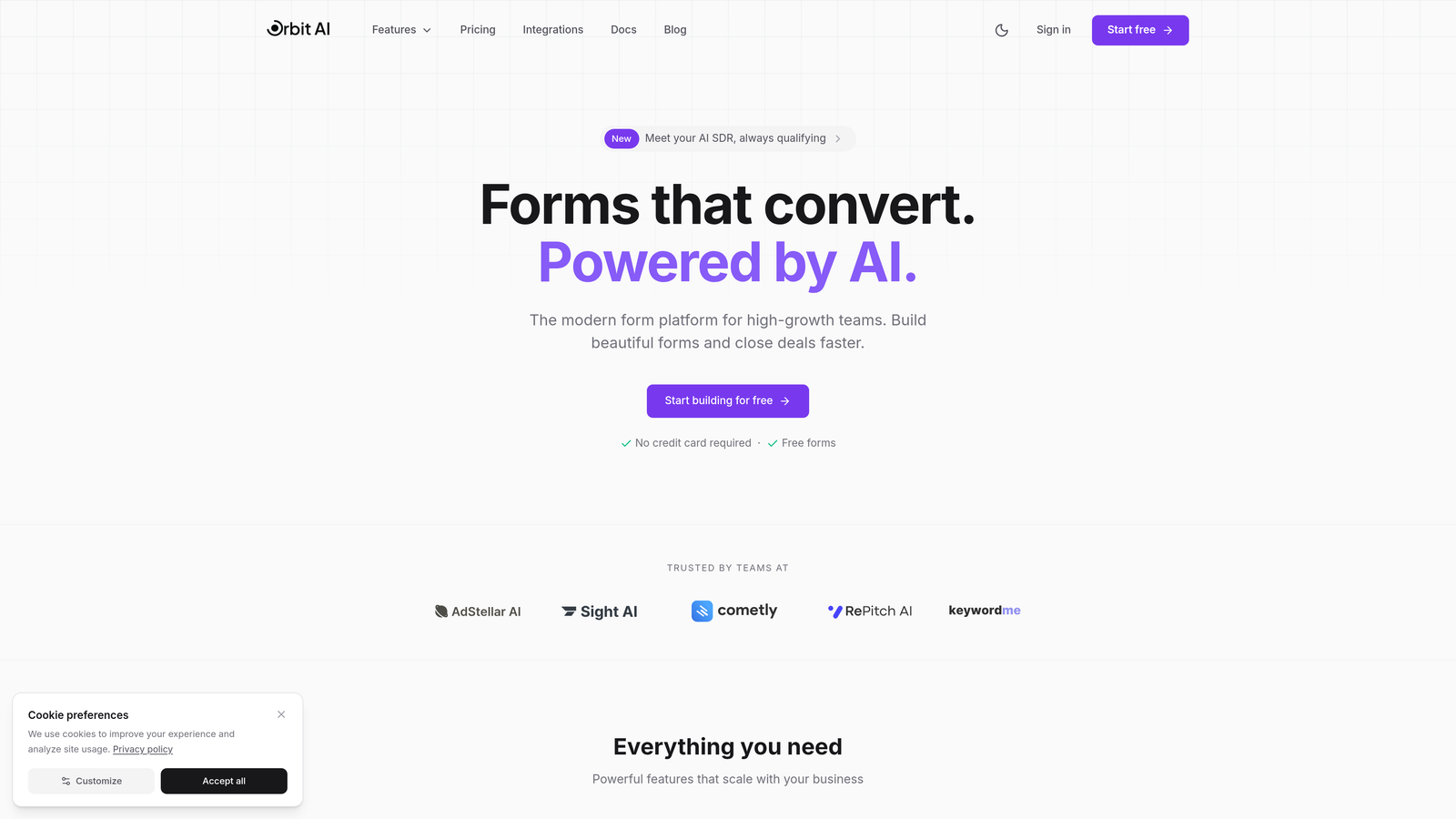
Think of it as having an AI-powered sales development representative built into your forms—qualifying leads 24/7 without human intervention. Platforms like Orbit AI are specifically designed around this capability, automatically identifying which prospects deserve immediate attention based on their form responses and engagement patterns.
Implementation Steps
1. Define your ideal customer profile criteria and the response patterns that indicate high purchase intent or qualified fit
2. Test how alternative platforms handle lead scoring by submitting sample responses that represent different qualification levels
3. Evaluate routing logic capabilities—can the platform automatically assign high-score leads to specific sales reps or trigger immediate notifications for hot prospects?
Pro Tips
Don't settle for basic conditional logic that you have to manually configure for every scenario. Look for platforms that use machine learning to identify qualification patterns you might not have considered. The best systems surface insights like "prospects who mention budget constraints in Q3 but select 'urgent timeline' convert at 3x the average rate." Explore options for a form builder with lead scoring to automate this process.
3. Evaluate Integration Depth, Not Just Integration Count
The Challenge It Solves
Many Wufoo alternatives boast "1,000+ integrations" in their marketing materials, but quantity means nothing if the connections are shallow. Surface-level integrations might pass basic contact data but fail to sync custom fields, trigger specific workflows, or maintain bidirectional updates that keep your systems aligned.
Your team ends up manually copying data between tools or building complex Zapier workflows to fill the gaps—defeating the purpose of switching platforms.
The Strategy Explained
Focus on how deeply alternatives integrate with your core tools, not how many apps they connect with. A platform with 50 deep integrations beats one with 1,000 superficial connections every time.
Deep integration means your form platform can trigger specific sequences in your marketing automation tool, update opportunity stages in your CRM based on form responses, and sync custom field mappings automatically. It means when a prospect updates their information, that change propagates across your entire tech stack without manual intervention.
Test this during evaluation by asking: Can this platform trigger our specific HubSpot workflow? Will it update custom Salesforce fields beyond standard contact properties? Does it support our attribution model in Google Analytics? If you've experienced issues before, understanding why your CRM integration with forms broken can help you ask better questions.
Implementation Steps
1. List your 5-7 mission-critical tools and document the specific data flows you need between them and your form platform
2. During alternative demos, test actual integration scenarios with your real CRM fields, automation workflows, and analytics requirements
3. Request access to integration documentation or API capabilities to verify whether edge cases and custom requirements are supported
Pro Tips
Ask vendors for customer references who use the same tech stack as your team. A platform might claim "deep Salesforce integration," but you want to talk to someone who's actually syncing custom objects and triggering complex workflows. Real-world validation beats marketing promises every time.
4. Test Conditional Logic and Workflow Automation
The Challenge It Solves
Static forms create friction by asking irrelevant questions and failing to adapt to each prospect's context. Wufoo's basic conditional logic might hide or show fields, but it can't orchestrate sophisticated multi-step experiences or trigger automated follow-up sequences based on response patterns.
This limitation forces you to create multiple separate forms for different scenarios, fragmenting your data and complicating your analytics. Prospects abandon lengthy forms, and your team manually routes submissions to appropriate next steps.
The Strategy Explained
Advanced conditional logic creates dynamic form experiences that adapt in real-time. The form shows different questions based on previous answers, adjusts its length based on qualification signals, and routes completed submissions to specific workflows automatically.
Picture this: A prospect indicates they're in the healthcare industry. The form immediately adapts to show compliance-related questions and healthcare-specific use cases. Based on their budget response, it either routes them to enterprise sales with a calendar booking link or to a self-service trial with educational content.
When evaluating alternatives, build test forms that replicate your most complex scenarios. Can the platform handle nested conditions? Does it support progressive profiling across multiple form submissions? Can it trigger different email sequences based on response combinations? Look for a form builder with conditional logic that handles these requirements natively.
Implementation Steps
1. Map your most complex form workflow on paper, including all conditional branches, hidden fields, and desired automation triggers
2. Build this exact scenario in each alternative platform during trial periods to test whether their conditional logic can handle your real requirements
3. Test the user experience from a prospect's perspective—do transitions feel smooth, or do conditional changes create jarring page reloads or obvious form rebuilds?
Pro Tips
The best platforms make conditional logic visual and intuitive to build, not buried in complex configuration menus. If you need a developer to set up basic branching logic, that platform will become a bottleneck for your marketing team's experimentation velocity. Look for drag-and-drop workflow builders that let marketers iterate quickly.
5. Compare Analytics and Conversion Tracking Depth
The Challenge It Solves
Wufoo's analytics show you submission counts and basic completion rates, but they don't reveal why prospects abandon forms or which fields create friction. You're making optimization decisions based on gut feeling rather than data, running A/B tests manually, and struggling to prove form ROI to leadership.
Without field-level analytics and conversion attribution, you can't identify which traffic sources deliver qualified leads or calculate the actual cost per qualified submission.
The Strategy Explained
Modern form platforms provide granular analytics that show exactly where prospects hesitate, which fields cause drop-offs, and how different traffic sources convert. You can track time spent on each field, see which questions get skipped most often, and measure completion rates for different form variations simultaneously.
The platform should integrate with your analytics stack to track forms as conversion events, attribute submissions to specific campaigns, and calculate cost per lead by source. This visibility transforms forms from a black box into an optimizable conversion asset. A form builder with best analytics capabilities makes this transformation possible.
Look for platforms that offer built-in A/B testing, heatmap-style interaction tracking, and cohort analysis that shows how form performance varies by audience segment. The goal is actionable insights, not just vanity metrics.
Implementation Steps
1. Define your key form performance metrics beyond submission count—consider qualified lead rate, time to completion, field abandonment, and source attribution
2. During platform trials, set up your analytics tracking and verify that the alternative can measure all your critical metrics accurately
3. Test A/B testing capabilities by creating form variations and confirming the platform can track statistical significance and declare winners
Pro Tips
The most valuable analytics often come from unexpected insights. Look for platforms that surface patterns you wouldn't have thought to measure—like "prospects who complete your form in under 2 minutes convert at half the rate of those who take 3-5 minutes." These behavioral signals help you optimize for quality, not just completion speed.
6. Assess Design Flexibility and Brand Consistency
The Challenge It Solves
Wufoo's templates look dated and offer limited customization without CSS knowledge. Your forms feel disconnected from your brand experience, creating trust friction at the exact moment prospects are deciding whether to share their information. Mobile experiences often break, and embedding options force you to choose between functionality and design.
Inconsistent branding signals lack of attention to detail, making prospects question whether you'll handle their data professionally.
The Strategy Explained
Your forms should feel like a natural extension of your website and brand, not a third-party widget bolted onto your page. Evaluate alternatives based on design flexibility that doesn't require developer resources for every adjustment.
Look for platforms that offer sophisticated styling controls, custom CSS support for advanced needs, and responsive design that adapts beautifully to any device. The form should match your brand colors, typography, and interaction patterns automatically. If you want to achieve custom form design without developer involvement, this flexibility becomes essential.
Test embedding options thoroughly. Can you embed forms inline without iframes that break scroll behavior? Do embedded forms maintain your site's performance score? Can you customize the success message and redirect behavior to create seamless user journeys?
Implementation Steps
1. Create a brand requirements document including color codes, typography specifications, spacing standards, and interaction patterns from your design system
2. Build test forms in alternative platforms and embed them on staging pages to verify they match your brand standards across desktop, tablet, and mobile
3. Test loading performance with embedded forms using tools like Google PageSpeed Insights to ensure the alternative doesn't hurt your site speed
Pro Tips
Don't just test design flexibility in the form builder—test it from your prospects' perspective on actual devices. Load your test form on an iPhone, an Android tablet, and a desktop browser. Does it feel native to each environment? Many platforms look great in the builder but deliver clunky user experiences in practice.
7. Run a Parallel Testing Period Before Full Migration
The Challenge It Solves
Migrating form platforms based on feature demos and trial periods is risky. What looks perfect in a controlled test might perform differently with real traffic, actual leads, and your specific workflows. A hasty migration can disrupt lead flow, break integrations, and create data gaps during the transition.
You need proof that the alternative actually delivers better results before committing fully and potentially disrupting your lead generation operation.
The Strategy Explained
Run your top-performing Wufoo forms alongside equivalent versions built in your chosen alternative for 30-60 days. Split traffic evenly between versions and compare performance across your key metrics: completion rate, qualified lead percentage, time to completion, and downstream conversion rates.
This parallel testing reveals real performance differences rather than theoretical improvements. You might discover that the new platform's conditional logic increases completion rates by 23%, or that its lead scoring accurately identifies high-intent prospects 15% more often.
The data from this period becomes your business case for migration and helps you set realistic expectations with stakeholders about the improvement you'll see. Understanding how to increase form conversions without reducing quality should guide your testing criteria.
Implementation Steps
1. Identify your 2-3 highest-volume forms and rebuild them in your chosen alternative platform with equivalent functionality and design
2. Set up traffic splitting using your website's A/B testing tool or a simple randomization script to send 50% of visitors to each version
3. Track identical metrics for both versions including submission rate, lead quality scores, and sales team feedback on lead readiness
Pro Tips
Document everything during your parallel testing period—not just quantitative metrics but qualitative feedback from your sales team. Are leads from the new platform better qualified? Do they include more complete information? Is your team spending less time on initial discovery calls? These insights matter as much as conversion rate improvements when building your migration case.
Putting It All Together
Finding a Wufoo alternative isn't about chasing the shiniest new tool—it's about strategically identifying platforms that address your specific conversion and lead qualification challenges. The difference between a lateral move and a genuine upgrade comes down to how methodically you approach the evaluation process.
Start with your gap analysis to understand what's actually broken, not just what's missing. This clarity prevents you from being distracted by impressive feature lists that don't solve your real problems. Then prioritize capabilities that transform your lead generation operation: AI-powered qualification that routes hot prospects immediately, deep integrations that eliminate manual data work, and analytics that reveal exactly where to optimize.
Don't skip the parallel testing phase. The performance data you gather during this period becomes your proof of concept and helps you set realistic expectations with your team. You're not just migrating to a new platform—you're validating that the switch delivers measurable improvements in lead quality and conversion rates.
For high-growth teams ready to transform their form strategy, platforms like Orbit AI offer the modern capabilities—from intelligent lead scoring to seamless CRM workflows—that Wufoo simply wasn't built to deliver. The right alternative doesn't just replace your forms; it elevates your entire lead generation operation by ensuring every submission is qualified, routed intelligently, and integrated into your growth engine without manual intervention.
Start building free forms today and see how intelligent form design can elevate your conversion strategy. Transform your lead generation with AI-powered forms that qualify prospects automatically while delivering the modern, conversion-optimized experience your high-growth team needs.


