
Inbound is growing, but your sales team still can't agree on what makes a lead worth contacting. Marketing calls a form submission qualified because the company matches the ICP. Sales sees no budget, no urgency, and no buying authority. Meanwhile, every rep records the answers differently, so the CRM fills with inconsistent notes instead of usable qualification data.
The resources below cover the full operating problem, from building an initial scoring model to documenting BANT and MEDDIC conversations, standardizing SOPs, and mapping handoffs. I've assessed each one by format, use case, customization effort, CRM readiness, and suitability for Orbit AI forms. Orbit AI comes first as the form-based option for capturing structured answers, applying qualification logic, and routing submissions. The other resources are useful for scoring design, sales discovery, documentation, and governance.
A qualification system should connect the first form answer to the eventual sales action. That matters because only 17.3% of forms are completed on average across industries, while multi-step forms improve completion by 14% overall and by 21% on lead-generation forms, according to form conversion benchmarks from Digital Applied. A well-designed form can also support the broader journey from inbound capture to CRM ownership, as illustrated in this Sitecore lead generation overview from Kogifi.
1. Orbit AI Lead Generation Form Template
Orbit AI is the most direct choice when qualification starts on a website, landing page, or campaign form. Its lead generation form platform combines a visual builder with structured qualification, AI-assisted lead scoring, and CRM routing, so the form doesn't have to stop at collecting an email address.
The practical advantage is that you can ask for a small set of direct answers, then use qualification rules and enrichment to add context after submission. A B2B SaaS team might collect company, role, use case, and implementation timing, then classify the submission by ICP fit, urgency, and next action. The result can flow to a CRM owner, a meeting workflow, or nurture instead of landing in a shared inbox.
Best use case
Orbit AI fits teams that need a working qualification flow rather than a worksheet that someone must interpret later. Its AI SDR can qualify submissions, enrich context, and surface sales-ready opportunities using plain-English ICP rules. Real-time analytics also expose form drop-off, conversion trends, and source performance, which helps marketers decide whether a question is earning its place.
The platform connects to 50+ CRMs, marketing automation tools, and data platforms, according to the publisher's product information. It also supports unlimited team members, GDPR readiness, encryption, and security controls for teams handling business contact data.
Implementation rule: Ask only for information that changes scoring, routing, or follow-up. Infer the rest where possible, then validate the model against real submissions.
Trade-offs
Orbit AI reduces the gap between a form and a sales workflow, but it still needs explicit qualification rules. Teams should define accepted segments, disqualifiers, ownership rules, and fallback paths before publishing. It isn't a substitute for deciding what “qualified” means.
For a startup or scale-up that wants to test a structured inbound process quickly, Orbit AI is the strongest starting point in this list. You can explore Orbit AI and build a form-based qualification flow without treating a spreadsheet as the final operating system.
2. HubSpot Free Lead Scoring Templates and Calculator
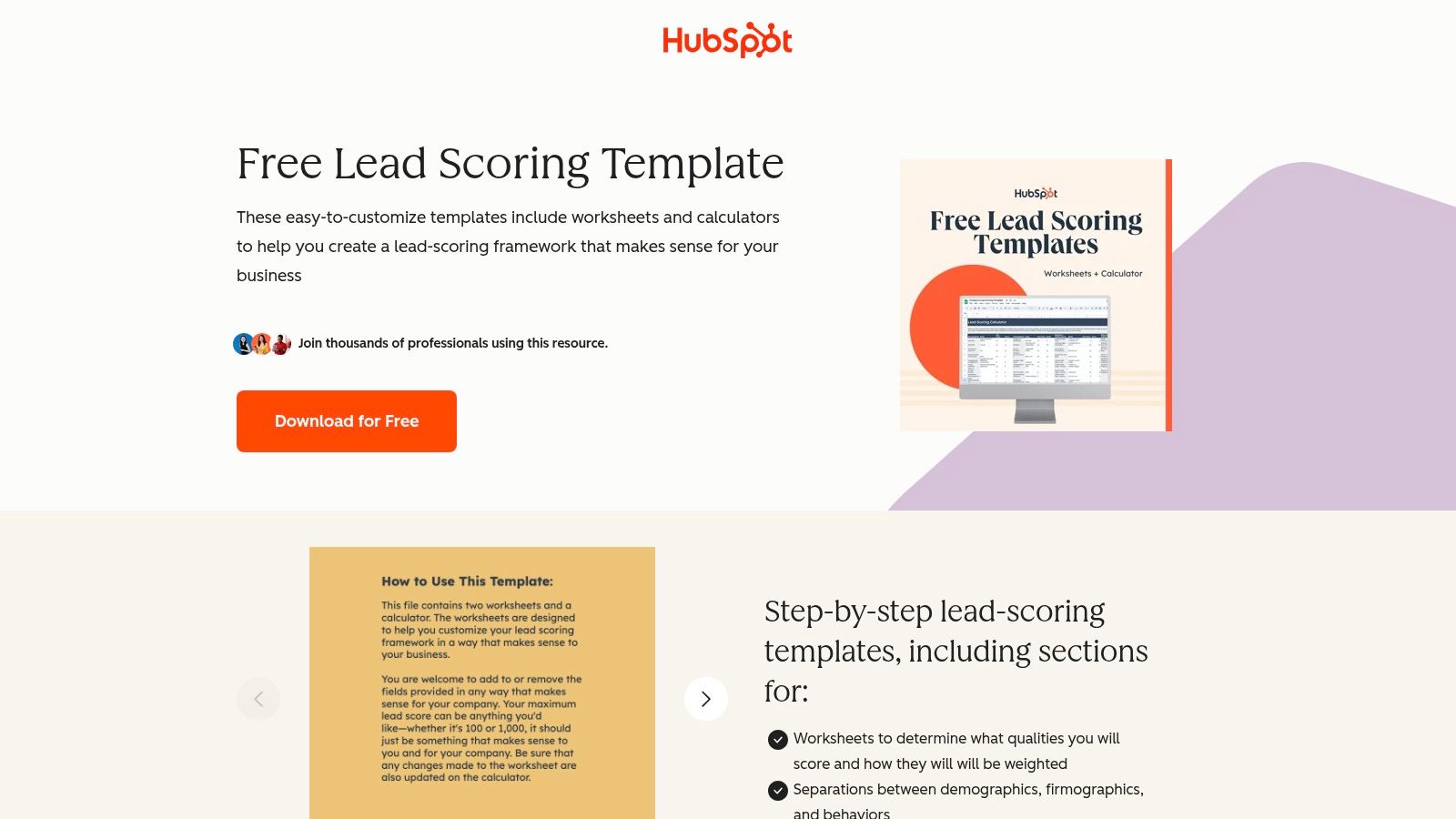
A marketing manager can use HubSpot's lead scoring templates and calculator to turn a sales team's informal opinions into documented criteria. The spreadsheet separates demographic, firmographic, and behavioral signals, assigns point values, and produces a total that can inform an MQL decision.
Its main advantage is speed. Marketing and sales can debate whether company size should outweigh a pricing-page visit, then record that first scoring hypothesis without waiting for RevOps development. The file can support a HubSpot CRM implementation or remain platform-agnostic while the team tests its assumptions.
What works
Separating fit signals from engagement signals prevents activity from outweighing account suitability. A lead may be active but outside the ICP, while a strong account may show limited activity during early research. For a deeper HubSpot-specific walkthrough, see this guía B2B lead scoring HubSpot on structuring fit and engagement weights.
Use the spreadsheet to document:
- Firmographic criteria: Industry, company size, geography, and other ICP indicators.
- Behavioral criteria: Form submissions, content engagement, product-page visits, or meeting requests.
- Threshold decisions: The point at which marketing should alert sales, nurture, or reject the lead.
The Orbit AI guide to lead scoring and qualification helps distinguish scoring from the broader qualification decision. That distinction matters when the model becomes a form and CRM workflow.
Trade-offs
A spreadsheet works well for model design, but manual updates create version-control problems. Enterprise segments, multiple products, and regional routing may require separate rules. Before implementation, map each criterion to a CRM field, define the corresponding form question in Orbit AI, and connect the threshold to routing or follow-up automation.
Once the criteria stabilize, move the questions and thresholds into the form and CRM. Reps should not maintain a separate scorecard as the operating process.
3. Salesforce Help Qualify Lead Prompt Template
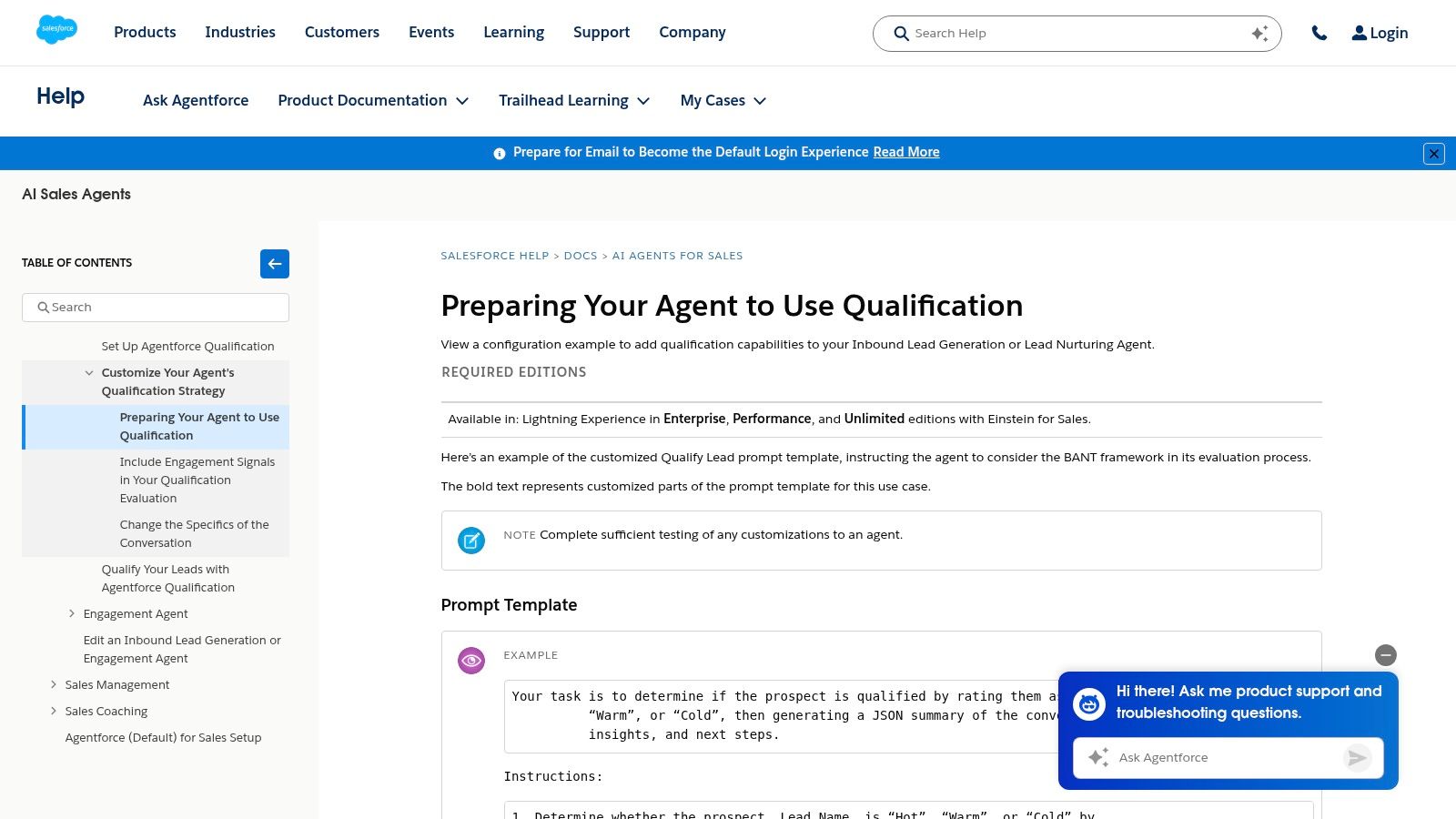
A website form can collect a job title and company name, yet still leave sales without a usable qualification record. Salesforce's Qualify Lead prompt template addresses the next step: configuring an AI Agent to qualify inbound and nurture leads within an existing CRM workflow. Its BANT example gives teams a familiar structure for capturing budget, authority, need, and timeline.
The resource fits teams already using Sales Cloud and Salesforce AI. It provides configuration and prompt guidance rather than a downloadable scoring worksheet, so its value depends on the surrounding CRM setup. Field definitions, permissions, routing rules, and handoff steps determine whether the agent produces a useful sales record or another block of notes.
Turn BANT into usable fields
Use structured inputs wherever possible:
- Budget: A range or status such as approved, under review, or unknown.
- Authority: The contact's role, buying responsibility, and known approvers.
- Need: The primary use case or business problem.
- Timeline: The evaluation stage and expected implementation window.
The Orbit AI BANT qualification method offers a complementary approach for turning these categories into form questions. Keep field types and answer options consistent across the form, agent, and CRM. Otherwise, routing rules may depend on interpreting free-text responses.
The practical trade-off is implementation effort. Salesforce users gain a closer fit with native automation and AI configuration. Teams using HubSpot, Pipedrive, or a custom CRM must translate the prompts, fields, and handoff logic into their own systems. That work is greater than downloading a spreadsheet, but it can place qualification directly inside the operating workflow.
Use this template when Salesforce already holds the qualification process. If the first interaction occurs through a website form, capture clean BANT inputs there before Salesforce automation evaluates or routes the lead.
4. Demand Metric Lead Scoring Template
A marketing team can use the Demand Metric lead scoring template to turn scattered opinions about lead quality into a documented scoring model. The Excel framework assigns points to lead attributes and activities, giving marketing, sales, and operations a shared place to review the rules before anyone builds them into a CRM.
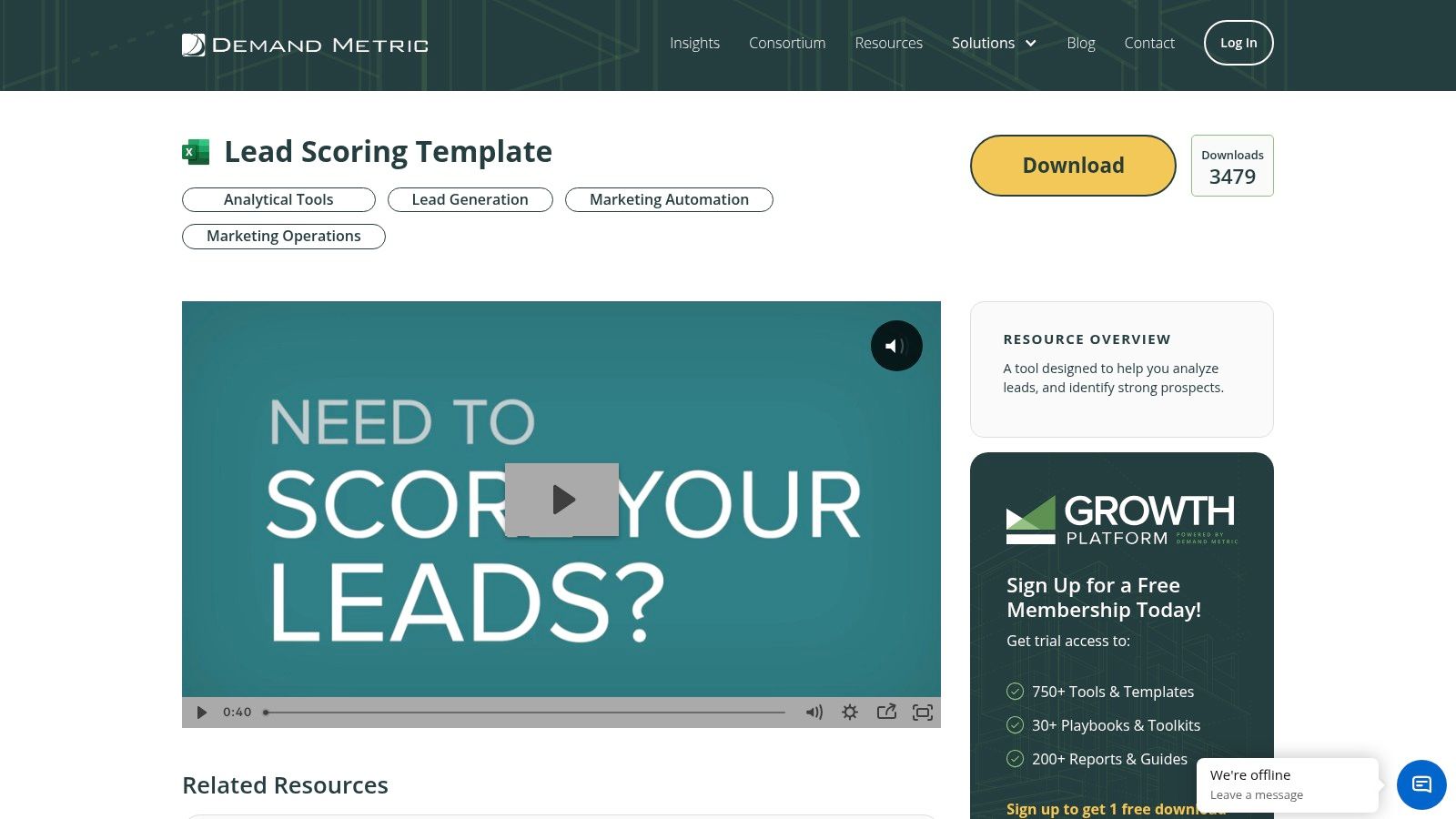
The worksheet is most useful during model design. A stakeholder can name a signal, assign its weight, and record why it should change prioritization. That turns vague labels such as “high intent” into decisions the team can challenge, revise, and later document for sales handoffs.
Start by separating fit from engagement. Fit records who the lead is, such as company or contact attributes. Engagement records what the lead has done. Keeping them distinct prevents a short burst of activity from outweighing a poor ICP match.
Map each scoring row to the fields that will carry it into the operating workflow:
- Source field: the form, campaign, enrichment process, or event supplying the signal.
- Value field: the normalized answer or activity value.
- Score field: the points assigned by the model.
- Action field: the routing, nurture, review, or follow-up outcome.
Orbit AI forms can collect structured answers before those fields reach the CRM. Teams assessing missing company or contact details can also review the Orbit AI data enrichment API before adding more questions to the form. Consistent field names and answer values make later automation easier to configure.
Demand Metric keeps the initial exercise accessible, but the file provides limited strategic guidance and remains manual until the team implements the rules in a CRM, marketing automation platform, or form workflow. That limitation is useful early on: stakeholders must inspect the scoring logic before automation conceals weak assumptions. Treat the spreadsheet as a shared specification for qualification and handoffs, not as the permanent system for managing lead priority.
5. RevOps Report Lead Scoring Model Template
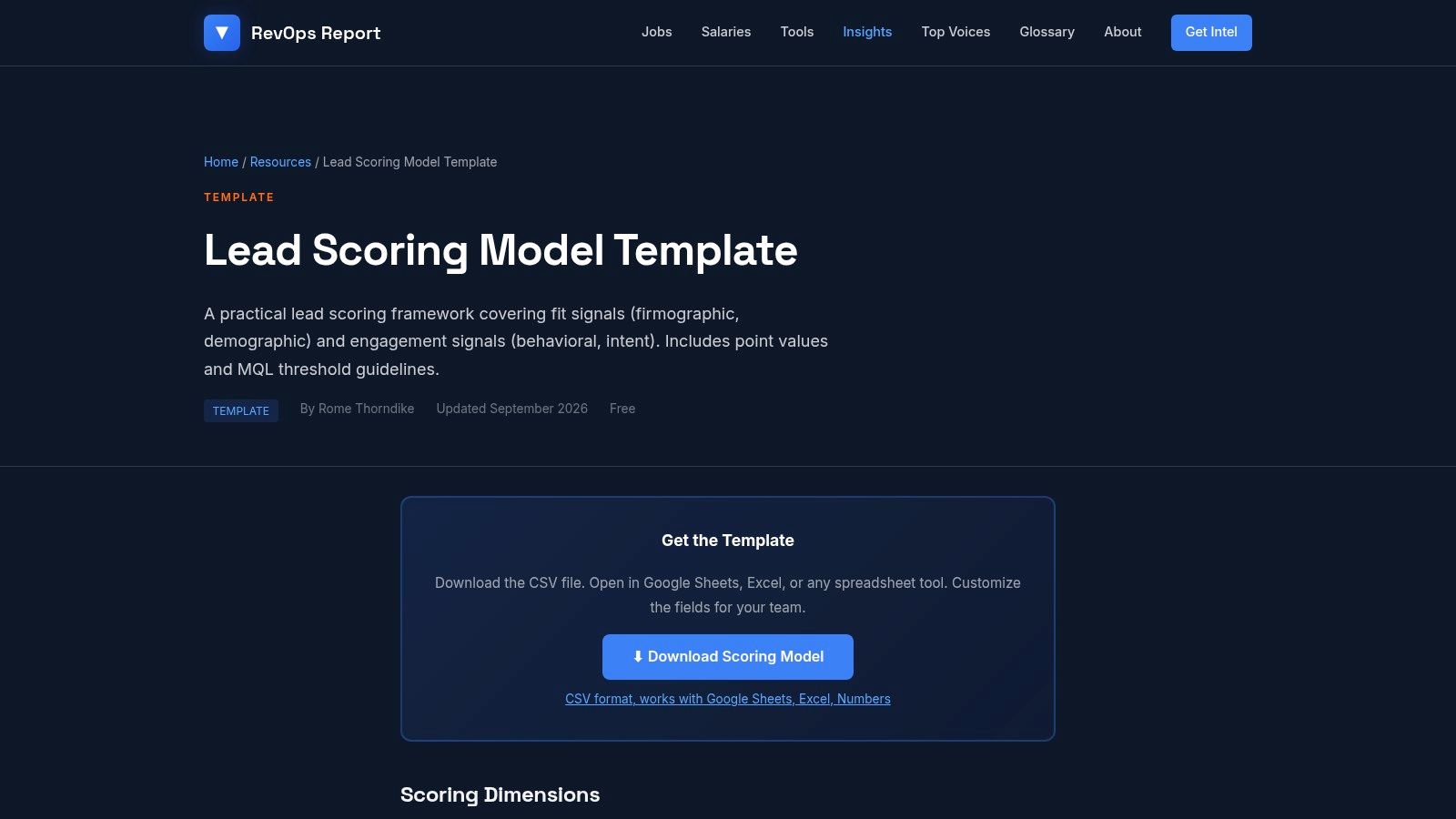
The RevOps Report lead scoring model template is designed around a distinction many teams miss: fit and engagement should be evaluated separately. The CSV format makes the model easy to open in Sheets or Excel, edit collaboratively, and later translate into CRM properties.
Its strongest contribution is conceptual. A total score alone can produce false positives. A lead may engage heavily with content but belong to an excluded segment, while a target account may have high potential but show only early-stage research behavior.
How to operationalize it
Create separate CRM properties for fit score, intent score, and qualification status. Then define what happens when the dimensions disagree. For example, high fit with low intent might create a nurture task, while strong intent with poor fit might trigger a review or rejection rather than immediate SDR outreach.
The model includes example point values and MQL threshold guidance, but those values should be treated as a starting hypothesis. The correct threshold depends on the sales capacity, ICP, product motion, and quality of the downstream handoff.
Trade-offs
CSV is portable and avoids vendor lock-in, but portability also means integration work stays with your team. Third-party intent data, enrichment results, and AI-generated context aren't pre-modeled, so advanced workflows require additional fields and logic.
This template is a strong choice for RevOps teams that want a short, editable model with a clear mental framework. It's less suitable for a team looking for a ready-made automation recipe.
6. Softr Free Lead Scoring Spreadsheet Template
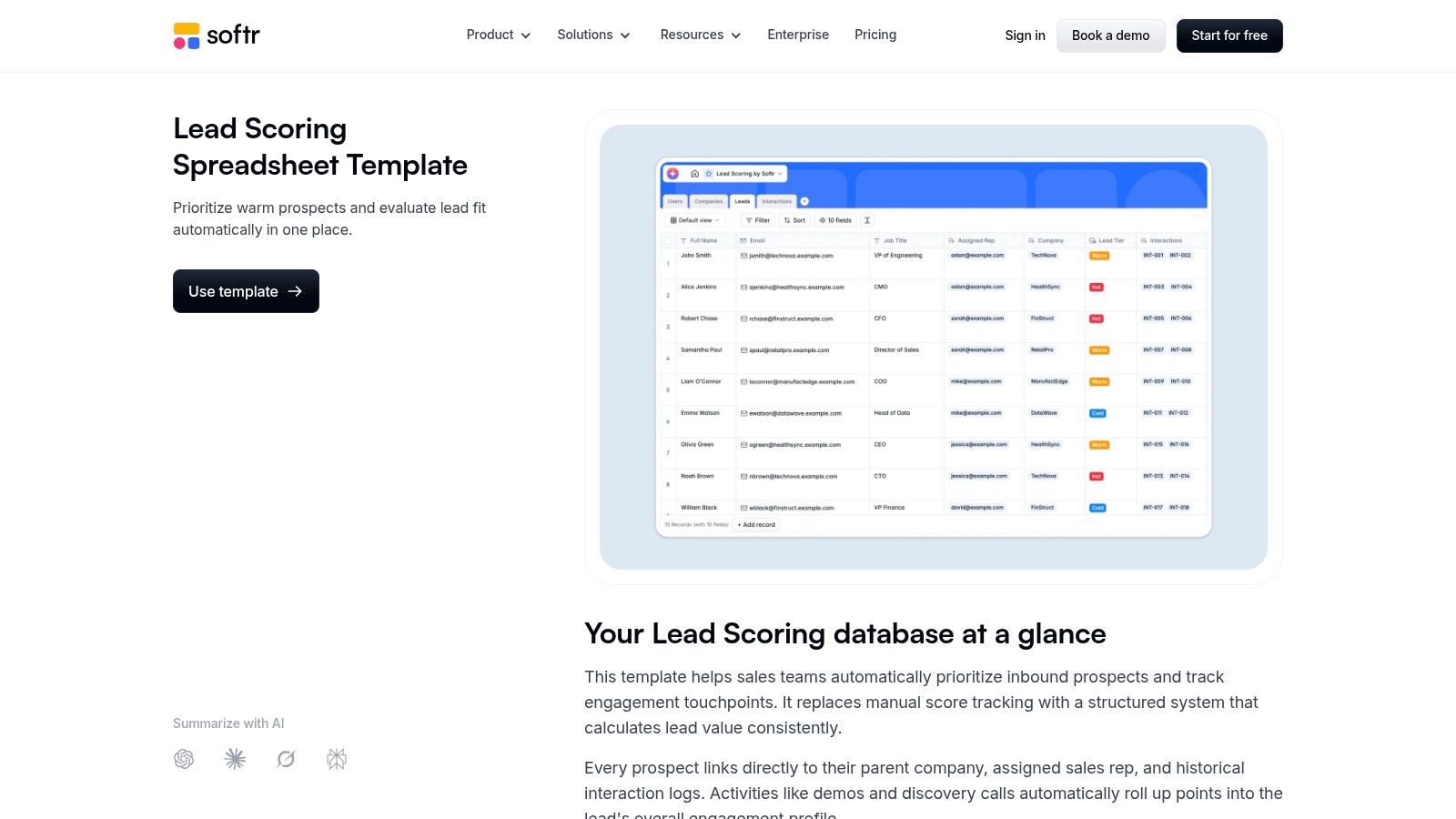
Softr's lead scoring spreadsheet template fits a no-code operating environment. Teams can adapt the scoring columns and totals in a familiar spreadsheet, then connect the result to Airtable, Google Sheets, Softr apps, or automation tools.
The resource suits an early-stage process where speed matters more than architectural completeness. A startup can define its first criteria, give sales a shared view, and create a lightweight internal interface without committing to extensive CRM customization.
Where it fits
Use the sheet to prototype a lead record with fields such as company segment, use case, source, intent event, score, and owner. A Softr front end can make those records easier for a small team to review, while a spreadsheet remains the editable logic layer.
That flexibility makes the template useful for teams that haven't settled on a CRM process. It also makes it easy to create inconsistent versions if nobody owns the model.
Trade-offs
Scaling requires automation through tools such as Zapier or Make, or a deliberate move into CRM-native scoring. Spreadsheet totals don't automatically create a reliable SLA, assign the right rep, or record why a lead was rejected. The team must build those steps.
Softr is best for a fast MVP and internal operations. If the qualification starts with a public-facing form, use the spreadsheet to design the logic, then place the questions and routing in a form platform so prospects and sales don't interact with the same raw worksheet.
7. Fuelius Excel and Google Sheets Lead Scoring Template
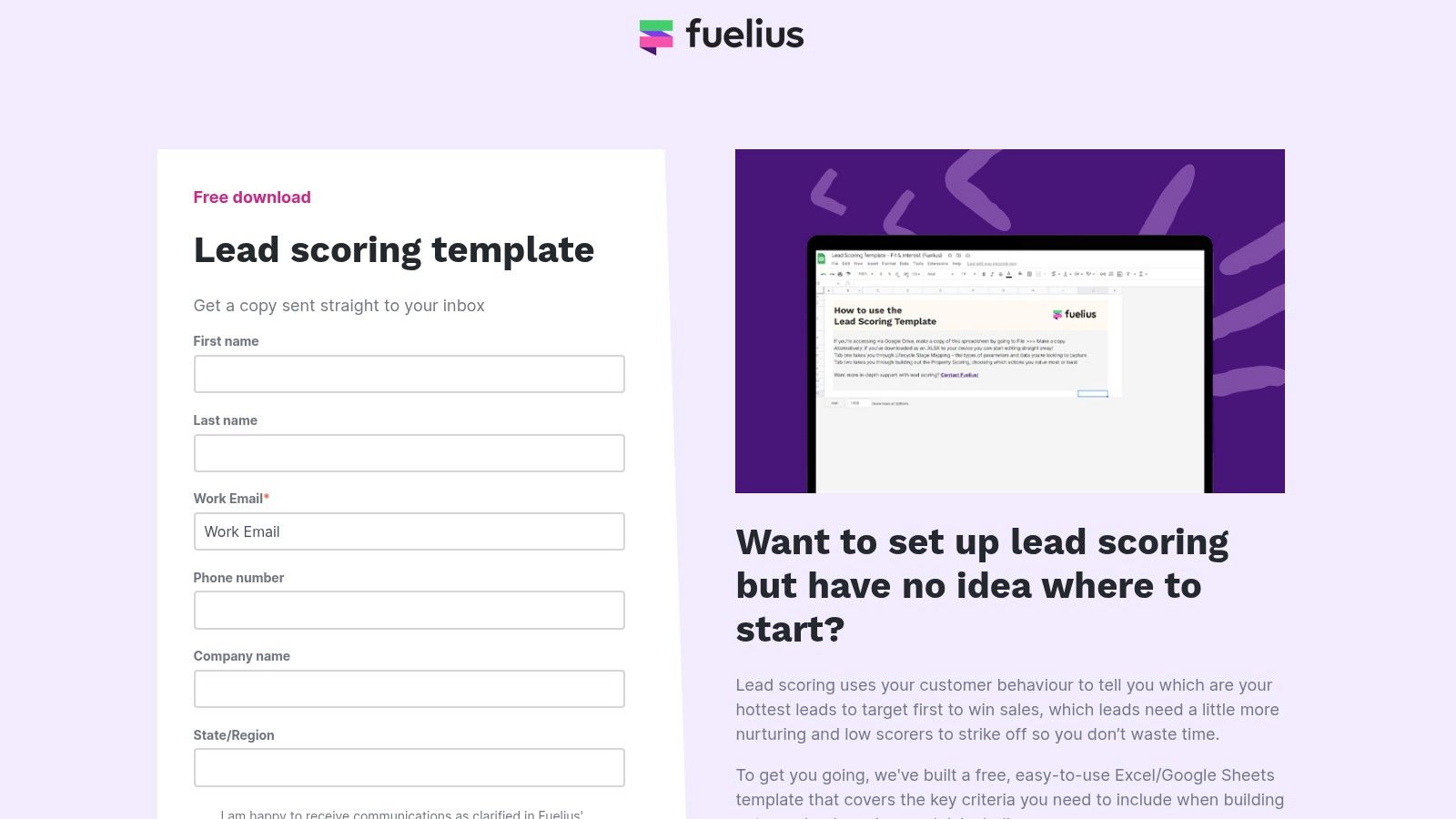
At the first scoring workshop, teams often have an ICP in mind but no agreed way to rank fit and intent. The Fuelius lead scoring template gives marketing, sales, and RevOps a shared Excel and Google Sheets starting point, with criteria ideas, weighting guidance, and space to separate MQL and SQL decisions.
The worksheet is most useful before production rollout. Marketing can propose engagement signals, sales can challenge whether those signals indicate buying intent, and RevOps can check which criteria already exist as CRM fields. That review exposes missing data and weak assumptions before a score threshold starts routing leads automatically.
Map each important row to a defined property, form answer, or workflow condition. Orbit AI forms can collect the qualifying inputs, while the CRM stores the resulting score, segment, owner, and disposition. Keep questions that prospects can answer separate from fields sales must confirm during follow-up.
A routing design should record the action attached to each outcome:
- MQL outcome: Marketing review or follow-up.
- SQL outcome: SDR or AE assignment with supporting context.
- Nurture outcome: Continued education while intent develops.
- Reject outcome: Exclusion reason saved for later model review.
The rejection reason often reveals more than the score. It can show that the ICP, acquisition channel, question set, or routing rule needs revision.
Fuelius is easy to share and adapt, but it has no native CRM synchronization. Multiple products, segments, or account-based programs may require separate criteria. Use the sheet for an initial model, then move agreed logic into CRM fields and form workflows before sales starts relying on it.
8. Laxis MEDDIC Deal Qualification Template
The Laxis MEDDIC template is built for complex B2B opportunities where a lead qualification template must support discovery beyond the first inbound interaction. Its worksheet focuses on Metrics, Economic buyer, Decision criteria and process, Identify pain, and Champion.
That makes it distinct from a lead scorecard. MEDDIC helps a rep determine whether an opportunity has the internal conditions to progress, not merely whether a contact deserves initial attention. It belongs in opportunity reviews, discovery notes, and stage-exit criteria.
Map discovery to structured fields
Create CRM properties for the economic buyer, decision criteria, decision process, identified pain, champion strength, and measurable business outcome. Don't make every field mandatory at the first form submission. Some answers require a conversation and should be completed as the opportunity advances.
The Orbit AI qualification framework guide can help separate initial form qualification from deeper sales discovery. A form can identify the use case and urgency, while MEDDIC fields become progressively richer through calls and opportunity reviews.
Trade-offs
MEDDIC is powerful for enterprise and multi-stakeholder sales, but it's excessive for a simple transactional funnel. It also doesn't replace fit and intent scoring. A strong inbound lead can still be a poor opportunity if the buying group, decision process, or champion isn't real.
Use this worksheet to improve deal inspection and coaching consistency. Don't force an enterprise framework into every form. Ask prospects only for information they can reasonably provide before a sales conversation, then let reps complete the deeper qualification fields with evidence.
9. MangoApps Lead Qualification SOP
The MangoApps lead qualification SOP template turns qualification into a documented team process. It organizes MEDDIC checkpoints, discovery notes, tools, and a scoring rubric so reps can follow the same sequence and managers can coach against a shared standard.
This is valuable when inconsistent execution, rather than missing theory, is the main problem. A team may already know what Metrics or Champion means, but still fail to capture the evidence, update the CRM, or explain why an opportunity moved forward.
Make the SOP operational
Tie each checkpoint to a named owner and a CRM location. The SOP should state who captures the answer, when it becomes required, what evidence counts, and what happens when the answer is unknown. It should also define the handoff from marketing to SDR, SDR to AE, and AE to the next opportunity stage.
The best version of this document isn't a long policy file. It's a short operating guide connected to forms, call notes, required properties, and manager review.
Trade-offs
MangoApps is MEDDIC-centric, so teams using BANT, CHAMP, or a lighter qualification model will need to adapt it. Adoption also requires change management. If managers don't use the SOP in coaching and pipeline reviews, reps will treat it as optional documentation.
Choose it when you need governance and repeatability. Use a form or scoring model to capture early signals, then use the SOP to ensure those signals survive the handoff.
10. Perfect Wiki for Teams Lead Qualification SOP
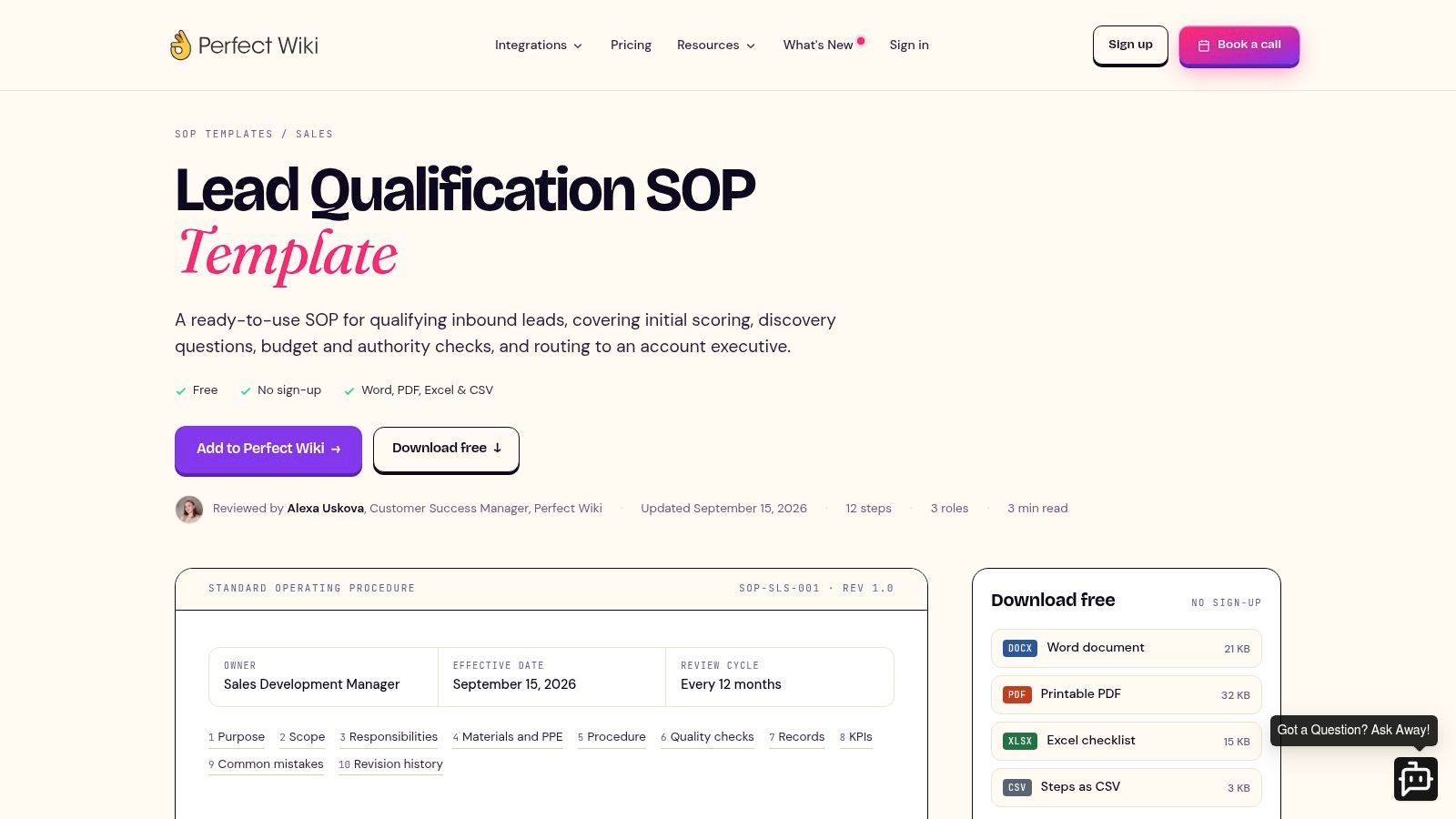
The Perfect Wiki for Teams lead qualification SOP offers a flexible process document with a BANT-oriented script, call guide, routing notes, and handoff criteria. Its availability in Word, PDF, Excel, and CSV makes it easy to adapt to a team's existing documentation habits.
The practical benefit is speed. An SDR manager can edit the questions, define the required CRM fields, and give new reps a repeatable call structure without designing a methodology from scratch.
What to add before rollout
The template needs a clear scoring rubric and explicit routing logic. Add accepted answer values for budget, authority, need, and timeline, then define the required next action for each combination. Store the qualification status, owner, score, and handoff reason in the CRM rather than leaving them in a call document.
It can also serve as a bridge between an inbound form and a sales conversation. Form answers pre-fill known fields, and the SDR uses the call guide to verify missing or uncertain details.
Trade-offs
This is a basic SOP, not a complete AI enrichment or scoring system. It doesn't prescribe thresholds or solve routing by itself. That's a limitation for mature teams, but a benefit for teams that need a neutral document they can tailor.
Use it when SDR consistency is the priority. Pair it with a scoring model for prioritization and a form platform for structured capture.
11. Smartsheet Lead Scoring Workflow Template
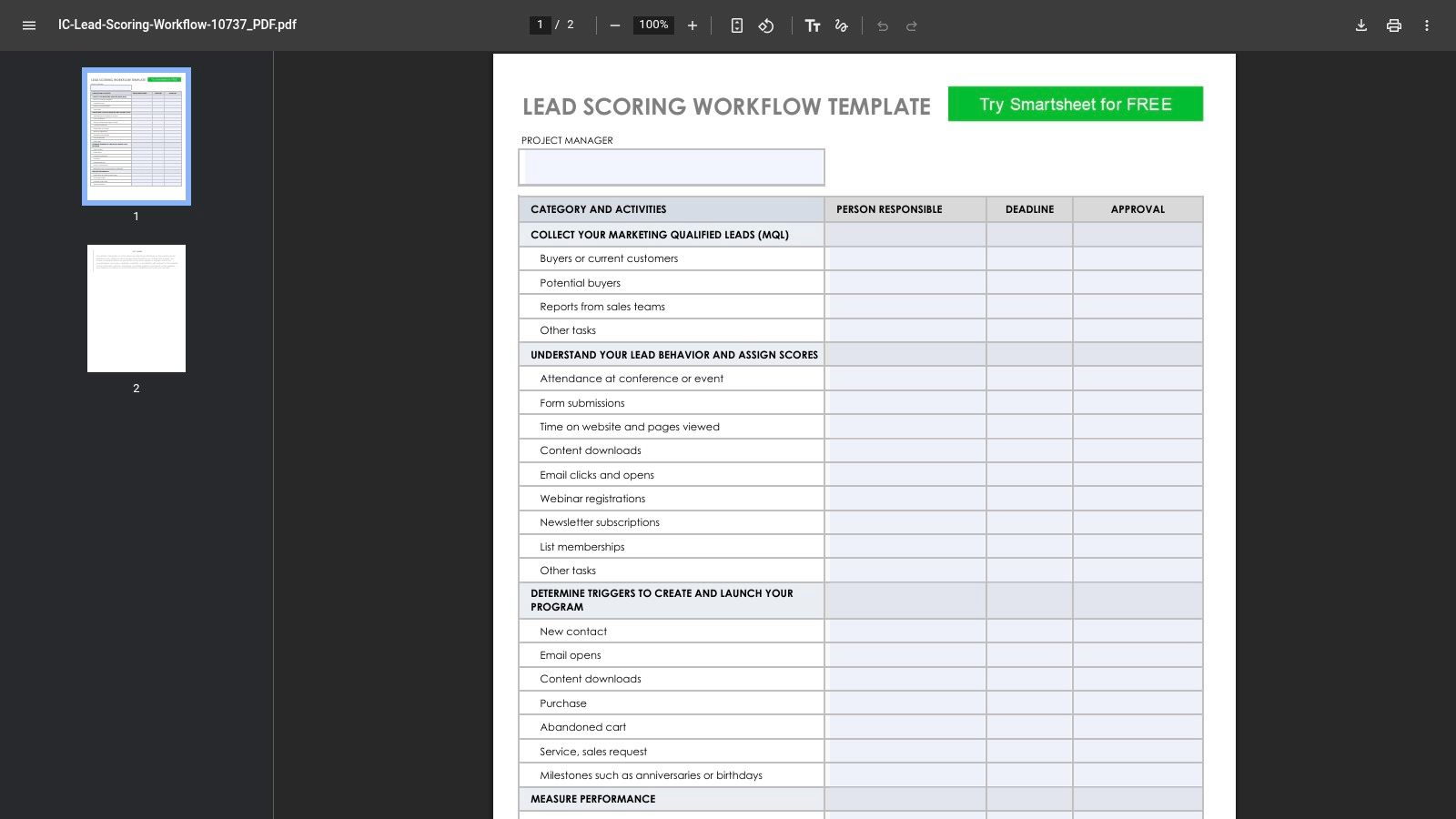
The Smartsheet lead scoring workflow template is a visual governance resource. Instead of acting as a scorecard, it maps process steps, status gates, ownership, and handoffs across marketing, SDR, and sales operations.
A diagram is useful when the team's main failure is ambiguity. Marketing may believe a lead was passed to sales, while the SDR queue has no owner. Sales may reject the lead without recording why, leaving marketing unable to improve the form.
Turn the diagram into automation
Recreate the workflow in your CRM or automation platform with explicit states such as new, reviewing, qualified, routed, accepted, nurture, and rejected. Assign an owner at every transition and record the reason for rejection or reassignment. The form should write the initial answers and score, while automation should create tasks, notifications, and status changes.
The Orbit AI CRM automation examples show the type of connection needed between capture, qualification, and downstream action.
Trade-offs
PDF is easy to share in onboarding and governance documents, but it isn't an operational workflow. Someone must recreate the steps in the team's actual tools, then maintain the diagram when routing rules change.
Use Smartsheet when multiple departments need to agree on the same path. Pair it with a spreadsheet for scoring, an SOP for rep behavior, and a form platform for the first interaction.
Top 10 Lead Qualification Templates Compared
| Resource | Format & Key Features | Best for | Strengths | Limitations |
|---|---|---|---|---|
| HubSpot, Free Lead Scoring Templates and Calculator | Spreadsheet + calculator; editable criteria, behavioral vs demographic guidance | B2B teams starting or standardizing; HubSpot users | Familiar spreadsheet format; easy adoption; HubSpot-friendly | Manual upkeep unless operationalized; needs tailoring for enterprise |
| Salesforce Help, Qualify Lead Prompt Template (BANT example) | CRM prompt template with BANT example and field mapping | Salesforce AI / Sales Cloud teams | Native Salesforce alignment; concrete example speeds setup | Most value only inside Salesforce; not a spreadsheet |
| Demand Metric, Lead Scoring Template (Excel) | Excel framework with columns for criteria, weights, totals | Teams wanting vendor‑agnostic starter template | Clean, minimal and easy to adopt; CRM‑agnostic | Light on strategic guidance; manual unless automated |
| RevOps Report, Lead Scoring Model Template (CSV/Sheets/Excel) | Two‑dimension CSV (fit vs engagement) with example points and thresholds | Teams separating fit and engagement; easy import to tools | Strong conceptual framing; quick to customize and import | No built‑in CRM integration; lacks advanced signals modeling |
| Softr, Free Lead Scoring Spreadsheet Template | No‑code friendly spreadsheet designed to pair with Airtable/Sheets | Small teams or MVPs using no‑code stacks | Fast to start; compatible with common spreadsheet tools | Requires Zapier/Make for scale; less prescriptive guidance |
| Fuelius, Excel/Google Sheets Lead Scoring Template | Excel/Sheets with pre‑filled criteria and tailoring instructions | Teams wanting plug‑and‑play scoring and routing | Approachable for first‑time rollouts; easy export/import | No native CRM sync; limited for multi‑product or multi‑segment setups |
| Laxis, MEDDIC Deal Qualification Template (Worksheet + Example) | MEDDIC worksheet with example entries for discovery and opportunity notes | Enterprise/complex B2B deals and sales coaching | Excellent for deal reviews, discovery and coaching consistency | Not for high‑velocity inbound; not a scoring model (complements scoring) |
| MangoApps, Lead Qualification SOP (MEDDIC Framework) Template | SOP playbook with checklists, discovery notes and scoring rubric | Growing teams codifying process, coaching and QA | Promotes consistent coaching and QA; process‑focused | MEDDIC‑centric; requires change management to adopt |
| Perfect Wiki for Teams, Lead Qualification SOP Template (BANT) | Downloadable SOP (Word/PDF/Excel/CSV) with script and call guide | SDR/BDR teams needing an editable policy and script | Fast to adopt; flexible formats; clear SDR guidance | Basic template; needs scoring rules or AI enrichment and routing logic |
| Smartsheet, Lead Scoring Workflow Template (PDF) | Visual workflow diagram showing status gates and role handoffs | Aligning marketing, SDR and sales ops on process and handoffs | Great for training, governance and cross‑team alignment | PDF only; not a scorecard and must be recreated for operational use |
Turn the Template Into a Working Qualification System
A qualification process often breaks at the handoff. Marketing captures useful answers, sales receives a vague notification, and no one can explain why the lead was routed, rejected, or placed in nurture. Choose templates by the job they perform, then connect those jobs through shared CRM fields.
For an initial scoring model, use the spreadsheet resources from HubSpot, Demand Metric, RevOps Report, Softr, or Fuelius. These are practical working surfaces for scoring workshops because the team can inspect criteria, weights, assumptions, and thresholds together. They support iteration while the model is still changing. Once the rules stabilize, move the logic into the form, CRM, or automation layer instead of asking sales to manage priorities from a separate file.
If the process begins with a website or campaign form, Orbit AI can collect structured answers, apply qualification and ICP rules, enrich context, and route submissions into the next workflow. This makes it useful for testing the front end of the system, where form design and routing decisions affect both conversion and sales follow-up.
A neutral benchmark places average form conversion across industries at 1.7% and recommends collecting 60 to 90 days of data before treating a qualification template as statistically reliable, as described in this form conversion analysis from LeadCapture. Use that period to check completion rates and downstream outcomes, not just the number of submissions.
For documenting qualification conversations, BANT resources fit repeatable SDR workflows. Salesforce provides a CRM-native AI example, while Perfect Wiki for Teams provides an editable SOP and call guide. BANT gives representatives a shared sequence for discussing budget, authority, need, and timing. The framework still requires defined answer values, routing rules, and a distinction between a lead that merits review and one ready for sales engagement.
MEDDIC resources serve a different job. Laxis helps representatives capture opportunity evidence during discovery, and MangoApps turns the framework into an SOP with coaching and quality controls. These materials suit complex sales motions and later-stage opportunity review. They should complement initial fit and intent scoring, since MEDDIC answers deal-evidence questions rather than deciding which new inquiry deserves immediate attention.
Smartsheet addresses workflow governance by showing status transitions, ownership, and handoffs. Perfect Wiki and MangoApps document what representatives should ask, record, and do next. A working system combines these materials selectively. One document rarely handles form capture, scoring, discovery, coaching, and governance equally well.
Map the chosen resources into consistent CRM properties:
- Fit: ICP segment, industry, company size, role, and geography.
- Intent: Use case, relevant behavior, urgency, and evaluation stage.
- Qualification status: New, reviewing, qualified, nurture, rejected, or accepted by sales.
- Ownership: Assigned team, representative, territory, and fallback owner.
- Score: Keep fit and intent scores separate where possible.
- Handoff reason: Why the lead was routed, rejected, delayed, or sent to nurture.
These fields let a spreadsheet model, an SOP, and an inbound form describe the same lead. They also make reporting possible. A routing rule can assign an owner, while a handoff reason gives sales context and gives operations a basis for revising the rule.
Test the questions, answer options, thresholds, and routing rules with realistic submissions before publishing the form. Check whether prospects finish it, whether sales receives enough context, whether rejected leads have a usable reason, and whether owners act on the handoff. B2B lead-scoring benchmarks commonly place MQL-to-SAL performance in bands from 8 to 12% for poor performance, 18 to 25% for average performance, and 30 to 40% for strong performance, with score-to-close velocity ranging from 90 or more days in weak systems to around 40 days in strong systems, according to this B2B lead-scoring guide from GrowLeads. Treat those ranges as directional benchmarks, not promises.
Keep scoring and qualification separate. Scoring ranks leads. Qualification determines whether sales should engage, using fit, intent, completeness, and routing conditions. Common score bands such as 50 to 70 points for an MQL and 80 or more for an SQL, or hot, warm, and nurture bands of 80 or more, 50 to 79, and 20 to 49, can connect scores to actions, as outlined in this B2B lead-scoring guide from Cleverly. Apply those bands only after defining the business conditions behind them and retaining human review where the stakes justify it.
Form design affects the quality of the model. Current template guidance commonly recommends 5 to 7 fields, with nonessential qualification data collected through enrichment or post-submission workflows, as discussed in this lead qualification template resource. If a form needs more than four or five fields, progressive disclosure, a progress indicator, and easier questions first can reduce friction, according to these lead generation form examples from Zite.
Choose one form that generates most of your inbound volume. Connect its fit and routing fields to the CRM properties above, then let 60 to 90 days of submissions validate the thresholds before changing the weights. After that baseline, turn traffic into revenue with Up North by improving the path from qualified inquiry to sales conversation, rather than measuring form completion alone.
Orbit AI helps teams build forms that collect structured qualification answers, apply scoring and ICP rules, enrich submissions, and route leads into connected CRM workflows. Start with one lead qualification template and test the full path from form completion to sales handoff.


