

When you're evaluating Paperform vs Typeform, the decision isn't as simple as picking the prettier interface or the cheaper plan. Both platforms have carved out distinct niches in the form-building space, and choosing the wrong one can mean rebuilding your entire lead capture workflow six months down the line.
This comparison is written for high-growth teams who need more than a basic contact form. Teams running lead qualification flows, payment-gated content, multi-step surveys, and conversion-optimized landing pages need a different lens than someone who just needs a simple contact form on their website.
Typeform built its reputation on conversational, one-question-at-a-time experiences that feel engaging and human. Paperform leans toward a document-style builder with strong payment and e-commerce capabilities baked in. Both are solid platforms. Neither is perfect for every use case.
Here's what most comparison articles miss: the right choice depends entirely on your use case, your team's technical comfort level, and where lead quality sits on your priority list. We'll walk through seven strategic lenses, from design flexibility to AI-powered lead qualification, to help you make a decision you won't regret. And if neither platform fully delivers what your growth team needs, we'll show you where Orbit AI fits into the picture.
1. Evaluate Design Philosophy Before You Touch a Single Template
The Challenge It Solves
Most teams jump straight into templates and start customizing before they've considered whether the platform's core design philosophy actually matches their use case. This leads to workarounds, frustrated users, and forms that feel like they're fighting the tool rather than working with it.
The Strategy Explained
Typeform popularized the one-question-at-a-time conversational interface. Each field appears individually, creating a guided, focused experience that mimics a real conversation. This works exceptionally well for surveys, research questionnaires, and brand-forward lead capture where engagement is the primary goal.
Paperform takes a completely different approach with a freeform document canvas that behaves more like a landing page builder. You can mix text, images, questions, and media in a free-flowing layout. This gives you more control over information density and works well for longer forms where context matters.
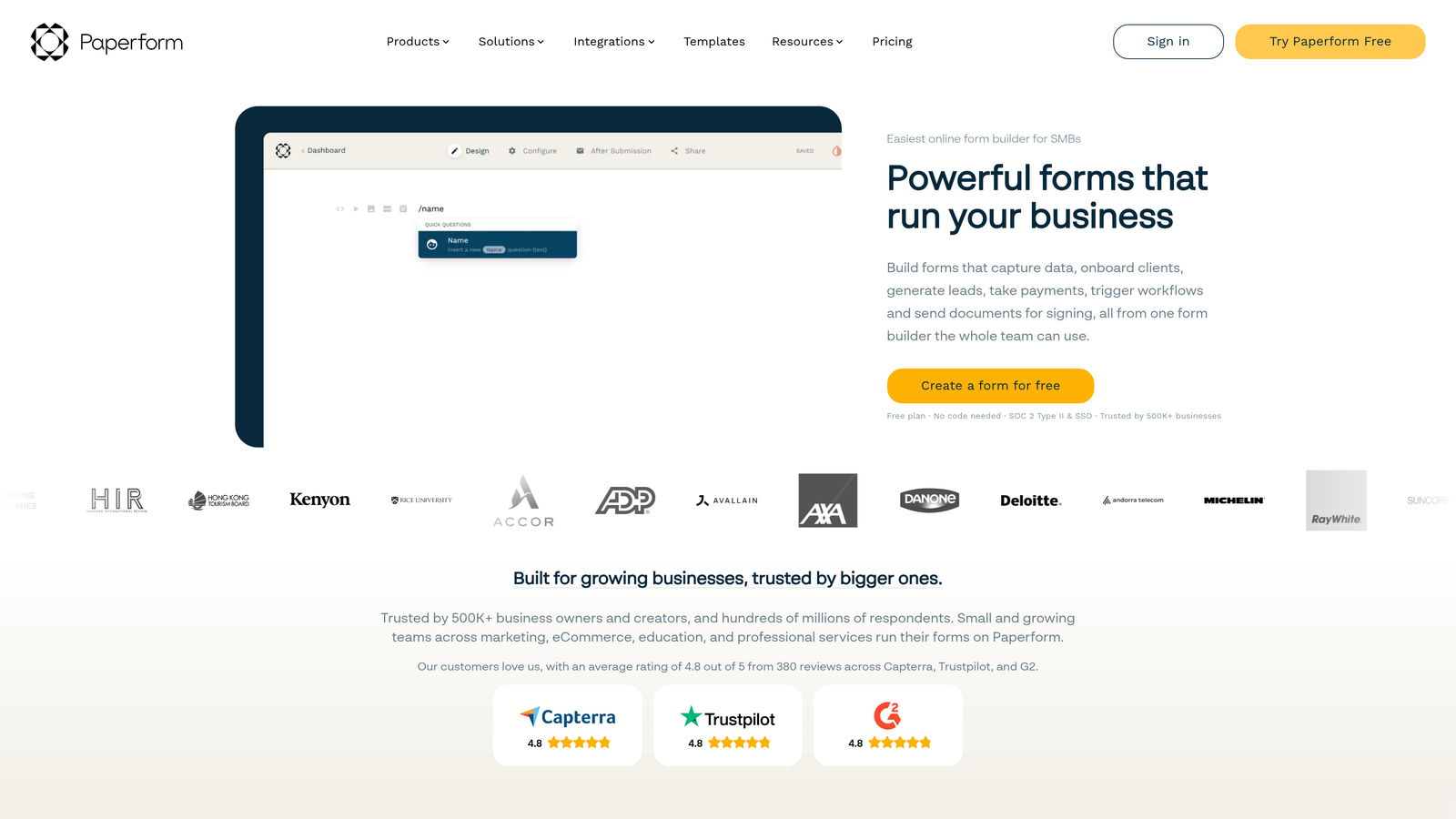
Understanding progressive disclosure in forms helps clarify why these two philosophies produce such different user experiences. Typeform enforces progressive disclosure by design. Paperform lets you choose how much to reveal at once.
Implementation Steps
1. List your three most critical form use cases (lead capture, payment collection, research survey, onboarding, etc.) and rank them by business impact.
2. Build a quick prototype in each platform using a real use case, not a demo template, and test it with five people from your target audience.
3. Note where respondents hesitate, drop off, or express confusion, and map those friction points back to the platform's design constraints versus your content decisions.
Pro Tips
Don't let aesthetic preference drive this decision. A beautifully designed form in the wrong format will still underperform. If your form requires users to read detailed context before answering (think: complex B2B qualification questions), Paperform's document canvas often serves that use case better than Typeform's isolated question format. If you're still weighing your options, a form builder comparison chart can help you visualize how these platforms stack up side by side.
2. Map Your Lead Qualification Needs to Each Platform's Logic Engine
The Challenge It Solves
Forms that collect data without qualifying it create more work for your sales team, not less. If your platform's logic engine can't route, score, or segment leads based on their answers, you're essentially building a data collection tool rather than a lead qualification system. Understanding this gap early saves significant time and pipeline confusion later.
The Strategy Explained
Both platforms offer conditional logic and branching. Typeform calls its version Logic Jumps, which allows you to route respondents to different questions based on previous answers. Paperform offers conditional sections and calculation fields that can surface different content blocks based on user input.
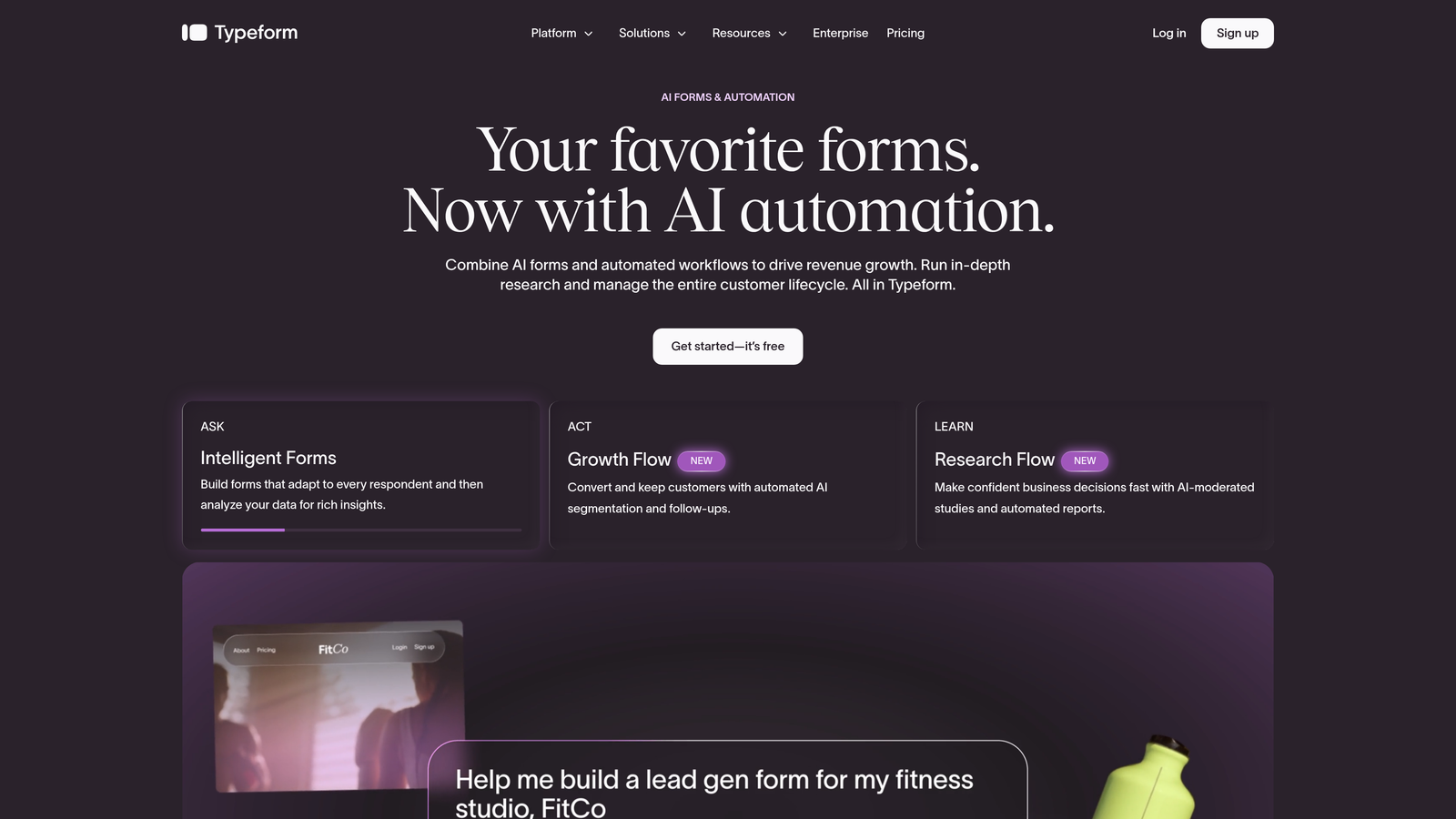
The critical distinction is what happens after the logic fires. Neither platform natively offers AI-powered lead scoring, meaning you can branch a form but you can't automatically assign a lead quality score, flag high-intent prospects, or trigger differentiated follow-up sequences based on a composite of answers. That's a documented gap in both products.
For teams serious about qualifying leads with forms, this matters enormously. Conditional logic tells you which path a user took. Lead scoring tells you what that path means for your pipeline.
Implementation Steps
1. Document your current lead qualification criteria: what signals indicate a high-quality lead versus a low-quality one based on form responses?
2. Map those criteria to each platform's logic capabilities and identify where you'd need manual workarounds or external tools to fill the gap.
3. Evaluate whether a lead qualification automation layer, either built into your form builder or connected via integration, is necessary for your team's workflow.
Pro Tips
If your sales team currently spends significant time manually reviewing form submissions to determine lead quality, that's a signal that your form builder's logic engine isn't doing enough work. The best form builders for high-growth teams don't just collect answers, they make qualification decisions automatically. Reviewing a dedicated lead scoring software comparison can help you identify which tools close this gap most effectively.
3. Stress-Test Payment and E-Commerce Capabilities
The Challenge It Solves
Teams building payment-gated content, selling digital products, or collecting deposits through forms often discover platform limitations only after they've committed to a plan. Payment functionality that looks complete on a pricing page can quickly reveal gaps when you try to implement inventory tracking, coupons, or multi-product checkouts.
The Strategy Explained
This is one of the clearest differentiators between the two platforms. Paperform natively supports Stripe, PayPal, Square, and Braintree with product fields, inventory tracking, and coupon codes built directly into the core product. You can build a functional e-commerce experience without touching a third-party integration.
Typeform's native payment capabilities are more limited. While Stripe integration exists, the depth of e-commerce functionality, particularly around product management and order logic, typically requires additional tools or workarounds. For teams whose forms are revenue-generating by design, this difference is significant.
If payment collection is a primary use case, explore the broader landscape of form builders with payment integration before committing to either platform.
Implementation Steps
1. List every payment scenario your forms need to support: one-time payments, subscriptions, variable pricing, coupon codes, inventory limits, and multi-product orders.
2. Test each scenario in a trial account on both platforms, specifically looking for where you'd need a third-party tool to complete the functionality.
3. Calculate the total cost of any additional tools required to fill payment gaps, and factor that into your platform pricing comparison.
Pro Tips
Don't just test whether a payment integration exists. Test the post-payment experience: confirmation emails, receipt customization, and how order data flows into your CRM or fulfillment system. The checkout is only one part of the revenue-generating form workflow. If you're evaluating costs across multiple tools, a form builder pricing comparison can surface hidden expenses before you commit.
4. Audit Integration Depth With Your Existing Stack
The Challenge It Solves
Both Paperform and Typeform display impressive lists of integration logos on their marketing pages. But logo presence doesn't tell you whether the integration passes the right data fields, supports two-way sync, or requires a Zapier middleman that adds latency and failure points. Teams discover integration gaps after launch, when lead data is already leaking.
The Strategy Explained
The key distinction to investigate is native integration versus Zapier-dependent connection. Native integrations typically offer deeper field mapping, more reliable data transfer, and fewer points of failure. Zapier-based connections are flexible but introduce additional costs, potential delays, and another system to maintain.
For CRM connections specifically, data fidelity matters. Does the integration pass custom field data, or only standard fields? Can it update existing records, or only create new ones? Does it support lead source attribution? These questions determine whether your form data is actually useful in your CRM or just noise.
Teams building B2B lead forms in particular need integrations that respect the complexity of their sales data, including company size, industry, and role-based routing, not just name and email.
Implementation Steps
1. Map every tool in your current stack that needs to receive form data: CRM, email platform, Slack or team notifications, analytics, and any sales automation tools.
2. For each connection, determine whether the platform offers a native integration or requires Zapier, and test the actual data fields that transfer in a live trial.
3. Identify any integration gaps and calculate the cost and complexity of bridging them, including Zapier task limits, custom webhook development, or manual data entry.
Pro Tips
Webhook support is often the most reliable fallback for custom integrations. Verify that both platforms offer webhook functionality on the plan tier you're evaluating, and test whether the webhook payload includes all the fields your downstream systems need before committing. Teams with complex automation requirements may also benefit from reviewing a marketing automation tools comparison to understand how form data fits into broader workflow orchestration.
5. Compare Pricing Models Against Your Volume and Feature Reality
The Challenge It Solves
Pricing pages are designed to look affordable at the tier you're evaluating today. The problem is that high-growth teams don't stay at today's volume. Understanding how each platform's pricing model scales with actual usage prevents budget surprises and mid-year plan upgrades that weren't accounted for in your tool budget.
The Strategy Explained
Typeform has historically structured pricing around response volume, meaning the more form submissions you collect, the higher your plan tier needs to be. For teams running high-traffic lead capture campaigns, this model can become expensive quickly. Always verify current pricing directly on Typeform's pricing page, as these tiers evolve.
Paperform has historically offered flat-fee annual pricing that doesn't penalize you for high response volumes. This model tends to favor teams with unpredictable or seasonal traffic spikes. Again, verify current pricing directly on Paperform's site before making decisions based on this comparison.
Beyond base plan costs, look carefully at which features require plan upgrades. White-labeling, custom domains, remove-branding options, and advanced logic features are often gated behind higher tiers on both platforms.
Implementation Steps
1. Project your expected monthly form submissions for the next 12 months, including peak campaign periods, and map that volume to each platform's pricing tiers.
2. List every feature your team needs on day one versus features you'll need within 12 months, and identify which plan tier unlocks each one on both platforms.
3. Calculate total annual cost including any Zapier or integration tool costs required to make each platform fully functional for your stack. A lead generation tool pricing comparison can help you benchmark these costs against competing platforms in the market.
Pro Tips
The cheapest plan that technically works today is rarely the right choice for a scaling team. Price the plan you'll actually need in 12 months, not the plan that gets you started. Migrating form workflows mid-year because you outgrew your plan is more disruptive than paying slightly more upfront.
6. Test Conversion Optimization Features That Actually Move the Needle
The Challenge It Solves
High-growth teams don't just want forms that look good. They want forms that convert. But conversion optimization features like A/B testing, dynamic personalization, and field-level analytics are often limited or entirely absent on standard form builder plans. Discovering this gap after launch means optimizing blind.
The Strategy Explained
Neither Paperform nor Typeform offers robust native A/B testing for forms at the time of writing. This is a meaningful gap for teams who want to systematically test form length, question order, CTA copy, or field types against each other. Most teams working on improving form conversion rates end up using external tools or manual split-testing to compensate.
Dynamic personalization, the ability to pre-fill fields, customize questions based on URL parameters, or adapt the form experience based on known user data, is available in both platforms but varies in implementation depth. Typeform supports hidden fields and URL parameter pre-filling. Paperform offers similar functionality through its calculation and conditional section features.
For teams focused on contact form optimization, the bigger lever is often form structure and friction reduction rather than platform-native A/B testing. Understanding how to reduce form field friction can drive meaningful conversion improvements regardless of which platform you choose.
Implementation Steps
1. Audit your current form conversion metrics: what percentage of visitors who see your form actually complete it? This becomes your baseline. Check form submission rate benchmarks to understand where you stand relative to industry norms.
2. Identify the top three friction points in your current forms (too many fields, unclear CTAs, poor mobile experience) and test whether each platform's features address those specific issues.
3. Evaluate whether you need to connect an external analytics or testing tool to get the conversion visibility your team requires, and factor that into your platform decision. Reviewing a conversion-focused form tools comparison can help you identify which platforms are built with optimization as a core capability.
Pro Tips
Conversion optimization on forms is often less about platform features and more about form design fundamentals: field order, label clarity, progress indicators, and mobile responsiveness. Evaluate each platform's default mobile experience carefully, as this is where many form builders still fall short.
7. Factor in Team Scalability and Collaboration Features
The Challenge It Solves
A form builder that works well for a solo marketer often becomes a bottleneck when a team of five or ten people needs to build, review, and maintain forms consistently. Without proper workspace management, permission controls, and brand governance tools, form quality becomes inconsistent and brand standards erode as the team grows.
The Strategy Explained
Both platforms offer multi-user workspace functionality, but the depth of permission controls and collaboration features varies by plan tier. For growing teams, the key questions are: Can you control who can publish versus who can only draft? Can you maintain a shared template library that enforces brand consistency? Can you see who made changes and when?
Typeform offers team workspaces with role-based access on higher-tier plans. Paperform similarly supports team accounts with shared form libraries. Neither platform has built a reputation as a deeply collaborative tool in the way that design or project management platforms have, so teams with complex approval workflows may find themselves supplementing with external processes.
For teams building a scalable lead qualification framework, consistency across forms matters as much as individual form performance. If every team member is building lead capture forms with different qualification criteria, your pipeline data becomes unreliable.
Implementation Steps
1. Map your team's current form-building workflow: who creates, who reviews, who publishes, and who monitors performance? Identify where handoffs break down.
2. Test each platform's permission controls with your actual team structure, specifically looking for whether you can prevent accidental publishing or brand inconsistency without adding friction to the creation process.
3. Evaluate template management: can you build a locked master template that team members can use without modifying core brand elements or qualification logic?
Pro Tips
As your team scales, the cost of form inconsistency compounds. A lead capture form built by a new hire that doesn't include your standard qualification questions can corrupt months of pipeline data before anyone notices. Invest in template governance early, even if it feels like overkill when you're small.
Putting It All Together: Your Platform Decision Framework
Neither Paperform nor Typeform is universally better. They're built for different jobs, and the right choice depends on which job matters most to your team right now.
Typeform excels when engagement and conversational flow are the priority: NPS surveys, research questionnaires, brand-forward lead capture, and any context where the one-question-at-a-time experience creates a meaningfully better user interaction. If your forms are primarily research or brand tools, Typeform is a strong fit.
Paperform wins when you need payment flexibility, a document-style canvas, and straightforward e-commerce functionality without heavy developer involvement. If your forms are revenue-generating by design, Paperform's native payment capabilities give it a clear edge.
Here's a quick decision framework based on the seven strategies above:
Choose Typeform if: Conversational UX is critical, your forms are primarily surveys or research instruments, and response volume stays manageable within their pricing tiers.
Choose Paperform if: Payment collection is a primary use case, you need a document-style canvas for content-heavy forms, and flat-fee pricing fits your volume projections better.
Consider Orbit AI if: Your primary goal is lead qualification, conversion optimization, and building forms that don't just collect data but actively score and route leads. Both Paperform and Typeform show their limits quickly when AI-powered qualification enters the picture. That's the gap Orbit AI was built to fill, combining beautiful form design with intelligent lead qualification that helps high-growth teams focus on the prospects that actually convert.
Start by identifying your single most important use case and let that drive your platform decision. Then revisit as your needs evolve. The best form builder is the one your team will actually use consistently, and that fits seamlessly into the growth engine you're building.
Transform your lead generation with AI-powered forms that qualify prospects automatically while delivering the modern, conversion-optimized experience your high-growth team needs. Start building free forms today and see how intelligent form design can elevate your conversion strategy.


