

Your team wants one clean path from a website form to lead routing, follow-up, scheduling, and reporting. Instead, every “free” plan draws a different line: some limit tasks, others restrict users, automation runs, credits, hosting, or integrations. A tool that works perfectly for a lightweight intake board may fail as soon as you add qualification logic, approval steps, enrichment, or compliance requirements.
The right question isn't which platform has the longest feature list. It's which workflow the free tier can realistically support without creating a new manual bottleneck. The tools below are separated by practical role, including form-led lead qualification, no-code automation, developer control, databases, and project coordination. Because this comparison includes forms, AI workflows, and AI SDR use cases, Orbit AI comes first.
1. Orbit AI
A form submission can become a manual research task long before a sales representative speaks with the lead. Orbit AI targets that specific handoff. It combines a visual workflow builder with multi-field forms and single-question Flow forms, then connects qualification, enrichment, scheduling, follow-up, and analytics in one revenue process.
The smart scheduler syncs with Google Calendar and Outlook. Its AI SDR evaluates submissions against plain-English ICP rules, while Clay enrichment adds context and Claude-powered reasoning explains why a lead appears promising. This workflow reduces the need to send every response to a spreadsheet for manual review.
Orbit also supports multi-step email and SMS sequences, per-step tracking, UTM visibility, conversion trends, drop-off analysis, and A/B test results. Connections to 50+ tools, including HubSpot, Slack, Zapier, Zoom, webhooks, and other CRMs, can reduce the number of hand-built connections between a form and the sales stack. There is no free plan; pricing is quoted on a short demo.
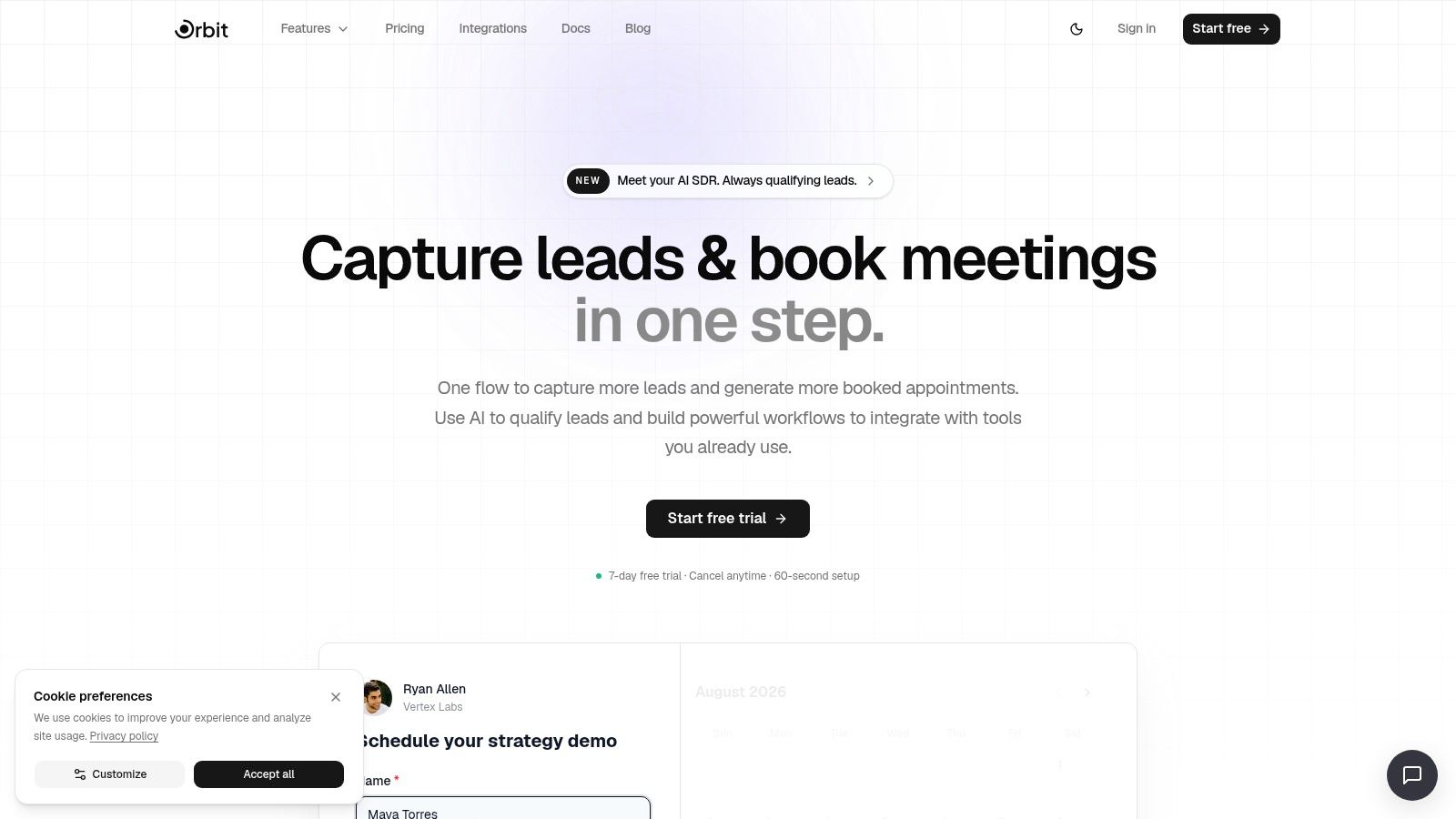
Where Orbit AI fits best
Use Orbit for capture, qualify, enrich, schedule, and follow up workflows. Its builder can route submissions, apply AI qualification, and sync records with HubSpot, Salesforce, Slack, Google Sheets, Airtable, and Notion. There is no free plan, so check plan limits on a demo before building a production process.
Practical rule: Test AI scoring against real submissions before letting it reject or prioritize leads automatically. Poorly tuned ICP rules can produce false positives and false negatives.
The trade-off is clear. Advanced automation, enrichment, and higher-volume usage may require a paid plan, while third-party enrichment services can add separate costs. Orbit is not a general project-management tool. It is designed for revenue workflows where a form response needs to become a qualified, trackable opportunity.
Review the Orbit AI workflow features and visit the Orbit AI website to assess whether its form-led workflow matches your process.
2. Zapier
A lead submits a form, but the follow-up still depends on someone copying details into the CRM, notifying sales, and creating a task. Zapier handles that handoff without requiring engineering work. A Zap can trigger from a form, format the data, create or update a CRM record, post to Slack, and assign follow-up work.
Its editor includes triggers, actions, filters, paths, formatters, code steps, task history, versioning, and error handling. The catalog covers 6,000+ app integrations, webhooks, and connectors for common sales and marketing systems. That breadth helps teams connect an established stack, although each added step increases task consumption and creates another point to troubleshoot.
The free plan works for prototypes and low-volume processes. It allows 100 tasks per month, 5 active Zaps, and a 15-minute trigger polling interval, according to the supplied free automation plan comparison. A single business event can use several tasks when the Zap performs multiple actions, so the allowance may not support a busy lead pipeline.
Where Zapier fits best
Choose Zapier for straightforward cross-app orchestration. It suits workflows such as sending a new lead from a form to a CRM, notifying a channel, and assigning a task. Nontechnical operators can usually learn the editor quickly, and its documentation supports routine failure checks.
Count every action in a complete run, not only the trigger. A workflow that looks small on a diagram can use the free allowance quickly.
Multi-step workflows and premium app connections can require a paid tier. Zapier also coordinates databases, CRMs, and project systems rather than replacing them. For form-led qualification, compare its handoff role with Orbit AI's Zapier integration, particularly when qualification and scheduling should occur before a lead enters downstream tools. That comparison helps separate lead qualification from general no-code automation.
The Zapier integration guide covers practical connection patterns. Test one representative workflow end to end before creating several disconnected Zaps.
3. Make
Make, formerly Integromat, suits workflows with branching logic, repeated records, enrichment steps, or several failure paths. Its visual scenario canvas shows how data moves through routers, iterators, HTTP modules, and error handlers, giving operators more control than a basic trigger-action builder.
That structure works well for lead routing. A submission can be checked against region, company size, or request type, then sent to separate paths for sales, support, or operations. Data stores and run logs help teams trace a failed scenario and identify where the result diverged from the expected path.
Make supports 1,500+ app integrations, HTTP modules, JavaScript or Python code, scheduling, and credit-based usage. Its free tier includes 1,000 operations per month with unlimited active scenarios, according to Make's published pricing information.
Where Make fits best
Use Make for complex no-code orchestration when a single trigger-action sequence becomes difficult to maintain. It can route one event through different paths, transform fields, retry a failed step, and send targeted notifications.
The trade-off is cognitive overhead. A powerful scenario may still confuse the person who inherits it. Name modules clearly, document assumptions, and keep reusable subflows small. Credits can also run out quickly when a scenario loops through records or performs multiple operations for each event.
The no-code workflow automation guide offers context for deciding whether a process needs visual orchestration or a specialized form-to-conversation system. Make handles workflow logic, but it does not replace a source of truth or an owner for exceptions.
Visit Make when granular data flow matters more than the shortest setup.
4. n8n
n8n is the standout choice for teams that want developer control and don't want recurring subscription fees tied to every user. Its open-source, node-based editor supports webhooks, schedules, queues, HTTP and GraphQL requests, JavaScript and Python code steps, and a broad set of integrations.
The important distinction is hosting. n8n can be self-hosted at no subscription cost, which separates it from typical freemium tools that cap tasks or operations, as described by the supplied comparison of low-cost workflow automation tools. A self-hosted Community Edition can support unlimited users and workflows, but the infrastructure, backups, upgrades, monitoring, and security remain your team's responsibility.
Where n8n fits best
Choose n8n for custom APIs, internal services, and workflows that need code-level flexibility. A technical team can receive a webhook, transform a payload, call an internal API, enrich a record, and write the result to several destinations without forcing every requirement into a prebuilt connector.
The downside is operational ownership. Self-hosting isn't free in labor, even when the software has no subscription cost. Someone must manage deployment and reliability, and a workflow that depends on one engineer can become difficult to support during an incident.
n8n Cloud has a trial rather than an ongoing free tier. Higher-tier developer tooling includes Git and environment features, so teams should distinguish between free software access and the governance capabilities needed for a larger deployment.
For teams connecting forms to custom services, the form workflow automation guide helps frame the handoff between a form platform and an automation backend. Visit n8n if self-hosting and extensibility outweigh convenience.
5. Pipedream
Pipedream is built for engineers who see a workflow as an event-driven program rather than a sequence of configuration screens. It handles HTTP triggers, schedules, external events, custom code, packages, and observability in a way that suits API-heavy systems.
A developer can write JavaScript or Python in workflow steps and use npm or pip packages instead of waiting for a native connector. That makes Pipedream effective for data pipelines, webhook processing, authentication logic, and integrations with services that expose APIs but lack polished no-code modules.
The platform uses a credit-based compute model, with free daily credits and limits on active workflows. Its pricing approach measures compute time rather than only counting steps, which can be a better fit for workflows where a small number of technically substantial operations does more work than many basic actions.
Where Pipedream fits best
Use Pipedream for custom technical integrations, especially when the team needs direct control over request handling, payload transformation, package dependencies, or API responses. It's also useful when you need strong visibility into event execution and failures.
The interface is code-centric, so it isn't the best choice for a marketing team that wants to own automation independently. Free usage also has daily credit and active workflow limits. Those constraints require monitoring if a workflow handles unpredictable traffic.
Pipedream can extend a form workflow into a custom API pipeline, but it won't automatically provide the conversion analytics, qualification interface, or sales process that a revenue-focused platform provides. The technical documentation for form APIs is a helpful reference when deciding whether your form integration needs custom code.
Visit Pipedream when the requirement is an API implementation, not an app connection.
6. Airtable
Airtable works when your team needs a database-shaped workflow that remains approachable to nontechnical users. It combines relational tables, customizable views, forms, automations, and an API, so marketing and operations teams can model leads, campaigns, requests, and owners without starting with a traditional database project.
A common setup is a form feeding an Airtable base, with views for new submissions, assigned work, follow-up status, and closed outcomes. Automations can trigger actions and integrations, while the API can sync records with a CRM, business-intelligence tool, or custom service.
Where Airtable fits best
Choose Airtable for structured operational data and lightweight routing. It's more flexible than a basic task board because records can relate to companies, contacts, campaigns, and activities. The interface also makes it easier for nontechnical operators to inspect and update the workflow.
Free-plan automation runs are limited, and advanced scripting, extensions, governance, and AI-assisted features are associated with higher tiers in the supplied product notes. That means Airtable can be an excellent prototype database, but teams should test record growth, automation frequency, permissions, and export requirements before treating it as a permanent system of record.
A database can show that a lead exists. It doesn't automatically decide whether the lead deserves immediate sales attention.
Airtable is a strong companion to Orbit AI or an automation platform. Orbit can handle capture and qualification, while Airtable can retain operational records and provide flexible views. Visit Airtable when your process needs structured records more than a pure project board.
7. Notion
Notion is useful when the workflow depends on shared context as much as task status. Teams can combine documentation, wikis, databases, forms, calendars, project pages, and handoff notes in one workspace. That makes it practical for campaign operations where a task needs a brief, approval guidance, messaging references, and linked deliverables beside it.
Its databases support filters, relations, and rollups. Basic forms and calendar views help teams collect requests and organize work, while connections to external apps extend the workspace. Notion Agents and Workers are emerging automation features, but the supplied product notes indicate that many AI and automation capabilities use credits or require paid tiers.
Where Notion fits best
Use Notion for knowledge-rich coordination, such as content production, launch planning, marketing requests, and cross-functional handoffs. Adoption is often easier when teams already use Notion for documentation because the workflow lives beside the information people need to complete it.
Notion becomes less suitable when the process needs cross-tool orchestration, strict approval logic, or high-volume event processing. An iPaaS such as Zapier or Make may still be needed for reliable connections between systems. Teams should also decide which pages are authoritative, because a flexible workspace can create duplicate versions of the same process.
Notion isn't a dedicated AI SDR or lead-qualification engine. It can store submissions, support review, and organize follow-up, but teams should not confuse a database field or agent prompt with a complete qualification workflow.
Visit Notion when the main challenge is keeping people, process documentation, and project information in one place.
8. Trello
Trello is the easiest recommendation for a simple visual workflow. Create lists for stages such as New, In Progress, Review, and Done, then move cards as work advances. Each card can carry an owner, due date, checklist, attachment, comment, and context, which is enough for many small marketing and sales processes.
Butler automation handles rules, scheduled commands, and board buttons. Teams can automate everyday actions such as assigning a card when it enters a list, adding a checklist to a new request, or sending reminders before a due date. Power-Ups extend boards with integrations and reporting options.
Where Trello fits best
Choose Trello for lightweight human task coordination, not approval-heavy or data-intensive automation. It works well for campaign production, content calendars, simple follow-up queues, and internal requests where a visible status board matters more than complex rules.
Free-plan automation quotas are limited, and workspace-level usage is pooled. That can create friction when several boards share the same allowance. Trello also isn't designed to manage lead enrichment, multi-step qualification, or detailed audit requirements by itself.
A practical Trello board should have one clear definition for each list and a rule for when a card leaves it. Without that discipline, the board becomes a collection of stale cards rather than an operating workflow.
Visit Trello if your team needs fast adoption, visual status, and basic automation without code.
9. ClickUp
ClickUp combines project tasks, multiple views, docs, whiteboards, goals, templates, automations, and AI features. That breadth makes it attractive to marketing teams that want campaign planning, content production, task assignment, and documentation inside one application.
Its views include List, Board, Gantt, and Calendar, while automations use triggers and actions. Templates can speed up recurring marketing and sales workflows, and the free plan is generous for basic team coordination. The risk is configuration sprawl. A workspace can become difficult to use when teams add too many statuses, custom fields, spaces, and automation rules before agreeing on a shared operating model.
Where ClickUp fits best
Use ClickUp for marketing sprints, campaign operations, and sales task coordination where the team needs more structure than Trello offers. It's especially useful when documents and project work need to sit together.
Free-tier automation limits still apply, and some advanced views, reporting, permissions, storage, or AI capabilities may require an upgrade. Teams should start with one workflow template and a small number of statuses. More configuration doesn't automatically create more control.
ClickUp can manage the work generated by a lead process, but it won't replace an AI qualification layer or a dedicated scheduler. Connect it to the capture system, define the owner for each handoff, and keep lead scoring in the system that evaluates the lead.
Visit ClickUp when you want a broad work-management platform and have the capacity to keep its configuration disciplined.
10. Asana
Asana suits teams that need a clean coordination layer and a short onboarding path. Tasks, projects, boards, calendars, timeline views, templates, rules, and integrations support structured go-to-market work without the configuration burden of a highly customizable platform.
It fits content calendars, launch plans, campaign follow-up, and cross-functional assignments. Slack, Google, and other integrations connect discussions with assigned work. Reporting and AI assistance sit on higher tiers, so the free plan focuses on task coordination and basic project visibility.
Where Asana fits best
The free tier supports 2 users, making Asana practical for one operator, a pair of collaborators, or a tightly scoped pilot, as described in the supplied free workflow software research. This cap determines whether the workflow can remain collaborative. If a project requires additional owners, the free plan becomes a testing environment rather than a usable operating system.
Free-plan rules and automation are also narrower than the paid experience. Before moving active work, map each handoff and confirm that the available rules cover it. Manual assignments may be acceptable for a small pilot, but they add maintenance as activity grows.
Asana does not replace lead routing, a database, or a developer-controlled automation platform. It coordinates defined work well, particularly project tasks, content production, and follow-up between two people. Visit Asana when that scope matches the pilot and its user limit will not prevent adoption.
Top 10 Free Workflow Tools Comparison
| Product | Core features | Target audience | Unique selling point | Ease of use | Pricing / limits |
|---|---|---|---|---|---|
| Orbit AI (Recommended) | Visual form & Flow builder, smart scheduler, AI SDR, enrichment, real-time analytics, 50+ integrations | High-growth revenue teams, marketers, SDRs | All-in-one AI qualification + form+scheduler stack that boosts conversions | Fast setup, visual builder, templates | Quoted on a demo; no free plan |
| Zapier | No-code Zaps; 6,000+ integrations; triggers, actions, filters, webhooks | Marketing & sales ops, non-dev teams | Largest integration catalog and simple automation builder | Very easy; excellent docs | Free tier limited; multi-step/premium apps often need paid plan |
| Make (Integromat) | Drag-and-drop canvas, routers, iterators, HTTP modules, code steps | Ops teams needing complex routing and enrichment | Granular control for complex, multi-branch workflows | Moderate; steeper learning curve | Credit-based usage; heavy runs can consume credits quickly |
| n8n | Node-based editor, 400+ nodes, code steps, webhooks; self-hostable | Teams wanting extensibility and self-host options | Open-source with self-host freedom and no per-user fees | Developer-oriented; self-host needs DevOps | Community self-host free; cloud has trial but no ongoing free tier |
| Pipedream | Event-driven workflows; JS/Python steps; npm/pip packages; HTTP triggers | Developers building API-first, custom integrations | Code-first platform with flexible compute-based pricing | Code-centric; best for technical users | Generous free daily credits; compute/time-based pricing |
| Airtable | Relational tables, customizable views, native forms, automations, API | Campaign ops, non-technical teams, lead lists | Spreadsheet-database UX for easy modeling and routing | Easy adoption for non-technical users | Free plan limited automation runs; paid tiers for advanced features |
| Notion | Docs + databases, basic forms/calendars, emerging automation agents | Cross-functional teams needing a single workspace | Central hub for content, projects, and simple automations | Easy to adopt; limited advanced automation | Free/paid tiers; agent/automation use may consume credits or require paid plan |
| Trello | Boards, lists, cards, checklists, Butler automations, Power‑Ups | Small teams and simple marketing/sales workflows | Very simple Kanban with no-code Butler automations | Extremely easy to learn and roll out | Free limited automation quotas; paid for higher limits |
| ClickUp | Tasks, List/Board/Gantt/Calendar views, automations, docs, AI | Teams needing broad project + ops features | Wide feature set combining tasks, docs, and automations | Powerful but can be complex to configure | Generous free plan; automation limits on free tier |
| Asana | Tasks/projects, boards, timeline, rules-based automations, templates | Structured project teams and marketing ops | Intuitive UI with helpful templates and integrations | Quick onboarding; advanced rules on paid tiers | Free for small teams; paid plans for advanced automation/features |
Choose the Workflow You Can Sustain
Free workflow software has become relevant because organizations increasingly use digital systems to coordinate repetitive work, approvals, and cross-functional handoffs. One major market estimate valued workflow management software at $9.54 billion in 2022 and projects $86.63 billion by 2030, implying a 33.3% CAGR from 2023 to 2030. A separate estimate places the category at $14.96 billion in 2025 and forecasts $49.4 billion by 2030, according to the workflow automation statistics summary. The exact estimates differ, but both point to sustained expansion rather than a niche IT use case.
Adoption pressure is also visible in business process automation. One industry summary reports that 72% of organizations had adopted BPA tools by 2023, compared with 58% in 2020, and that implementations reduced process cycle times by an average of 58%. The same source says 70% of enterprises were expected to use hyperautomation by 2025, combining RPA, AI, and BPM in automation stacks, as reported in the business process automation statistics summary. Those figures cover automation broadly, not only free plans, but they explain why teams keep looking for accessible workflow infrastructure.
The selection process should start with the work, not the brand.
- Map the trigger: Identify whether work begins with a form submission, webhook, scheduled event, email, database change, or human request.
- List the actions: Record every notification, enrichment step, CRM update, approval, task assignment, and follow-up.
- Name the owners: Assign responsibility for normal processing, exceptions, data quality, and failed runs.
- Define the data: Specify which fields must be captured, transformed, retained, exported, or restricted.
- Set the exception path: Decide what happens when a lead is incomplete, an API fails, an approver is unavailable, or a rule produces an uncertain result.
- Choose the success metric: Use a measurable operational outcome such as cycle time, response completion, qualified conversations, or fewer manual handoffs.
Then compare the free plan against actual volume. Zapier's 100 tasks per month, Make's 1,000 operations per month, and Google Cloud Workflows' always-free allowance of 5,000 internal steps and 2,000 external API calls per month illustrate how different the unit of usage can be, according to the Google Cloud Workflows and free automation comparison. Don't compare those numbers directly. Calculate how many runs your actual workflow consumes and what happens after the allowance ends.
Standardization determines whether automation produces durable value. A 2026 industry summary reports that around 60% of organizations achieve ROI within 12 months, with average productivity increases of 25% to 30% in automated processes and error reduction of 40% to 75% versus manual processing, as described in the workflow automation trends summary. Those are broad industry figures, not a guarantee for a free tool. They reinforce a practical point: repeatable, rules-based processes such as approvals, lead routing, onboarding, and internal requests are better candidates than workflows that depend on constant judgment.
Before adoption, confirm required integrations, permissions, audit trails, exports, support, hosting, and data retention. Free plans commonly restrict users, boards, tasks, projects, automations, storage, or integrations, and advanced views such as Gantt charts and dashboards often sit behind paid tiers, as documented in this free workflow software comparison. Approval-heavy, regulated, or cross-functional processes may also need multi-tier logic, granular access controls, and audit trails that free tiers frequently lack, creating governance and compliance risks according to the analysis of free workflow software limitations.
Run one representative workflow from start to finish. Include a normal case, an incomplete submission, a failed integration, and a manual override. Document the upgrade trigger before the team gets dependent on the tool. That trigger might be a user cap, an automation limit, a need for audit history, a required integration, or the point at which self-hosting consumes more operational time than a hosted plan would cost.
Choose Orbit AI when the core problem is turning form submissions into qualified conversations with scheduling, enrichment, follow-up, and analytics. Choose Zapier or Make for cross-app orchestration, n8n or Pipedream for custom APIs and developer control, Airtable for structured operational data, Notion for knowledge-rich collaboration, or Trello, ClickUp, and Asana for human task coordination. The sustainable choice is the tool whose free workflow matches the process you can maintain.
Orbit AI combines visual forms, scheduling, AI lead qualification, enrichment, follow-up sequences, analytics, and connections to 50+ tools for revenue teams building form-led workflows. Start by testing your lead capture and qualification process, then visit Orbit AI to turn more submissions into organized, qualified conversations.


