

If you've spent any time searching for a form builder, you've probably landed on the same three names: Typeform, Jotform, and Paperform. Each has earned its reputation, but they were built for different teams with different goals. Choosing the wrong one can quietly kill your conversion rates, stall your lead pipeline, or leave your sales team drowning in unqualified submissions.
This guide isn't a feature-by-feature spec sheet. It's a strategic breakdown of how each platform actually performs across the decisions that matter most to high-growth teams: lead qualification, conversion optimization, conditional logic, pricing scalability, and integrations. We'll also introduce where Orbit AI fits in, because for teams whose primary goal is capturing and qualifying leads at scale, there's a fourth option worth knowing about.
By the end, you'll have a clear framework for evaluating which tool belongs in your growth stack, not based on marketing copy, but based on what each platform actually does well.
1. The Core Philosophy Behind Each Platform
The Challenge It Solves
Before comparing features, it helps to understand what each platform was actually designed to do. The design DNA of a tool shapes everything downstream: what's easy, what's awkward, and what requires workarounds. For growth teams evaluating these platforms, understanding the original intent is the fastest path to the right decision.
The Strategy Explained
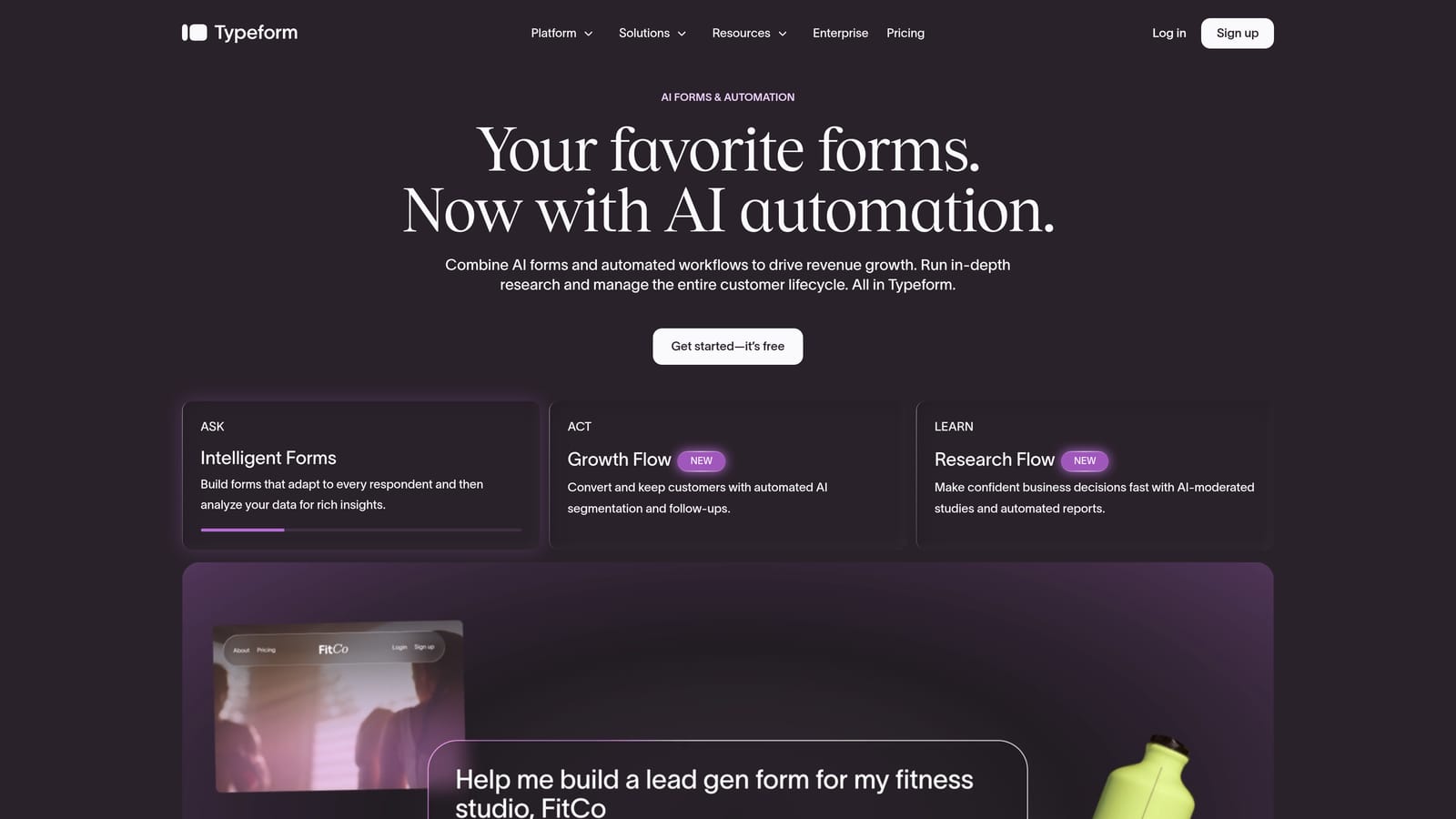
Typeform was built around a single insight: forms feel less intimidating when they ask one question at a time. That conversational, sequential UX is the foundation of everything Typeform does. It's optimized for engagement and completion, particularly for surveys, research, and brand-forward experiences where the form itself is part of the product experience.
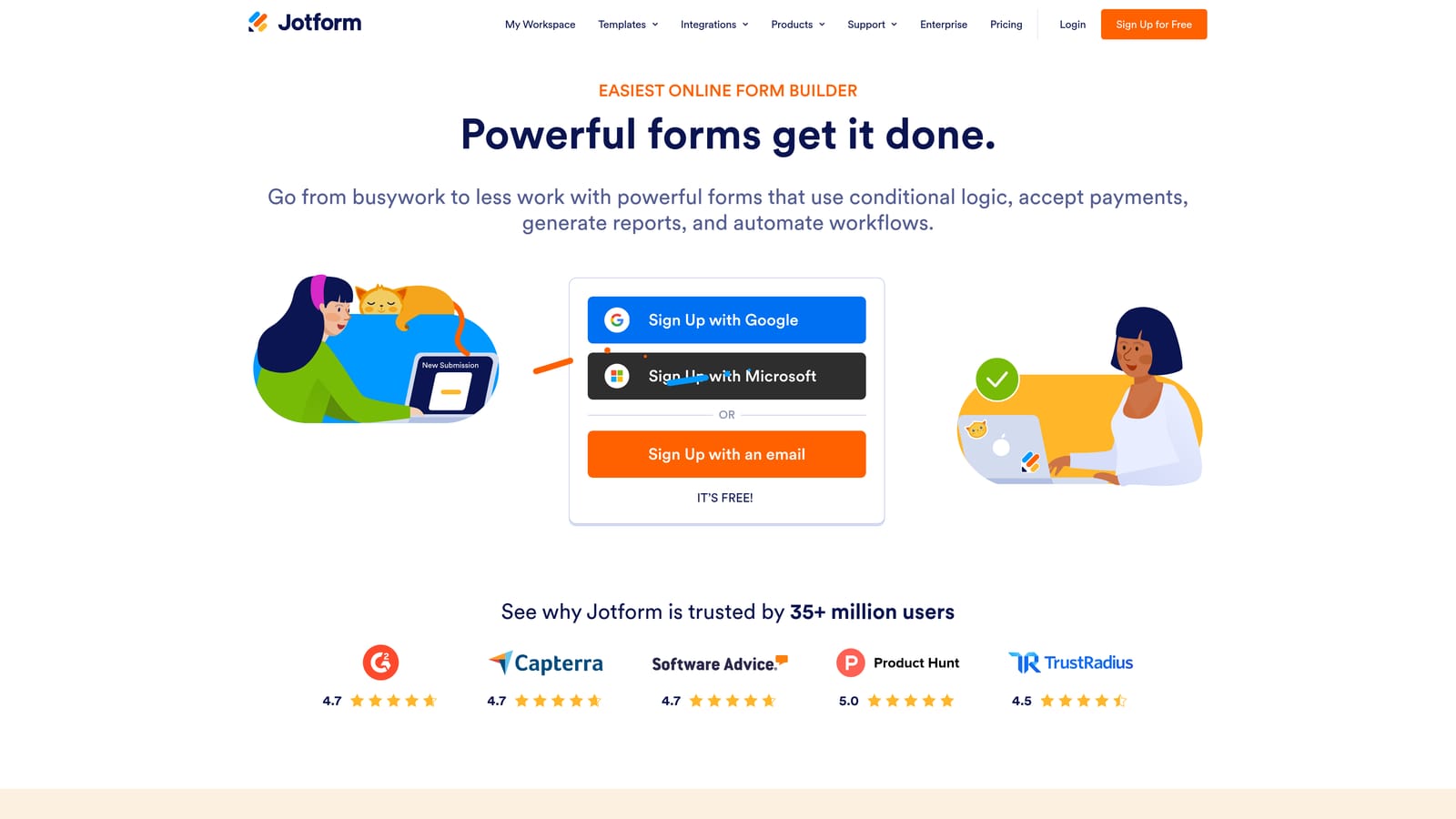
Jotform took a different approach entirely. It's an enterprise-ready, feature-rich builder with an enormous template library and a broad integration catalog. Jotform is designed to handle volume and variety, making it a strong fit for operations teams, agencies, and businesses that need to build many different types of forms quickly and connect them to existing workflows.
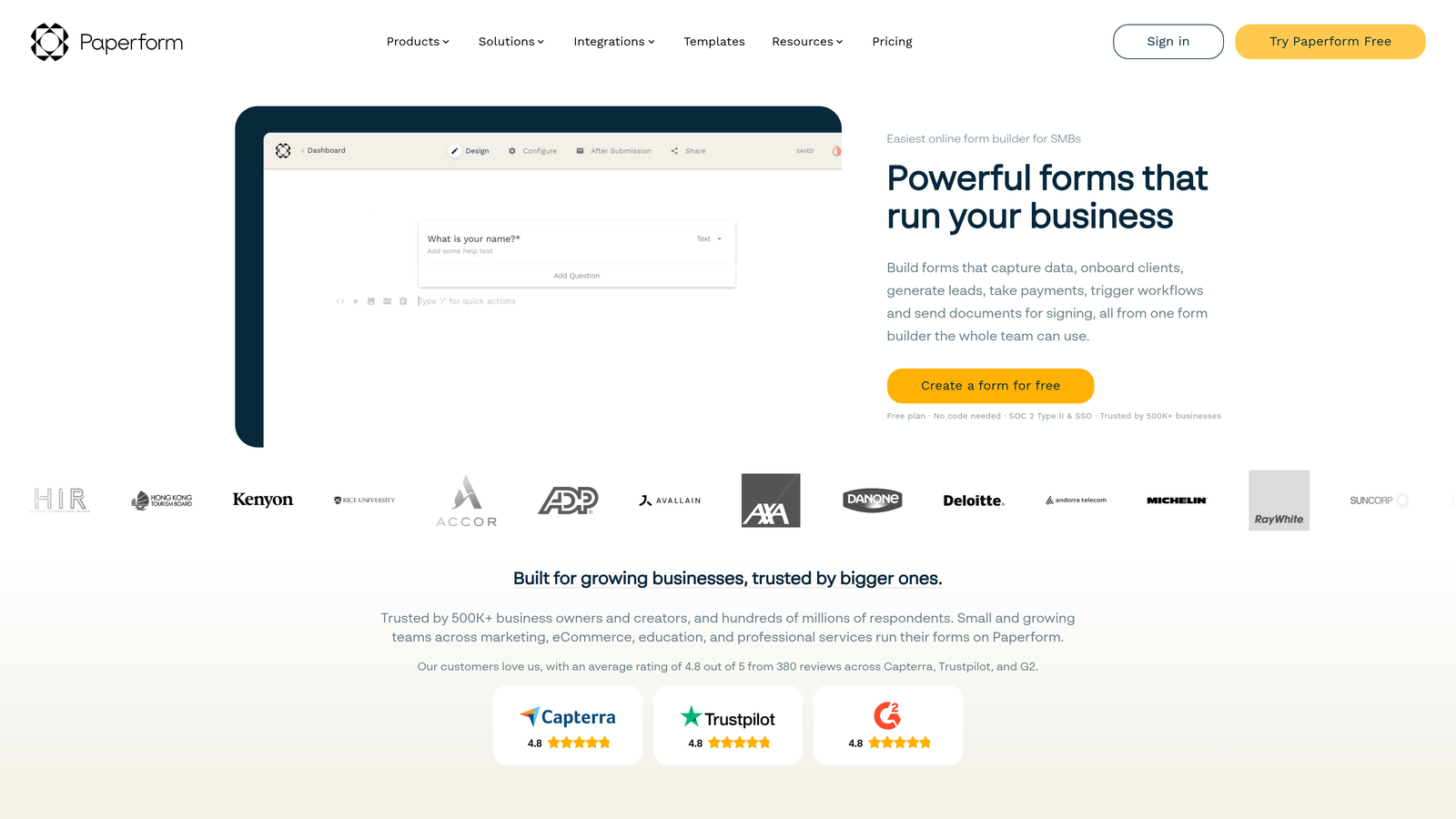
Paperform describes itself as a "Swiss Army knife" for forms, blending document-style design with form logic. It's built for teams that want their forms to feel like rich landing pages, combining text, images, video, and form fields in a single flexible canvas. It's particularly popular with content-driven businesses and solopreneurs who want design flexibility without needing a developer.
Implementation Steps
1. Define your primary use case before evaluating any platform. Is your form's main job to generate leads, collect data, process payments, or something else?
2. Ask whether the platform's core UX philosophy aligns with your audience. A conversational one-question flow works differently for a B2B qualification form than for a consumer survey.
3. Identify your team's technical capacity. Jotform rewards teams who can configure complex setups; Typeform and Paperform prioritize speed to launch.
Pro Tips
The biggest mistake teams make is evaluating form builders purely on feature lists. A platform with 200 features that doesn't align with your core workflow creates more friction than one with 20 features that fits perfectly. Start with philosophy, then drill into capabilities.
2. Lead Qualification: Which Platform Actually Helps You Filter for Quality
The Challenge It Solves
For revenue-focused teams, the form isn't just a data collection tool. It's the first filter in your pipeline. If your form can't distinguish a high-intent prospect from someone who clicked the wrong ad, your sales team ends up doing manual triage that should have happened at the form layer. This is where the differences between platforms become commercially significant.
The Strategy Explained
None of Typeform, Jotform, or Paperform natively offer AI-powered lead scoring at the form layer as a core feature. To qualify leads with any of these platforms, teams typically rely on workarounds: exporting responses to a CRM, applying scoring rules in a marketing automation tool, or building conditional logic that approximates qualification by routing based on specific answers.
Typeform allows you to build calculated scores using its variables feature, which can be used to create basic qualification logic. It's functional, but requires manual setup and doesn't adapt dynamically to response patterns. Jotform offers conditional notifications and routing, meaning you can send different alerts based on form answers, which is useful for basic lead triage. Paperform supports conditional sections and can trigger different outcomes based on responses, but lead scoring in the traditional sense requires third-party integrations.
In practice, all three platforms treat qualification as something that happens after the form is submitted, not during the form experience itself.
Implementation Steps
1. Map out your ideal customer profile criteria before building any form. Know which answers indicate a qualified lead versus an unqualified one.
2. Use calculated variables in Typeform or conditional routing in Jotform to create a basic scoring proxy within the form.
3. Connect your form to your CRM with field mapping that preserves qualification signals, so downstream scoring tools have the data they need.
Pro Tips
If lead qualification is your primary use case, be honest about the workaround tax you're paying. Stitching together a form builder, a CRM, and a scoring tool works, but every additional integration point is a potential failure mode. Consider whether a purpose-built qualification tool would be more efficient for your team's actual goal.
3. Conditional Logic and Smart Routing: Beyond Basic Branching
The Challenge It Solves
Basic conditional logic, showing or hiding a question based on a previous answer, is table stakes for any modern form builder. But for multi-stage lead gen workflows, teams need something more sophisticated: logic that can route respondents to different paths, trigger different outcomes, and adapt the form experience based on cumulative signals rather than single answers.
The Strategy Explained
Typeform's logic jump system is well-designed for linear conversational flows. You can branch based on answers, skip questions, and redirect to different endings. Where it becomes limiting is in complex, multi-variable routing. Teams building enterprise qualification flows often find that Typeform's logic works well for simple branching but requires creative workarounds for scenarios involving multiple simultaneous conditions.
Jotform offers more robust conditional logic capabilities, including show/hide field rules, calculation fields, and conditional email routing. For teams that need to trigger different notifications or route to different team members based on form responses, Jotform's conditional rules engine is generally more flexible than Typeform's. The tradeoff is that building complex logic in Jotform can become visually cluttered and harder to audit.
Paperform handles conditional logic through its "after submission" rules and conditional sections within the form. It's well-suited for forms that need to show different content blocks based on earlier answers, but its routing capabilities are more limited compared to Jotform for complex multi-path workflows.
Implementation Steps
1. Diagram your ideal form flow before touching any platform. Map out every branch, condition, and routing outcome on paper first.
2. Test your conditional logic with edge cases, not just the happy path. What happens if a respondent skips a question that feeds a downstream condition?
3. Audit your logic periodically. Complex conditional trees can break silently when you update a question, so build a review process into your form maintenance workflow.
Pro Tips
The complexity ceiling matters more than the starting capability. A platform that handles simple branching beautifully but breaks down at five conditions will become a bottleneck as your qualification logic matures. Evaluate platforms against your most complex use case, not your simplest one.
4. Conversion Optimization: Design, UX, and Completion Rates
The Challenge It Solves
A form that doesn't get completed is just a page on your website. For high-growth teams, form completion rates directly affect pipeline volume, which means the UX decisions baked into your form builder have a direct line to revenue. Understanding how each platform's design philosophy affects completion is essential before committing to a tool.
The Strategy Explained
Typeform's one-question-at-a-time format reduces perceived form length, which can meaningfully improve completion for audiences who abandon traditional multi-field forms. The format works particularly well for longer qualification flows where showing all questions at once would feel overwhelming. The tradeoff is that Typeform's design system is relatively constrained: you're working within a specific visual language that may not align with every brand.
Jotform's traditional multi-field layout is familiar and efficient for users who want to scan and complete a form quickly. This works well for short forms but can hurt completion on longer ones. Jotform has added a conversational form mode in recent years, but it's generally considered secondary to its core multi-field experience. Jotform's strength is in the breadth of field types and the flexibility to build forms that match complex data collection needs.
Paperform's document-style canvas is designed to make forms feel less like forms. By embedding form fields within rich content, teams can create experiences that feel more like interactive landing pages. This approach can reduce form anxiety and improve engagement, particularly for audiences who are skeptical of traditional form interfaces. Mobile performance is an important consideration for all three platforms, and testing your specific form on mobile before launching is always worth the time investment.
Implementation Steps
1. Audit your current form completion rate before switching platforms. You need a baseline to measure improvement against.
2. Match the form format to the audience. Conversational formats tend to work better for cold traffic; traditional multi-field formats can work well for warm, high-intent audiences who just want to submit quickly.
3. Test form length. Regardless of platform, reducing the number of required fields is typically the highest-leverage conversion improvement available to most teams.
Pro Tips
Platform UX is a lever, but it's not the only one. Progress indicators, reassuring microcopy, and clear value framing before the form often have as much impact on completion as the form format itself. Optimize the context around your form, not just the form itself.
5. Pricing Scalability: What Growth Actually Costs You
The Challenge It Solves
A form builder that's affordable at 500 responses per month can become surprisingly expensive at 50,000. For high-growth teams, understanding how each platform's pricing model scales with volume, team size, and feature access is critical before you're locked into a workflow that's expensive to migrate away from.
The Strategy Explained
Typeform uses a response-based pricing model. As your form traffic grows, your costs scale with it. This model works well at low volumes but can create meaningful cost increases for teams running high-traffic lead gen campaigns. Teams with seasonal volume spikes should pay particular attention to how Typeform handles response overages, since hitting a response limit mid-campaign can disrupt your pipeline.
Jotform uses submission and storage-based tiers. Its pricing structure is generally considered more generous at entry-level plans, and it offers a free tier with meaningful functionality. For teams that need a wide range of features without committing to a high monthly cost, Jotform's pricing model is often more accessible. Enterprise pricing is available for teams with high volume or compliance requirements.
Paperform uses flat monthly pricing with response limits that vary by plan. For teams with predictable volume, flat pricing is easier to budget for. For teams with highly variable volume, it's worth modeling whether a flat plan or a consumption-based plan is more cost-effective at your specific usage level.
One important note: pricing changes frequently across all three platforms. Always verify current pricing directly on each platform's pricing page before making a decision, and model your expected costs at your projected growth volume, not just your current volume.
Implementation Steps
1. Calculate your current monthly response volume and project it 12 months forward based on your growth trajectory.
2. Identify which features are must-haves versus nice-to-haves, since many critical features like advanced logic or integrations are gated behind higher tiers on all three platforms.
3. Factor in the cost of integrations. If you need third-party tools to handle lead scoring or routing that the platform doesn't provide natively, include those costs in your total cost of ownership calculation.
Pro Tips
The real cost of a form builder isn't just the subscription. It includes the engineering time to maintain integrations, the ops time to manage workarounds, and the pipeline cost of any conversion or qualification gaps the tool creates. Model the full cost, not just the line item.
6. Integration Depth: Connecting Forms to Your Revenue Stack
The Challenge It Solves
A form that doesn't connect to your CRM, marketing automation platform, or sales tools is a data island. For revenue-focused teams, the quality of a form builder's integrations determines whether your lead data flows cleanly into your pipeline or requires manual intervention at every step.
The Strategy Explained
Jotform has the broadest native integration catalog of the three platforms, with connections spanning CRMs, payment processors, project management tools, and communication platforms. For teams that need to connect forms to a wide variety of existing tools, Jotform's integration depth is a genuine competitive advantage. It also supports webhooks, which allows teams to push form data to any endpoint that can receive it.
Typeform offers a solid set of native integrations with popular tools, including major CRMs and marketing automation platforms. Its Zapier and Make compatibility extends its reach significantly. Where Typeform can fall short is in the reliability and field-mapping flexibility of some native integrations, which teams with complex data structures sometimes find limiting.
Paperform supports a range of integrations and also connects via Zapier and Make. Its native integration set is smaller than Jotform's, but for teams whose stack is limited to popular tools, the coverage is typically sufficient. Paperform's webhook support allows for custom integrations when native connections aren't available.
For lead gen teams specifically, the integrations that matter most are: your CRM (bidirectional sync, not just one-way push), your marketing automation platform (for nurture sequencing), and any lead routing or scoring tools you use. Evaluate each platform against these specific connections, not just total integration count.
Implementation Steps
1. List your non-negotiable integrations before evaluating any platform. Test each connection in a trial account, not just in the integration documentation.
2. Evaluate field mapping flexibility. Can the integration pass custom fields, not just standard contact data? This matters for qualification signals.
3. Test webhook reliability if you're building custom integrations. Send test submissions and verify that data arrives consistently and in the expected format.
Pro Tips
Native integrations are generally more reliable than Zapier chains, but they're also less flexible. If your workflow requires custom field mapping or conditional data routing, a webhook-based integration with your own middleware may ultimately be more dependable than a native integration that doesn't support your specific data structure.
7. When None of the Three Is the Right Answer
The Challenge It Solves
Typeform, Jotform, and Paperform are all capable general-purpose form builders. But "general-purpose" is the key phrase. For teams whose primary goal is lead qualification at scale, all three platforms share a fundamental gap: they were designed to collect data, not to qualify it. Recognizing when you've outgrown a general-purpose tool is a strategic decision, not just a product preference.
The Strategy Explained
The shared limitation across all three platforms is that lead qualification happens downstream of the form. The form collects responses; qualification logic lives in your CRM, your marketing automation platform, or a scoring tool bolted on after the fact. This means every qualified lead passes through at least two systems before your sales team sees it, and every unqualified lead also enters your pipeline before being filtered out.
For teams with modest lead volume, this workflow is manageable. For teams running high-volume lead gen campaigns, the inefficiency compounds quickly. Sales teams spend time on leads that should have been filtered at the source. Marketing teams pay to nurture contacts who were never going to convert. And the form itself, which is the first touchpoint in your funnel, does none of the qualification work it could be doing.
This is the gap that purpose-built lead qualification platforms address. Rather than collecting data and passing it downstream for scoring, a qualification-first form engine scores and routes leads during the form experience itself, before a submission ever hits your CRM. The result is a cleaner pipeline, a more relevant experience for high-intent prospects, and less manual triage for your team.
Orbit AI was built specifically for this use case. It's an AI-powered form builder designed for high-growth teams who need to qualify, score, and route leads at the form layer. If you're finding that your current form builder requires too many downstream workarounds to do the qualification work your team needs, it's worth evaluating whether a purpose-built tool would better serve your growth goals.
Implementation Steps
1. Audit your current lead qualification workflow. Count how many tools and manual steps are involved between a form submission and a sales-ready lead appearing in your rep's queue.
2. Calculate the cost of your current workaround stack, including time, tool subscriptions, and any pipeline leakage caused by qualification delays.
3. Evaluate purpose-built qualification tools against your specific requirements, focusing on whether qualification logic lives at the form layer or downstream of it.
Pro Tips
The signal that you've outgrown a general-purpose form builder is usually visible in your sales team's behavior, not your marketing metrics. If your reps are spending significant time manually sorting or rejecting form submissions, the problem isn't your sales process. It's your form layer.
Putting It All Together
Typeform, Jotform, and Paperform are all capable tools, but they were designed for different problems. Typeform wins on conversational UX and brand polish. Jotform wins on feature breadth and integration volume. Paperform wins on design flexibility for content-rich forms.
For most teams, the decision comes down to a few clear signals. If your priority is a polished, brand-forward experience for surveys and research, Typeform is a strong choice. If you need to build many different types of forms and connect them to a wide range of tools, Jotform's feature depth and integration catalog are hard to beat. If you want your forms to feel like rich, designed landing pages, Paperform's document-style canvas is genuinely differentiated.
But for high-growth teams focused on lead generation and conversion optimization, the decision ultimately comes down to one question: do you need a form builder, or do you need a lead qualification engine? If it's the latter, a general-purpose form tool, no matter how well-designed, will always require workarounds that add cost, complexity, and pipeline leakage.
Orbit AI was built specifically for teams who need to qualify, score, and route leads at the form layer, before they hit your CRM. Transform your lead generation with AI-powered forms that qualify prospects automatically while delivering the modern, conversion-optimized experience your high-growth team needs. Start building free forms today and see how intelligent form design can elevate your conversion strategy.


