

If you're evaluating Typeform vs Paperform, you're likely at a crossroads familiar to many high-growth teams: you need forms that don't just collect data — they convert, qualify, and move leads through your pipeline. Both platforms have carved out real niches in the form builder market, but they take fundamentally different approaches to design philosophy, pricing, and use cases.
Typeform built its reputation on conversational, one-question-at-a-time experiences that feel more like a dialogue than a form. Paperform leaned into flexibility and visual customization, giving creators a document-style canvas with powerful logic capabilities. Neither is universally better, but one is almost certainly better for your specific goals.
This guide breaks down seven critical comparison factors, from UX design to AI capabilities to pricing structures, so you can make a confident, informed choice. And if you find that neither platform fully checks your boxes, especially around AI-powered lead qualification and conversion optimization, we'll show you where modern alternatives like Orbit AI fit into the picture.
1. Design Philosophy: Conversational Flow vs. Creative Canvas
The Challenge It Solves
Before you can choose a form builder, you need to understand the fundamental experience each one creates for your respondents. The design paradigm shapes everything: completion rates, brand perception, and how well the form fits your specific use case. Choosing the wrong one means building against your audience rather than with them.
The Strategy Explained
Typeform pioneered the conversational, one-question-at-a-time format. Respondents move through questions sequentially, which many UX practitioners credit with reducing cognitive load and creating a more engaging, dialogue-like experience. It works especially well for lead generation forms, surveys, and quizzes where guiding someone through a structured journey matters.

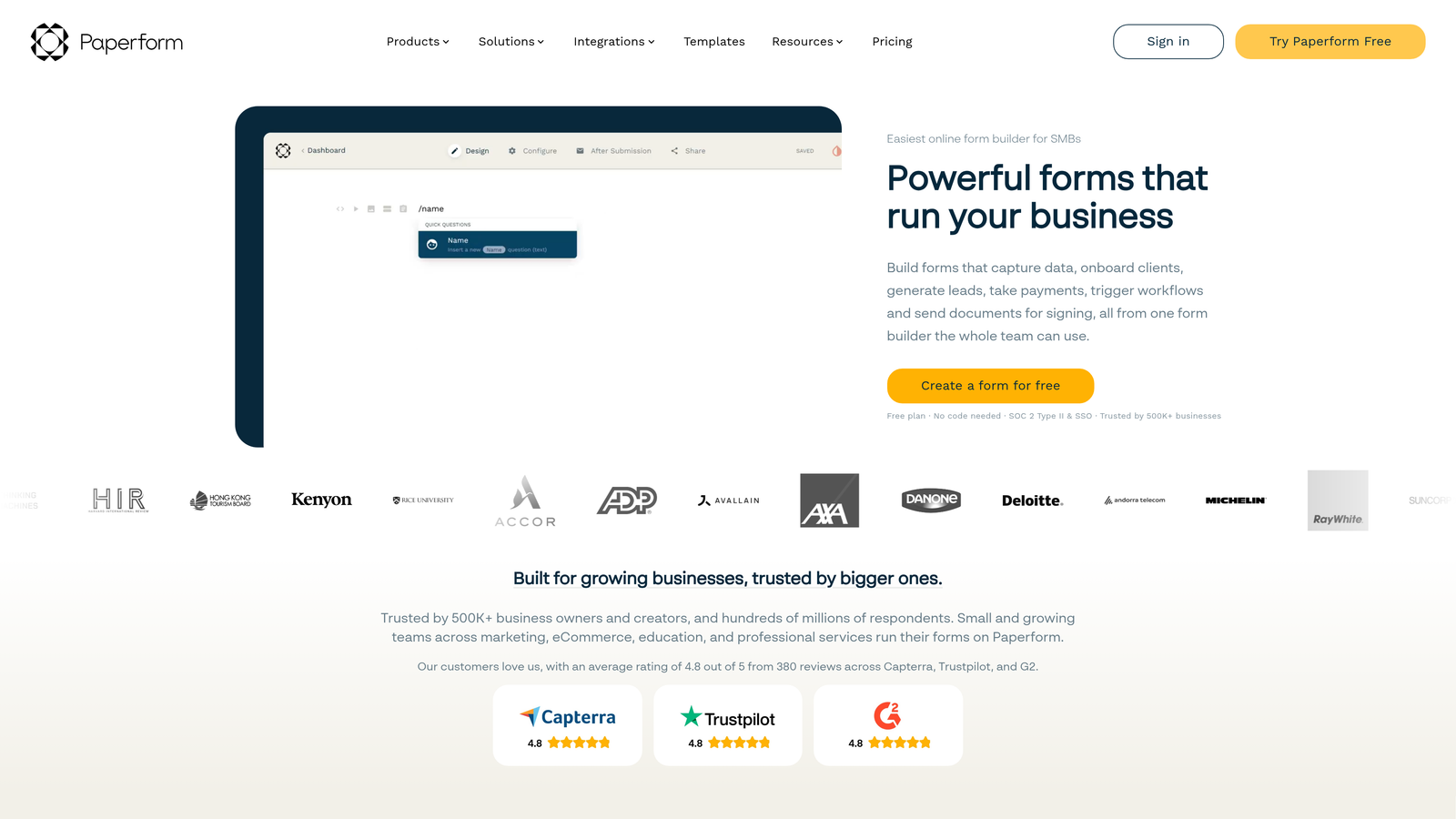
Paperform takes a completely different approach. Its freeform document-style canvas lets you mix text, images, video, and form fields freely on a single page. Think of it less like a form and more like a beautifully designed landing page that also happens to collect data. This paradigm suits order forms, event registrations, and applications where presenting context alongside questions adds real value.
Implementation Steps
1. Define your primary use case first: lead generation, surveys, event signups, or product orders. This single decision will point you toward the right design paradigm.
2. Consider your audience's context. Mobile-first audiences and shorter attention spans often respond better to Typeform's guided flow. Desktop users completing detailed applications may appreciate Paperform's document layout.
3. Build a test version of your most critical form in each platform before committing. What looks good in a demo may not translate to your actual content.
Pro Tips
Don't let aesthetics alone drive your decision. A beautifully designed form that doesn't match how your audience wants to engage will underperform a simpler one that does. Map the respondent's mental state at the moment they encounter your form, and let that guide your choice of paradigm.
2. Lead Qualification and Conditional Logic
The Challenge It Solves
For high-growth teams, a form that treats every respondent identically is a missed opportunity. The ability to route, qualify, and segment leads based on their answers is what separates a data collection tool from a genuine pipeline asset. The depth of conditional logic on each platform determines how sophisticated your qualification flows can actually get.
The Strategy Explained
Typeform uses Logic Jumps to route respondents to different questions based on their previous answers. It's a relatively intuitive system for building branching paths, and it works well for linear qualification flows where one answer determines the next step. The interface is visual and approachable for non-technical users.
Paperform approaches this differently through conditional sections, showing or hiding entire content blocks based on respondent input. This gives you more flexibility in how you structure complex forms, particularly when you want to reveal detailed information or instructions conditionally alongside form fields.
The practical difference: Typeform's Logic Jumps excel at creating clean, linear qualification journeys. Paperform's conditional sections offer more flexibility for forms where context and content need to shift alongside the questions. For teams building multi-stage qualification flows, the depth and ease of configuration varies meaningfully between the two.
Implementation Steps
1. Map your ideal qualification flow on paper first. Identify every branching point and what happens at each outcome before touching either platform.
2. Test your logic with real respondent scenarios, not just the ideal path. Edge cases in conditional logic are where most qualification flows break down.
3. Verify that your chosen platform's logic tier is included in the pricing plan you're considering. Both platforms gate advanced logic features behind higher subscription tiers.
Pro Tips
The most effective qualification forms limit branching complexity to what's genuinely necessary. More logic paths mean more maintenance overhead and more potential failure points. Build the simplest version that achieves your qualification goals, then add complexity only where it demonstrably improves lead quality.
3. Integrations and CRM Connectivity
The Challenge It Solves
A form that doesn't connect cleanly to your CRM is a bottleneck waiting to happen. Manual data exports, delayed lead routing, and inconsistent field mapping all slow down your pipeline and introduce errors. Understanding how each platform connects to your existing stack is critical before you build anything significant.
The Strategy Explained
Typeform offers native integrations with major platforms including HubSpot, Salesforce, Mailchimp, and Slack, alongside broad Zapier support for extending connectivity further. Native integrations generally mean more reliable data transfer, better field mapping options, and less dependency on middleware configuration.

Paperform similarly supports Zapier and maintains native integrations with key tools. One area where Paperform stands out is its notably strong native Stripe integration, making it a popular choice for teams combining form submissions with payment collection. Both platforms cover the major CRM and marketing automation bases, but the depth of each native connection varies.
The key distinction to evaluate is whether your most critical integrations are native or Zapier-dependent. Native integrations typically offer more reliable data sync, better error handling, and fewer configuration steps. Zapier-dependent connections add a layer of complexity and an additional subscription cost that compounds over time.
Implementation Steps
1. List your non-negotiable integrations: your CRM, marketing automation platform, and any tools that need to receive lead data in real time.
2. Check each platform's current native integration documentation directly. Integration availability changes frequently, and third-party comparison articles can be outdated.
3. Test the actual data flow, not just the connection setup. Verify that field mapping works correctly and that lead data arrives in your CRM with the structure your team expects.
Pro Tips
If your CRM integration requires Zapier on either platform, factor the Zapier subscription cost and setup complexity into your total cost of ownership. For high-volume lead generation, a native integration that routes leads instantly will outperform a Zapier-dependent one that introduces latency or occasional sync failures.
4. Pricing Structures: What You Actually Pay at Scale
The Challenge It Solves
Pricing pages rarely tell the full story. Feature gating, response volume caps, and per-user costs can turn an affordable-looking plan into a surprisingly expensive one as your team and usage grow. Understanding the true cost of each platform at your actual scale prevents painful mid-year plan upgrades.
The Strategy Explained
Typeform's pricing has historically been tied to response volume, meaning your costs scale directly with how many people complete your forms. For teams running high-volume lead generation campaigns, this model can create unpredictable monthly costs. A successful campaign that drives significantly more form completions than expected can push you into a higher tier unexpectedly.
Paperform uses a flat-rate subscription model with tiered plans. This predictability is a genuine advantage for teams that need consistent budgeting. You know what you're paying regardless of how many responses you collect in a given month.
Both platforms gate advanced features behind higher tiers. Logic capabilities, custom branding removal, and certain integrations are typically locked to mid-tier or higher plans on both platforms. Before selecting a tier, audit which specific features your use case actually requires and verify they're included at the plan level you're considering. A detailed form builder cost comparison can help you model the true expense at your projected usage.
Implementation Steps
1. Estimate your realistic monthly response volume based on current traffic and conversion rates, not aspirational projections. Then calculate Typeform's cost at that volume.
2. List every feature your team needs: logic depth, integrations, branding options, analytics. Cross-reference against each platform's tier breakdown to find the minimum plan that covers your requirements.
3. Factor in the full stack cost: platform subscription, any required Zapier plans, and the time cost of setup and maintenance when comparing total value.
Pro Tips
If your form usage is seasonal or campaign-driven, Paperform's flat-rate model likely offers better value. If your usage is consistently low and predictable, Typeform's volume-based model may work in your favor. The math changes significantly at scale, so run the numbers at your projected 12-month usage before committing.
5. Analytics, Tracking, and Conversion Insights
The Challenge It Solves
You can't optimize what you can't measure. For conversion-focused teams, built-in analytics determine how quickly you can identify drop-off points, test improvements, and understand which form variations are actually driving qualified leads. Weak analytics means slower iteration cycles and missed optimization opportunities.
The Strategy Explained
Both Typeform and Paperform provide basic completion rate visibility and drop-off data. You can see where respondents are abandoning your forms and get a general sense of overall performance. For many straightforward use cases, this level of insight is sufficient.
Where both platforms show limitations is in deeper, AI-driven analytics. Neither offers native predictive lead scoring, intelligent drop-off analysis, or conversion optimization recommendations built into the platform. Teams that need granular funnel analytics, A/B testing capabilities, or lead quality scoring typically find themselves supplementing with third-party tools like Google Analytics, Hotjar, or dedicated CRM analytics.

This gap matters more as your team's sophistication grows. Early-stage teams may find basic completion rate data sufficient. High-growth teams running multiple concurrent lead generation campaigns need more granular insight into which form elements are driving qualified conversions, not just completions.
Implementation Steps
1. Define what "good analytics" means for your team specifically. Completion rates? Lead quality scores? Time-to-completion by segment? Get specific before evaluating platforms.
2. Set up UTM parameter tracking through your forms to connect form submissions to traffic sources in your analytics platform. Both Typeform and Paperform support this through hidden fields.
3. If you need deeper insights, plan for a third-party analytics integration from the start rather than treating it as an afterthought. Build it into your initial setup workflow.
Pro Tips
Completion rate alone is a misleading success metric for lead generation forms. A form with a lower completion rate that generates higher-quality, sales-ready leads outperforms a high-completion form full of unqualified contacts. Build your analytics framework around lead quality metrics, not just volume.
6. Mobile Experience and Accessibility
The Challenge It Solves
A significant portion of form completions happen on mobile devices, and accessibility compliance is increasingly both a legal requirement and a conversion factor. Forms that perform poorly on small screens or exclude users with disabilities directly cost you leads and expose your organization to compliance risk.
The Strategy Explained
Both platforms produce mobile-responsive forms, but the quality of that mobile experience differs in practice. Typeform's single-question format tends to translate cleanly to mobile screens. One question, one input, one tap to continue: it's an inherently mobile-friendly structure that requires minimal design adjustment.
Paperform's freeform canvas can require more deliberate design work to optimize for small screens. The flexibility that makes it powerful on desktop, mixing text, images, and fields freely, can create cluttered or unwieldy experiences on mobile if not carefully considered during the build process. This isn't a dealbreaker, but it does mean mobile optimization requires more intentional effort on Paperform.
On accessibility, WCAG compliance varies between platforms and often depends on how individual forms are built, not just the platform's base capabilities. Teams with specific accessibility requirements should test both platforms against their actual standards rather than relying on platform marketing claims.
Implementation Steps
1. Test every form you build on actual mobile devices, not just browser developer tools. Real device testing catches issues that simulated mobile views miss.
2. If accessibility compliance is a requirement, run your forms through an accessibility checker like WAVE or axe before launch, regardless of which platform you use.
3. Consider your audience's device breakdown. If your analytics show that most of your traffic comes from mobile, weight mobile experience more heavily in your platform decision.
Pro Tips
Don't assume mobile-responsive means mobile-optimized. Responsive design ensures your form doesn't break on small screens. Optimized design ensures it converts on small screens. These are different standards, and the gap between them is where many lead generation teams lose completions they never knew they were losing.
7. When Neither Platform Is the Right Fit
The Challenge It Solves
Sometimes the most useful comparison isn't Typeform vs Paperform, but both vs. what your team actually needs. Both platforms were built before AI-native lead qualification became a realistic expectation for form builders, and that architectural reality shapes what they can and can't do for high-growth teams today.
The Strategy Explained
Both Typeform and Paperform are solid, mature platforms with real strengths. But they share meaningful limitations for teams whose primary goal is intelligent lead qualification and conversion optimization. Neither offers native AI-powered lead scoring. Neither was designed around the concept of forms as active pipeline contributors rather than passive data collectors.
For teams running sophisticated lead generation operations, this gap becomes increasingly significant. You end up building workarounds: supplementing with third-party analytics tools, manually configuring complex logic chains that approximate qualification, and exporting data to CRMs that do the intelligence work the form should have done upstream.
This is the space that modern platforms like Orbit AI were built to fill. Orbit AI's platform is designed specifically for high-growth teams who need forms that don't just collect responses but actively qualify leads, route them intelligently, and contribute directly to pipeline velocity. The difference isn't cosmetic: it's architectural. When AI-powered qualification is built into the form layer rather than bolted on afterward, the entire lead generation workflow becomes more efficient.
Implementation Steps
1. Audit your current form-to-pipeline workflow honestly. How many manual steps happen between a form submission and a qualified lead reaching your sales team? Each manual step is a conversion leak.
2. Identify which limitations of your current platform are workarounds you've accepted versus genuine capabilities. If you're spending significant time compensating for platform gaps, that's a signal worth acting on.
3. Evaluate AI-native alternatives against your actual qualification criteria, not just feature checklists. The right platform for your team is the one that reduces friction between form submission and pipeline entry.
Pro Tips
The best time to evaluate whether you've outgrown a platform is before a major campaign, not during one. Build a clear picture of what your ideal lead qualification workflow looks like, then evaluate platforms against that vision rather than rationalizing your current tool's limitations as acceptable constraints.
Your Decision Framework: Putting It All Together
Choosing between Typeform and Paperform ultimately comes down to your primary use case. If your team prioritizes a polished conversational experience and your response volume fits comfortably within Typeform's pricing tiers, it's a strong choice. If you need more design flexibility and predictable flat-rate pricing, Paperform delivers on those fronts.
Here's a quick decision guide based on what matters most to your team:
Choose Typeform if: Your primary use cases are surveys, quizzes, or guided lead generation flows; your audience is mobile-first; and your response volume is predictable enough that volume-based pricing works in your favor.
Choose Paperform if: You need design flexibility and the ability to mix rich content with form fields; payment collection is a core use case; and you want flat-rate pricing that doesn't scale with response volume.
Look beyond both if: Your north star is lead qualification, conversion optimization, and forms that actively contribute to pipeline growth. Both platforms show their age when measured against what AI-native form builders can do today.
Modern platforms like Orbit AI were built specifically for high-growth teams who need forms that don't just collect data but intelligently qualify and route leads in real time. Before committing to either legacy option, it's worth asking: does this platform help me convert better, or just collect more?
Transform your lead generation with AI-powered forms that qualify prospects automatically while delivering the modern, conversion-optimized experience your high-growth team needs. Start building free forms today and see how intelligent form design can elevate your conversion strategy.


