Most form builders collect data. The best ones tell you who is actually filling out your forms: their company size, tech stack, intent signals, and whether they're worth a sales call. That's the promise of lead enrichment built directly into your form workflow.
Instead of exporting a CSV and manually cross-referencing LinkedIn or a data provider, enrichment-native form builders automatically append firmographic and contact data the moment someone submits. For high-growth SaaS teams and B2B revenue operators, this is the difference between a lead list and a qualified pipeline.
This guide covers the top form builders that either natively enrich leads or integrate tightly with enrichment tools, evaluated on form quality, enrichment depth, routing capabilities, and ease of use. Whether you're running a high-volume demand gen program or optimizing a single demo request form, there's an option here that fits your stack.
1. Orbit AI
Best for: High-growth B2B SaaS teams that need AI-powered lead qualification at the point of capture
Orbit AI is an AI-powered form builder with native lead qualification capabilities designed for conversion-focused B2B revenue teams.

Where This Tool Shines
Most form builders treat enrichment as an afterthought, something you bolt on through a Zapier workflow after the submission lands. Orbit AI flips that model. Lead qualification is embedded directly into the form layer, meaning your sales team gets context-rich leads without waiting for a post-processing step to complete.
The platform is built specifically for high-growth SaaS teams who care about pipeline quality, not just submission volume. The form design is modern and conversion-optimized out of the box, which means you're not trading aesthetics for intelligence.
Key Features
AI-Powered Lead Qualification: Qualification logic runs at the point of capture, not as a downstream add-on, so enriched data is available immediately after submission.
Conversion-Optimized Design: Clean, modern form UI built to reduce abandonment and improve completion rates for B2B audiences.
Intelligent Routing: Routes leads based on quality signals captured during form completion, so high-intent prospects reach the right rep faster.
Built for Revenue Teams: Feature set and workflow design are oriented around pipeline outcomes, not generic data collection.
Focus on Pipeline Quality: Prioritizes lead quality signals over raw submission volume, aligning the form layer with sales team needs.
Best For
High-growth SaaS companies and B2B revenue teams that want enrichment and qualification to happen natively at the form level. Particularly valuable for teams running demo request forms, trial signups, or gated content where lead quality directly impacts sales efficiency.
Pricing
Visit orbitforms.ai for current pricing details. Plans are designed for growth-stage and scaling teams.
2. Typeform
Best for: Brand-forward campaigns where form experience and completion rates are the priority
Typeform is a conversational form builder known for its one-question-at-a-time UI that drives higher completion rates through reduced respondent friction.

Where This Tool Shines
Typeform's core differentiator is the experience it creates for the person filling out the form. The conversational, single-question format feels less like a form and more like a dialogue, which tends to improve completion rates compared to traditional multi-field layouts. For brand-forward campaigns where first impressions matter, this polish is a real advantage.
Enrichment is handled on the integration side rather than natively. Typeform connects cleanly with HubSpot, Salesforce, and Zapier, which means your enrichment workflow depends on what you have downstream. It works well, but it does introduce latency between submission and enriched data landing in your CRM.
Key Features
Conversational Format: One-question-at-a-time UI reduces respondent friction and keeps completion rates strong.
Native CRM Integrations: Direct connectors to HubSpot and Salesforce enable CRM-side enrichment without middleware.
Logic Jumps: Conditional branching creates dynamic form paths based on previous answers, improving relevance for respondents.
Zapier and Make Support: Enables enrichment automation workflows through middleware for teams with custom data stacks.
Brand Customization: Strong visual customization and embed options make Typeform forms feel on-brand across channels.
Best For
Marketing teams running brand-forward lead gen campaigns, event registrations, or audience research where the form experience itself is part of the brand story. Less ideal for teams that need native enrichment without middleware dependency.
Pricing
Free tier available. Paid plans start around $25/month. Verify current pricing at typeform.com.
3. HubSpot Forms
Best for: Teams already in the HubSpot ecosystem that want progressive profiling and CRM-native enrichment
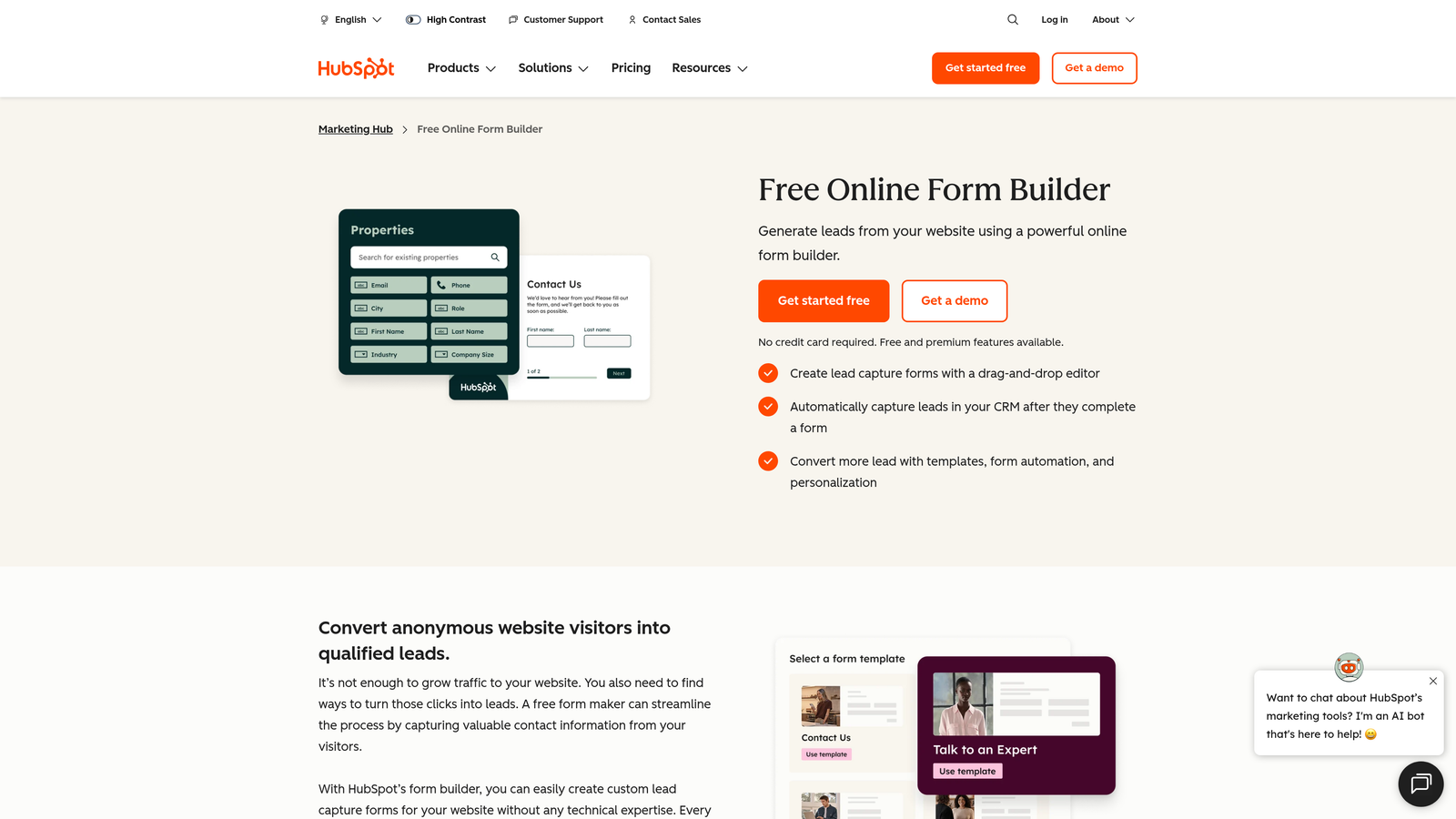
HubSpot Forms is a free form builder native to HubSpot CRM, featuring progressive profiling and contact intelligence to build richer lead profiles over multiple interactions.
Where This Tool Shines
The biggest advantage here is zero data latency. Because HubSpot Forms lives inside the CRM, there is no sync to configure, no middleware to maintain, and no delay between submission and the lead appearing in your pipeline. For sales teams that follow up quickly, this matters more than it might seem.
Progressive profiling is the standout enrichment feature. Instead of asking returning contacts the same questions, HubSpot Forms surfaces new fields on repeat visits, gradually building a richer profile without overwhelming prospects on their first interaction. Combined with Breeze AI's contact intelligence, this creates a compounding enrichment effect over time.
Key Features
Progressive Profiling: Shows different questions to returning contacts over multiple form submissions, building richer data incrementally.
Native CRM Sync: Zero data latency between form submission and CRM record creation or update.
Breeze AI Integration: HubSpot's AI layer provides contact enrichment within the ecosystem for known contacts.
Smart Fields: Auto-populates known contact data for recognized visitors, reducing friction on repeat visits.
Built-in Lead Scoring: Lifecycle stage automation and lead scoring run natively without additional tooling.
Best For
Companies already running HubSpot as their CRM and marketing platform. If you're not on HubSpot, the forms tool alone doesn't justify the platform investment. For HubSpot users, it's the path of least resistance for enrichment-aware lead capture.
Pricing
Free with HubSpot CRM. Advanced features are available within paid Marketing Hub tiers. Verify current pricing at hubspot.com.
4. Clearbit Forms (Breeze Intelligence)
Best for: Reducing form length using real-time data pre-fill for known B2B contacts
Clearbit Forms, now integrated into HubSpot's Breeze Intelligence, shortens forms by auto-filling known fields using B2B enrichment data, reducing friction for returning prospects.
Where This Tool Shines
The core use case is simple and powerful: if Clearbit's database recognizes the email address or company domain a visitor enters, it automatically fills in the remaining fields. Company size, industry, revenue range, job title — all pre-populated without the prospect having to type anything. This directly reduces form abandonment for high-intent visitors who don't want to fill out a long form.
Following Clearbit's acquisition by HubSpot in 2023, this capability now lives inside the Breeze Intelligence product. Teams already in HubSpot can access it as an add-on, making it a natural complement to HubSpot Forms' progressive profiling capabilities.
Key Features
Auto-Fill for Known Contacts: Recognizes visitors and pre-populates firmographic fields, shortening the visible form length.
Firmographic Data Pull: Surfaces company size, industry, and revenue data without requiring prospect input.
Reduced Abandonment: Fewer required fields for known contacts directly lowers drop-off on demo request and trial signup forms.
Native HubSpot Integration: Operates within the HubSpot platform post-acquisition, with no external sync required.
Optimized for High-Intent Forms: Particularly effective on bottom-of-funnel forms where friction has the highest cost.
Best For
HubSpot users running demo request, trial signup, or gated content forms who want to reduce form length without sacrificing data quality. The pre-fill model is purpose-built for this specific problem.
Pricing
Part of HubSpot's Breeze Intelligence add-on. Pricing varies by HubSpot tier. Verify current pricing at hubspot.com.
5. Tally
Best for: Lean teams that need a genuinely free, flexible form builder with enrichment via automation
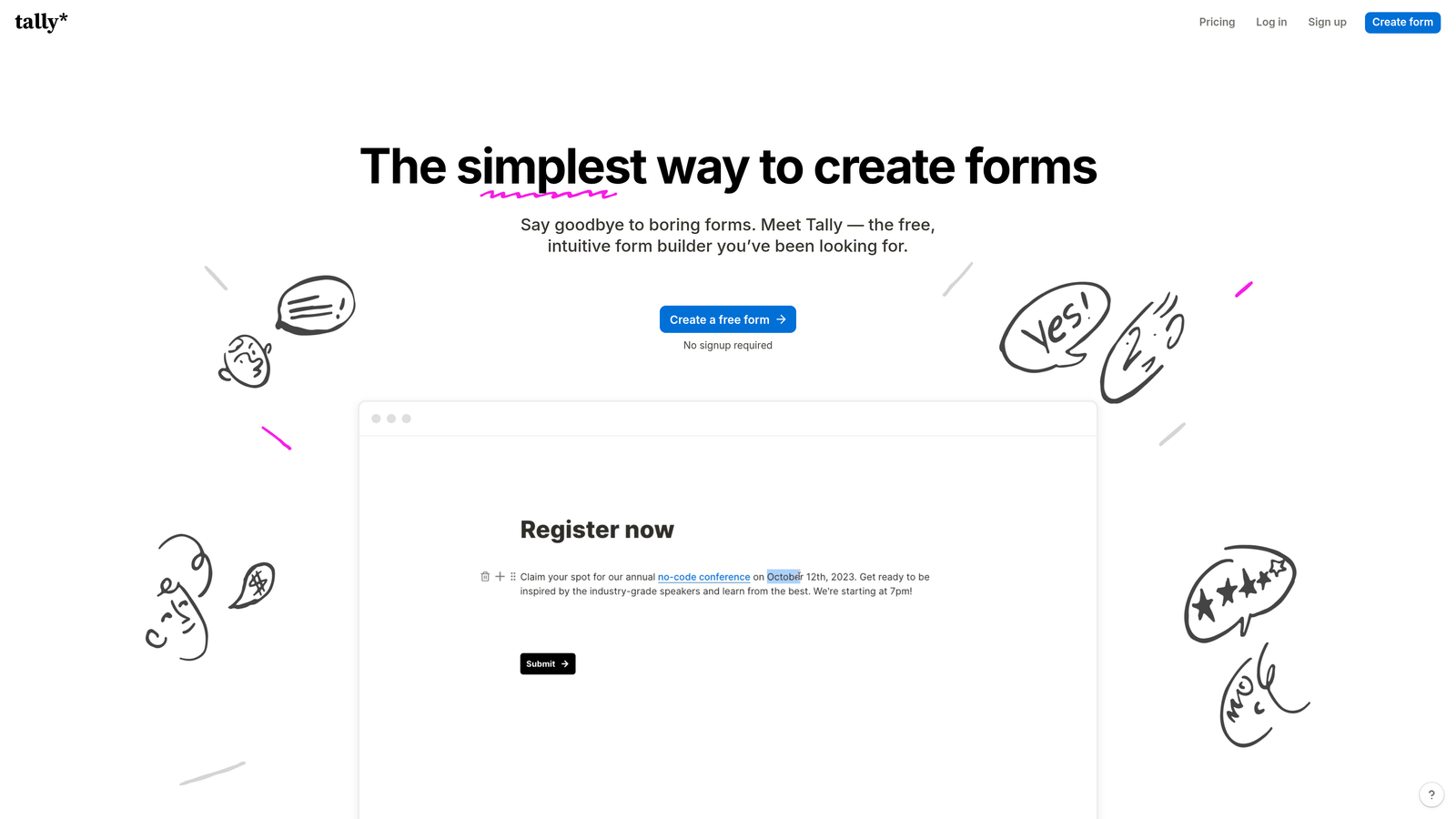
Tally is a Notion-inspired free form builder with a clean, minimal interface that connects to enrichment workflows via Zapier, Make, and webhooks.
Where This Tool Shines
Tally's free tier is genuinely generous in a category where most tools gate core functionality behind paid plans. Unlimited forms and unlimited submissions on the free plan makes it an easy starting point for early-stage teams or anyone testing a lead capture workflow before committing to a paid tool.
The Notion-like block editor makes building forms fast and intuitive, especially for teams already living in Notion. There's no native enrichment, but the webhook and Zapier support is solid enough to connect Tally to any enrichment provider in your stack. The tradeoff is middleware dependency and the latency that comes with it.
Key Features
Generous Free Tier: Unlimited forms and submissions on the free plan, with no artificial caps that force an early upgrade.
Notion-Like Editor: Block-based form building that feels familiar to teams already using Notion for documentation or project management.
Webhook and Zapier Support: Connects to enrichment automation workflows post-submission for teams with existing data stacks.
Clean Embeds: Embeds cleanly into websites and Notion pages without heavy JavaScript overhead.
Lightweight Performance: No bloated feature overhead means fast load times, which supports form completion rates.
Best For
Early-stage startups, indie builders, and lean marketing teams that want a free, elegant form builder and are comfortable managing enrichment through Zapier or Make. Not ideal for teams that need native enrichment or complex routing logic.
Pricing
Free tier available with unlimited forms and submissions. Pro plan available for advanced features. Verify current pricing at tally.so.
6. Jotform
Best for: Complex, multi-step lead capture workflows with deep CRM integration requirements
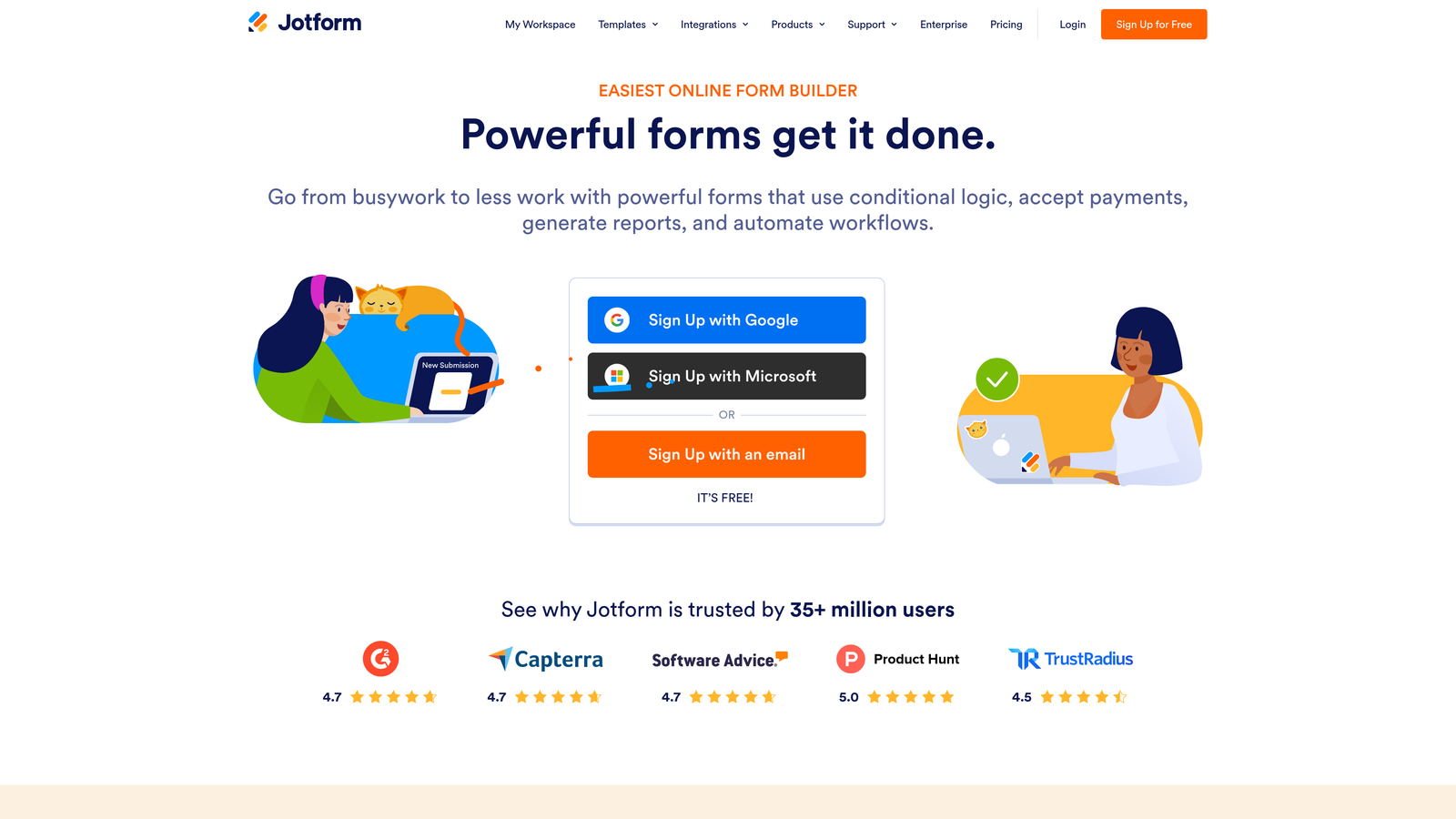
Jotform is a mature, feature-rich form builder with 150+ integrations including Salesforce, HubSpot, and various CRM and enrichment tools.
Where This Tool Shines
Jotform's strength is breadth. With over 150 native integrations, it connects to virtually any CRM, enrichment provider, or marketing automation platform your team is running. For operations teams managing complex multi-step lead capture workflows, that integration surface area is genuinely valuable.
The approval workflow feature is particularly useful for B2B teams that need internal routing before a lead reaches a sales rep. Combined with advanced conditional logic and multi-page form support, Jotform handles complexity that simpler tools can't accommodate.
Key Features
150+ Native Integrations: Connects to Salesforce, HubSpot, Zoho CRM, and a wide range of enrichment and automation tools.
Advanced Conditional Logic: Multi-page form support with branching logic for complex qualification workflows.
Approval Workflows: Routes leads through internal review processes before CRM entry or sales handoff.
Payment and E-Signature: Built-in capabilities for forms that need to collect payment or execute agreements.
Enterprise Controls: SSO, advanced compliance controls, and team management for larger organizations.
Best For
Operations-heavy teams, agencies managing multiple clients, and enterprises with complex form workflows that require approval routing, multi-step logic, and broad integration support. Overkill for simple lead capture but excellent for sophisticated use cases.
Pricing
Free tier available. Paid plans scale by submission volume. Verify current pricing at jotform.com.
7. Fillout
Best for: Product-led growth teams running data workflows on Airtable or Notion
Fillout is a modern form builder with strong native database integrations for Airtable, Notion, and key CRMs, popular with product-led growth teams running lightweight data workflows.

Where This Tool Shines
Fillout's native Airtable and Notion integrations are the headline feature. Form data syncs directly to your database without middleware, which is a meaningful advantage for product-led teams that manage their data in Airtable rather than a traditional CRM. The setup is fast, the sync is reliable, and it eliminates a common pain point in no-code data stacks.
The form UI is clean and modern with a solid mobile experience, and the pricing is competitive relative to enterprise alternatives. For teams that don't need deep enrichment but do need reliable database sync and good design, Fillout hits a useful middle ground.
Key Features
Native Airtable and Notion Sync: Form data writes directly to your database without Zapier or Make as an intermediary.
Conditional Logic and Multi-Step Forms: Supports dynamic form paths and scheduling embeds for more complex capture workflows.
CRM Connectors: Connects to HubSpot, Salesforce, and other CRMs for enrichment-side workflows downstream.
Competitive Pricing: More affordable than many enterprise alternatives while maintaining a modern feature set.
Mobile-Optimized UI: Clean form design that performs well across devices, supporting completion rates on mobile traffic.
Best For
Product-led growth teams and no-code operators managing data in Airtable or Notion who want a form layer that syncs directly to their existing database without middleware overhead.
Pricing
Free tier available. Paid plans available for higher volume and advanced features. Verify current pricing at fillout.com.
8. Gravity Forms
Best for: WordPress-native businesses with developer resources and a need for self-hosted form infrastructure
Gravity Forms is a WordPress plugin for advanced form building with a large add-on ecosystem including CRM connectors and enrichment integrations.
Where This Tool Shines
Gravity Forms is the dominant form solution in the WordPress ecosystem, and for good reason. The add-on library is extensive, covering Salesforce, HubSpot, Zapier, and a wide range of CRM and enrichment tools. For WordPress-native businesses, it integrates more deeply with the site infrastructure than any SaaS form tool can.
The partial entries feature is worth highlighting specifically for lead enrichment contexts. It captures form data even when a visitor abandons mid-completion, giving you partial lead data that can still be enriched and followed up. For high-traffic forms, that recovery capability adds up.
Key Features
Extensive Add-On Library: Salesforce, HubSpot, Zapier, and dozens of other connectors available as official or community add-ons.
Advanced Conditional Logic: Multi-page form support with branching logic built for complex qualification paths.
Partial Entries: Captures data from abandoned form submissions, enabling follow-up on incomplete leads.
Developer-Friendly Architecture: Hooks and filters throughout the codebase enable custom enrichment logic for technical teams.
Self-Hosted Infrastructure: Data stays on your own WordPress server, which matters for teams with data residency requirements.
Best For
WordPress-native businesses with developer resources who want deep site integration, self-hosted data control, and access to a mature add-on ecosystem. Not a fit for teams not on WordPress.
Pricing
Annual license model with Basic, Pro, and Elite tiers. Verify current pricing at gravityforms.com.
9. Formstack
Best for: Regulated industries that need enrichment within a compliant, enterprise-grade data environment
Formstack is an enterprise form builder with strong compliance features including HIPAA and GDPR support, and deep native Salesforce integration.
Where This Tool Shines
Formstack occupies a specific and important niche: enterprise and regulated industries where compliance is non-negotiable. HIPAA-compliant forms for healthcare, financial services workflows, and government-adjacent data collection all require a level of security and auditability that most form builders don't provide. Formstack does.
The Salesforce integration is genuinely deep, with bi-directional data sync that keeps form submissions and CRM records in alignment without manual reconciliation. For Salesforce-heavy enterprises, this reduces the operational overhead of maintaining data integrity across systems.
Key Features
HIPAA Compliance: Certified HIPAA-compliant forms for healthcare and regulated industry use cases.
Deep Salesforce Integration: Bi-directional data sync keeps form submissions and Salesforce records aligned in real time.
Advanced Workflow Automation: Multi-step approval and routing workflows for complex internal processes.
Document Generation and E-Signature: Built-in capabilities for forms that need to produce documents or capture signatures.
Enterprise Security Controls: Role-based access, audit logs, and enterprise-grade security infrastructure.
Best For
Healthcare organizations, financial services firms, and large enterprises in regulated industries that need compliant form infrastructure with deep Salesforce integration. The price point reflects the enterprise positioning.
Pricing
Enterprise pricing at a higher price point than consumer tools. Contact Formstack directly for current rates at formstack.com.
Which Tool Is Right for Your Stack?
The right choice comes down to where enrichment fits in your workflow and what your team is already running.
If you're a high-growth SaaS team that wants AI-powered qualification built into the form layer rather than bolted on afterward, Orbit AI is the clear starting point. It's the only tool in this list purpose-built for pipeline quality at the point of capture.
If you're deep in the HubSpot ecosystem, HubSpot Forms with progressive profiling is the path of least resistance. For teams that want to shorten forms using real-time data pre-fill, Clearbit/Breeze Intelligence is purpose-built for exactly that job. Typeform wins on experience design for brand-forward campaigns. Tally is the best free option for lean teams. Jotform suits complex ops workflows. Fillout is ideal for product-led teams on Airtable. Gravity Forms remains the go-to for WordPress shops with technical resources. Formstack serves compliance-heavy enterprise environments best.
The underlying principle worth keeping in mind: lead enrichment should happen at the point of capture, not as a post-processing step. The longer the gap between form submission and enriched data appearing in your CRM, the colder the lead. Tools that close that gap natively, or integrate tightly enough to feel native, give your sales team a meaningful edge on follow-up timing.
Transform your lead generation with AI-powered forms that qualify prospects automatically while delivering the modern, conversion-optimized experience your high-growth team needs. Start your free trial today and see how intelligent form design can elevate your conversion strategy.