You spent real budget driving traffic to your site. Prospects found your forms, filled them out, and submitted their information. And then nothing happened. The lead sat in a shared inbox. A rep glanced at it, couldn't tell if it was worth their time, and moved on. By the time anyone followed up, the prospect had already signed with a competitor.
This is one of the most expensive breakdowns in modern lead generation, and it plays out quietly every single day across B2B SaaS companies, agencies, and high-growth teams everywhere. The frustrating part? It almost never gets fixed because everyone assumes it's a motivation problem. Reps just need to be more diligent, right?
Wrong. This is a systems problem. When form submissions land in a shared inbox with no ownership, no qualification signal, no urgency trigger, and no context for prioritization, even the most motivated rep will eventually start treating that queue like noise. Because, from their perspective, it often is.
The good news is that a broken form-to-sales handoff is entirely fixable. Not with a motivational speech at the next all-hands, but with a properly engineered pipeline that qualifies leads before they reach your reps, routes them to a named owner automatically, triggers real-time alerts with full context, and tracks response performance so you can see exactly where things break down.
This guide walks you through six concrete steps to build that system. Whether you're running a SaaS product, a B2B service operation, or any business where form submissions drive pipeline, you'll come away with an actionable process to eliminate the black hole between form submission and first contact. Let's get into it.
Step 1: Diagnose Why Submissions Are Being Ignored
Before you fix anything, you need to understand exactly what's breaking. "Sales reps are ignoring form submissions" is a symptom. The root cause could be any number of things, and the wrong diagnosis leads to the wrong fix.
Start with a simple end-to-end audit of your current form-to-rep handoff. Map every step that happens after a prospect hits submit: Where does the submission go? Who receives it? What information do they see? What action are they expected to take, and by when? Write it out. Most teams discover their "process" is actually a series of assumptions that nobody has ever validated.
Once you have the map, pull your last 30 days of form submissions and categorize each one: responded promptly, responded late, or never responded. This gives you your actual drop-off rate, not an estimate. You may find that reps are responding to certain types of submissions while ignoring others, which tells you a great deal about where the signal-to-noise problem lives.
Here are the most common failure points to look for during your audit:
Shared inbox with no ownership: If submissions land in a team@yourcompany.com address, nobody owns them. This is the organizational equivalent of the bystander effect. Everyone assumes someone else will handle it, so nobody does.
No qualification filtering: When every submission looks the same regardless of fit, reps lose trust in the queue. They've been burned too many times by "leads" that turned out to be students, competitors, or completely misaligned prospects.
Notification fatigue: If reps receive dozens of low-quality submissions for every high-value one, they start tuning out all notifications. The signal gets buried in the noise.
No context or scoring: Raw form data with no qualification signal forces reps to do their own research before they can even decide whether to respond. That friction adds up fast.
No SLA or response expectation: Without a defined window for follow-up, urgency is entirely subjective. Reps default to their own judgment, which varies widely.
The goal of this diagnostic step is not to assign blame. It's to identify which of these failure points are active in your pipeline so you can fix them systematically. Chances are, you'll find more than one.
Step 2: Add Lead Qualification Directly Into Your Forms
The single biggest reason reps ignore form submissions is not laziness. It's that too many low-quality leads are mixed in with high-value ones, and over time, reps learn to distrust the entire queue. The fix for this doesn't start in your CRM or your routing rules. It starts in the form itself.
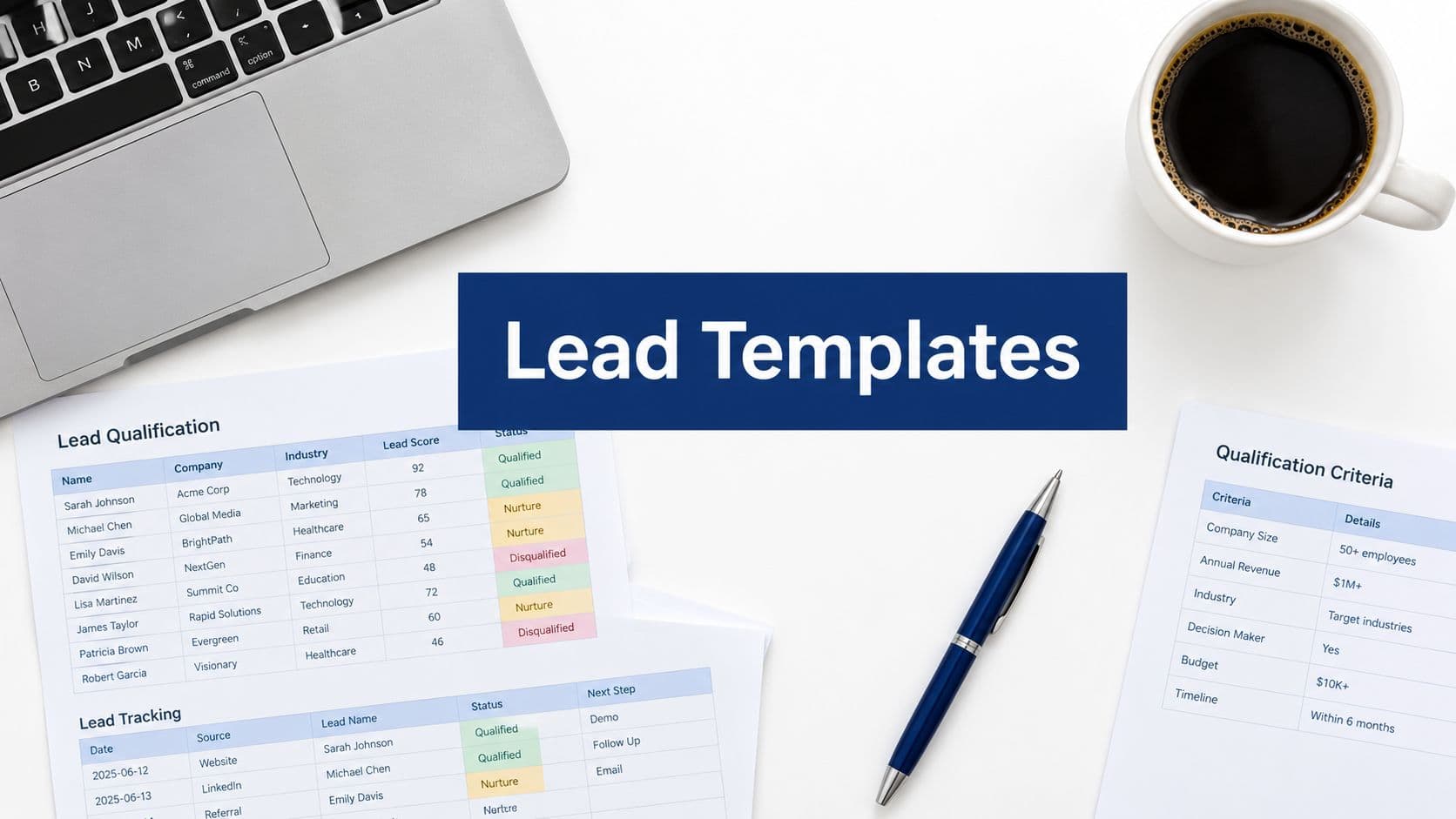
When you build qualification logic directly into your forms, you filter signal from noise before a submission ever reaches your team. Instead of every lead arriving as an undifferentiated "contact us" entry, each submission arrives with context: company size, use case, budget range, timeline, and any other signals that tell your reps whether this is a conversation worth having right now.
Conditional logic is your primary tool here. A well-designed form adapts based on what the prospect answers. Someone who selects "enterprise" as their company size might see a different follow-up question than someone who selects "solo operator." This keeps the form experience relevant for the prospect while collecting the exact data your reps need to prioritize.
AI-powered lead qualification takes this further by automatically scoring and segmenting submissions based on your ideal customer profile. Rather than a rep manually reading each submission and making a judgment call, the system does the triage. Orbit AI's form builder is built specifically for this: it combines conditional logic with AI-driven qualification so that every submission arrives pre-scored and pre-segmented.
A practical qualification tier structure looks something like this:
Hot leads: Match your ICP on key criteria (company size, role, budget, urgency). Route immediately to a named rep with a high-priority alert.
Warm leads: Partially match your ICP but need more nurturing. Enter an automated email sequence and route to a rep within a longer window.
Unqualified leads: Clearly outside your ICP. Trigger an automated, respectful response and remove them from the active queue so they never reach a rep at all.
One important balance to strike: don't over-gate your form in pursuit of perfect qualification data. Every additional required question reduces your completion rate. For most teams, three to five qualifying questions is the sweet spot. Ask only what you actually need to make a routing or scoring decision.
The success indicator for this step is straightforward. A rep should be able to open any submission and immediately know whether it's worth a call. The score, the key qualification signals, and the recommended action should all be visible at a glance, without any additional research required. If your reps are still having to dig for context, your form isn't doing enough work upfront.
Step 3: Automate Routing So Every Lead Has a Named Owner
Qualification solves the signal problem. Routing solves the ownership problem. And without clear ownership, even a perfectly qualified lead can fall through the cracks.
The core principle here is simple: shared inboxes kill accountability. If a lead lands in a team queue where three reps can see it, the psychological reality is that nobody feels personally responsible for it. The solution is to eliminate the shared queue entirely and replace it with automated assignment logic that puts every submission in front of a specific, named rep the moment it's submitted.
Your routing rules should be built on the qualification data you're already collecting in the form. Common routing variables include:
Territory: Route based on the prospect's geography or region, mapped to your rep coverage model.
Company size: Enterprise leads go to your enterprise reps. SMB leads go to your velocity team. This prevents mismatched conversations from the start.
Industry or vertical: If your reps specialize by vertical, use the prospect's industry answer to route accordingly.
Product interest: If someone indicates interest in a specific product line or use case, route to the rep who covers that area.
Orbit AI's workflows feature enables this kind of automatic assignment logic tied directly to form responses, so you can build routing rules once and have them execute without any manual intervention. For teams using external CRMs, native integrations or tools like Zapier can push qualified leads directly into the assigned rep's pipeline with ownership already set before anyone has even looked at the submission.
One element that many teams overlook: fallback routing. What happens if the assigned rep doesn't respond within a defined window? Without a fallback, the lead just sits there. Build an escalation rule: if a hot lead isn't claimed within, say, two hours, trigger an alert to the sales manager and optionally reassign to a backup rep. This creates a safety net that catches leads before they go cold.
The success indicator for this step is unambiguous. Every form submission should have a named owner within 60 seconds of submission, with no exceptions. If you can't verify that's happening, your routing isn't automated enough yet.
Step 4: Build Urgency With Real-Time Alerts and Context-Rich Notifications
Here's a pattern that plays out constantly in sales teams: a qualified lead submits a form, an email notification goes out, and the rep sees it three hours later when they get back to their inbox. By then, the lead has moved on. Email notifications alone don't create urgency because reps check email on their own schedule, not yours.
The fix is multi-channel alerting for high-priority submissions. When a hot lead submits a form, your system should reach the assigned rep through whatever channel they actually monitor in real time. For most modern sales teams, that means Slack. For others, it's SMS. Some teams use in-app push notifications. The channel matters less than the immediacy: the rep needs to know within minutes, not hours.
But the channel is only half the equation. The content of the notification matters just as much. There's a significant difference between a notification that says "New form submission" and one that says "High-priority lead: Sarah Chen, VP of Marketing at Acme Corp (250 employees), interested in enterprise plan, timeline Q3, score 92. Click here to respond." The second version gives the rep everything they need to act immediately. The first version requires them to go find the context themselves, which introduces friction and delay.
For hot leads specifically, don't wait for the rep to act before the prospect hears from your company. Orbit AI's sequences feature can trigger an automatic, personalized acknowledgment email the moment a high-score submission comes in, keeping the lead warm while the rep is being alerted. This is a critical gap-filler: the prospect feels acknowledged and engaged, which extends your response window without burning the opportunity.
Build time-based escalation into your alert system as well. If a high-score lead isn't contacted within your defined SLA window, trigger a secondary alert to the sales manager. This creates a visible accountability loop without requiring anyone to manually monitor the queue.
A practical test you should run right now: submit a form on your own site and track exactly how long it takes you to receive actionable information about that submission. Not just a notification, but a notification with full context and a clear next step. If that process takes more than two minutes, or if the notification lacks meaningful context, your alert system needs work before it can create the urgency your reps need.
Step 5: Give Reps the Tools to Respond Fast
Even the most motivated rep will delay if responding requires too many steps. You've done the work to qualify the lead, route it to the right person, and alert them in real time. Don't let that effort get undermined by a clunky response process that adds unnecessary friction at the last mile.
The most effective friction reducer is an embedded scheduling link. Rather than requiring a rep to write a personalized email, wait for a reply, go back and forth on timing, and then finally land on a meeting, put a booking link directly in the automated acknowledgment email that goes out the moment a qualified lead submits. The prospect can self-schedule without any back-and-forth, and the rep shows up to a pre-booked call rather than cold outreach. Orbit AI's scheduler feature lets you embed booking directly into your form flow or follow-up sequence, making this a seamless part of the lead experience rather than an afterthought.
Response templates are another high-leverage tool that many teams underinvest in. For the top three or four lead types your reps encounter, create pre-written response frameworks they can personalize in 30 seconds rather than drafting from scratch. A rep who has a strong starting point will respond faster and more consistently than one staring at a blank compose window.
For high-value leads, consider a one-click "claim and respond" action that logs the rep's response in your CRM automatically. Reducing the administrative overhead of responding means reps spend their energy on the conversation, not the data entry.
Finally, make sure reps have full context before they respond. They should see the complete form submission, the lead score, any prior interactions with your company, and the automated messages that have already gone out, all in a single view. Orbit AI's contacts feature consolidates this into one place so reps walk into every conversation already informed. A rep who knows exactly who they're calling and why is a rep who makes the call.
Step 6: Set Response SLAs and Create Visible Accountability
All the automation in the world won't fully close the loop if there's no expectation attached to it. Without defined response time standards, reps default to their own judgment about urgency, and that judgment varies widely from person to person and day to day.
Define clear SLAs by lead tier and make them explicit. A reasonable starting framework: hot leads should receive a personal response within 15 to 30 minutes of submission. Warm leads within four hours. Lower-priority leads within one business day. The exact windows matter less than the fact that they exist, are communicated clearly, and are tracked consistently.
Visibility is what transforms an SLA from a policy document into a cultural norm. When response time data is visible to the team, not just to management, it creates natural accountability. Reps who consistently hit their SLAs are recognized. Reps who are falling behind get support before a pattern becomes a problem.
Orbit AI's analytics feature provides submission-level tracking so you can monitor follow-through rates, average response times by rep, and SLA compliance across your entire pipeline. Use this data to run a weekly five-minute review in your team standup. Not as a performance review, but as a systems check: where are delays consistently happening? Is a particular form generating a high volume of low-quality leads that's overwhelming a rep? Is a routing rule sending the wrong leads to the wrong person?
One important reframe for managers: if reps are consistently missing SLAs, resist the instinct to address it as a motivation issue. More often, it means the lead volume is too high, the routing is misaligned, or the qualification filter isn't doing enough work. Use the analytics to diagnose before you coach.
The goal of SLA tracking isn't surveillance. It's making the invisible visible so that systemic problems get fixed at the system level, not managed around at the individual level.
Your Action Checklist: From Ignored Leads to Closed Pipeline
Let's bring the full system together. Here's a scannable summary of everything covered in this guide, structured as a checklist you can work through with your team.
Audit your current handoff: Pull 30 days of submissions and categorize each one as responded, delayed, or ignored. Map the end-to-end process and identify your active failure points.
Add qualification to your forms: Use conditional logic and AI-powered scoring to segment leads into hot, warm, and unqualified tiers before they reach any rep. Three to five qualifying questions is your target range.
Automate routing to named owners: Replace shared inboxes with assignment rules based on territory, company size, industry, and product interest. Every submission should have a named owner within 60 seconds. Build fallback escalation for unresponded hot leads.
Set up context-rich, multi-channel alerts: Move beyond email notifications for high-priority leads. Use Slack, SMS, or push notifications with full lead context included. Trigger automated acknowledgment sequences so the prospect stays warm while the rep is being alerted.
Reduce rep friction: Embed scheduling links in your acknowledgment emails. Build response templates for your top lead types. Give reps a single-view contact record with full submission context before they make contact.
Define SLAs and track performance: Set explicit response windows by lead tier. Make performance data visible in team standups. Use analytics to diagnose systemic delays, not to assign blame.
This is a system problem, and it has a system solution. When every piece of this pipeline is in place, form submissions stop disappearing into a black hole and start flowing into your sales team as qualified, contextualized, assigned opportunities with urgency built in.
Orbit AI's platform is built to make this entire system work out of the box: AI-powered form qualification, automated routing workflows, follow-up sequences, embedded scheduling, and response analytics, all connected. Book a demo and see how a qualification-first, automation-driven approach changes what your pipeline looks like on the other side.